Original Industrial Spare Part
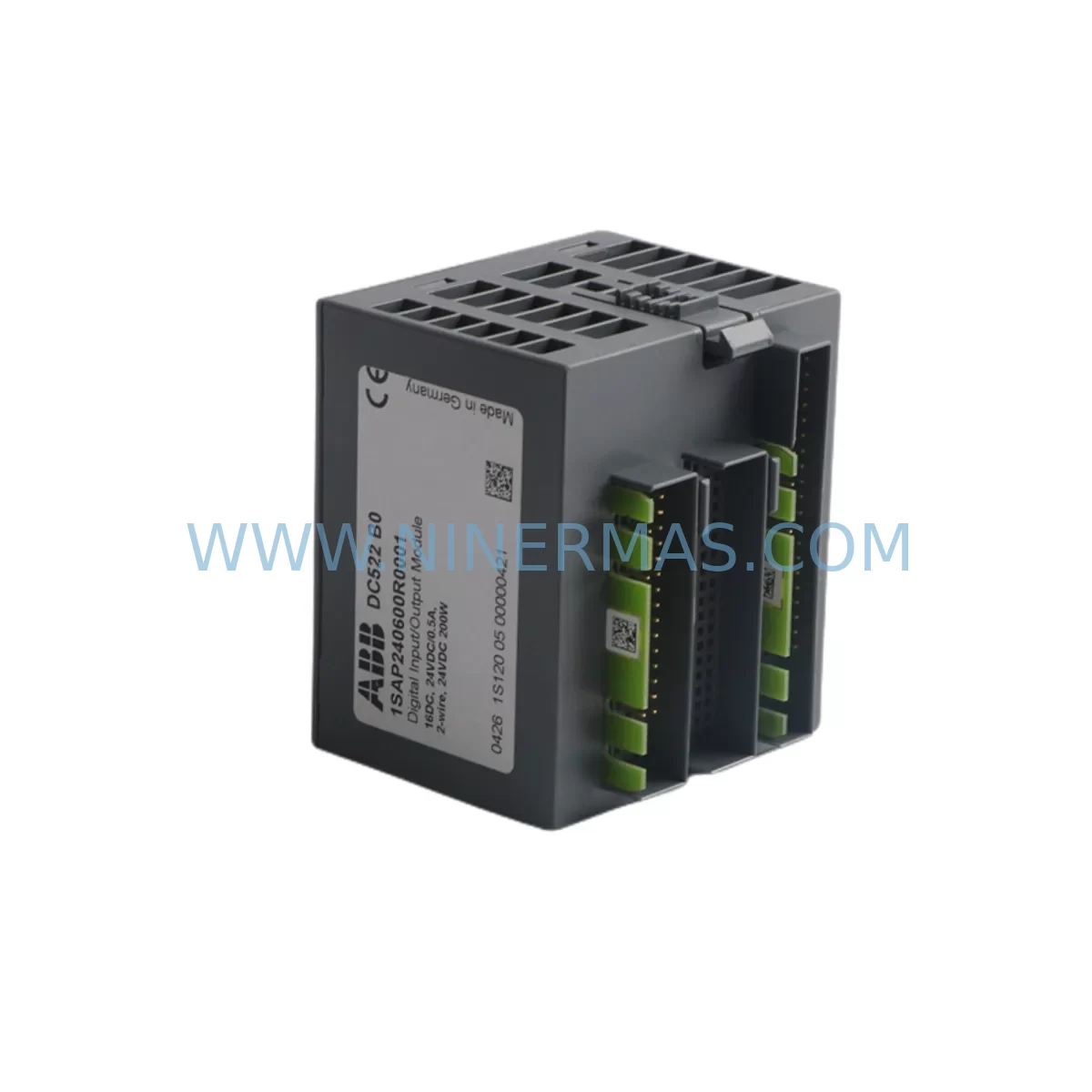
ABB DC522 1SAP240600R0001 Service-Ready Spare Part
Verify the part, confirm the platform family, and move straight into quotation with the right commercial details.
RFQ Ready
- SKUDC522 1SAP240600R0001
- CategoryPLC & Industrial Automation Modules
- BrandABB
- SupportAvailability, lead time, condition, and shipping coordination
How Buyers Usually Use This Page
- Confirm the exact part number and platform family before sending the quote request.
- Use direct email when quantity, condition, and destination are already defined internally.
- Switch to the broader brand or category archive when you need alternates nearby.
Series Navigation
Move through the most common platform families behind this part.
Product RFQ
Send this part directly for quotation.
Include quantity, required condition, destination country, and target delivery timing. Current reference: ABB DC522 1SAP240600R0001 Service-Ready Spare Part with SKU DC522 1SAP240600R0001.
ABB DC522 1SAP240600R0001 Service-Ready Spare Part for Industrial Maintenance
The ABB DC522 (1SAP240600R0001) is a 16-channel digital output module designed for the ABB AC500 programmable logic controller platform. As a critical I/O component in distributed control architectures, the DC522 handles 24 V DC transistor outputs at up to 0.5 A per channel, making it a high-demand spare in process automation, machine control, and utility infrastructure environments. When a DC522 fails or reaches end-of-service life, every minute of unplanned downtime translates directly into production loss. Sourcing a verified, service-ready replacement from a reliable supplier is the fastest path back to full operation.
At NINERMAS, every ABB DC522 1SAP240600R0001 unit is inspected, function-tested, and shipped with a 12-month warranty. We maintain long-term stock of AC500-series I/O modules to support both emergency replacement orders and planned annual maintenance programs.
Spare Maintenance Table
| Parameter | Specification |
|---|---|
| Part Number | DC522 / 1SAP240600R0001 |
| Brand | ABB |
| Series | AC500 |
| Module Type | Digital Output Module (DO) |
| Number of Channels | 16 × Digital Output |
| Output Voltage | 24 V DC |
| Output Current per Channel | 0.5 A (max) |
| Output Type | Transistor (PNP, sourcing) |
| Backplane Interface | AC500 S500 I/O bus |
| Mounting | DIN rail via TB521 / TB522 terminal base |
| Protection Class | IP20 |
| Operating Temperature | -25 °C to +60 °C |
| Origin | Germany |
| Compatibility | AC500 PM5xx / PM5xx-ETH / PM5xx-2ETH CPU modules |
| Certifications | CE, UL, cUL |
| Warranty | 12 Months (NINERMAS) |
| Condition | New / Refurbished-Tested (specify on order) |
| Lead Time | In stock — ships within 1–3 business days |
Maintenance Planning for Continuous Operation
The DC522 digital output module sits at the heart of the AC500 I/O subsystem. When planning a replacement or conducting a scheduled control cabinet inspection, maintenance engineers should treat the DC522 swap as an opportunity to audit the entire output circuit and adjacent components to prevent secondary failures.
Begin with the TB522 terminal base — the DC522 plugs directly into this base, and worn or corroded terminal contacts are a common hidden cause of intermittent output faults. Inspect the terminal base for mechanical damage and verify that all field wiring terminations are torqued to specification. If the terminal base shows signs of heat stress or discoloration, replace it alongside the DC522.
Next, verify the 24 V DC field power supply feeding the output load circuit. A degraded SITOP, Phoenix Contact QUINT, or ABB CP-series power supply delivering marginal voltage under load can cause the DC522’s transistor outputs to behave erratically even after a module swap. Use a calibrated multimeter to confirm supply voltage is within ±1% under full load before commissioning the new module.
Check the AC500 CPU module — typically a PM554, PM564, or PM583 — for firmware currency. Outdated firmware can cause I/O bus communication errors that mimic hardware faults. If the DC522 replacement does not resolve the fault, a CPU firmware update or CPU module swap may be required. Keep at least one spare CPU module in your critical spares inventory.
Inspect adjacent digital input modules such as the DI524 or DI522 on the same I/O bus segment. A shorted field device connected to a DI module can inject noise that disrupts the entire S500 bus, causing false output states on the DC522. Isolate and test each field device before restoring power.
Review the SD502 or SD504 analog output modules if the control loop includes proportional valve or variable-speed drive control alongside the digital outputs. Analog and digital modules share the same backplane bus, and a failing analog module can generate bus errors that affect all I/O modules in the rack.
For systems using CM572-DP PROFIBUS or CM589-PNIO PROFINET communication modules, verify that the fieldbus master still recognizes the AC500 station after the DC522 replacement. A module slot change or GSD/GSDML configuration mismatch can cause the entire station to go offline. Always compare the physical slot assignment against the hardware configuration in Automation Builder before going live.
Examine the 24 V DC fuse protection on the output load circuit. Blade fuses or miniature circuit breakers protecting individual output groups should be tested for continuity and replaced if they show any signs of thermal fatigue. A blown fuse on an output group is often the first symptom of a field wiring short that may have damaged the DC522 in the first place.
Finally, if the control cabinet includes an ABB CP600 or CP620 HMI panel, verify that the HMI’s I/O status screens correctly reflect the new module’s output states after commissioning. Discrepancies between HMI display and actual field output can indicate a configuration or addressing issue that must be resolved before returning the system to automatic mode.
Maintaining a minimum stock of two DC522 modules per production line — alongside matched TB522 terminal bases and a spare CPU module — is the industry-standard approach for AC500-based systems operating in 24/7 environments. NINERMAS supports long-term supply agreements to ensure your spare parts inventory remains current without overstocking.
Site Replacement Workflow
Step 1 — Isolate and de-energize. Follow your site LOTO (Lockout/Tagout) procedure. De-energize the 24 V DC field power supply for the output circuit. Do not rely solely on the CPU’s output disable command — physically isolate field power at the circuit breaker or fuse block.
Step 2 — Document the existing configuration. Before removing the DC522, use ABB Automation Builder to export the current hardware configuration and note the module’s slot position, I/O address assignment, and any module-level parameters. Photograph the wiring on the TB522 terminal base if field labels are worn or missing.
Step 3 — Remove the faulty module. Press the release latch on the DC522 and slide it out of the TB522 terminal base. The terminal base remains wired in place — field wiring does not need to be disturbed, which significantly reduces replacement time compared to older modular systems.
Step 4 — Inspect the terminal base. Before inserting the replacement DC522, visually inspect the TB522 connector pins for damage, corrosion, or debris. Clean with dry compressed air if necessary.
Step 5 — Insert the replacement DC522. Slide the new 1SAP240600R0001 module firmly into the TB522 until the latch clicks. No tools are required. The module is keyed to prevent incorrect insertion.
Step 6 — Restore power and verify. Re-energize the field power supply and the AC500 CPU. The CPU should automatically recognize the DC522 on the I/O bus within seconds. Verify all 16 output channels using the Automation Builder online diagnostic view or the HMI I/O status screen. Perform a functional test of each output before returning the system to automatic mode.
Step 7 — Update maintenance records. Log the replacement date, module serial number, and any observations in your CMMS. Schedule the next inspection interval based on your site’s preventive maintenance program — typically 12 to 24 months for AC500 I/O modules in standard industrial environments.
Spare Parts Support FAQ
Q1: Is the NINERMAS DC522 1SAP240600R0001 compatible with all AC500 CPU generations?
Yes. The DC522 is compatible with all AC500 S500 I/O bus-based CPU modules, including the PM554, PM564, PM572, PM581, PM582, PM583, and PM591 series, as well as their Ethernet variants. It is also compatible with the AC500-eCo platform when used with the appropriate terminal base. Always verify your Automation Builder hardware configuration version to confirm slot compatibility before ordering.
Q2: What is included in the 12-month warranty, and what does the pre-shipment test cover?
Every DC522 unit shipped by NINERMAS undergoes a pre-shipment functional test that verifies all 16 output channels, I/O bus communication, and power consumption within ABB’s published specifications. The 12-month warranty covers manufacturing defects and functional failures under normal operating conditions. It does not cover damage caused by incorrect installation, overvoltage, or field wiring faults. Warranty claims are processed within 5 business days, and a replacement unit is dispatched before the faulty unit is returned in most cases.
Q3: Can NINERMAS supply DC522 modules on a long-term blanket order for annual maintenance programs?
Yes. NINERMAS supports long-term supply agreements for AC500-series spare parts, including the DC522, TB522 terminal bases, CPU modules, and communication modules. Blanket orders allow you to lock in pricing, guarantee stock availability, and simplify your annual procurement process. Contact our sales team at sale@ninermas.com to discuss volume pricing and delivery scheduling.
Q4: What should I do if the replacement DC522 is not recognized by the AC500 CPU after installation?
First, verify that the module is fully seated in the TB522 terminal base — an incomplete connection is the most common cause of non-recognition. Next, check the Automation Builder hardware configuration to confirm the slot assignment matches the physical installation. If the CPU firmware is older than the module’s supported firmware version, a firmware update may be required. If the issue persists, use the Automation Builder diagnostic view to check for I/O bus errors and inspect the TB522 connector pins for damage. Contact NINERMAS technical support at sale@ninermas.com for further assistance.
| Product Series | AC500 |
|---|---|
| Country of Origin | SE |
Catalog Continuation
More ABB modules in the catalog.
Use the brand lane to compare nearby part numbers, platform-adjacent modules, and other inquiry-ready listings before sending your final RFQ.
SKU: DSDO115A 3BSE018298R1
ABB DSDO115A 3BSE018298R1 Retrofit-Compatible Digital Output
SKU: RF616 3BSE010997R1
ABB RF616 3BSE010997R1 Retrofit-Compatible Field Bus Module
SKU: 3HAC021127-004
ABB 3HAC021127-004 Safety-Reliable Drive for Critical Sites
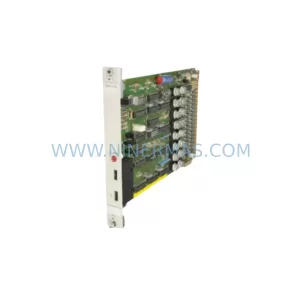
SKU: GJR2368900R2340 87TSO11-E
ABB 87TSO11-E GJR2368900R2340 Safety-Reliable Bus Transmitter
Catalog Continuation
Alternative parts within PLC & Industrial Automation Modules.
Stay inside the same system family when you need substitutes, adjacent modules, or a broader shortlist for procurement review.
SKU: 80E 208-501035-6 281-501035-7 RPCON-56P RGW-DV C2000 GOT1000 , GT1575-VTBA GT15-75QBUSL
TEL 80E-208-501035-6 Service-Ready Industrial Spare Part
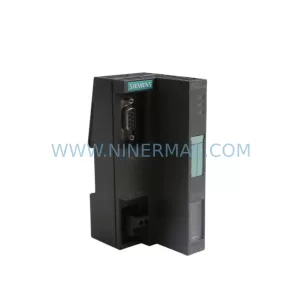
SKU: ES7151-1AA05-0AB0
SIEMENS 6ES7151-1AA05-0AB0 Retrofit-Compatible IM for Legacy ET200S