
Original Industrial Spare Part
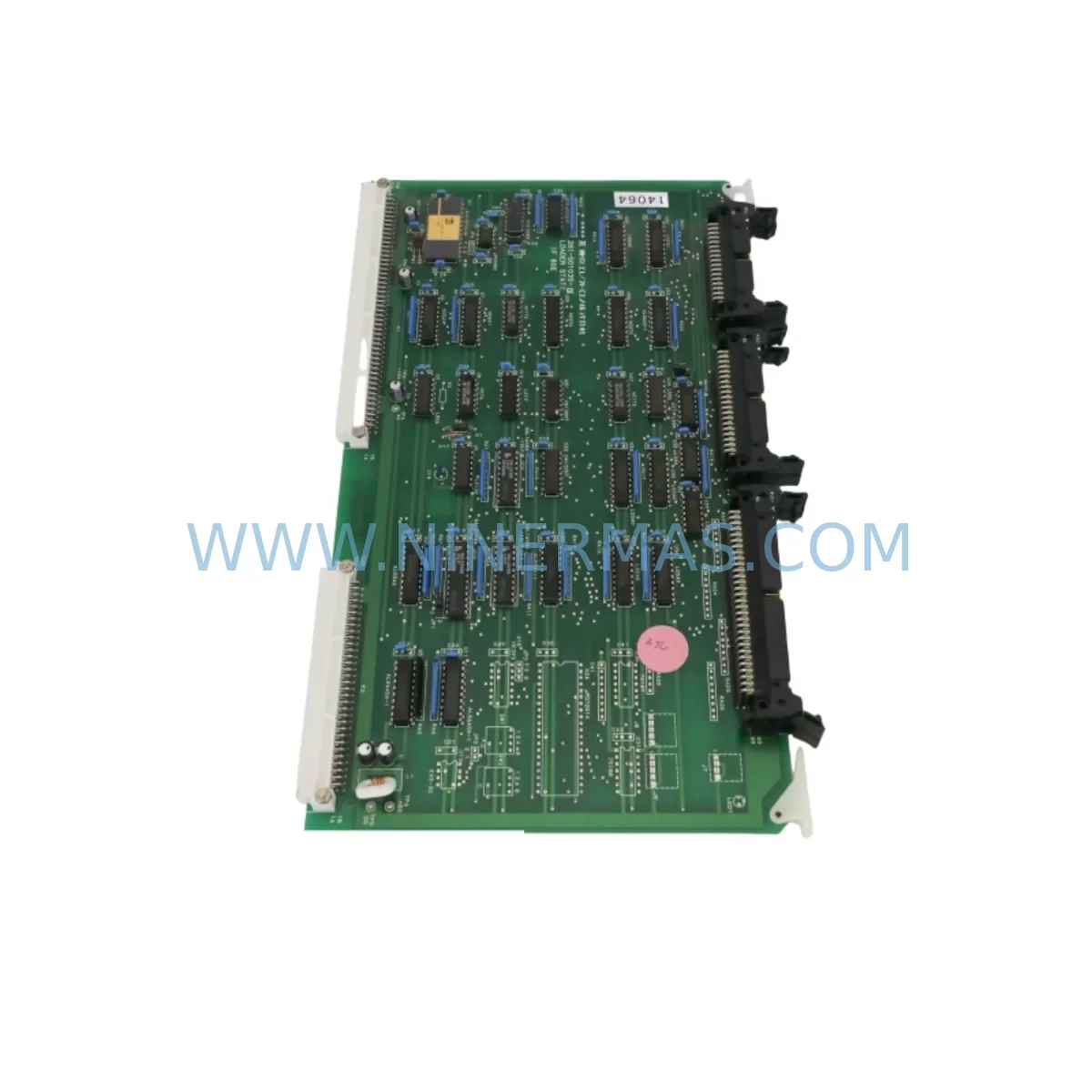
TEL 80E-208-501035-6 Service-Ready Industrial Spare Part
Verify the part, confirm the platform family, and move straight into quotation with the right commercial details.
RFQ Ready
- SKU80E 208-501035-6 281-501035-7 RPCON-56P RGW-DV C2000 GOT1000 , GT1575-VTBA GT15-75QBUSL
- CategoryPLC & Industrial Automation Modules
- BrandTokyo Electron
- SupportAvailability, lead time, condition, and shipping coordination
How Buyers Usually Use This Page
- Confirm the exact part number and platform family before sending the quote request.
- Use direct email when quantity, condition, and destination are already defined internally.
- Switch to the broader brand or category archive when you need alternates nearby.
Series Navigation
Move through the most common platform families behind this part.
Product RFQ
Send this part directly for quotation.
Include quantity, required condition, destination country, and target delivery timing. Current reference: TEL 80E-208-501035-6 Service-Ready Industrial Spare Part with SKU 80E 208-501035-6 281-501035-7 RPCON-56P RGW-DV C2000 GOT1000 , GT1575-VTBA GT15-75QBUSL.
TEL 80E-208-501035-6 Service-Ready Industrial Spare Part: Spare Replacement and Downtime Risk Control
The Tokyo Electron (TEL) 80E-208-501035-6 is an original loader station interface module engineered for use in TEL 80E series semiconductor processing equipment. This interface module serves as a critical signal and control bridge between the loader station mechanical assembly and the main process controller, enabling precise wafer handling coordination, interlock management, and real-time status communication across the equipment platform. For semiconductor fabs, research facilities, and advanced packaging lines operating TEL 80E series tools, maintaining a verified spare of the 80E-208-501035-6 is a fundamental element of any credible equipment uptime strategy.
Unplanned downtime caused by interface module failure can halt an entire production line within minutes. The 80E-208-501035-6 governs loader station sequencing, door interlock signaling, and wafer presence detection — functions that are non-negotiable for safe and repeatable wafer transfer. When this module degrades or fails, the tool enters a fault state that cannot be bypassed without hardware replacement. Having a pre-tested, service-ready spare on-site eliminates the lead time risk associated with sourcing obsolete or long-cycle TEL components and allows maintenance engineers to restore full tool operation within a single shift.
Spare Maintenance Table
| Parameter | Specification / Detail |
|---|---|
| Part Number | 80E-208-501035-6 |
| Alternate / Cross Reference | 281-501035-7 |
| Manufacturer | Tokyo Electron Limited (TEL) |
| Series | TEL 80E Loader Station Platform |
| Module Function | Loader Station Interface Module — signal routing, interlock control, wafer presence I/O |
| Form Factor | PCB assembly, panel-mount compatible with TEL 80E control cabinet |
| Operating Voltage | Typically 24 VDC logic supply (confirm with equipment BOM) |
| Signal Interface | Digital I/O, interlock relay outputs, status feedback lines |
| Compatibility | TEL 80E series semiconductor processing tools; cross-reference 281-501035-7 |
| Application Environment | Cleanroom-compatible; semiconductor fab, advanced packaging, R&D equipment |
| Installation | Direct replacement; match connector orientation and cable routing per TEL service manual |
| Pre-Shipment Testing | Functional verification performed prior to dispatch |
| Warranty | 12 Months from date of shipment |
| Condition | Original spare / refurbished-to-spec; confirmed operational |
| Lead Time | Subject to stock availability; reserved inventory programs available |
Maintenance Planning for Continuous Operation
Effective maintenance planning for TEL 80E series equipment extends well beyond the 80E-208-501035-6 interface module itself. When a maintenance or process engineer schedules a replacement of this module, the surrounding electrical and control architecture should be inspected simultaneously to prevent secondary failures from undermining the repair investment.
The loader station control cabinet typically houses a 24 VDC regulated power supply unit that feeds the interface module logic circuits. If the power supply exhibits voltage ripple or output instability — common in aging equipment — replacing the 80E-208-501035-6 without addressing the upstream power quality will shorten the new module’s service life. Engineers should verify the cabinet power supply output with a calibrated meter before reinstalling any interface board.
The I/O backplane or I/O expansion board connected to the 80E-208-501035-6 should also be inspected for connector wear, oxidized contacts, and cracked solder joints. TEL 80E series tools often use a dedicated I/O interface board that distributes signals from the loader station to the main process controller. A degraded I/O board can produce intermittent faults that mimic interface module failure, making it essential to verify the backplane’s integrity as part of the same maintenance window.
Signal isolation modules installed in the interlock circuit — particularly those handling door open/close and wafer presence signals — are another common failure point in aging TEL 80E installations. These signal isolators protect the interface module from voltage transients originating in the mechanical actuator circuits. Inspecting and replacing worn signal isolators during the same maintenance event reduces the risk of repeat faults.
The communication cable harness connecting the 80E-208-501035-6 to the process controller should be checked for insulation damage, connector seating, and continuity. In high-cycle loader station environments, cable flex fatigue is a documented failure mode. Maintaining a spare cable assembly — matched to the TEL 80E connector specification — is a low-cost insurance measure that experienced maintenance teams routinely include in their spare parts kits.
Relay modules within the loader station interlock chain, including those governing robot arm enable and cassette elevator interlocks, should be tested for contact resistance and coil response time. Relay degradation in these positions can cause nuisance faults that are incorrectly attributed to the interface module. Replacing suspect relays during a planned maintenance window avoids unplanned downtime later in the production cycle.
For facilities running TEL 80E tools alongside other TEL platforms, it is worth noting that related interface assemblies — such as the TEL 3D80-001479-V1 process module interface board and the TEL 2L80-002636-V1 transfer chamber I/O assembly — share similar maintenance intervals and should be included in the annual inspection schedule. Coordinating spare procurement for these assemblies alongside the 80E-208-501035-6 allows procurement engineers to consolidate shipping, reduce per-unit logistics costs, and maintain a coherent spare parts inventory aligned with actual equipment risk.
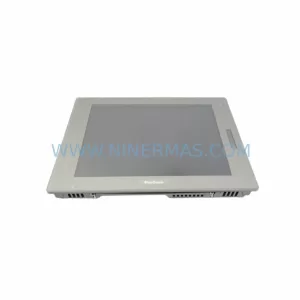
HMI panels connected to the loader station — including operator touch panels used for manual wafer transfer commands and alarm acknowledgment — should be verified for communication integrity after any interface module replacement. A misconfigured or faulted HMI connection can prevent the tool from returning to automatic mode even after a successful hardware repair.
Fuse holders and circuit protection devices within the loader station control cabinet should be inspected and any discolored or thermally stressed fuses replaced as a matter of course. Fuse degradation is often invisible until the fuse opens under load, causing an unplanned shutdown at the worst possible moment in a production run.
Site Replacement Workflow
Replacing the TEL 80E-208-501035-6 on-site follows a structured sequence designed to minimize tool downtime and eliminate the risk of installation errors that could damage the new module or adjacent assemblies.
Step 1 — Preparation: Obtain the TEL 80E service documentation for the specific tool revision. Confirm that the replacement 80E-208-501035-6 part number and revision level match the installed unit. Verify that the replacement module has passed pre-shipment functional testing and that the test report is available for records.
Step 2 — Safe State: Place the tool in maintenance mode via the process controller HMI. Confirm that all robot arm and elevator actuators are in their home positions. De-energize the loader station control cabinet following the TEL lockout/tagout procedure. Verify zero energy state with a calibrated voltage tester before opening the cabinet.
Step 3 — Module Removal: Photograph the existing cable routing and connector positions before disconnecting any harnesses. Label each connector if not already marked. Remove the 80E-208-501035-6 by releasing the mounting hardware in the sequence specified in the TEL service manual. Retain the original module for failure analysis if required.
Step 4 — Installation: Install the replacement module, ensuring all connectors are fully seated and locking clips are engaged. Restore cable routing to match the pre-removal photograph. Verify that no cables are pinched by the module mounting hardware.
Step 5 — Verification: Re-energize the cabinet and observe the module status indicators during the tool boot sequence. Clear any latched faults via the process controller. Run the loader station through a manual cycle to confirm correct door interlock, wafer presence detection, and robot arm enable response before returning the tool to automatic production mode.
This workflow is applicable to both emergency replacement scenarios and planned annual maintenance events. Documenting the replacement in the equipment maintenance log — including the replaced part number, date, technician name, and post-replacement verification results — supports regulatory compliance and provides a traceable maintenance history for future reference.
Spare Parts Support FAQ
Q1: What is the warranty coverage for the TEL 80E-208-501035-6 supplied by NINERMAS?
All units supplied by NINERMAS carry a 12-month warranty from the date of shipment. The warranty covers functional failure under normal operating conditions and includes technical support for installation and commissioning. Units that fail within the warranty period are eligible for replacement or repair at no additional charge, subject to inspection confirming that the failure was not caused by installation error, electrical overstress, or physical damage.
Q2: How do I verify compatibility before ordering the 80E-208-501035-6?
Compatibility verification should be based on the tool serial number, equipment revision level, and the part number of the installed module as shown on the module label or the equipment BOM. The 80E-208-501035-6 cross-references to 281-501035-7 in some TEL documentation revisions. If you are uncertain about compatibility, provide your tool serial number and installed part number to our technical team for confirmation before placing an order.
Q3: Can NINERMAS support long-term or reserved inventory programs for the 80E-208-501035-6?
Yes. For facilities operating multiple TEL 80E series tools or managing extended maintenance contracts, NINERMAS offers reserved inventory arrangements that guarantee stock availability over a defined period. Reserved inventory programs are particularly valuable for obsolete or long-lead TEL components where open-market availability is unpredictable. Contact our procurement team to discuss volume, lead time, and pricing terms for a reserved stock agreement.
Q4: What pre-shipment testing is performed on the 80E-208-501035-6 before dispatch?
Each unit undergoes functional verification prior to shipment, including power-on testing, I/O signal continuity checks, and interlock relay response verification. Test results are documented and available upon request. Units that do not pass functional verification are not dispatched. This testing protocol is designed to eliminate the risk of receiving a non-functional spare at the point of need — a critical consideration for facilities where tool downtime directly impacts production output.
| Product Series | Other series |
|---|
Catalog Continuation
More Tokyo Electron modules in the catalog.
Use the brand lane to compare nearby part numbers, platform-adjacent modules, and other inquiry-ready listings before sending your final RFQ.
SKU: TTLA08-13 F-MFC_AI_4, 3880-200122-11 3895-120917-11 CUBE 32/900 1080-02286 G-BAS3/230FEHN-AM
TEL TTLA08-13 Service-Ready Spare for Industrial Maintenance
SKU: PHS120 Z03 9700-9960-06 ATR 9100 901P-11130-0167
Tokyo Electron PHS120-Z03 Service-Ready Industrial Spare Part
SKU: TVB3001-1/STI 3281-000035-19 1D86-006761-41 HPM5F4F4F6S468
TEL TVB3001-1/STI-3281-000035-19 Service-Ready Industrial Spare

SKU: 118100031717 MC-31035D DIG 32-OK01 Y2O3-TTELY2O3 KIT 030-001772
TEL 118100031717 Service-Ready Spare for Industrial Maintenance
Catalog Continuation
Alternative parts within PLC & Industrial Automation Modules.
Stay inside the same system family when you need substitutes, adjacent modules, or a broader shortlist for procurement review.
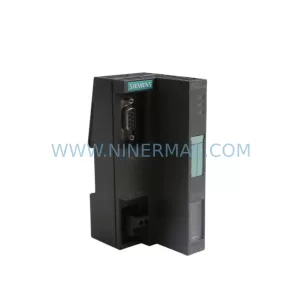
SKU: ES7151-1AA05-0AB0
SIEMENS 6ES7151-1AA05-0AB0 Retrofit-Compatible IM for Legacy ET200S
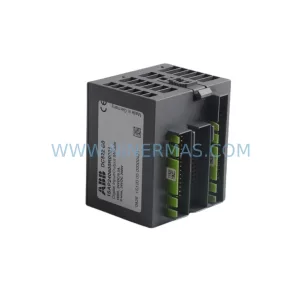
SKU: DC522 1SAP240600R0001
ABB DC522 1SAP240600R0001 Service-Ready Spare Part



