Original Industrial Spare Part
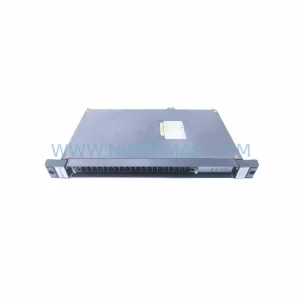
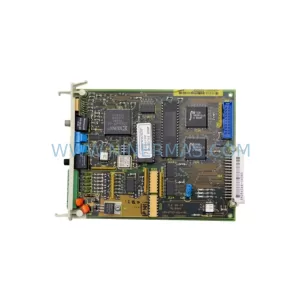
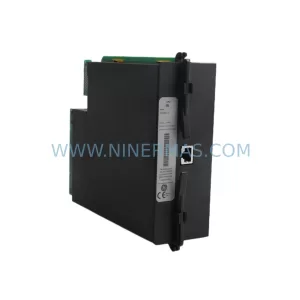
GE Multilin PL96501A0A10000 Service-Ready Spare Part for Industrial Maintenance
Verify the part, confirm the platform family, and move straight into quotation with the right commercial details.
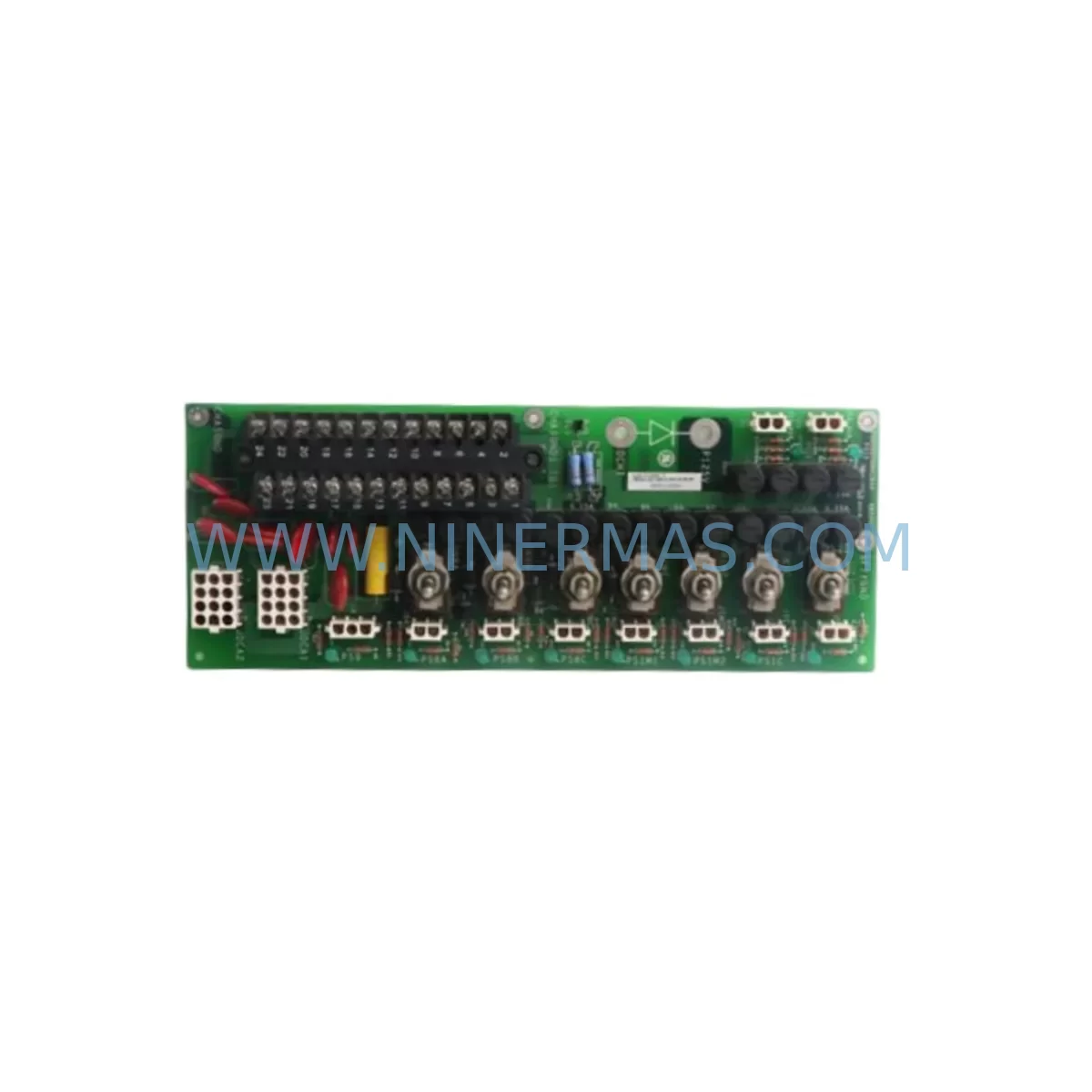
RFQ Ready
- SKUPL96501A0A10000
- CategoryPLC & Industrial Automation Modules
- BrandGE Multilin
- SupportAvailability, lead time, condition, and shipping coordination
How Buyers Usually Use This Page
- Confirm the exact part number and platform family before sending the quote request.
- Use direct email when quantity, condition, and destination are already defined internally.
- Switch to the broader brand or category archive when you need alternates nearby.
Series Navigation
Move through the most common platform families behind this part.
Product RFQ
Send this part directly for quotation.
Include quantity, required condition, destination country, and target delivery timing. Current reference: GE Multilin PL96501A0A10000 Service-Ready Spare Part for Industrial Maintenance with SKU PL96501A0A10000.
GE Multilin PL96501A0A10000 Service-Ready Spare Part for Industrial Maintenance
The GE Multilin PL96501A0A10000 is a critical spare part module for the EPM 9650 series power metering and energy management platform. Designed for retrofit-ready deployment in legacy industrial control environments, this replacement component enables maintenance engineers to restore metering accuracy, power quality monitoring, and energy data acquisition without requiring full panel redesign or system-wide upgrades. Whether responding to an unplanned shutdown or executing a scheduled annual overhaul, having the PL96501A0A10000 in your spare parts inventory is a proven strategy for minimizing mean time to repair (MTTR) and sustaining continuous plant operation.
The EPM 9650 series is widely deployed across utilities, manufacturing facilities, data centers, and process industries for real-time power monitoring, demand management, and harmonic analysis. The PL96501A0A10000 module supports the core measurement and communication functions of this platform, making it one of the highest-priority line replaceable units (LRUs) for any site running EPM 9650 infrastructure. Procurement engineers sourcing this part should verify firmware revision compatibility and confirm the module revision level matches the existing EPM 9650 chassis before dispatch.
All units supplied by NINERMAS are sourced from authorized distribution channels, subjected to pre-shipment functional testing, and covered by a 12-month warranty from the date of delivery. This ensures that replacement parts arrive site-ready, reducing commissioning time and eliminating the risk of installing a defective component during a critical maintenance window.
Spare Maintenance Table
| Part Number | PL96501A0A10000 |
| Brand | GE Multilin |
| Series | EPM 9650 |
| Product Type | Power Meter Module / Spare Part |
| Application | Industrial power metering, energy management, power quality monitoring |
| Compatibility | GE Multilin EPM 9650 series chassis and associated I/O expansion racks |
| Communication | Compatible with Modbus RTU, Modbus TCP/IP, DNP3 (per EPM 9650 platform configuration) |
| Installation Environment | Industrial control panels, MCC rooms, switchgear enclosures, substation RTU cabinets |
| Origin | United States |
| Pre-Shipment Testing | Yes — functional verification performed before dispatch |
| Warranty | 12 Months from date of delivery |
| Supply Lead Time | Subject to stock availability; contact for current lead time |
| Condition | New / Surplus New |
Maintenance Planning for Continuous Operation
When replacing the PL96501A0A10000 in an EPM 9650 installation, a thorough site inspection of the surrounding electrical infrastructure is strongly recommended. Maintenance engineers should treat this replacement as an opportunity to audit the full metering panel and associated control cabinet for signs of wear, thermal stress, or communication degradation.
Begin by inspecting the EPM 9650 power supply module — an aging or undersized power supply is a common root cause of intermittent meter faults and should be replaced proactively if it has exceeded its recommended service interval. Check all CT and PT wiring terminals and associated terminal blocks for loose connections, insulation degradation, or corrosion, as poor signal integrity at the input stage will compromise measurement accuracy even after a module swap.
Review the RS-485 communication cable and Ethernet patch cables connecting the EPM 9650 to the SCADA or building management system. Damaged or improperly terminated communication cables are a frequent source of data loss and should be replaced alongside the module. If the installation uses a Modbus-to-Ethernet gateway or protocol converter, verify that the gateway firmware is current and that the baud rate and parity settings match the EPM 9650 configuration.
For sites with multiple EPM 9650 units on a shared Modbus network, inspect the network termination resistors and confirm that only the last device on the RS-485 bus has termination enabled. Also audit any signal isolators or surge protection devices installed on the communication lines — these components have finite service lives and should be part of the annual inspection checklist.
On the power input side, verify the condition of the miniature circuit breakers (MCBs) or fuse holders protecting the meter’s auxiliary power supply. Blown or weakened fuses are often overlooked during fault diagnosis and can cause repeated nuisance trips after a module replacement. If the panel includes a UPS module or battery-backed power supply for ride-through during grid disturbances, confirm that the battery is within its replacement cycle.
Finally, if the EPM 9650 is integrated with a GE Multilin HMI display panel or a remote annunciator, test the display communication link after module installation to confirm that all measured parameters — voltage, current, power factor, frequency, and harmonic distortion — are reporting correctly before returning the system to service.
Site Replacement Workflow
Step 1 — Isolation and Lockout/Tagout (LOTO): De-energize the EPM 9650 panel following site LOTO procedures. Confirm zero energy state on all CT secondary circuits before opening the enclosure. Note: CT secondary circuits must be shorted before disconnecting to prevent open-circuit hazards.
Step 2 — Document Existing Configuration: Before removing the PL96501A0A10000, record all configuration parameters from the EPM 9650 front panel or EnerVista software, including CT/PT ratios, demand intervals, communication settings, and alarm setpoints. Export the configuration file if the firmware version supports it.
Step 3 — Module Removal: Disconnect all wiring harnesses and communication cables in the sequence specified in the EPM 9650 installation manual. Label each connector before removal to prevent miswiring during reinstallation. Remove the module from the chassis using the appropriate extraction tool.
Step 4 — Inspect Chassis and Backplane: With the module removed, inspect the chassis backplane connector for bent pins, contamination, or heat damage. Clean with appropriate contact cleaner if required. This step is critical for ensuring reliable communication between the new module and the EPM 9650 backplane.
Step 5 — Install PL96501A0A10000: Seat the replacement module firmly into the chassis slot, ensuring the backplane connector is fully engaged. Reconnect all wiring harnesses and communication cables in reverse removal order. Verify that all terminal screws are torqued to the manufacturer’s specification.
Step 6 — Restore Configuration and Commission: Re-energize the panel and restore the saved configuration using EnerVista software or manual front-panel entry. Verify all measured values against known reference instruments. Confirm communication with the SCADA or DCS host before releasing the system to operations.
Step 7 — Document and Close Out: Record the replacement in the site maintenance log, including the new module serial number, installation date, and technician sign-off. Update the spare parts inventory to trigger reorder of a replacement PL96501A0A10000 to maintain minimum stock levels.
Spare Parts Support FAQ
Q1: What is the warranty coverage for the PL96501A0A10000 supplied by NINERMAS?
All PL96501A0A10000 units supplied by NINERMAS are covered by a 12-month warranty from the date of delivery. This warranty covers manufacturing defects and functional failures under normal operating conditions. Each unit undergoes pre-shipment functional testing to verify performance before dispatch, ensuring that the part arrives ready for immediate installation.
Q2: How do I confirm compatibility between the PL96501A0A10000 and my existing EPM 9650 installation?
Compatibility depends on the EPM 9650 chassis revision and installed firmware version. Before ordering, record the model number and firmware revision displayed on the EPM 9650 front panel or nameplate. Share this information with our technical team at sale@ninermas.com to confirm that the PL96501A0A10000 revision we supply is compatible with your specific installation. For sites running older EPM 9650 firmware, a firmware upgrade may be required prior to module installation.
Q3: Can NINERMAS support long-term or recurring supply of the PL96501A0A10000 for multi-site maintenance programs?
Yes. NINERMAS supports long-term supply agreements for maintenance teams managing multiple EPM 9650 installations across distributed sites. We can provide scheduled delivery, reserved stock allocation, and consolidated invoicing to simplify procurement for annual maintenance budgets. Contact our sales team to discuss volume pricing and supply continuity arrangements.
Q4: What should I do if the EPM 9650 does not recognize the replacement module after installation?
If the EPM 9650 fails to recognize the PL96501A0A10000 after installation, first verify that the module is fully seated in the chassis backplane and that all wiring connections are secure. Check that the firmware version on the replacement module is compatible with the EPM 9650 chassis firmware. If a firmware mismatch is detected, use GE EnerVista software to update the module firmware before re-attempting initialization. If the issue persists, contact NINERMAS technical support at sale@ninermas.com with the chassis serial number and firmware revision for further diagnosis.
| Product Series | Other series |
|---|---|
| Country of Origin | US |
Catalog Continuation
More GE Multilin modules in the catalog.
Use the brand lane to compare nearby part numbers, platform-adjacent modules, and other inquiry-ready listings before sending your final RFQ.
Catalog Continuation
Alternative parts within PLC & Industrial Automation Modules.
Stay inside the same system family when you need substitutes, adjacent modules, or a broader shortlist for procurement review.