Original Industrial Spare Part
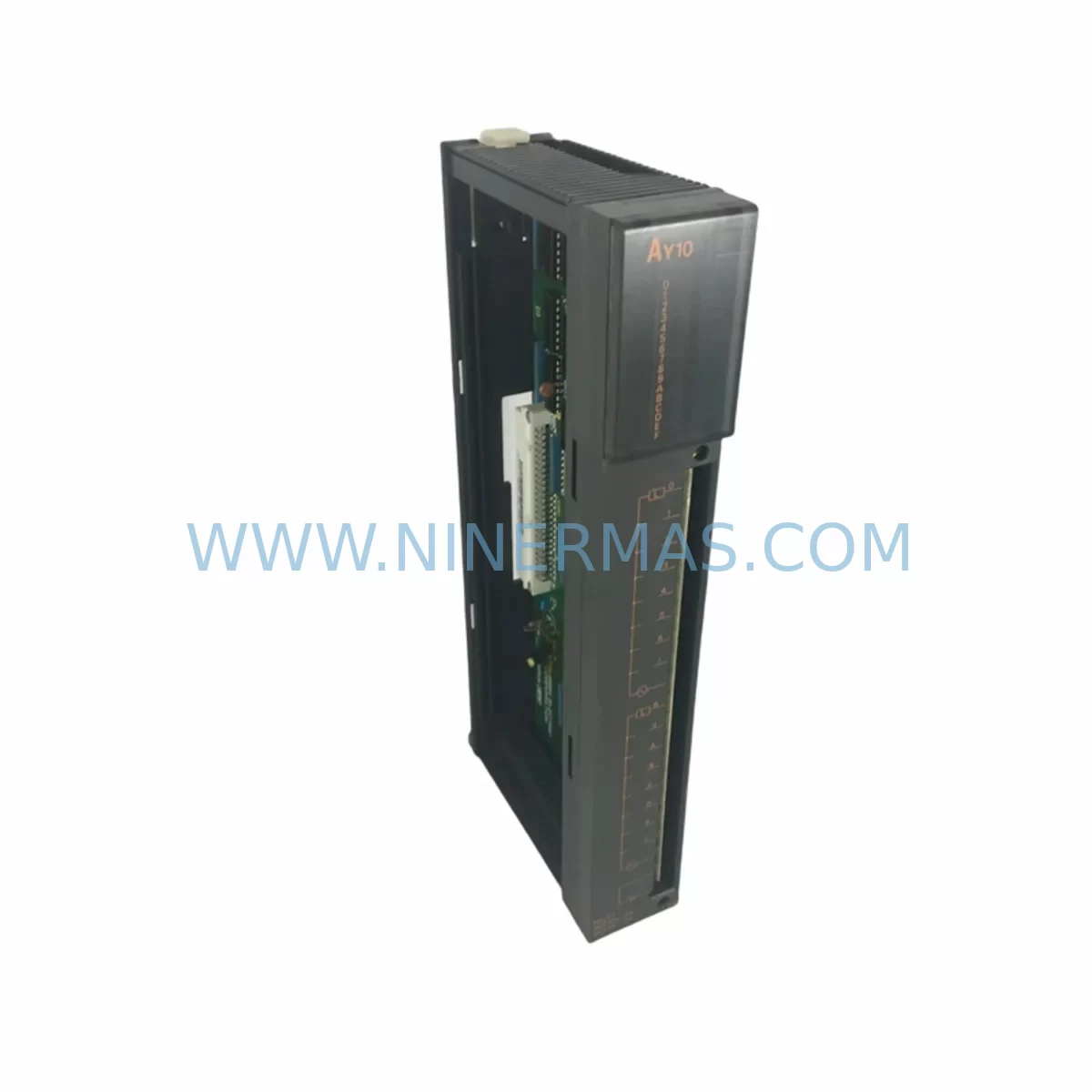
Mitsubishi AY10 Service-Ready Spare Part for Industrial Maintenance
Verify the part, confirm the platform family, and move straight into quotation with the right commercial details.
RFQ Ready
- SKUAY10
- CategoryPLC & Industrial Automation Modules
- BrandMitsubishi Electric
- SupportAvailability, lead time, condition, and shipping coordination
How Buyers Usually Use This Page
- Confirm the exact part number and platform family before sending the quote request.
- Use direct email when quantity, condition, and destination are already defined internally.
- Switch to the broader brand or category archive when you need alternates nearby.
Series Navigation
Move through the most common platform families behind this part.
Product RFQ
Send this part directly for quotation.
Include quantity, required condition, destination country, and target delivery timing. Current reference: Mitsubishi AY10 Service-Ready Spare Part for Industrial Maintenance with SKU AY10.
Mitsubishi AY10 Service-Ready Spare Part for Industrial Maintenance
The Mitsubishi AY10 is a 10-point transistor digital output module designed for the MELSEC A-Series programmable logic controller platform. As a direct original spare part, the AY10 is engineered to restore full output functionality in production lines, process control panels, and legacy automation systems where downtime carries significant operational and financial risk. Sourced from verified supply channels and shipped after functional inspection, this module supports maintenance engineers and procurement teams seeking a reliable, long-term replacement solution for end-of-life and active A-Series installations.
The AY10 delivers 10 transistor output points with sink-type configuration, making it compatible with a wide range of field devices including solenoid valves, indicator lamps, relay coils, and actuator drivers. Its compact form factor integrates directly into the A-Series base unit backplane without modification, preserving existing wiring, I/O addressing, and PLC program logic. For facilities managing aging MELSEC A-Series systems, maintaining a stocked AY10 spare is a foundational element of any preventive maintenance and business continuity plan.
Spare Maintenance Table
| Parameter | Specification |
|---|---|
| Model / SKU | AY10 |
| Brand | Mitsubishi Electric |
| Series | MELSEC A-Series |
| Module Type | Digital Output Module (Transistor, Sink) |
| Output Points | 10 Points |
| Output Voltage | 12–24 VDC |
| Max Load Current | 0.5 A per point |
| Isolation Method | Photocoupler |
| Backplane Compatibility | MELSEC A-Series Base Units (A1S, A2, A3, etc.) |
| Operating Temperature | 0°C to 55°C |
| Storage Temperature | -25°C to 75°C |
| Relative Humidity | 5% to 95% RH (non-condensing) |
| Installation | Direct backplane slot insertion, no tools required |
| Origin | Japan |
| Warranty | 12 Months |
| Condition | Original, tested before shipment |
Maintenance Planning for Continuous Operation
When replacing the AY10 in a MELSEC A-Series control cabinet, a disciplined maintenance engineer will treat the module swap as an opportunity to audit the surrounding electrical environment. The AY10 shares its backplane with other A-Series I/O modules, and a failure in the output module is frequently symptomatic of upstream or downstream stress on the control circuit.
Begin by inspecting the A-Series power supply module (such as the A1S61PN or A61P) that feeds the base unit. Voltage sag or ripple on the 5 VDC backplane bus can accelerate transistor output degradation and should be measured before the replacement module is inserted. Alongside the power supply, verify the condition of the A-Series CPU module (A1SCPU, A2SCPU, or equivalent) — a CPU with corrupted I/O refresh parameters may immediately stress a new output module.
Check the output wiring terminal block and field-side connectors for signs of oxidation, loose crimps, or overheating at the screw terminals. Corroded terminals are a leading cause of intermittent output faults that are misdiagnosed as module failure. If the AY10 was driving inductive loads such as solenoid valves or relay coils, inspect the flyback suppression diodes or surge absorbers installed across those loads — a missing or failed suppressor can inject voltage spikes that destroy transistor outputs.
For systems where the AY10 interfaces with relay output expansion or intermediate relay panels, inspect the relay modules and relay sockets for contact wear, coil resistance drift, and mechanical fatigue. In high-cycle applications, relay contacts may reach end-of-life before the PLC module itself. Similarly, review any signal isolators or I/O signal conditioners in the loop — these components protect the PLC output from field-side ground loops and transients, and a failed isolator can expose the replacement AY10 to the same fault conditions that damaged the original.
If the A-Series system communicates over a MELSECNET or CC-Link network, verify that the network master module and communication cables are functioning correctly before restoring the system to automatic mode. A communication fault that triggers repeated emergency stops can mask the root cause of the original output module failure. Also confirm that any HMI or GOT terminal connected to the CPU is displaying correct I/O status after the module replacement — discrepancies between HMI display and field device state indicate a wiring or addressing issue that must be resolved before production restart.
Finally, review the base unit backplane and slot connectors for physical damage, bent pins, or contamination. A damaged backplane connector will prevent reliable communication between the AY10 and the CPU regardless of the module’s own condition. Keeping a documented spare parts list that includes the AY10, the associated power supply module, at least one CPU spare, and a set of terminal block connectors is the minimum recommended inventory posture for any facility operating MELSEC A-Series equipment beyond its standard product lifecycle.
Site Replacement Workflow
Step 1 — Isolate and de-energize: Switch the control panel to maintenance mode and de-energize the field-side output circuits. Do not remove the AY10 with the backplane powered — transistor output modules are sensitive to hot-swap conditions on the A-Series platform.
Step 2 — Document current configuration: Before extraction, photograph the terminal wiring and record the slot position of the AY10 within the base unit. Confirm the I/O start address assigned to this slot in the CPU parameter settings (GX Developer or GX Works2 project file).
Step 3 — Extract and inspect: Release the module locking tab and slide the AY10 out of the backplane slot. Inspect the backplane connector on the base unit for damage or contamination. Clean with dry compressed air if necessary.
Step 4 — Insert replacement module: Align the replacement AY10 with the backplane slot guides and press firmly until the locking tab engages. Reconnect the field-side wiring to the terminal block, verifying each point against the documented wiring photograph.
Step 5 — Power-up and verify: Restore backplane power and observe the module status LED. A steady RUN indicator confirms successful backplane communication. Use the PLC programming tool to force each output point ON individually and verify field device response before returning the system to automatic operation.
Step 6 — Update maintenance records: Log the replacement date, module serial number, and any observations about the failed unit. This record supports warranty claims and informs future spare parts procurement cycles.
This workflow applies equally when upgrading from an older AY10 revision to a current-stock unit. No firmware changes or parameter modifications are required — the replacement module assumes the same I/O address map as the original, preserving full compatibility with the existing PLC program.
Spare Parts Support FAQ
Q1: Is the AY10 still available as a new original part, or only as refurbished stock?
We supply original Mitsubishi AY10 modules sourced from authorized distribution and verified industrial surplus channels. Each unit undergoes functional testing prior to shipment. The condition (new original or tested original) is confirmed at the time of order. All units carry a 12-month warranty regardless of source classification.
Q2: How do I confirm compatibility between the AY10 and my existing A-Series base unit?
The AY10 is compatible with all standard MELSEC A-Series base units including the A1S, A2, A2N, A3, and A3N series. Compatibility is determined by the backplane bus standard, not the CPU model. If you are operating a mixed-slot configuration with both input and output modules, the AY10 can occupy any available I/O slot. Provide your base unit model and current slot configuration when placing an order for final compatibility confirmation.
Q3: What is the lead time and how is the module tested before shipment?
In-stock AY10 units are typically dispatched within 1–3 business days. Each module is powered up and subjected to output point continuity and isolation testing before packaging. A test report is available upon request. For urgent downtime recovery orders, expedited shipping options are available — contact our sales team directly to arrange priority dispatch.
Q4: What does the 12-month warranty cover, and how is a warranty claim processed?
The 12-month warranty covers manufacturing defects and functional failure under normal operating conditions as defined in the Mitsubishi AY10 hardware manual. It does not cover damage resulting from incorrect installation, overvoltage events, or physical impact. To initiate a warranty claim, contact our support team with the order reference, a description of the fault symptom, and photographs of the installation. Replacement or repair will be arranged within the warranty period at no additional cost.
| Product Series | MELSEC |
|---|---|
| Country of Origin | JP |
Catalog Continuation
More Mitsubishi Electric modules in the catalog.
Use the brand lane to compare nearby part numbers, platform-adjacent modules, and other inquiry-ready listings before sending your final RFQ.
SKU: A50CA55C BC186A433G53
Mitsubishi A50CA55C BC186A433G53 Spare Part for Maintenance
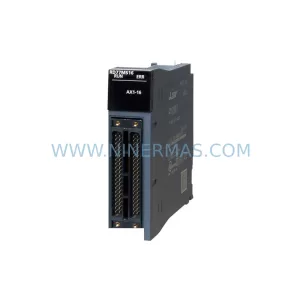
SKU: MELSEC RD77MS16 D 0140-76929 GAS N2, 40 SLM UFC-1660
Mitsubishi RD77MS16 Safety-Reliable Motion for Critical Sites
Catalog Continuation
Alternative parts within PLC & Industrial Automation Modules.
Stay inside the same system family when you need substitutes, adjacent modules, or a broader shortlist for procurement review.

SKU: OZDPROFI12MG12
Hirschmann OZDPROFI12MG12 Spare Part for Industrial Maintenance



SKU: 07025-0000-70-1-04
KONTRON 07025-0000-70-1-04 Service-Ready Spare Part