Original Industrial Spare Part
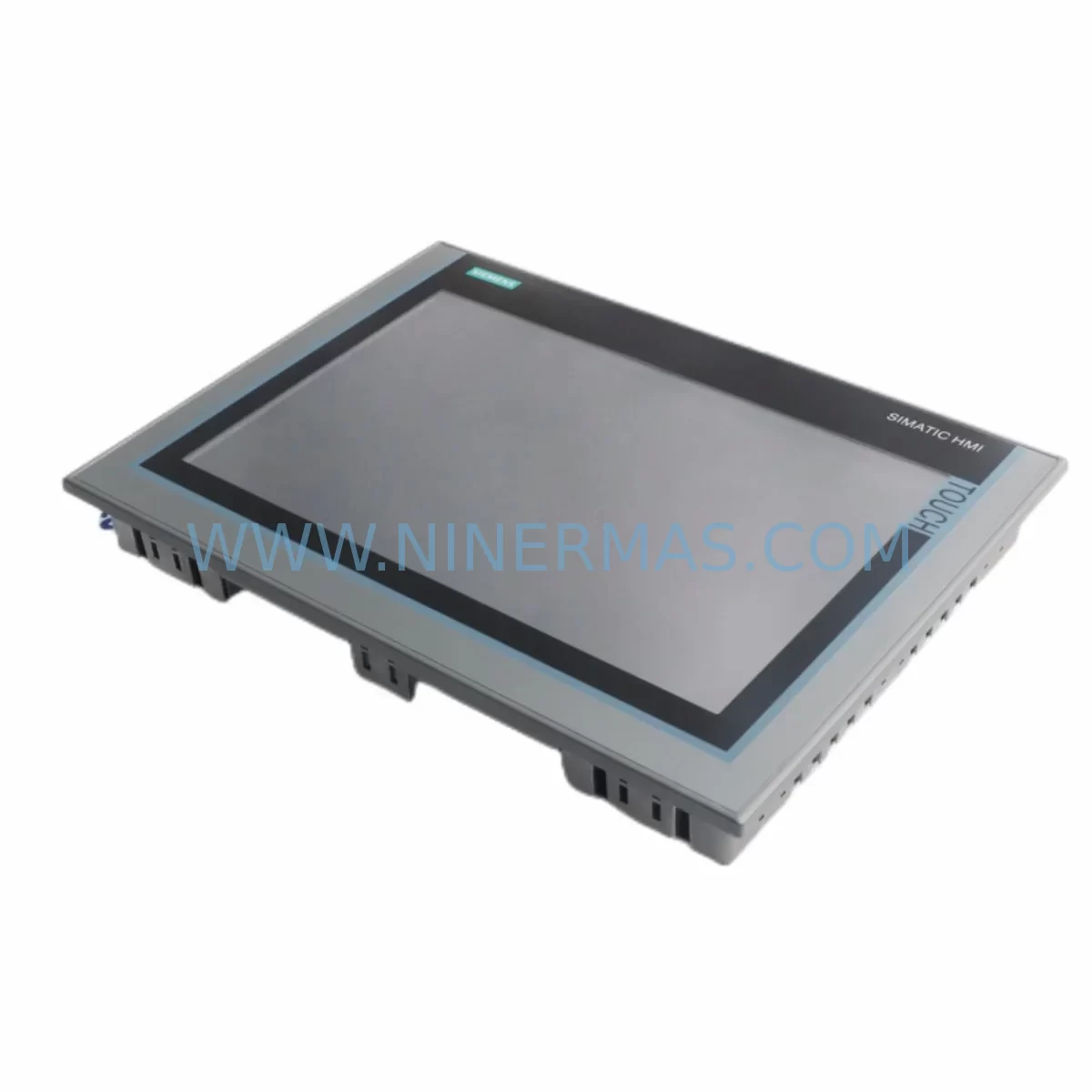
Pro-face AGP3360-T1-D24 Service-Ready Spare Part
Verify the part, confirm the platform family, and move straight into quotation with the right commercial details.
RFQ Ready
- SKUAGP3360-T1-D24
- CategoryPLC & Industrial Automation Modules
- BrandPro-face
- SupportAvailability, lead time, condition, and shipping coordination
How Buyers Usually Use This Page
- Confirm the exact part number and platform family before sending the quote request.
- Use direct email when quantity, condition, and destination are already defined internally.
- Switch to the broader brand or category archive when you need alternates nearby.
Series Navigation
Move through the most common platform families behind this part.
Product RFQ
Send this part directly for quotation.
Include quantity, required condition, destination country, and target delivery timing. Current reference: Pro-face AGP3360-T1-D24 Service-Ready Spare Part with SKU AGP3360-T1-D24.
Pro-face AGP3360-T1-D24 Service-Ready Spare Part for Industrial Maintenance
The Pro-face AGP3360-T1-D24 is a 12.1-inch TFT color touch panel HMI belonging to the AGP3300 series, widely deployed across discrete manufacturing, process control, and machine automation environments. As production lines age and OEM support windows close, maintaining a reliable inventory of the AGP3360-T1-D24 becomes a critical element of any plant maintenance strategy. Whether you are managing a scheduled annual overhaul, responding to an unplanned HMI failure, or building a long-term spare parts buffer for aging control cabinets, sourcing a service-ready, pre-tested unit is the fastest path to restoring uptime.
At NINERMAS, every AGP3360-T1-D24 unit is functionally tested prior to shipment, covering display output, touch response, communication port integrity, and power-on self-diagnostics. Units are shipped with protective packaging suited for international freight and are backed by a 12-month warranty covering manufacturing defects and functional failures under normal operating conditions.
Spare Maintenance Table
| Parameter | Specification |
|---|---|
| Part Number / SKU | AGP3360-T1-D24 |
| Brand | Pro-face (Schneider Electric Digital) |
| Series | AGP3300 |
| Display Type | 12.1-inch TFT Color LCD |
| Resolution | 800 × 600 (SVGA) |
| Touch Panel Type | Analog Resistive |
| Power Supply Input | DC 24V (±10%) |
| Power Consumption | Approx. 30W (typical) |
| Communication Ports | RS-232C, RS-422/485, Ethernet (10/100BASE-T), USB |
| Operating Temperature | 0°C to 50°C |
| Storage Temperature | -20°C to 60°C |
| Protection Rating | IP65 (front panel) |
| Panel Cutout | Per AGP3300 series standard (refer to installation manual) |
| Compatible Software | GP-Pro EX |
| Origin | Japan |
| Condition | Original / Service-Ready / Pre-Tested |
| Warranty | 12 Months (functional warranty, defect coverage) |
| Shipping | Pre-shipment functional test included; international freight available |
Maintenance Planning for Continuous Operation
When a maintenance engineer identifies a failing or failed AGP3360-T1-D24 on the production floor, the HMI replacement is rarely an isolated task. A thorough site inspection and cabinet audit should accompany any HMI swap to prevent repeat failures and ensure the restored system operates reliably through the next maintenance cycle.
Begin by verifying the DC 24V power supply feeding the AGP3360-T1-D24. A degraded or undersized power supply — such as a Pro-face PSA-AC or equivalent DIN-rail mounted industrial SMPS — can cause intermittent resets, display corruption, or communication dropouts that are often misdiagnosed as HMI hardware failure. Measure output voltage under load and replace the power supply if ripple or voltage sag is detected.
Inspect all communication cables and connectors connected to the AGP3360-T1-D24’s RS-232C, RS-422/485, and Ethernet ports. Corroded terminals, loose ferrules, or damaged shielding on serial communication cables are a common root cause of PLC-HMI communication faults. If the panel is connected to a Mitsubishi MELSEC Q-series PLC, a Siemens S7-300/400 CPU, or an Omron CJ/CS-series controller via serial or Ethernet, verify the communication module on the PLC side as well — a faulty QJ71C24N serial module or CP343-1 Ethernet module can prevent the new HMI from establishing a connection after replacement.
Check the terminal blocks and I/O wiring within the control cabinet. Loose or oxidized connections on 24VDC signal lines feeding the HMI’s discrete inputs or analog signal conditioners can introduce noise that affects touch panel calibration and screen stability. Phoenix Contact or Weidmüller terminal blocks showing signs of heat discoloration should be replaced as part of the corrective maintenance scope.
If the AGP3360-T1-D24 is part of a larger operator station that includes relay output modules or signal isolators, inspect these components for contact wear or insulation degradation. A failed relay in the HMI’s output circuit can prevent alarm acknowledgment or machine start commands from reaching the PLC, creating a safety interlock issue even after the HMI itself is restored.
For cabinets where the AGP3360-T1-D24 is networked via Ethernet to a SCADA or DCS backbone, verify the managed industrial switch (such as a Moxa EDS or Hirschmann SPIDER series) for port faults or firmware issues. A degraded switch port can cause packet loss that manifests as HMI screen freezes or slow tag refresh rates, symptoms that are easily confused with HMI hardware failure.
Finally, review the fuse and circuit protection for the HMI power circuit. A correctly rated fuse (typically 2A–4A for a 24VDC HMI circuit) protects both the panel and the power supply from downstream faults. Blown or weakened fuses should be replaced with identically rated components, and the root cause of any overcurrent event should be investigated before energizing the replacement AGP3360-T1-D24.
Site Replacement Workflow
Step 1 — Preparation: Download the AGP3360-T1-D24 project file from the existing HMI using GP-Pro EX before powering down, if the unit is still partially functional. Back up the project to a USB drive or engineering workstation. If the original HMI is completely non-functional, retrieve the project file from your site’s backup server or contact your system integrator for the last saved revision.
Step 2 — Power Isolation: Isolate the 24VDC supply to the HMI at the cabinet’s main disconnect or dedicated HMI circuit breaker. Follow your site’s lockout/tagout (LOTO) procedure before removing the panel from the cutout.
Step 3 — Physical Replacement: The AGP3360-T1-D24 uses the standard AGP3300 series panel cutout dimensions. Remove the mounting clamps, disconnect the power connector and all communication cables (labeling each before removal), and slide the old unit out. Install the replacement unit, reconnect all cables in the correct sequence, and secure the mounting clamps to the specified torque.
Step 4 — Project Upload and Commissioning: Connect a USB cable from the engineering laptop to the AGP3360-T1-D24’s USB port. Use GP-Pro EX to download the backed-up project file to the new panel. Verify communication with the connected PLC or DCS by checking tag values on the HMI screen against known process values. Perform a touch calibration if required.
Step 5 — Functional Verification: Cycle through all HMI screens, verify alarm display and acknowledgment, test any operator input functions (setpoint entry, mode selection), and confirm that all communication links are stable before returning the system to production. Document the replacement in your site’s maintenance management system (CMMS) with the new unit’s serial number and installation date.
Spare Parts Support FAQ
Q1: Is the AGP3360-T1-D24 compatible with my existing GP-Pro EX project files?
Yes. The AGP3360-T1-D24 is fully compatible with GP-Pro EX project files developed for the AGP3300 series. No screen redesign is required for a like-for-like replacement. If your project was created with an older version of GP-Pro EX, a version conversion may be prompted during the download process, which is handled automatically by the software.
Q2: What pre-shipment testing does NINERMAS perform on the AGP3360-T1-D24?
Each unit undergoes a full power-on functional test covering display output across the full screen area, touch panel response and calibration, communication port continuity (RS-232C, RS-422/485, Ethernet, USB), and visual inspection for physical damage. A test report is available upon request. Units that do not pass all test criteria are not shipped.
Q3: Can NINERMAS support long-term supply of the AGP3360-T1-D24 for multi-year maintenance contracts?
Yes. NINERMAS offers long-term supply agreements for industrial spare parts including the AGP3360-T1-D24, with committed stock reservation, fixed lead times, and priority allocation for contract customers. This is particularly valuable for plants operating AGP3300 series HMIs beyond the original OEM support window. Contact our sales team to discuss volume and timeline requirements.
Q4: What does the 12-month warranty cover?
The 12-month warranty covers functional failures and manufacturing defects under normal operating conditions (within specified voltage, temperature, and environmental ratings). It does not cover damage resulting from incorrect installation, overvoltage events, physical impact, or use outside the rated operating envelope. Warranty claims are processed with a replacement unit dispatched after fault verification.
| Product Series | Other series |
|---|
Catalog Continuation
More Pro-face modules in the catalog.
Use the brand lane to compare nearby part numbers, platform-adjacent modules, and other inquiry-ready listings before sending your final RFQ.
SKU: PFXPB1B1CD20N00N00 PFXPB1B1CD24D00N00
PRO-FACE PFXPB1B1CD20N00N00 Retrofit HMI for Legacy Systems
Catalog Continuation
Alternative parts within PLC & Industrial Automation Modules.
Stay inside the same system family when you need substitutes, adjacent modules, or a broader shortlist for procurement review.
SKU: AG319100-0200C AG319100-0200D
Endress+Hauser AG319100-0200C/D Retrofit PCB for Legacy Systems
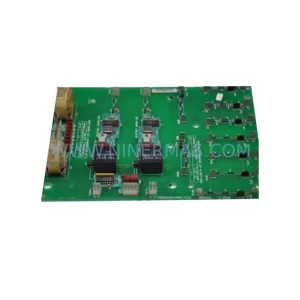
SKU: DS200SHVMG1ACC
GE DS200SHVMG1ACC Service-Ready Spare Part for Maintenance