
Original Industrial Spare Part
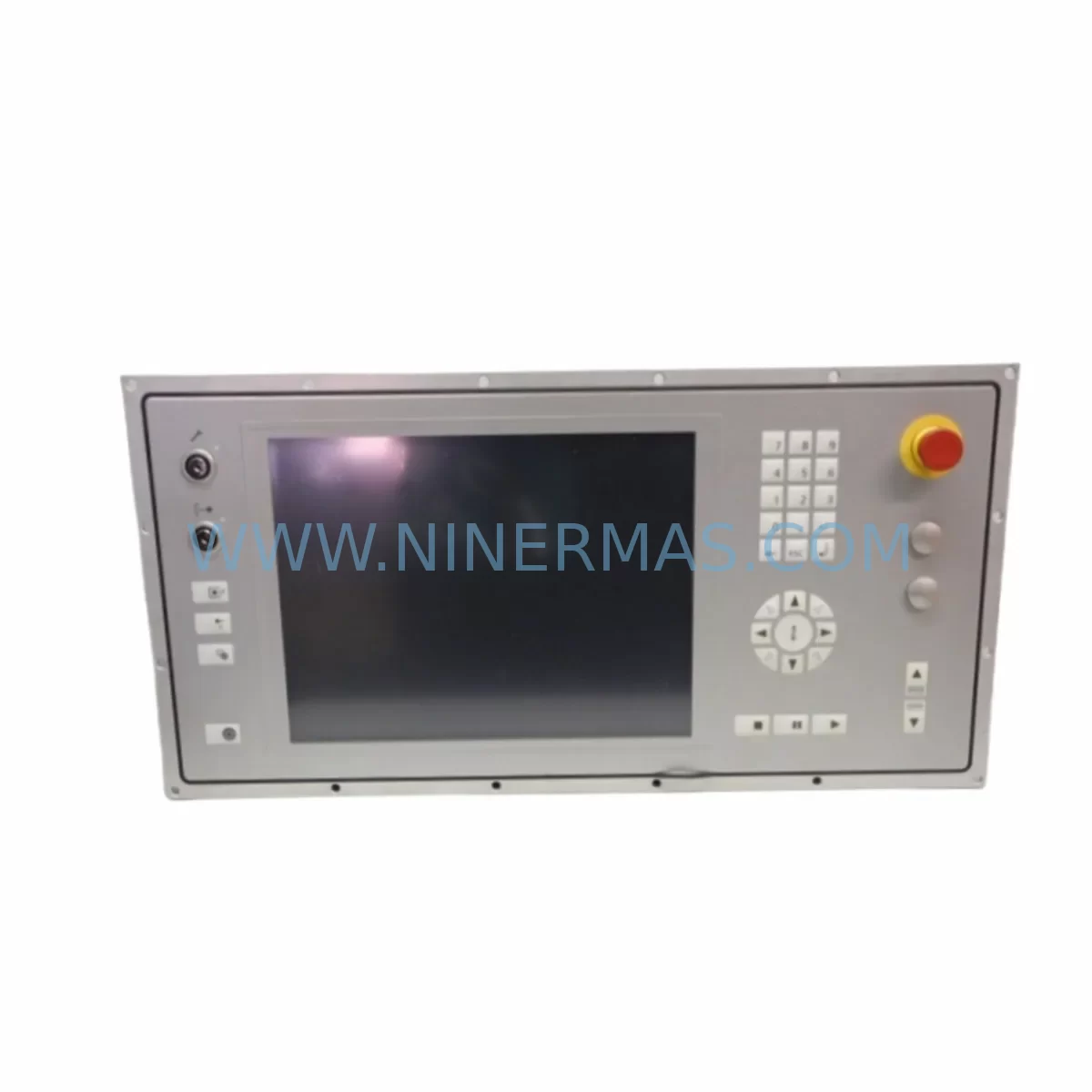
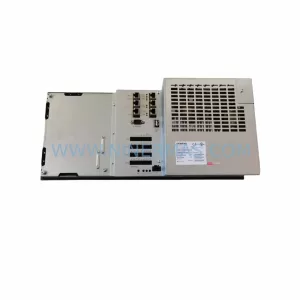
B&R 5AP980.1505-K15 Retrofit-Compatible Panel PC for Legacy Systems
Verify the part, confirm the platform family, and move straight into quotation with the right commercial details.
RFQ Ready
- SKU5AP980.1505-K15
- CategoryPLC & Industrial Automation Modules
- BrandB&R
- SupportAvailability, lead time, condition, and shipping coordination
How Buyers Usually Use This Page
- Confirm the exact part number and platform family before sending the quote request.
- Use direct email when quantity, condition, and destination are already defined internally.
- Switch to the broader brand or category archive when you need alternates nearby.
Series Navigation
Move through the most common platform families behind this part.
Product RFQ
Send this part directly for quotation.
Include quantity, required condition, destination country, and target delivery timing. Current reference: B&R 5AP980.1505-K15 Retrofit-Compatible Panel PC for Legacy Systems with SKU 5AP980.1505-K15.
B&R 5AP980.1505-K15 Retrofit-Compatible Panel PC for Legacy Systems
The B&R 5AP980.1505-K15 is a high-performance industrial Panel PC from the AP980 series, engineered for demanding automation environments where legacy HMI and control platforms must be modernized without full system replacement. As production lines age and original B&R AP980 units reach end-of-life, the 5AP980.1505-K15 serves as the primary retrofit-compatible replacement, enabling plant engineers to restore operator interface functionality, maintain SCADA connectivity, and preserve existing PLC program logic with minimal disruption to ongoing operations.
This unit is particularly suited for control cabinet upgrades where space constraints, backplane compatibility, and power supply headroom are critical planning factors. The 5AP980.1505-K15 integrates directly into existing AP980 rack configurations, reducing the need for mechanical modifications and shortening overall commissioning time. Its compatibility with B&R Automation Studio programming environments ensures that existing ladder logic, function block diagrams, and structured text programs can be validated and reloaded without full recompilation in most retrofit scenarios.
Upgrade Compatibility Table
| Parameter | Details |
|---|---|
| SKU / Part Number | 5AP980.1505-K15 |
| Brand / Manufacturer | B&R (Bernecker + Rainer) |
| Series | AP980 Industrial Panel PC |
| Display Size | 15″ TFT LCD (inferred from -1505 designation) |
| Interface Compatibility | AP900 / AP980 series backplane and rack mounting |
| Communication Protocols | POWERLINK, Modbus TCP, CANopen, Ethernet (inferred) |
| Installation Requirement | Verify panel cutout dimensions; confirm DIN rail or rack mount clearance |
| Power Supply Compatibility | Confirm 24 VDC supply capacity; check existing PSU headroom before installation |
| Replacement Recommendation | Direct retrofit for end-of-life AP980 Panel PC units |
| Commissioning Focus | HMI screen mapping, PLC address reassignment, communication link re-establishment |
| Warranty | 12 Months — covers hardware defects under normal industrial operating conditions |
Retrofit Planning for Existing Automation Systems
Successful integration of the 5AP980.1505-K15 into a legacy control environment begins with a thorough pre-retrofit audit. Engineers should document the existing AP980 panel’s terminal wiring layout, confirm the backplane slot assignment, and verify that the replacement unit’s I/O mapping aligns with the current PLC program variable table. In systems where the AP980 communicates with a B&R X20 CPU or X20CP series controller via POWERLINK, the network node address must be reassigned to match the original configuration to avoid communication faults on startup.
Power supply capacity is a frequent oversight in AP980 retrofit projects. The existing B&R X20PS9400 or equivalent 24 VDC power supply module must be verified to provide sufficient current headroom for the 5AP980.1505-K15 under full load. If the control cabinet also houses X20DI digital input modules, X20DO digital output modules, or X20AI analog input modules, the cumulative current draw must be recalculated before commissioning.
For systems using B&R ACOPOS servo drives or ACOPOSmulti drive modules on the same POWERLINK ring, the 5AP980.1505-K15 must be configured as a Managing Node or Controlled Node depending on the existing network topology. Incorrect node assignment is a common cause of startup failures in AP980 retrofit projects and should be validated in Automation Studio before the panel goes live.
Where the legacy AP980 unit served as the primary HMI, all operator screen pages, alarm lists, trend displays, and recipe management screens must be re-mapped to the replacement unit. If the original visualization was developed in B&R VC4 or mapp View, the project files should be archived and re-deployed to the 5AP980.1505-K15 after confirming runtime version compatibility. In mixed environments where a B&R 5PC720 Industrial PC handles the primary control logic and the AP980 serves as a remote HMI terminal, the OPC UA or Modbus TCP communication link between the two devices must be re-established and tested under live process conditions before handover.
Signal isolation is another consideration when retrofitting older AP980 installations. If the existing wiring includes thermocouples, RTDs, or 4–20 mA analog loops connected through legacy terminal blocks, a signal isolator or signal conditioner may be required to protect the 5AP980.1505-K15’s analog inputs from ground loops or voltage spikes common in aging control cabinets. Confirm terminal block compatibility and re-label all field wiring before energizing the replacement unit.
Downtime Control During System Migration
Minimizing production downtime during an AP980 retrofit requires a structured migration plan executed in parallel with ongoing operations wherever possible. The recommended approach is to pre-configure the 5AP980.1505-K15 off-line using a bench test setup that mirrors the target control environment. Load the existing Automation Studio project, validate I/O assignments, and simulate communication with the connected X20 CPU or ACOPOS drive before the scheduled maintenance window begins.
During the cutover window, the original AP980 panel should be powered down only after confirming that all field devices are in a safe state and that the PLC has been placed in a controlled stop mode. Retain the original program backup on a secure engineering laptop or USB drive throughout the migration. Once the 5AP980.1505-K15 is physically installed and wired, restore power in stages — first the 24 VDC supply, then the POWERLINK or Ethernet network, and finally the HMI visualization runtime. Verify all I/O signals, alarm acknowledgements, and communication status indicators before releasing the system to production operators.
For critical processes where even a brief interruption is unacceptable, consider a parallel run strategy where the 5AP980.1505-K15 operates in shadow mode alongside the existing AP980 for a defined validation period. This approach allows engineers to confirm data consistency, screen accuracy, and communication reliability before the final switchover, significantly reducing the risk of unplanned downtime caused by configuration errors or wiring discrepancies.
Retrofit Support FAQ
Q1: Is the 5AP980.1505-K15 a direct drop-in replacement for my existing AP980 panel?
In most AP980 series installations, the 5AP980.1505-K15 is mechanically and electrically compatible with the existing panel cutout and backplane connections. However, engineers should verify the exact panel cutout dimensions, confirm the power supply current rating, and check the Automation Studio project version before installation. Minor wiring adaptations may be required depending on the specific cabinet configuration.
Q2: What pre-shipment testing is performed on the 5AP980.1505-K15?
Each unit undergoes functional power-on testing and basic I/O verification before dispatch. Units sourced through NINERMAS are inspected for physical condition, display integrity, and communication port functionality. A 12-month warranty covers hardware defects identified under normal industrial operating conditions from the date of shipment.
Q3: Can I reuse my existing HMI visualization project on the replacement unit?
Yes, provided the Automation Studio runtime version installed on the 5AP980.1505-K15 is compatible with your existing VC4 or mapp View project. NINERMAS recommends confirming the firmware version of the replacement unit before ordering to ensure seamless project transfer. In cases where a runtime upgrade is required, the existing project may need minor adaptation for screen resolution or component library differences.
Q4: What is the typical lead time and stock availability for the 5AP980.1505-K15?
NINERMAS maintains inventory of AP980 series components to support urgent retrofit and breakdown replacement requirements. Standard lead time for in-stock units is 3–7 business days for international shipment. For time-critical plant breakdowns, expedited dispatch options are available. Contact our team directly to confirm current stock status and delivery schedule for your region.
| Product Series | Legacy |
|---|---|
| Country of Origin | AT |
Catalog Continuation
More B&R modules in the catalog.
Use the brand lane to compare nearby part numbers, platform-adjacent modules, and other inquiry-ready listings before sending your final RFQ.
SKU: 4PP350.0571-K01
B&R 4PP350.0571-K01 Retrofit-Compatible HMI Panel for Legacy Systems
SKU: 8BVI0220HCD8.000-1
B&R 8BVI0220HCD8.000-1 Retrofit-Compatible Servo Drive for Legacy Systems
SKU: 5PC910.SX05-00
B&R 5PC910.SX05-00 Retrofit Industrial PC for Legacy Systems
Catalog Continuation
Alternative parts within PLC & Industrial Automation Modules.
Stay inside the same system family when you need substitutes, adjacent modules, or a broader shortlist for procurement review.
SKU: 6ES7511-1CK01-0AB0
Siemens 6ES7511-1CK01-0AB0 Service-Ready Spare Part
SKU: 828D PPU281.1 6FC5370-7AA00-0AA0
Siemens 6FC5370-7AA00-0AA0 Retrofit Panel Processing Unit



