
Original Industrial Spare Part
B&R 5PC910.SX05-00 Retrofit Industrial PC for Legacy Systems
Verify the part, confirm the platform family, and move straight into quotation with the right commercial details.
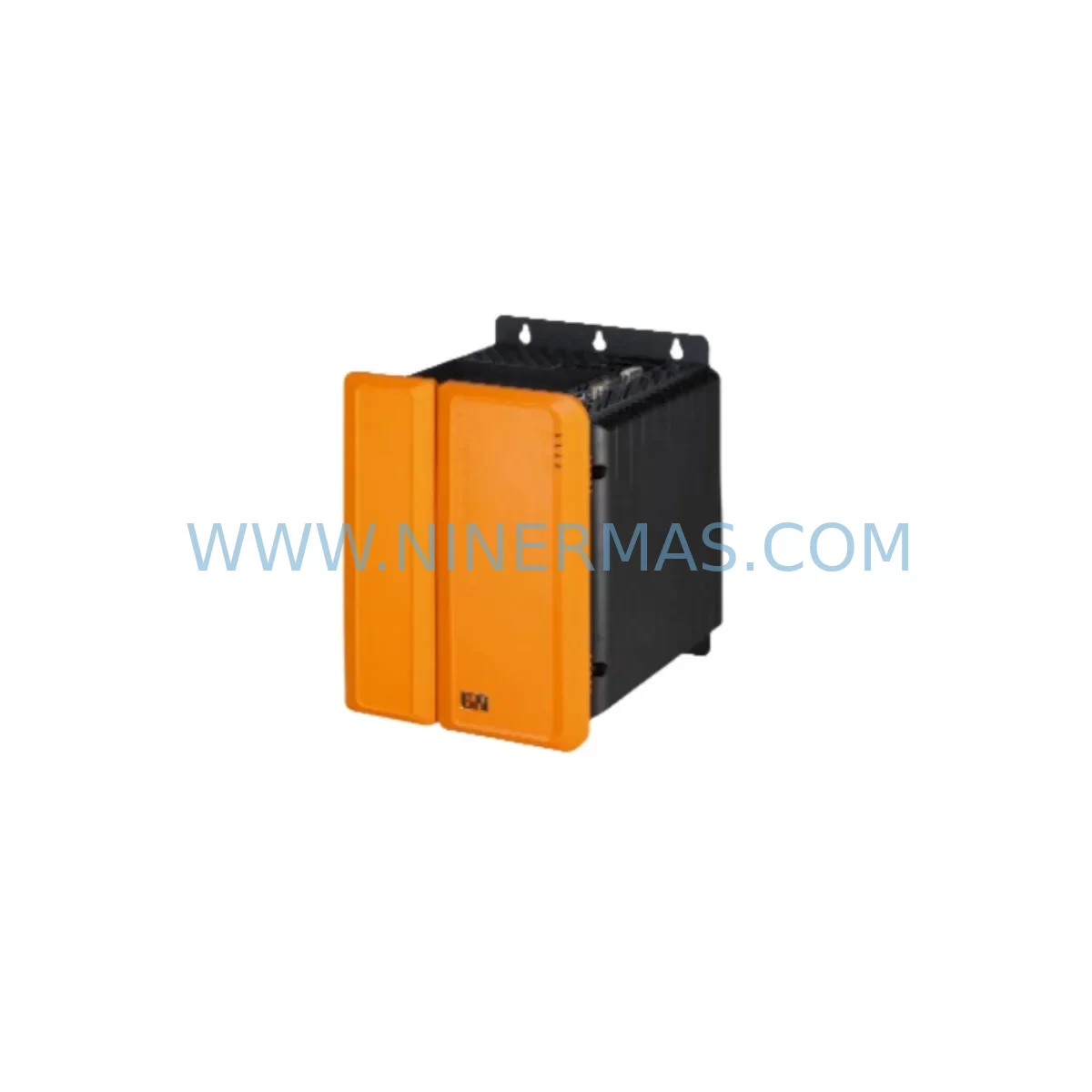
RFQ Ready
- SKU5PC910.SX05-00
- CategoryPLC & Industrial Automation Modules
- BrandB&R
- SupportAvailability, lead time, condition, and shipping coordination
How Buyers Usually Use This Page
- Confirm the exact part number and platform family before sending the quote request.
- Use direct email when quantity, condition, and destination are already defined internally.
- Switch to the broader brand or category archive when you need alternates nearby.
Series Navigation
Move through the most common platform families behind this part.
Product RFQ
Send this part directly for quotation.
Include quantity, required condition, destination country, and target delivery timing. Current reference: B&R 5PC910.SX05-00 Retrofit Industrial PC for Legacy Systems with SKU 5PC910.SX05-00.
B&R 5PC910.SX05-00 Retrofit Industrial PC for Legacy Systems
The B&R 5PC910.SX05-00 is a high-performance industrial PC from the APC910 series, engineered for demanding automation environments where reliability, longevity, and backward compatibility are non-negotiable. As legacy B&R control platforms approach end-of-life, the 5PC910.SX05-00 has become a critical retrofit and replacement component for system integrators, maintenance engineers, and OEM rebuild teams managing aging production lines. Whether you are replacing a failed unit, upgrading a control cabinet, or migrating from an earlier 5PC900 platform, this module provides a proven, drop-in compatible path that minimizes engineering risk and reduces unplanned downtime.
NINERMAS maintains verified in-stock inventory of the 5PC910.SX05-00, pre-shipment tested and covered by a 12-month warranty. Each unit undergoes functional verification before dispatch to ensure it meets original B&R factory specifications, giving your maintenance team confidence in every replacement cycle.
Upgrade Compatibility Table
| Parameter | Details |
|---|---|
| SKU / Part Number | 5PC910.SX05-00 |
| Series | B&R APC910 / 5PC900 |
| Form Factor | Panel-mount Industrial PC |
| Backplane Interface | Compatible with APC910 backplane and expansion slots |
| Communication Protocols | POWERLINK, Ethernet, USB, RS232/RS485 (configuration dependent) |
| Replacement Compatibility | Direct replacement for 5PC910.SX05-00; upgrade path from 5PC900 series predecessors |
| Installation Space | Standard APC910 panel cutout; verify cabinet depth before installation |
| Power Supply Requirement | 24 VDC nominal; confirm existing PSU capacity before swap |
| Programming Environment | B&R Automation Studio (AS 4.x compatible) |
| Commissioning Notes | Retain original project backup; verify I/O mapping and HMI tag references post-swap |
| Warranty | 12 Months — NINERMAS Pre-Shipment Tested |
Retrofit Planning for Existing Automation Systems
Successful integration of the 5PC910.SX05-00 into an existing control architecture requires a structured pre-installation review. Begin by auditing the current power supply capacity. The APC910 platform draws regulated 24 VDC, and if the cabinet houses additional modules such as the X20PS9400 power supply module or a 5AC901.BX02-00 backplane expansion unit, total load calculations must be verified before the new control host is energized.
Terminal wiring is the next critical checkpoint. Existing field wiring connected to X20 I/O modules — including digital input modules like the X20DI9371 and analog output modules such as the X20AO4622 — must be documented and labeled before the control host is removed. Any deviation in module addressing or rack slot assignment can cause the Automation Studio project to fail on first boot, requiring a full I/O remapping session.
For systems that include a B&R Power Panel HMI such as the 5PP920.1505-K06 or the 4PP065.0571-X74, the HMI project must be backed up independently. Screen tags, alarm references, and recipe data linked to the old control host’s variable table will need to be re-validated after the 5PC910.SX05-00 is commissioned. In many retrofit scenarios, the HMI communication link — typically running over POWERLINK or Ethernet/IP — must be re-established and tested under live conditions before the line is released for production.
Storage media is another area that requires attention. The 5PC910.SX05-00 supports CompactFlash and SATA-based storage. If the legacy system used a 5CFCRD.0512-06 CompactFlash card or a 5CASDL.0250-00 SATA drive, confirm that the replacement unit’s storage interface matches before attempting to clone the existing project image. In cases where the original storage media has degraded, a fresh Automation Studio project deployment from a verified backup is the recommended approach.
Communication protocol migration is increasingly common in APC910 retrofit projects. Sites transitioning from legacy serial fieldbus architectures to POWERLINK or OPC UA will need to verify that the X20BC0083 bus controller or equivalent gateway module is correctly configured to bridge the old and new protocol layers. This step is particularly important in multi-axis motion control environments where timing synchronization between the control host and drive systems — such as B&R ACOPOS servo drives — is critical to maintaining production quality.
Finally, confirm physical installation space in the control cabinet. The APC910 panel-mount form factor is standardized, but cabinet depth, cable routing clearance, and ventilation requirements must be checked against the existing enclosure layout. Inadequate airflow around the control host is a leading cause of premature failure in retrofit installations and should be addressed during the planning phase rather than after commissioning.
Downtime Control During System Migration
Minimizing production downtime during a 5PC910.SX05-00 replacement requires a disciplined migration protocol. The first step is a complete backup of the existing Automation Studio project, including all task configurations, I/O mappings, motion parameters, and communication settings. This backup should be stored on at least two independent media — one on-site and one off-site — before any hardware is disturbed.
Where possible, schedule the physical swap during a planned maintenance window rather than responding reactively to a failure. A pre-staged 5PC910.SX05-00 unit — already configured with the correct project image and tested offline — can reduce the actual swap time to under two hours in most installations. NINERMAS recommends requesting a pre-configured unit when lead time allows, as this eliminates on-site programming risk and accelerates return to production.
During the swap, preserve all original wiring labels and terminal assignments. Photograph the existing wiring before disconnection. After the new control host is installed and powered, perform a controlled startup sequence: verify communication links first, then confirm I/O status, and finally release motion axes one at a time. This staged approach isolates any configuration discrepancies before they can cause equipment damage or safety incidents.
For sites with redundant control architectures, the 5PC910.SX05-00 can be brought online in shadow mode — monitoring live signals without taking control — before the final switchover. This approach is particularly valuable in continuous process environments where even a brief interruption in control continuity carries significant production risk.
Retrofit Support FAQ
Q: Is the 5PC910.SX05-00 a direct replacement for earlier 5PC900 series control hosts?
A: The 5PC910.SX05-00 is mechanically and electrically compatible with the APC910 platform. Replacement from earlier 5PC900 variants may require a project migration step in Automation Studio to align with updated hardware configurations. NINERMAS technical support can advise on specific cross-reference compatibility before purchase.
Q: What pre-shipment testing does NINERMAS perform on the 5PC910.SX05-00?
A: Every unit is powered on and subjected to a functional verification test covering boot integrity, communication port operation, and storage media health. Units that do not pass all test criteria are quarantined and not dispatched. A test report is available upon request.
Q: How do I verify wiring compatibility before installing the replacement unit?
A: Cross-reference the existing terminal block assignments — including any 0TB103.91 terminal blocks or equivalent field wiring connectors — against the 5PC910.SX05-00 installation manual. Pay particular attention to 24 VDC power input polarity, protective earth connections, and any shielded cable requirements for analog signal wiring.
Q: What warranty coverage applies to the 5PC910.SX05-00 supplied by NINERMAS?
A: All units carry a 12-month warranty from the date of shipment. Warranty coverage includes defects in materials and workmanship under normal operating conditions. Units damaged by incorrect installation, overvoltage, or environmental factors outside the specified operating range are not covered. Warranty claims are processed directly through NINERMAS with a target response time of 48 hours.
| Product Series | Legacy |
|---|---|
| Country of Origin | AT |
Catalog Continuation
More B&R modules in the catalog.
Use the brand lane to compare nearby part numbers, platform-adjacent modules, and other inquiry-ready listings before sending your final RFQ.
Catalog Continuation
Alternative parts within PLC & Industrial Automation Modules.
Stay inside the same system family when you need substitutes, adjacent modules, or a broader shortlist for procurement review.
SKU: CP6902-1009-0000
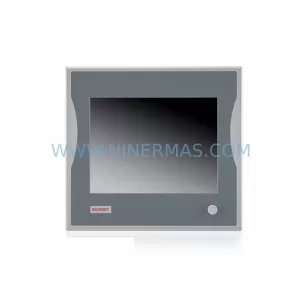
Beckhoff CP6902-1009-0000 Spare Part for Industrial Maintenance
SKU: HW0380219-A HP-25A-11-F0-SP
YASKAWA HW0380219-A Retrofit Servo Board for Legacy Systems



