
Original Industrial Spare Part
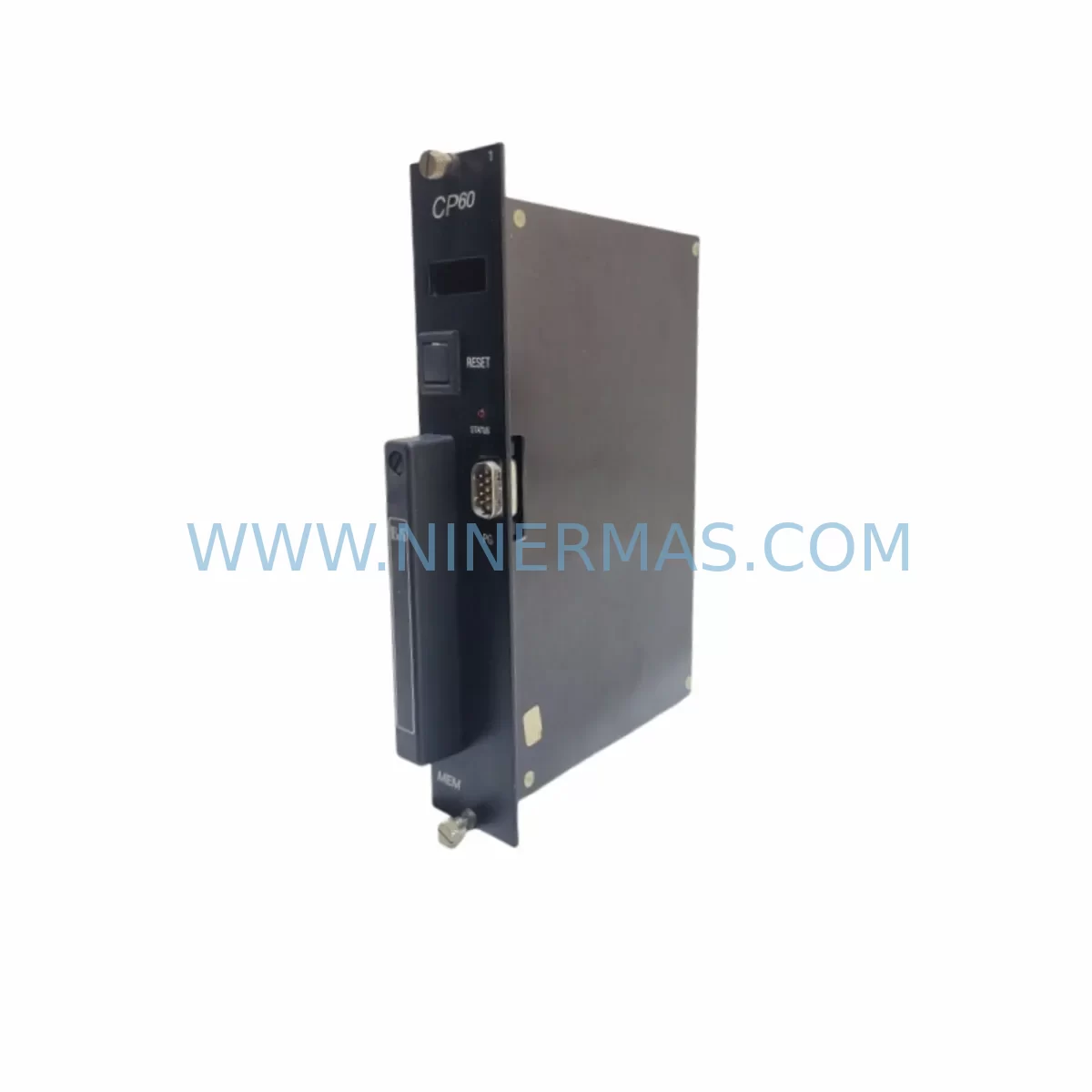
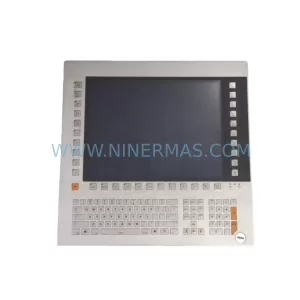
B&R ECCP60-01 CP60 Retrofit-Compatible Control Panel for Legacy Systems
Verify the part, confirm the platform family, and move straight into quotation with the right commercial details.
RFQ Ready
- SKUECCP60-01 CP60
- CategoryPLC & Industrial Automation Modules
- BrandB&R
- SupportAvailability, lead time, condition, and shipping coordination
How Buyers Usually Use This Page
- Confirm the exact part number and platform family before sending the quote request.
- Use direct email when quantity, condition, and destination are already defined internally.
- Switch to the broader brand or category archive when you need alternates nearby.
Series Navigation
Move through the most common platform families behind this part.
Product RFQ
Send this part directly for quotation.
Include quantity, required condition, destination country, and target delivery timing. Current reference: B&R ECCP60-01 CP60 Retrofit-Compatible Control Panel for Legacy Systems with SKU ECCP60-01 CP60.
B&R ECCP60-01 CP60 Retrofit-Compatible Control Panel for Legacy Systems
The B&R ECCP60-01 CP60 is a retrofit-compatible control panel engineered to replace end-of-life and discontinued CP60 Series operator interface units in legacy B&R automation environments. Designed for plant engineers and maintenance teams managing aging control infrastructure, this unit delivers a smooth migration path that preserves existing program logic, HMI screen layouts, and communication links — minimizing unplanned downtime and reducing the risk of costly production interruptions.
As B&R CP60 Series panels reach end-of-life status, sourcing verified replacement units becomes critical for facilities running continuous or semi-continuous processes. The ECCP60-01 CP60 addresses this challenge directly: it is sourced from authorized supply channels, undergoes pre-shipment functional testing, and ships with a 12-month warranty covering hardware defects and operational failures under normal industrial conditions.
Whether you are executing a like-for-like panel swap, upgrading a control cabinet, or integrating the unit into a broader system modernization project, the ECCP60-01 CP60 is a proven starting point for retrofit planning.
Upgrade Compatibility Table
| Parameter | Details |
|---|---|
| Compatible Series | B&R CP60 Series (ECCP60-xx variants) |
| Mounting / Installation | Panel cutout compatible with CP60 Series footprint; verify cabinet depth and door clearance before installation |
| Communication Compatibility | Supports B&R POWERLINK, CAN, and serial interfaces standard to CP60 platform; confirm firmware revision with existing network configuration |
| Replacement Recommendation | Direct replacement for discontinued CP60 Series units; cross-reference full SKU ECCP60-01 CP60 against existing panel label before ordering |
| Commissioning Notes | Restore HMI project from backup; verify node address, baud rate, and I/O mapping after installation; perform loop test before resuming production |
| Warranty | 12 months from shipment date; covers manufacturing defects under normal operating conditions |
Retrofit Planning for Existing Automation Systems
A successful CP60 Series retrofit begins well before the replacement unit arrives on site. Maintenance teams should audit the full control cabinet to identify interdependent components that may require simultaneous attention. In many CP60-based installations, the panel interfaces directly with a B&R X20 I/O system or legacy B&R 2003 Series I/O modules, and any wiring changes at the panel terminal block must be reconciled against the existing I/O address map to avoid program faults on restart.
Power supply integrity is a frequent oversight in panel retrofit projects. The B&R PS3100 or equivalent 24 VDC power supply module feeding the CP60 panel should be load-tested prior to the swap — an aging power supply operating near its rated capacity may fail to support the replacement unit’s inrush current. Similarly, if the control cabinet houses a B&R X20PS9400 power supply module for the backplane, its output voltage and ripple should be verified before commissioning the new panel.
Communication architecture deserves particular scrutiny. Many CP60 installations rely on B&R POWERLINK managing nodes connected via the panel’s integrated network interface. Before removing the original unit, document the node number, cycle time, and any cross-communication variables shared with the B&R Automation Runtime project. If the system also includes a B&R X20BC0083 POWERLINK bus controller or similar fieldbus coupler, confirm that the replacement panel firmware is compatible with the existing network manager version.
For installations where the CP60 panel communicates with third-party drives or motion controllers via CANopen or Modbus RTU, the serial port configuration — baud rate, parity, stop bits, and device address — must be re-entered manually after the panel swap, as these parameters are typically stored in the panel’s non-volatile memory rather than in the PLC project. Technicians should also verify that any B&R X20CM0985 communication module or RS-232/RS-485 converter in the signal chain remains compatible with the replacement unit’s port specifications.
Physical installation considerations include verifying that the replacement panel fits the existing cabinet cutout without modification, that the gasket seal is intact for IP-rated enclosures, and that cable management allows the panel to open fully for future maintenance. If the original installation used a B&R 4PP065 or 4PP045 Power Panel in an adjacent cabinet section, confirm that the shared backplane or rack assembly does not require mechanical adaptation for the ECCP60-01 CP60 form factor.
Finally, before energizing the replacement panel, restore the HMI project from a verified backup, confirm that all B&R Automation Studio project variables are correctly mapped, and perform a full I/O loop test with the process isolated. This step is essential for systems where the panel drives safety-relevant outputs or interacts with B&R SafeLOGIC controllers in a safety-rated control architecture.
Downtime Control During System Migration
Minimizing production downtime during a CP60 panel replacement requires a structured pre-outage preparation protocol. The most effective approach is to complete all documentation, backup, and staging work before the scheduled maintenance window — so that the physical swap, wiring reconnection, and software restore can be executed within a single planned outage.
Begin by exporting the full HMI project from the existing CP60 panel using B&R Automation Studio, and archive both the compiled runtime and the source project files. Photograph all terminal wiring, label every cable with its corresponding I/O address, and record the current communication parameters from the panel’s configuration menu. This documentation package becomes the recovery baseline if commissioning issues arise.
During the outage, follow a strict sequence: de-energize the cabinet, disconnect signal and power wiring from the panel terminals, remove the original unit, install the ECCP60-01 CP60, reconnect wiring in reverse order, and restore power incrementally — first to the 24 VDC control circuit, then to the communication network, and finally to the process outputs. This staged power-up sequence allows each subsystem to be verified before the next is energized, isolating faults quickly and protecting both the replacement panel and the connected field devices.
After the HMI project is restored and the panel displays the correct runtime screens, perform a cold-start test with all process outputs inhibited. Verify that all I/O points respond correctly, that communication links to remote I/O stations and drives are established, and that any alarm or interlock logic functions as expected before releasing the system to production. Maintaining a spare B&R CF card or USB backup device with the current project image on-site ensures that a second recovery attempt can be made without delay if the first restore encounters a firmware mismatch.
Retrofit Support FAQ
Q1: Is the ECCP60-01 CP60 a direct drop-in replacement for all CP60 Series variants?
The ECCP60-01 CP60 is designed as a compatible replacement within the CP60 Series platform. However, customers should verify the full SKU on the original panel’s nameplate, as sub-variants within the CP60 family may differ in display resolution, communication port configuration, or memory capacity. Our technical team can assist with cross-reference confirmation prior to order placement.
Q2: What pre-shipment testing is performed on the ECCP60-01 CP60?
Each unit undergoes functional power-on testing and visual inspection before shipment. Units are verified to power up correctly and display the boot sequence without hardware fault codes. Customers requiring application-level testing against a specific HMI project should contact us to discuss pre-shipment configuration options.
Q3: How do I handle wiring differences between the original CP60 panel and the replacement unit?
Terminal block layouts on CP60 Series panels are generally consistent across the product family, but customers should compare the wiring diagram from the original panel’s documentation against the ECCP60-01 CP60 terminal assignment before reconnecting field wiring. If the original wiring diagram is unavailable, our team can provide reference documentation to support the reconnection process.
Q4: What does the 12-month warranty cover, and what is the support process?
The 12-month warranty covers hardware defects and failures attributable to manufacturing under normal industrial operating conditions. It does not cover damage resulting from incorrect installation, overvoltage, or environmental exposure beyond the unit’s rated specifications. To initiate a warranty claim, contact us at sale@ninermas.com with the order reference, unit serial number, and a description of the fault observed.
| Product Series | Legacy |
|---|---|
| Country of Origin | AT |
Catalog Continuation
More B&R modules in the catalog.
Use the brand lane to compare nearby part numbers, platform-adjacent modules, and other inquiry-ready listings before sending your final RFQ.
Catalog Continuation
Alternative parts within PLC & Industrial Automation Modules.
Stay inside the same system family when you need substitutes, adjacent modules, or a broader shortlist for procurement review.
SKU: CP6902-1009-0000
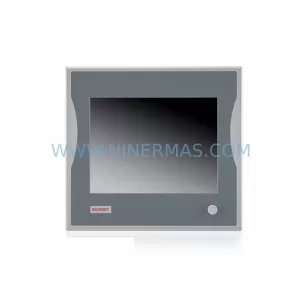
Beckhoff CP6902-1009-0000 Spare Part for Industrial Maintenance
SKU: HW0380219-A HP-25A-11-F0-SP
YASKAWA HW0380219-A Retrofit Servo Board for Legacy Systems



