
Original Industrial Spare Part
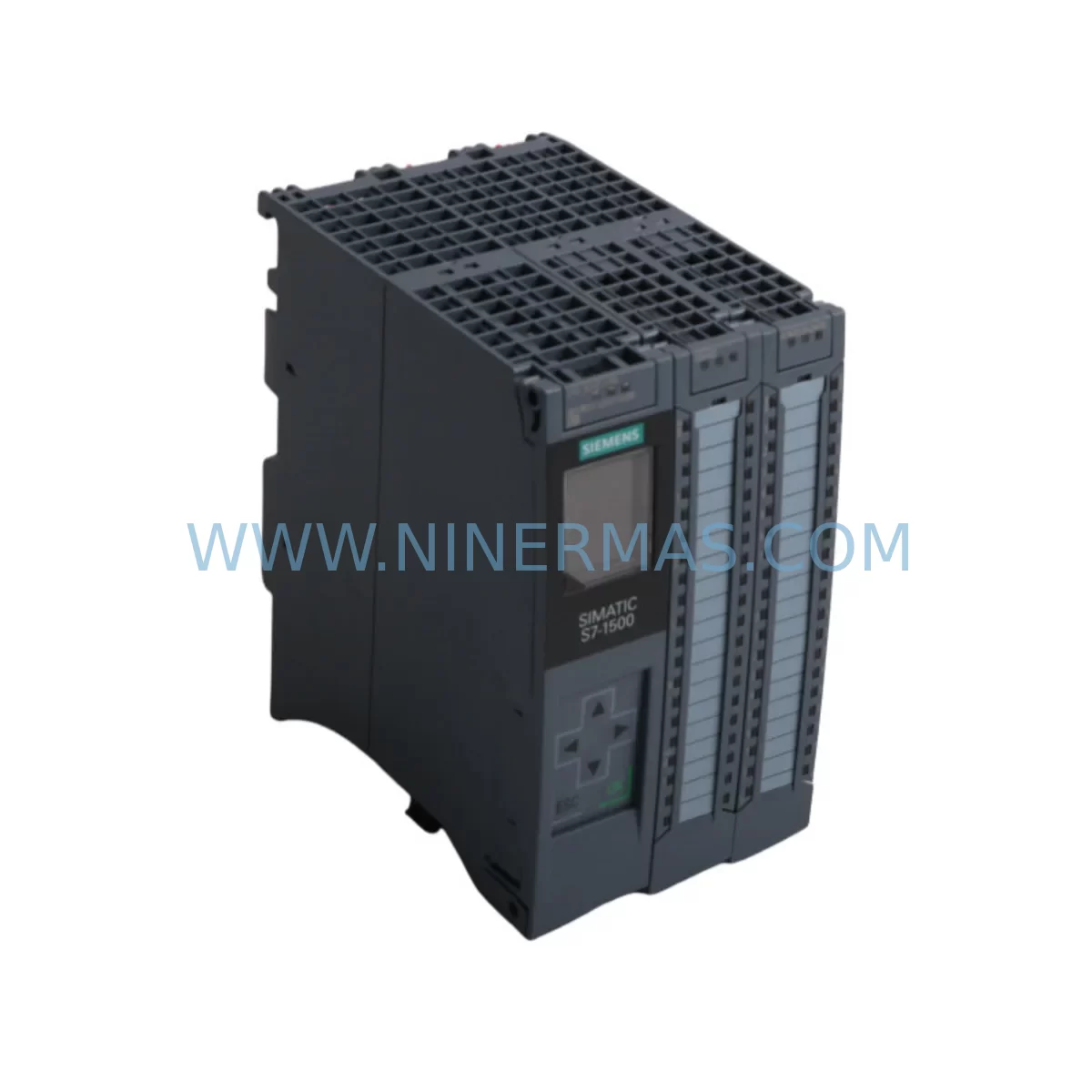
Siemens 6ES7511-1CK01-0AB0 Service-Ready Spare Part
Verify the part, confirm the platform family, and move straight into quotation with the right commercial details.
RFQ Ready
- SKU6ES7511-1CK01-0AB0
- CategoryPLC & Industrial Automation Modules
- BrandSiemens
- SupportAvailability, lead time, condition, and shipping coordination
How Buyers Usually Use This Page
- Confirm the exact part number and platform family before sending the quote request.
- Use direct email when quantity, condition, and destination are already defined internally.
- Switch to the broader brand or category archive when you need alternates nearby.
Series Navigation
Move through the most common platform families behind this part.
Product RFQ
Send this part directly for quotation.
Include quantity, required condition, destination country, and target delivery timing. Current reference: Siemens 6ES7511-1CK01-0AB0 Service-Ready Spare Part with SKU 6ES7511-1CK01-0AB0.
Siemens 6ES7511-1CK01-0AB0 Service-Ready Spare Part: Spare Replacement & Downtime Risk Control
The Siemens 6ES7511-1CK01-0AB0 is the CPU1511C-1 PN compact central processing unit within the SIMATIC S7-1500 controller family — a high-performance PLC CPU engineered for demanding discrete and process automation environments. As production lines age and original equipment manufacturers phase out legacy support, maintaining a verified, service-ready spare of the 6ES7511-1CK01-0AB0 becomes a critical pillar of any industrial maintenance strategy. Unplanned downtime caused by CPU failure in an S7-1500 rack can halt an entire production cell within minutes; having a pre-tested replacement on the shelf converts a potential multi-day outage into a controlled, sub-hour swap.
At NINERMAS, every 6ES7511-1CK01-0AB0 unit is sourced from verified original Siemens supply channels, individually inspected, and shipped with a 12-month warranty. Whether you are a maintenance engineer executing an emergency replacement or a procurement engineer building a strategic spare-parts buffer, this listing provides the supply continuity and technical confidence your operation demands.
Spare Maintenance Table
| Parameter | Specification |
|---|---|
| Part Number / SKU | 6ES7511-1CK01-0AB0 |
| Product Series | SIMATIC S7-1500 |
| Module Type | CPU1511C-1 PN — Compact CPU with integrated I/O |
| PROFINET Interfaces | 1 × PROFINET IO (2-port switch) |
| Integrated Digital Inputs | 16 × DI (24 V DC) |
| Integrated Digital Outputs | 16 × DQ (24 V DC / 0.5 A) |
| Integrated Analog Inputs | 5 × AI (±10 V / 0–20 mA) |
| Integrated Analog Outputs | 2 × AQ (±10 V / 0–20 mA) |
| Work Memory | 175 KB (code) + 1 MB (data) |
| Supply Voltage | 24 V DC (via system power supply, e.g. 6EP1333-4BA00) |
| Communication | PROFINET IRT/RT, OPC UA, Modbus TCP (via library) |
| Programming Software | TIA Portal V14 SP1 or higher |
| Mounting | S7-1500 rail (35 mm DIN), left of power supply module |
| Operating Temperature | 0 °C to +60 °C |
| Protection Rating | IP20 |
| Firmware | V2.x compatible (field-upgradeable via SIMATIC Memory Card) |
| Origin | Germany (Original Siemens manufacture) |
| Compatibility | S7-1500 standard rack; replaces earlier CPU1511C-1 PN variants |
| Warranty | 12 Months — NINERMAS tested & verified |
| Shipping | ESD-safe packaging; functional test prior to dispatch |
Maintenance Planning for Continuous Operation
When a CPU1511C-1 PN fails or is flagged during a scheduled control-cabinet inspection, the replacement workflow rarely ends at the CPU itself. A disciplined maintenance engineer will treat the event as a trigger for a broader system health audit. The 6ES7511-1CK01-0AB0 sits at the heart of the S7-1500 rack, and its failure — or the conditions that caused it — can stress adjacent components that share the same 24 V DC bus and backplane communication.
Begin with the system power supply module. The CPU1511C-1 PN draws its logic power from a dedicated PS module such as the 6EP1333-4BA00 (SITOP PSU100S 24 V/5 A) or the rack-integrated 6ES7505-0KA00-0AB0 (PS 25W 24VDC). Measure output voltage under load before installing the replacement CPU; a sagging or noisy 24 V rail is a common root cause of CPU resets and memory corruption. If the power supply is more than five years old or shows ripple beyond specification, replace it concurrently.
Next, inspect the PROFINET switch and cabling infrastructure. The CPU1511C-1 PN’s integrated 2-port PROFINET switch connects directly to field devices, remote I/O stations, and HMI panels. Verify that all RJ45 connectors are seated correctly and that managed switches upstream — such as Siemens SCALANCE X series — show no port error counters. A degraded PROFINET segment can cause the new CPU to generate bus faults immediately after startup, masking the true restoration of the system.
Review the signal modules installed in the same rack. Digital input modules such as the 6ES7521-1BL00-0AB0 (SM 521 DI 32×24VDC) and digital output modules such as the 6ES7522-1BL01-0AB0 (SM 522 DQ 32×24VDC/0.5A) communicate with the CPU via the S7-1500 backplane bus. After a CPU swap, perform a full I/O force test to confirm that all channels respond correctly and that no module has developed latent faults during the downtime event.
For installations with analog process signals, check the analog input/output modules — for example the 6ES7531-7KF00-0AB0 (SM 531 AI 8×U/I/RTD/TC) — for correct scaling and zero-point calibration. Thermal stress during a CPU failure event can shift analog module offsets, leading to process measurement errors that are difficult to diagnose after the line restarts.
Examine the SIMATIC Memory Card (e.g., 6ES7954-8LF03-0AA0, 24 MB) used to store the CPU project and firmware. If the original memory card was in the failed CPU, clone it to a new card before inserting it into the replacement unit. Verify the firmware version matches the TIA Portal project version to avoid compatibility warnings at first boot.
Where the S7-1500 rack interfaces with a PROFIBUS DP network via a CM 1542-5 communications module (6GK7542-5DX00-0XE0), confirm that the DP master address and baud rate settings are preserved in the project download. PROFIBUS slaves — including legacy drives, valve islands, and remote I/O — will not re-establish communication until the master parameters are correctly restored.
Finally, if the control cabinet includes an HMI panel — such as a SIMATIC KTP700 Basic (6AV2123-2GB03-0AX0) — connected to the CPU via PROFINET, verify that the HMI project tag connections are intact after the CPU replacement. Tag address mismatches following a firmware update are a common source of post-maintenance alarms that delay production restart.
Building a structured spare-parts kit around the 6ES7511-1CK01-0AB0 — including at minimum one power supply module, one SIMATIC Memory Card, and a set of terminal block connectors for the integrated I/O — reduces mean time to repair (MTTR) and supports a 12-month rolling inventory review cycle aligned with annual plant shutdowns.
Site Replacement Workflow
Step 1 — Isolate and document. Before removing the failed CPU1511C-1 PN, capture the current project from the SIMATIC Memory Card using TIA Portal’s “Upload from device” function (if the CPU is still partially responsive). Record the firmware version displayed on the CPU’s front panel display. Photograph the wiring connections on the integrated I/O terminal block — the 6ES7511-1CK01-0AB0 carries 16 DI, 16 DQ, 5 AI, and 2 AQ channels directly on the module, and incorrect rewiring will cause immediate I/O faults.
Step 2 — Power down safely. Switch off the system power supply module feeding the S7-1500 rack. Confirm that the 24 V DC bus is de-energized using a calibrated multimeter before touching any module. Do not rely solely on the CPU’s RUN/STOP LED as a power indicator.
Step 3 — Remove and replace. Unlock the CPU from the DIN rail using the front-panel release lever. Slide the module out of the backplane connector carefully to avoid bending the backplane bus pins. Insert the replacement 6ES7511-1CK01-0AB0, ensuring the backplane connector is fully seated before locking the rail clip. Transfer the SIMATIC Memory Card from the old unit (or insert a pre-programmed replacement card).
Step 4 — Restore and verify. Power up the system power supply. Observe the CPU startup sequence on the front panel display. If the memory card contains a valid project, the CPU will load automatically and transition to RUN mode. Use TIA Portal online diagnostics to confirm all I/O modules are recognized, all PROFINET devices are connected, and no diagnostic alarms are active. Perform a controlled I/O test before releasing the line to production.
Step 5 — Update maintenance records. Log the replacement date, the serial number of the new CPU, and the firmware version. Update the spare-parts inventory to trigger a replenishment order for the next 6ES7511-1CK01-0AB0 unit, maintaining a minimum one-unit buffer in stock at all times.
Spare Parts Support FAQ
Q1: Is the 6ES7511-1CK01-0AB0 a direct drop-in replacement for earlier CPU1511C-1 PN hardware revisions?
Yes. The 6ES7511-1CK01-0AB0 is the current production revision of the CPU1511C-1 PN and is backward-compatible with S7-1500 racks and TIA Portal projects developed for earlier hardware revisions. A firmware update via SIMATIC Memory Card may be required to match the project’s target firmware version. NINERMAS recommends confirming the TIA Portal version in use before ordering to ensure full compatibility.
Q2: What pre-shipment testing does NINERMAS perform on each unit?
Every 6ES7511-1CK01-0AB0 unit undergoes a functional power-on test, firmware version verification, and visual inspection for physical damage before dispatch. Units are packed in ESD-safe anti-static bags with foam cushioning to prevent transit damage. A test report is available upon request for quality-assurance documentation purposes.
Q3: What is the warranty coverage and what does it include?
All units supplied by NINERMAS carry a 12-month warranty from the date of shipment. The warranty covers manufacturing defects and functional failures under normal operating conditions. It does not cover damage caused by incorrect installation, overvoltage events, or unauthorized modification. In the event of a warranty claim, NINERMAS will arrange replacement or repair at no additional cost to the customer.
Q4: Can NINERMAS support long-term supply for annual maintenance contracts or multi-site procurement programs?
Yes. NINERMAS maintains ongoing sourcing relationships for the 6ES7511-1CK01-0AB0 and related S7-1500 components to support customers with annual maintenance contracts, multi-year spare-parts agreements, and multi-site procurement programs. Contact our team to discuss volume pricing, reserved stock arrangements, and lead-time commitments tailored to your plant’s maintenance schedule.
| Product Series | SIMATIC |
|---|---|
| Country of Origin | DE |
Catalog Continuation
More Siemens modules in the catalog.
Use the brand lane to compare nearby part numbers, platform-adjacent modules, and other inquiry-ready listings before sending your final RFQ.
SKU: 828D PPU281.1 6FC5370-7AA00-0AA0
Siemens 6FC5370-7AA00-0AA0 Retrofit Panel Processing Unit
SKU: 6SL3120-1TE21-0AD0
Siemens 6SL3120-1TE21-0AD0 Safe Double Motor Module
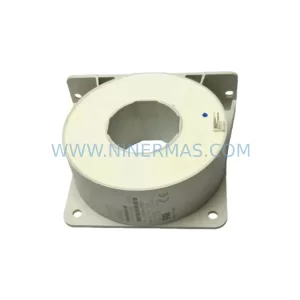
Catalog Continuation
Alternative parts within PLC & Industrial Automation Modules.
Stay inside the same system family when you need substitutes, adjacent modules, or a broader shortlist for procurement review.
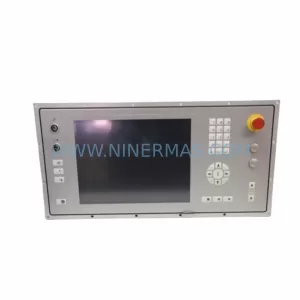
SKU: 5AP980.1505-K15
B&R 5AP980.1505-K15 Retrofit-Compatible Panel PC for Legacy Systems
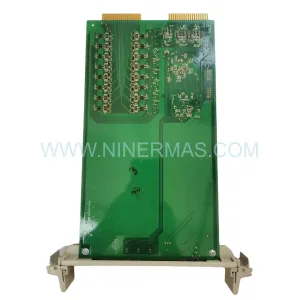
SKU: 3HAC025097-001 DSQC639
ABB 3HAC025097-001 DSQC639 Service-Ready Spare Part for Industrial Maintenance
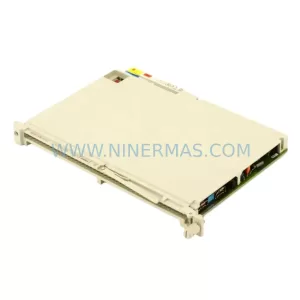
SKU: 6ES5470-4UC12
Siemens 6ES5470-4UC12 Retrofit-Compatible Analog Output



