
Original Industrial Spare Part
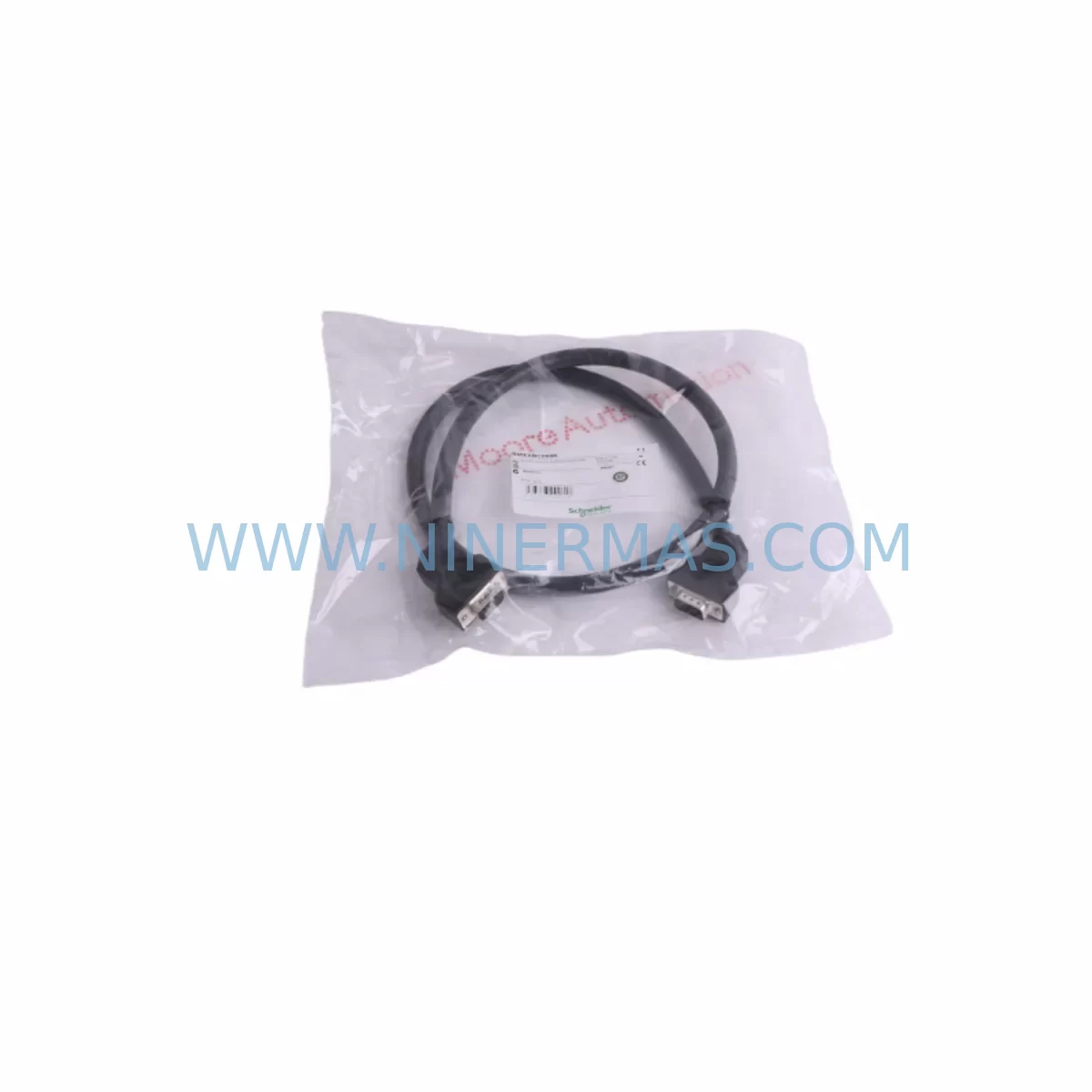
Schneider BMXXBC008K Retrofit-Compatible Bus Cable for Legacy Systems
Verify the part, confirm the platform family, and move straight into quotation with the right commercial details.
RFQ Ready
- SKUBMXXBC008K
- CategoryPLC & Industrial Automation Modules
- BrandSchneider Electric
- SupportAvailability, lead time, condition, and shipping coordination
How Buyers Usually Use This Page
- Confirm the exact part number and platform family before sending the quote request.
- Use direct email when quantity, condition, and destination are already defined internally.
- Switch to the broader brand or category archive when you need alternates nearby.
Series Navigation
Move through the most common platform families behind this part.
Product RFQ
Send this part directly for quotation.
Include quantity, required condition, destination country, and target delivery timing. Current reference: Schneider BMXXBC008K Retrofit-Compatible Bus Cable for Legacy Systems with SKU BMXXBC008K.
Schneider BMXXBC008K Retrofit-Compatible Bus Cable for Legacy Systems
The Schneider Electric BMXXBC008K is a bus extension cable engineered for the Modicon M340 automation platform, providing a reliable, drop-in solution for engineers managing legacy PLC rack upgrades, control cabinet modernization, and discontinued spare parts replacement. With industrial automation systems increasingly reaching end-of-life milestones, the BMXXBC008K plays a critical role in extending the operational lifespan of existing M340 rack architectures without requiring a full platform migration.
Whether you are replacing a failed cable in a running production line, expanding an existing M340 rack with additional I/O capacity, or migrating from an older Modicon Quantum or Premium platform to the M340 family, the BMXXBC008K provides the physical backbone that connects rack segments and ensures uninterrupted backplane communication between the CPU module and remote I/O drops.
Upgrade Compatibility Table
| Parameter | Details |
|---|---|
| Compatible Platform | Modicon M340 (BMX series racks) |
| Replaces / Supersedes | Legacy Modicon Premium / Quantum bus extension cables (with rack adapter verification) |
| Connector Interface | Proprietary BMX backplane bus connector — verify rack slot alignment before installation |
| Cable Length | 0.8 m (confirm against rack-to-rack distance in control cabinet) |
| Communication Compatibility | Modbus, CANopen, Ethernet/IP (via CPU module — cable is protocol-agnostic at physical layer) |
| Installation Requirement | DIN rail or panel-mount rack; verify cabinet depth and inter-rack spacing |
| Retrofit Recommendation | Direct replacement in existing M340 multi-rack configurations; no firmware change required |
| Commissioning Note | Re-scan rack topology in Unity Pro / EcoStruxure Control Expert after cable replacement |
| Warranty | 12 months from date of shipment |
| Stock Status | Available — contact sale@ninermas.com for lead time confirmation |
Retrofit Planning for Existing Automation Systems
When planning a retrofit around the BMXXBC008K, engineers must account for the full rack ecosystem. In a typical Modicon M340 multi-rack installation, the primary rack houses the BMXP342020 CPU module or BMXP342030 processor, which communicates with remote expansion racks via the bus extension cable. The BMXXBC008K connects the local rack’s bus extension head to the remote rack’s bus extension receiver, enabling the CPU to address all I/O modules across the extended backplane as a unified system.
Before ordering and installing the BMXXBC008K, the retrofit team should audit the following components in the existing cabinet:
- Rack model verification: Confirm the installed racks are BMXXBP0400 (4-slot), BMXXBP0800 (8-slot), or BMXXBP0802 variants. The bus extension cable is not interchangeable across incompatible rack generations.
- Power supply capacity: Each expansion rack requires a dedicated BMXCPS2000 or BMXCPS3500A power supply module. Verify that the existing PSU can support the additional I/O module load after expansion.
- I/O module address mapping: Digital input modules such as the BMXDDI1602 and analog output modules like the BMXAMO0410 must be re-addressed in the software configuration after the rack topology is extended.
- Communication module positioning: If the system uses a BMXNOE0100 Ethernet communication module or a BMXNOC0401 CANopen master, confirm that the module remains in the primary rack and that the bus extension does not introduce latency beyond the application’s scan cycle tolerance.
- HMI screen updates: Any Magelis or third-party HMI panels connected via Modbus serial or Ethernet/IP will need their I/O variable addresses verified against the updated rack configuration to prevent screen mapping errors after the retrofit.
- Signal isolation: In environments with high electrical noise — common in motor drive cabinets or welding lines — consider adding signal isolators on analog I/O channels before and after the bus extension point to protect signal integrity across the cable run.
- Programming cable access: Ensure a BMXXCA cable or USB programming cable is available on-site for connecting a laptop running EcoStruxure Control Expert (formerly Unity Pro) to perform the post-retrofit rack scan and program download.
For systems migrating from the older Modicon TSX Premium platform, the BMXXBC008K is part of a broader migration path that typically involves replacing TSX PSY power supplies, TSX DEY digital I/O modules, and TSX AEY analog input modules with their M340 BMX equivalents. The bus extension cable is one of the final physical components installed once the new racks are mounted and wired.
Downtime Control During System Migration
Minimizing production downtime during a bus cable replacement or rack extension is a primary concern for maintenance teams. The following approach is recommended to protect program logic and maintain field control continuity:
- Pre-migration backup: Before any physical work begins, use EcoStruxure Control Expert to upload and archive the current application program, including all I/O variable tables, communication parameters, and HMI symbol files. Store the backup on a secure network drive and a local USB device.
- Offline rack configuration: Build and validate the new rack topology — including the BMXXBC008K bus extension — in the offline project file before the maintenance window. Simulate the I/O map and confirm no address conflicts exist.
- Staged cutover: Where process safety allows, power down only the affected rack segment rather than the entire PLC system. Use the CPU’s STOP mode to halt scan execution, replace or install the bus extension cable, then perform a controlled rack re-scan before returning to RUN mode.
- Communication link verification: After the cable is installed, verify that the Ethernet/IP or Modbus TCP link between the CPU and any remote SCADA or DCS system is re-established within the expected timeout window. Adjust the communication watchdog timer if necessary to prevent nuisance faults during the restart sequence.
- Field I/O check: Before returning the system to automatic mode, perform a manual I/O force test on critical digital outputs — particularly those controlling motor starters, solenoid valves, and safety interlocks — to confirm that the extended rack is responding correctly to CPU commands.
- Documentation update: Record the new rack topology, cable routing, and module addresses in the plant’s electrical documentation system. Update the HMI project’s I/O cross-reference table to reflect any address changes introduced during the retrofit.
With proper pre-planning, a BMXXBC008K installation in an existing M340 multi-rack system can typically be completed within a 2–4 hour maintenance window, significantly reducing the risk of extended unplanned downtime.
Retrofit Support FAQ
Q1: Is the BMXXBC008K a direct replacement for the cable currently installed in my M340 rack system?
In most cases, yes. The BMXXBC008K is the standard bus extension cable for Modicon M340 multi-rack configurations. However, you should verify the cable length (0.8 m) against the physical distance between your rack mounting positions in the control cabinet. If your racks are mounted further apart, a longer variant may be required. Contact our technical team with your rack model numbers for confirmation before ordering.
Q2: Do I need to modify my PLC program after replacing the bus extension cable?
A direct cable replacement — same rack topology, same module positions — does not require program modification. However, if you are adding a new expansion rack as part of the retrofit, you will need to update the hardware configuration in EcoStruxure Control Expert, re-assign I/O module addresses, and download the updated project to the CPU. Always perform a full I/O test after any rack topology change.
Q3: What pre-shipment testing is performed on the BMXXBC008K?
All units supplied by NINERMAS undergo visual inspection and connector integrity verification prior to shipment. Units sourced from authorized distribution channels are tested to Schneider Electric’s original factory acceptance criteria. Each unit is shipped with a 12-month warranty covering manufacturing defects and connector failure under normal operating conditions.
Q4: What is the stock availability and lead time for the BMXXBC008K?
NINERMAS maintains inventory of the BMXXBC008K to support urgent retrofit and breakdown replacement requirements. Standard orders are processed within 1–3 business days. For large-quantity orders or long-term supply agreements covering multi-site retrofit programs, please contact sale@ninermas.com or call +0086 187 5021 5667 to discuss pricing and delivery scheduling.
| Product Series | Modicon M340 |
|---|---|
| Country of Origin | FR |
Catalog Continuation
More Schneider Electric modules in the catalog.
Use the brand lane to compare nearby part numbers, platform-adjacent modules, and other inquiry-ready listings before sending your final RFQ.
Catalog Continuation
Alternative parts within PLC & Industrial Automation Modules.
Stay inside the same system family when you need substitutes, adjacent modules, or a broader shortlist for procurement review.
SKU: 00-217-026 00217026D3236-K13 00-217-026
KUKA 00-217-026 Retrofit Power Supply for Legacy Systems
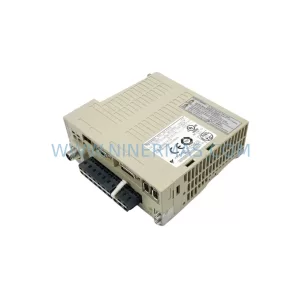
SKU: SGDS-01A32A LS2TR30-300Q8 6SL3120-1TE15-0AA4
Yaskawa SGDS-01A32A Retrofit Servo Drive for Legacy Systems



