Original Industrial Spare Part
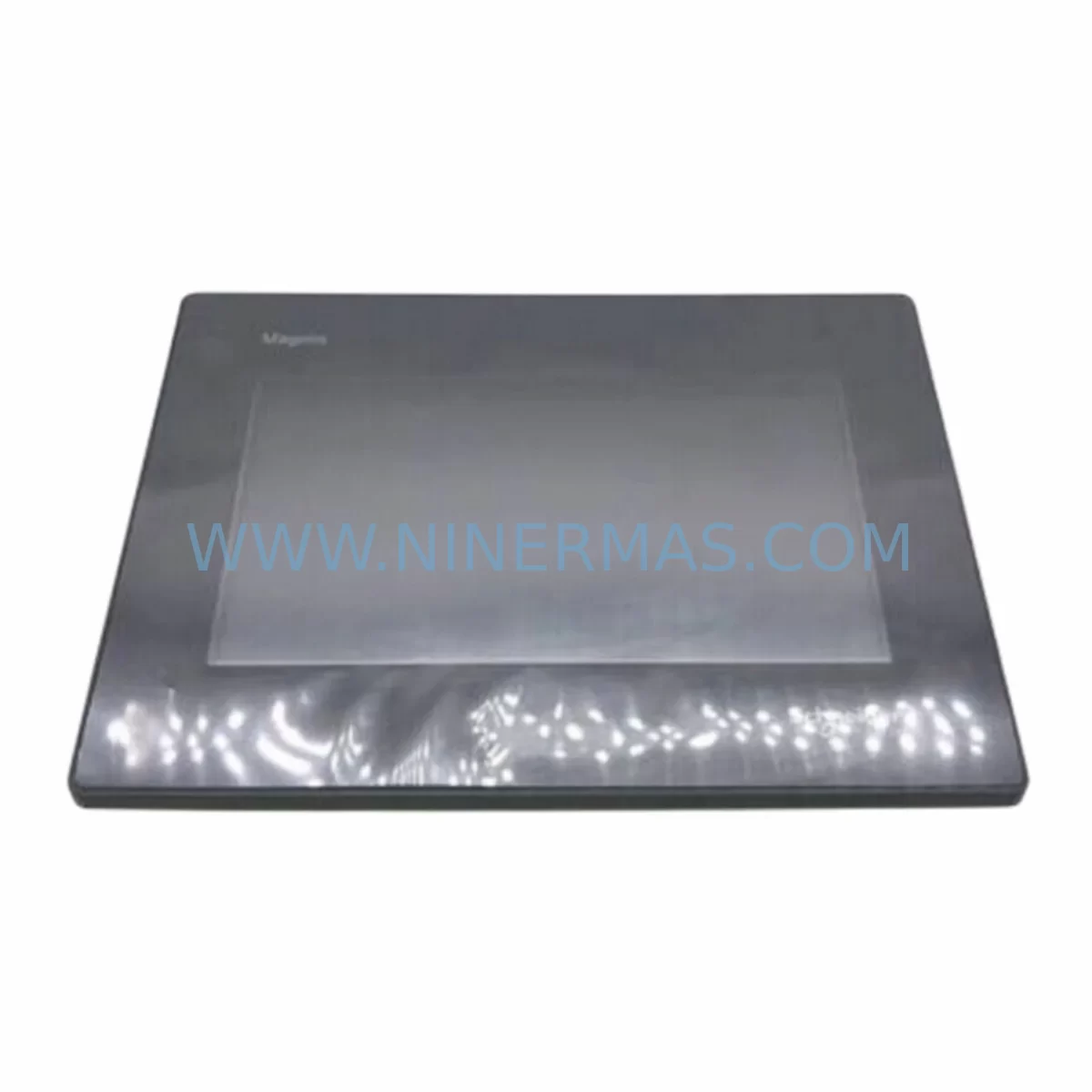
Schneider HMIGXU3512 Retrofit-Compatible HMI for Legacy Systems
Verify the part, confirm the platform family, and move straight into quotation with the right commercial details.
RFQ Ready
- SKUSCHNEIDER HMIGXU3512 Electric Touchscreen
- CategoryPLC & Industrial Automation Modules
- BrandSchneider Electric
- SupportAvailability, lead time, condition, and shipping coordination
How Buyers Usually Use This Page
- Confirm the exact part number and platform family before sending the quote request.
- Use direct email when quantity, condition, and destination are already defined internally.
- Switch to the broader brand or category archive when you need alternates nearby.
Series Navigation
Move through the most common platform families behind this part.
Product RFQ
Send this part directly for quotation.
Include quantity, required condition, destination country, and target delivery timing. Current reference: Schneider HMIGXU3512 Retrofit-Compatible HMI for Legacy Systems with SKU SCHNEIDER HMIGXU3512 Electric Touchscreen.
Schneider HMIGXU3512 Retrofit-Compatible HMI for Legacy Systems
The Schneider Electric HMIGXU3512 is a Magelis GXU Series industrial touchscreen HMI designed for seamless integration into aging automation architectures. As legacy control systems approach end-of-life, the HMIGXU3512 provides a proven, retrofit-compatible upgrade path that preserves existing wiring infrastructure, communication protocols, and operator interface logic — minimising engineering rework and unplanned downtime across process industries including oil and gas, water treatment, power generation, and discrete manufacturing.
With a 12.1-inch SVGA TFT colour display, the HMIGXU3512 delivers high-resolution visualisation for complex SCADA and DCS panel environments. Its compatibility with Vijeo Designer engineering software ensures that existing HMI projects developed for earlier Magelis panels — including the HMIGXO5310, HMIGXO3510, and HMIGTO5310 — can be migrated with minimal screen redesign. Engineers replacing obsolete XBTGT or XBTGK series panels will find the HMIGXU3512 a direct functional successor, supporting the same Modbus TCP/IP, Ethernet, and serial communication links used in legacy Schneider Modicon M340 and Premium PLC environments.
Upgrade Compatibility Table
| Parameter | HMIGXU3512 (Replacement) | Legacy Reference (e.g. XBTGT5330) |
|---|---|---|
| Display Size | 12.1″ SVGA TFT | 12.1″ TFT (varies by model) |
| Resolution | 800 × 600 | 800 × 600 |
| Communication Ports | 2× Ethernet RJ45, 2× COM (RS232/RS485), USB Host/Device | 1× Ethernet, 2× COM, USB |
| Protocol Support | Modbus TCP, Modbus RTU, EtherNet/IP, CANopen, Profibus DP | Modbus TCP, Modbus RTU, Uni-Telway |
| Engineering Software | Vijeo Designer 6.2+ | Vijeo Designer (earlier versions) |
| Panel Cutout | 310 × 240 mm (verify on-site) | 310 × 240 mm (typical) |
| Power Supply | 24 VDC (18–32 VDC range) | 24 VDC |
| Operating Temperature | 0–55 °C | 0–50 °C |
| Installation Orientation | Portrait / Landscape | Landscape (fixed) |
| Retrofit Recommendation | Direct replacement; verify cutout and COM wiring | — |
| Commissioning Focus | IP address, COM port settings, project migration in Vijeo Designer | — |
| Warranty | 12 Months (NINERMAS) | — |
Retrofit Planning for Existing Automation Systems
Replacing a legacy HMI in an operational control cabinet requires a structured pre-migration assessment. Before installing the HMIGXU3512, engineers should audit the existing panel cutout dimensions and confirm that the 310 × 240 mm opening is compatible — minor mechanical adaptation may be required if the original panel housed an older XBTGT or XBTGK unit with a non-standard bezel. The 24 VDC power supply rail feeding the legacy HMI must be verified to deliver sufficient current capacity; the HMIGXU3512 draws up to 2.5 A at 24 VDC, and shared power rails serving Modicon M340 CPU modules, BMX DDI 1602 digital input modules, or BMX ART 0814 analogue input modules must be load-balanced accordingly.
Terminal wiring for the COM1 and COM2 serial ports should be mapped against the original RS232 or RS485 connections used to communicate with field devices such as Altivar ATV312 or ATV71 variable speed drives, Sepam protection relays, or third-party PLCs via Modbus RTU. Where the legacy system used Uni-Telway protocol over a dedicated serial link to a TSX Premium PLC, the HMIGXU3512’s Modbus RTU driver can serve as a functional replacement once the PLC communication parameters are reconfigured in Unity Pro or EcoStruxure Control Expert.
For sites running EtherNet/IP or Modbus TCP over a plant LAN, the HMIGXU3512’s dual Ethernet ports allow simultaneous connection to the control network and a maintenance VLAN — a significant advantage over single-port legacy panels. IP address assignment, subnet mask, and gateway configuration must be completed before the unit is powered on in the live environment. Where the existing network infrastructure includes a Modicon M580 ePAC or a Quantum 140 CPU series controller, the HMIGXU3512 integrates natively without additional communication gateways.
The Vijeo Designer project migration process involves opening the original .vdz project file, selecting the HMIGXU3512 as the target panel, and running the automatic conversion wizard. Screen layouts, alarm groups, data logging configurations, and variable tables are preserved in the majority of cases. Engineers should pay particular attention to any custom scripts or ActiveX components embedded in the original project, as these may require manual validation after conversion. Once the project is compiled and downloaded via USB or Ethernet, a full functional test covering all HMI screens, alarm acknowledgement sequences, and communication link status indicators should be completed before the legacy panel is decommissioned.
Downtime Control During System Migration
Minimising production interruption during an HMI replacement is a primary concern for maintenance teams operating continuous process lines. The HMIGXU3512 supports a parallel commissioning approach: the replacement unit can be pre-configured, project-loaded, and communication-tested on a bench setup — connected to a spare Modicon M340 rack or a software simulator in EcoStruxure Control Expert — before the scheduled maintenance window begins. This preparation reduces the live switchover to a mechanical swap, terminal reconnection, and a brief communication verification sequence, typically achievable within a two-hour planned outage.
Where the original HMI was the sole operator interface for a critical process loop, a temporary bypass strategy using a laptop running Vijeo Designer in runtime simulation mode can maintain supervisory visibility during the physical replacement. Alarm history and data log files stored on the legacy panel’s SD card or USB drive should be archived before decommissioning to preserve process records and support post-migration audits. After the HMIGXU3512 is installed and communication links are confirmed active, a staged handover — verifying each process screen, setpoint entry function, and alarm response in sequence — ensures that operators can resume normal control without retraining.
For multi-panel control rooms where several XBTGT or HMIGTO units are being replaced in a phased programme, the HMIGXU3512’s consistent Vijeo Designer platform allows a single engineering team to manage all panel projects from one software environment, reducing the risk of version conflicts and simplifying long-term spare parts lifecycle management.
Retrofit Support FAQ
Q1: Is the HMIGXU3512 a direct replacement for the XBTGT5330 and HMIGTO5310?
The HMIGXU3512 is functionally compatible with both models in terms of display size, communication protocols, and Vijeo Designer project support. Panel cutout dimensions should be verified on-site, as minor mechanical differences may exist between GXU and earlier GTO/XBTGT series bezels. No additional communication gateways are required for Modbus TCP or Modbus RTU applications.
Q2: What pre-shipment testing does NINERMAS perform on the HMIGXU3512?
Each unit undergoes power-on verification, display function test, communication port continuity check, and firmware version confirmation before dispatch. Units are supplied with a test report and are covered by a 12-month warranty from the date of shipment. Expedited delivery is available for urgent maintenance requirements.
Q3: Can the existing Vijeo Designer project be reused without full redesign?
Yes. Vijeo Designer’s built-in panel conversion wizard supports migration from XBTGT, HMIGTO, and earlier GXU models to the HMIGXU3512 target. Variable tables, alarm configurations, and screen layouts are carried over automatically. Custom scripts and third-party communication drivers should be validated post-conversion. NINERMAS can advise on known compatibility considerations for specific project configurations.
Q4: What is the stock availability and lead time for the HMIGXU3512?
NINERMAS maintains inventory of the HMIGXU3512 to support urgent spare parts requirements and planned retrofit programmes. Standard orders are processed within 1–2 business days. For bulk procurement or long-term spare parts agreements covering multiple units across a plant fleet, contact our sales team to discuss stock reservation and pricing arrangements.
| Product Series | Magelis |
|---|---|
| Country of Origin | FR |
Catalog Continuation
More Schneider Electric modules in the catalog.
Use the brand lane to compare nearby part numbers, platform-adjacent modules, and other inquiry-ready listings before sending your final RFQ.
Catalog Continuation
Alternative parts within PLC & Industrial Automation Modules.
Stay inside the same system family when you need substitutes, adjacent modules, or a broader shortlist for procurement review.
SKU: 00-217-026 00217026D3236-K13 00-217-026
KUKA 00-217-026 Retrofit Power Supply for Legacy Systems
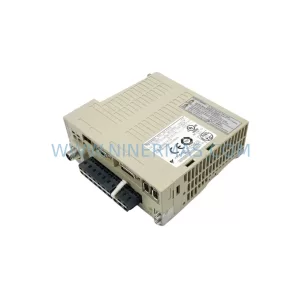
SKU: SGDS-01A32A LS2TR30-300Q8 6SL3120-1TE15-0AA4
Yaskawa SGDS-01A32A Retrofit Servo Drive for Legacy Systems