Original Industrial Spare Part
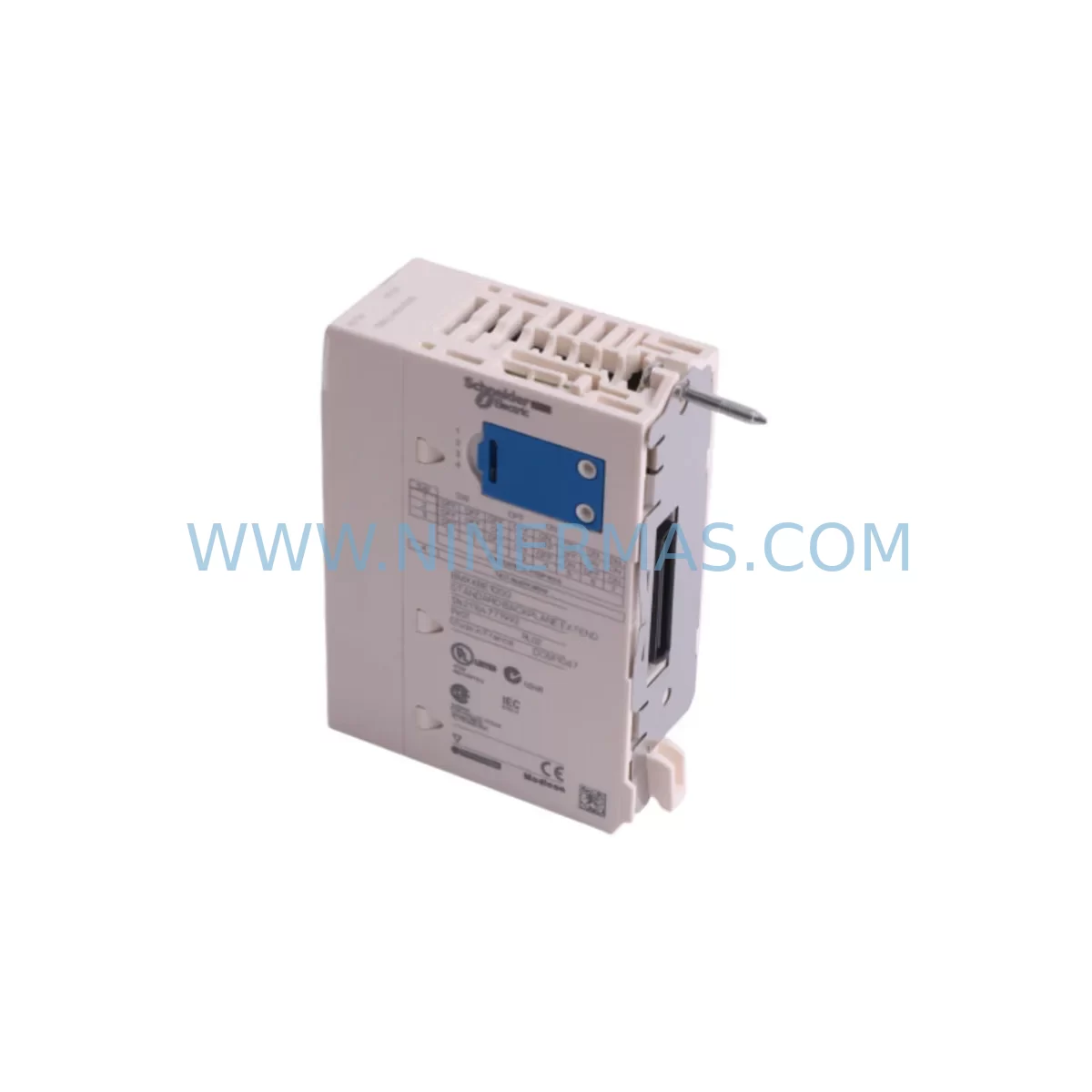
Schneider BMXXBE1000 Retrofit-Compatible Bus Ext for Legacy Systems
Verify the part, confirm the platform family, and move straight into quotation with the right commercial details.
RFQ Ready
- SKUBMXXBE1000
- CategoryPLC & Industrial Automation Modules
- BrandSchneider Electric
- SupportAvailability, lead time, condition, and shipping coordination
How Buyers Usually Use This Page
- Confirm the exact part number and platform family before sending the quote request.
- Use direct email when quantity, condition, and destination are already defined internally.
- Switch to the broader brand or category archive when you need alternates nearby.
Series Navigation
Move through the most common platform families behind this part.
Product RFQ
Send this part directly for quotation.
Include quantity, required condition, destination country, and target delivery timing. Current reference: Schneider BMXXBE1000 Retrofit-Compatible Bus Ext for Legacy Systems with SKU BMXXBE1000.
Schneider BMXXBE1000 Retrofit-Compatible Bus Extension for Legacy Modicon X80 Systems
The Schneider Electric BMXXBE1000 is a rack bus extension module purpose-built for the Modicon M340 and X80 automation platform. In retrofit and modernization projects, this module plays a critical role in extending the local rack bus to remote I/O racks, enabling engineers to preserve existing field wiring, terminal layouts, and control logic while upgrading aging infrastructure. For plants running end-of-life Modicon Quantum, Modicon Premium, or early-generation M340 architectures, the BMXXBE1000 provides a validated migration path that minimizes engineering rework and reduces total downtime exposure.
When planning a retrofit around the BMXXBE1000, engineers must first audit the existing power budget. The module draws bus power from the local rack’s power supply — typically a BMXCPS2000, BMXCPS3500, or BMXCPS4002 — and any extension rack must be independently powered. Confirming that the installed power supply can sustain the combined load of the CPU module, communication modules, and I/O modules before adding the bus extension is a mandatory pre-commissioning step. Undersized power supplies are among the most common causes of intermittent faults during retrofit commissioning.
Terminal wiring compatibility is the next critical checkpoint. The BMXXBE1000 connects to its remote counterpart — the BMXXBE1001 receiver module — via a dedicated bus extension cable. Engineers must verify cable routing distances, confirm that the cable length does not exceed the specified maximum, and ensure that the cable is not routed alongside high-voltage conductors that could introduce noise. In legacy control cabinets where space is constrained, the physical footprint of the BMXXBE1000 on the local rack and the BMXXBE1001 on the remote rack must be confirmed against available slot positions before ordering.
Backplane slot addressing is another area requiring careful attention. In the Modicon X80 architecture, module slot addresses are assigned based on physical rack position. When inserting the BMXXBE1000 into an existing rack, engineers must update the hardware configuration in Unity Pro or EcoStruxure Control Expert to reflect the new slot assignment. Failure to update the rack topology in the software before downloading the configuration will result in I/O mapping errors and potential loss of control over field devices. It is strongly recommended to perform a full offline simulation of the updated rack configuration before any live download.
Program compatibility verification is equally important. The BMXXBE1000 itself does not alter PLC logic, but the addition of remote I/O racks via bus extension changes the I/O variable mapping. Engineers should export the existing I/O symbol table from the legacy project, cross-reference all mapped addresses against the new rack topology, and resolve any address conflicts before the cutover window. Where the legacy system used a Modicon TSX Premium with a TSX RKY rack and TSX modules, the migration to an X80 rack with BMXXBE1000 bus extension will require remapping all I/O addresses and updating any HMI screens — such as those running on a Magelis HMIGTO or HMISCU panel — that reference legacy I/O tags directly.
Communication link continuity is a frequent concern during X80 retrofit projects. Many legacy Modicon installations use Modbus Serial or Uni-Telway as the primary field communication protocol. When migrating to an X80 platform with a BMXP342020 or BMXP342030 CPU, engineers must verify that the communication module — such as a BMXNOM0200 for Modbus Serial or a BMXNOE0100 for Ethernet — is correctly configured and that all slave device addresses are preserved. Any changes to the communication module slot position will require updating the network configuration in EcoStruxure Control Expert and re-testing all SCADA or DCS communication links before returning the system to production.
Installation space confirmation is a practical constraint that is often underestimated. The BMXXBE1000 occupies one slot on the local X80 rack, and the corresponding BMXXBE1001 occupies one slot on the remote rack. In retrofit scenarios where the existing control cabinet was designed around a compact Modicon M340 rack with limited spare slots, the addition of bus extension modules may require a rack upgrade to a larger BMXXRA0800 or BMXXRA1600 chassis. Engineers should perform a full slot inventory of both the local and remote racks before finalizing the retrofit bill of materials.
Field commissioning for the BMXXBE1000 follows a structured sequence: power-on the local rack first, confirm that the CPU module achieves RUN state, then power-on the remote rack and verify that the bus extension link is established before enabling I/O scanning. Any fault LEDs on the BMXXBE1000 or BMXXBE1001 during this sequence indicate a wiring fault, address conflict, or power supply issue that must be resolved before proceeding. Ninermas supplies the BMXXBE1000 with a pre-shipment functional test report and a 12-month warranty covering manufacturing defects, giving maintenance teams confidence in the module’s reliability from day one of commissioning.
Upgrade Compatibility Table
| Parameter | BMXXBE1000 (Local Sender) | Legacy Equivalent / Notes |
|---|---|---|
| Platform Compatibility | Modicon M340 / X80 | Replaces TSX RKY bus extension in Premium migrations |
| Rack Interface | X80 backplane bus connector | Not compatible with Quantum or Premium backplanes directly |
| Paired Receiver Module | BMXXBE1001 | Must be ordered separately for remote rack |
| Communication Compatibility | Modbus TCP, Modbus Serial, EtherNet/IP (via CPU) | Verify BMXNOE0100 or BMXNOM0200 slot assignment post-retrofit |
| Power Supply Requirement | Supplied by rack PSU (BMXCPS2000 / BMXCPS3500) | Remote rack requires independent PSU |
| Installation Slot | 1 slot on local X80 rack | Confirm available slots; upgrade to BMXXRA0800 if needed |
| Software Tool | EcoStruxure Control Expert (Unity Pro) | Hardware configuration update required after installation |
| Commissioning Sequence | Local rack first → CPU RUN → Remote rack power-on | Verify bus link LED before enabling I/O scan |
| Retrofit Recommendation | Suitable for Quantum → X80 and Premium → X80 migrations | I/O address remapping required in all cases |
| Warranty | 12 Months | Covers manufacturing defects; pre-shipment test report included |
Retrofit Planning for Existing Automation Systems
A successful retrofit centered on the BMXXBE1000 requires a coordinated bill of materials that addresses every layer of the control architecture. At the rack level, engineers typically need to source a BMXXRA0800 or BMXXRA1600 rack to accommodate the expanded module count in the remote I/O station. The BMXXBE1001 receiver module must be installed in the first slot of the remote rack, and the bus extension cable must be routed and secured before any I/O modules are inserted.
At the I/O layer, the retrofit often involves replacing legacy TSX DEY or TSX DSY discrete I/O modules with their X80 equivalents — such as BMXDDI1602 digital input modules or BMXDDO1602 digital output modules — while preserving the existing field terminal wiring. Analog signal conditioning may require the addition of BMXAMI0410 analog input modules or BMXAMO0210 analog output modules, particularly where legacy 4–20 mA loops were previously handled by TSX AEY modules. Signal isolators from the Schneider Zelio Relay range are sometimes inserted between field devices and new I/O modules to protect against ground loops introduced during the transition.
At the communication layer, the BMXNOM0200 serial communication module is frequently required to maintain Modbus RTU links to legacy variable frequency drives, motor starters, or third-party instruments that cannot be migrated to Ethernet in the same project phase. The BMXNOE0100 Ethernet communication module handles SCADA connectivity and remote programming access via EcoStruxure Control Expert. Where the legacy system used a Magelis XBTGT HMI panel connected via Uni-Telway, the HMI application must be migrated to a new Magelis HMIGTO or HMISCU panel with an updated Vijeo Designer project that references the new X80 I/O tag addresses.
Programming cable access during commissioning is handled via the USB mini-B port on the BMXP342020 or BMXP342030 CPU module, eliminating the need for the legacy TSX PCX3030 serial programming cable. Engineers should confirm that the site laptop has EcoStruxure Control Expert installed and licensed before the cutover window begins, as software licensing issues are a common source of unplanned downtime extension during retrofit commissioning.
Downtime Control During System Migration
Minimizing downtime during a BMXXBE1000 retrofit requires a phased approach that separates mechanical installation from software commissioning. In the pre-shutdown phase, engineers should complete the full hardware configuration in EcoStruxure Control Expert offline, simulate the updated rack topology, and resolve all I/O mapping conflicts before the maintenance window begins. A complete backup of the legacy PLC program, including all data blocks, symbol tables, and communication configurations, must be archived before any hardware is disturbed.
During the shutdown window, the recommended sequence is: isolate field power to all output circuits, remove the legacy modules in reverse slot order, install the BMXXBE1000 in the designated local rack slot, route and connect the bus extension cable to the BMXXBE1001 in the remote rack, install all new I/O modules, and restore field power in a controlled sequence starting with input circuits. The entire mechanical installation for a single bus extension pair can typically be completed within two to four hours by an experienced team, leaving the majority of the maintenance window available for software commissioning and functional testing.
Post-installation, the CPU should be powered on in STOP mode to allow the hardware configuration download to complete without activating output circuits. Once the configuration is confirmed and all module status LEDs indicate normal operation, a controlled transition to RUN mode with output forcing disabled allows engineers to verify I/O mapping against the live process before releasing control to the automation program. This approach protects the original program logic, maintains field control continuity, and reduces the risk of process upsets caused by incorrect I/O mapping during the first scan cycle.
Ninermas maintains ready stock of the BMXXBE1000 and its associated components — including the BMXXBE1001, BMXCPS3500 power supply, and BMXXRA0800 rack — to support emergency retrofit scenarios where unplanned equipment failure has forced an unscheduled shutdown. Express shipment options are available for critical plant situations, and all modules are dispatched with a pre-shipment functional test report and 12-month warranty documentation.
Retrofit Support FAQ
Q1: Can the BMXXBE1000 directly replace a TSX RKY bus extension module from a Modicon Premium system?
The BMXXBE1000 is not a direct plug-in replacement for TSX RKY modules due to backplane interface differences between the Premium and X80 platforms. A full rack migration to X80 hardware — including a new BMXXRA0800 or BMXXRA1600 rack, BMXP342020 CPU, and corresponding I/O modules — is required. The BMXXBE1000 then provides bus extension capability within the new X80 architecture. Ninermas can supply all required components as a coordinated retrofit kit.
Q2: What pre-shipment testing is performed on the BMXXBE1000 before dispatch?
Each BMXXBE1000 unit supplied by Ninermas undergoes a functional power-on test to verify bus communication link establishment, LED status indication, and backplane connector integrity. A test report is included with each shipment. All units are covered by a 12-month warranty against manufacturing defects from the date of dispatch.
Q3: How do I verify wiring compatibility between the BMXXBE1000 and the BMXXBE1001 on the remote rack?
The bus extension cable connecting the BMXXBE1000 and BMXXBE1001 is a proprietary Schneider Electric cable available in multiple lengths. Engineers must measure the physical routing distance between the local and remote racks, select the appropriate cable length, and confirm that the cable is routed away from high-voltage conductors. The maximum cable length specification must not be exceeded. Ninermas can advise on cable selection based on your cabinet layout drawings.
Q4: Is inventory of the BMXXBE1000 available for immediate shipment?
Yes. Ninermas maintains stock of the BMXXBE1000 for immediate dispatch to support both planned retrofit projects and emergency replacement scenarios. Lead times for in-stock units are typically 3–5 business days for standard international shipment. Contact our team at sale@ninermas.com or +0086 187 5021 5667 to confirm current stock levels and arrange express shipment if required.
| Product Series | Legacy |
|---|---|
| Country of Origin | FR |
Catalog Continuation
More Schneider Electric modules in the catalog.
Use the brand lane to compare nearby part numbers, platform-adjacent modules, and other inquiry-ready listings before sending your final RFQ.
Catalog Continuation
Alternative parts within PLC & Industrial Automation Modules.
Stay inside the same system family when you need substitutes, adjacent modules, or a broader shortlist for procurement review.
SKU: 6SE7041-2UL84-1BH0
SIEMENS 6SE7041-2UL84-1BH0 Service-Ready Spare Part
SKU: C79458-L2197-A1
Siemens C79458-L2197-A1 Retrofit Motherboard for SIMATIC S5
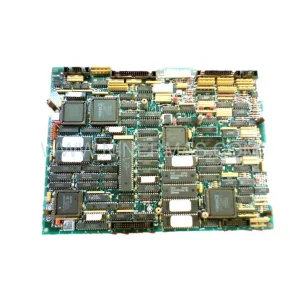
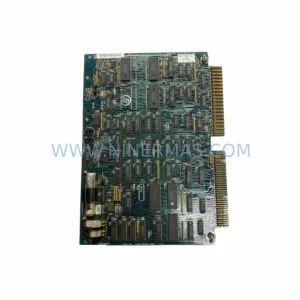
SKU: IC600LX648K IC600FP608K
GE IC600LX648K IC600FP608K Service-Ready Spare Part for Industrial Maintenance