Original Industrial Spare Part
GE IC752SPL013 Service-Ready Spare Part for Industrial Maintenance
Verify the part, confirm the platform family, and move straight into quotation with the right commercial details.
RFQ Ready
- SKUIC752SPL013
- CategoryPLC & Industrial Automation Modules
- BrandGE
- SupportAvailability, lead time, condition, and shipping coordination
How Buyers Usually Use This Page
- Confirm the exact part number and platform family before sending the quote request.
- Use direct email when quantity, condition, and destination are already defined internally.
- Switch to the broader brand or category archive when you need alternates nearby.
Series Navigation
Move through the most common platform families behind this part.
Product RFQ
Send this part directly for quotation.
Include quantity, required condition, destination country, and target delivery timing. Current reference: GE IC752SPL013 Service-Ready Spare Part for Industrial Maintenance with SKU IC752SPL013.
GE IC752SPL013 Service-Ready Spare Part for Industrial Maintenance
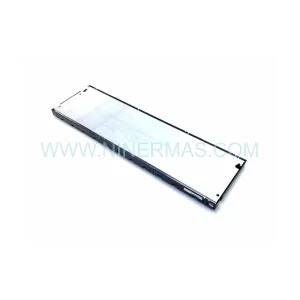
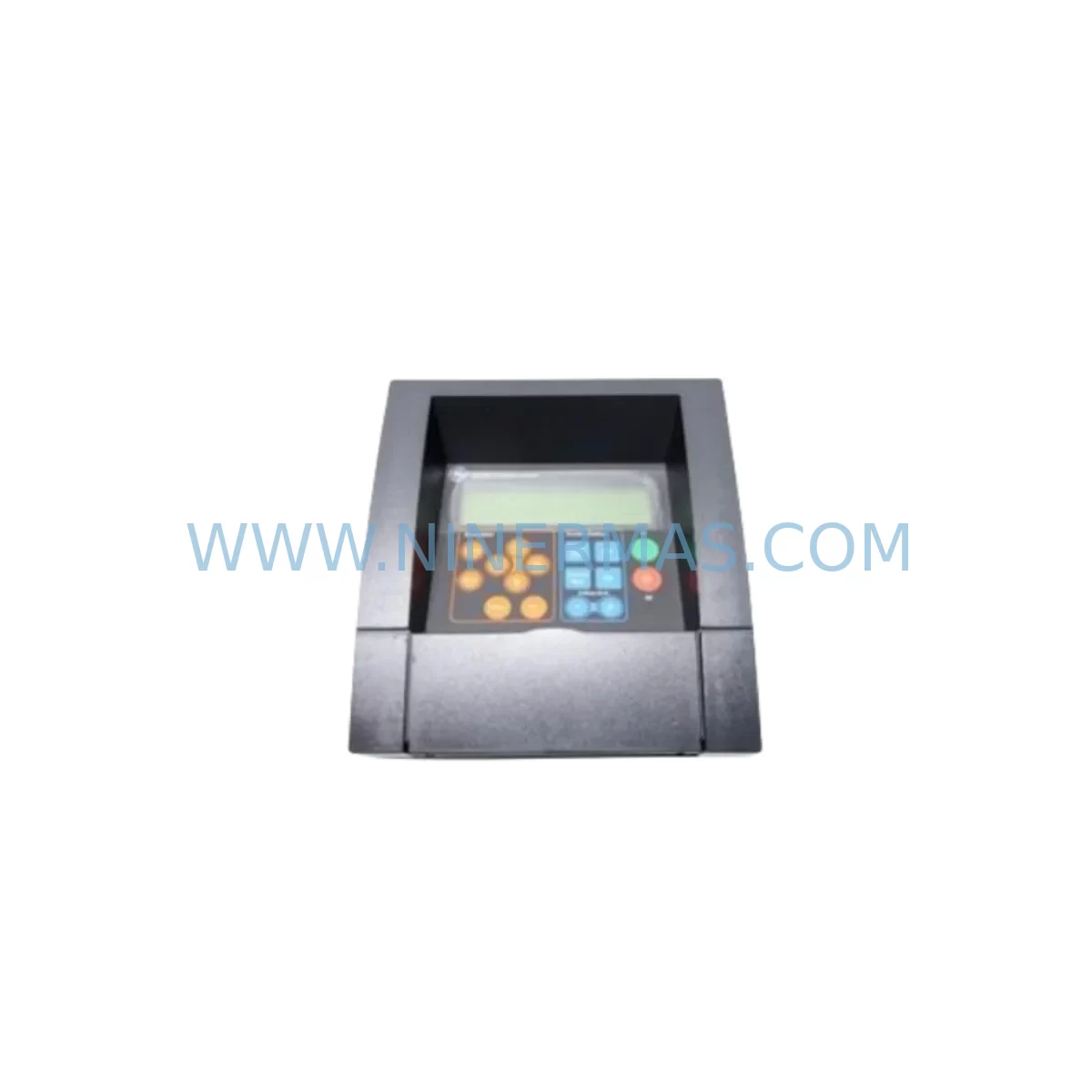
The GE IC752SPL013 is a ruggedized keypad module engineered for the GE Fanuc Series 90-70 programmable logic controller platform — one of the most widely deployed legacy PLC architectures in heavy industry, power generation, petrochemical processing, and discrete manufacturing. As original equipment reaches end-of-life status and OEM support windows close, maintaining a verified stock of the IC752SPL013 becomes a critical element of any plant’s spare parts strategy. Unplanned downtime caused by a failed operator interface module can halt an entire production line within minutes; having a service-ready replacement on the shelf eliminates that risk entirely.
NINERMAS sources the IC752SPL013 directly from qualified industrial distribution channels, ensuring that every unit shipped is an original GE Fanuc component — not a counterfeit, refurbished, or third-party substitute. Each module undergoes pre-shipment functional verification, is packaged in anti-static protective materials, and ships with a 12-month warranty covering manufacturing defects and operational failure under normal industrial use conditions. Our global logistics network supports expedited dispatch to minimize the gap between order placement and site installation.
For maintenance engineers managing aging Series 90-70 control cabinets, the IC752SPL013 keypad module serves as the primary local operator interface for program monitoring, fault acknowledgment, and manual override entry. Its ruggedized construction — rated for harsh industrial environments including elevated ambient temperatures, vibration, and airborne particulate — makes it suitable for deployment in steel mills, water treatment facilities, automotive assembly lines, and offshore control rooms. When this module fails or degrades, operators lose the ability to interact directly with the PLC at the rack level, forcing reliance on remote HMI panels or engineering workstations that may not always be accessible during emergency fault recovery.
Spare Maintenance Table
| Parameter | Specification |
|---|---|
| Part Number | IC752SPL013 |
| Brand / Manufacturer | GE Fanuc (now Emerson Automation Solutions) |
| Product Type | Ruggedized Keypad Module |
| Compatible Platform | GE Fanuc Series 90-70 PLC |
| Series | Series 90-70 |
| Operating Temperature | 0°C to 60°C (32°F to 140°F) |
| Storage Temperature | -40°C to 85°C |
| Enclosure / Protection | Ruggedized for harsh industrial environments |
| Interface Type | Local operator keypad interface for rack-level PLC interaction |
| Mounting | Series 90-70 rack slot compatible |
| Power Supply | Supplied via Series 90-70 backplane bus |
| Application Environment | Heavy industry, petrochemical, power generation, discrete manufacturing |
| Maintenance Recommendation | Inspect keypad membrane and connector pins during annual shutdown; replace proactively at first sign of input lag or display anomaly |
| Origin | United States |
| Warranty | 12 Months — covers manufacturing defects and operational failure under normal use |
| Pre-Shipment Testing | Functional verification performed before dispatch |
| Packaging | Anti-static protective packaging |
Maintenance Planning for Continuous Operation
Replacing the IC752SPL013 in a live Series 90-70 control cabinet is rarely an isolated task. Experienced maintenance engineers understand that a degraded or failed keypad module is often a symptom of broader environmental stress affecting the entire rack assembly. A comprehensive replacement workflow should include a parallel inspection of the following components to prevent secondary failures and ensure the restored system operates reliably through the next maintenance cycle.
Begin with the Series 90-70 power supply module (such as the IC697PWR711 or IC697PWR724). A power supply operating near its rated capacity or showing output ripple can accelerate wear on interface modules like the IC752SPL013. Measure DC bus voltage under load and compare against specification before reinstalling the new keypad module. Next, inspect the Series 90-70 CPU module (IC697CPX935 or IC697CPM925) for firmware revision compatibility with the replacement keypad module, particularly if the installed CPU firmware predates the module’s manufacturing batch.
The Series 90-70 backplane itself warrants close attention. Connector pins on the backplane bus can oxidize or sustain mechanical damage over years of thermal cycling. A keypad module that fails intermittently is sometimes caused by a degraded backplane slot rather than the module itself. Inspect the slot contacts and apply appropriate contact cleaner before seating the IC752SPL013 replacement.
I/O modules adjacent to the keypad slot — including Series 90-70 discrete input modules (IC697MDL340, IC697MDL341) and analog output modules (IC697ALG320) — should be checked for loose terminal connections and correct addressing. A rack disturbance during module replacement can shift I/O module seating, causing address conflicts or signal loss that appears unrelated to the keypad replacement but surfaces immediately after power-up.
For cabinets that include Series 90-70 communications modules such as the IC697CMM742 (Ethernet) or IC697BEM731 (Genius Bus Controller), verify that network communication is restored and stable after the keypad module swap. Some firmware versions require a controlled rack restart sequence to re-initialize the communications bus following a module change. Additionally, inspect signal isolation barriers and terminal blocks on field wiring panels connected to the rack — loose or corroded terminations are a common source of nuisance faults that operators attempt to clear via the keypad interface, masking the true root cause.
If the control cabinet includes a GE QuickPanel HMI or a third-party operator panel connected via serial or Ethernet, confirm that the HMI program references and screen navigation remain intact after the PLC restart. In some installations, the IC752SPL013 keypad module is used in conjunction with the HMI for dual-mode operator access; both interfaces should be validated as part of the commissioning checklist. Finally, check fuse holders and circuit protection devices on the 24VDC control power rail — a blown fuse on the control circuit is sometimes the root cause of a keypad module appearing dead, and replacing the module without addressing the fuse will result in immediate repeat failure.
Site Replacement Workflow
Step 1 — Pre-Replacement Verification: Confirm the installed module part number matches IC752SPL013. Document the current PLC program version, I/O configuration, and any active fault codes via the engineering workstation before powering down the rack. Back up the PLC program to a portable storage device as a precaution.
Step 2 — Safe Isolation: Follow site lockout/tagout (LOTO) procedures. De-energize the Series 90-70 rack via the main control power isolator. Allow capacitors in the power supply module to discharge for a minimum of 60 seconds before opening the cabinet door.
Step 3 — Module Removal: Release the IC752SPL013 module retaining clips and extract it from the rack slot using a straight, even pull to avoid bending backplane connector pins. Inspect the vacated slot for debris, oxidation, or physical damage before proceeding.
Step 4 — Replacement Installation: Remove the IC752SPL013 replacement from its anti-static packaging immediately before installation. Align the module with the rack slot guides and press firmly until the retaining clips engage. Do not force the module — misalignment will damage the backplane connector.
Step 5 — Power-Up and Validation: Restore control power and observe the module’s status indicators during the PLC initialization sequence. Confirm that the keypad display activates, that the CPU module achieves RUN mode, and that all I/O modules report healthy status. Perform a functional test of keypad inputs by navigating the PLC status screens and acknowledging any latched fault codes.
Step 6 — Documentation: Record the replacement date, new module serial number, and post-installation test results in the plant maintenance management system (CMMS). Update the spare parts inventory to reflect the consumed unit and initiate a replenishment order to maintain minimum stock levels for the IC752SPL013 and associated Series 90-70 components.
This structured workflow minimizes total downtime to under two hours for a prepared maintenance team, preserves system compatibility, and creates an auditable maintenance record that supports regulatory compliance and insurance requirements.
Spare Parts Support FAQ
Q1: Is the IC752SPL013 still available as a new original part, or only as refurbished stock?
NINERMAS supplies the IC752SPL013 as an original GE Fanuc component sourced through qualified industrial distribution channels. While GE Fanuc (now Emerson) has transitioned the Series 90-70 platform to legacy support status, original new-old-stock (NOS) and factory-surplus units remain available through specialist distributors. Every unit we ship is functionally tested before dispatch. If you require documentation of component origin or test records, contact our sales team at sale@ninermas.com.
Q2: How do I confirm compatibility between the IC752SPL013 and my installed Series 90-70 CPU firmware version?
The IC752SPL013 is compatible with the full range of Series 90-70 CPU modules across standard firmware revisions. For installations running very early firmware versions (pre-6.x), we recommend consulting the GE Fanuc Series 90-70 Hardware Reference Manual and confirming the CPU firmware revision via the engineering workstation before installation. Our technical team can assist with compatibility verification — provide your CPU part number and firmware revision when contacting us.
Q3: What is your lead time and shipping process for the IC752SPL013?
In-stock units ship within 1–3 business days of order confirmation. We support expedited shipping options for emergency maintenance situations. All units are packaged in anti-static protective materials and shipped with a packing list and warranty certificate. Tracking information is provided upon dispatch. For urgent requirements, contact us directly at +0086 187 5021 5667 to confirm real-time stock availability.
Q4: What does the 12-month warranty cover, and what is the claims process?
The 12-month warranty covers manufacturing defects and operational failure under normal industrial use conditions from the date of shipment. It does not cover damage resulting from incorrect installation, overvoltage events, physical impact, or use outside the module’s rated environmental specifications. To initiate a warranty claim, contact sale@ninermas.com with your order number, a description of the failure mode, and photographic documentation of the installed condition. Our team will assess the claim and arrange replacement or repair within 5 business days of receiving the returned unit.
| Product Series | Fanuc |
|---|---|
| Country of Origin | US |
Catalog Continuation
Nearby part numbers around IC752SPL.
Use this lane when the buyer is comparing adjacent model numbers, revision-near items, or closely related spare variants within the same brand family.

SKU: IC752SPL013-BA
GE IC752SPL013-BA Safety-Reliable I/O for Critical Control
Catalog Continuation
More GE modules in the catalog.
Use the brand lane to compare nearby part numbers, platform-adjacent modules, and other inquiry-ready listings before sending your final RFQ.
Catalog Continuation
Alternative parts within PLC & Industrial Automation Modules.
Stay inside the same system family when you need substitutes, adjacent modules, or a broader shortlist for procurement review.
SKU: 00-217-026 00217026D3236-K13 00-217-026
KUKA 00-217-026 Retrofit Power Supply for Legacy Systems
SKU: SGDS-01A32A LS2TR30-300Q8 6SL3120-1TE15-0AA4
Yaskawa SGDS-01A32A Retrofit Servo Drive for Legacy Systems
SKU: 6SE7041-8EK85-0HA0
Siemens 6SE7041-8EK85-0HA0 Service-Ready Spare Part