Description
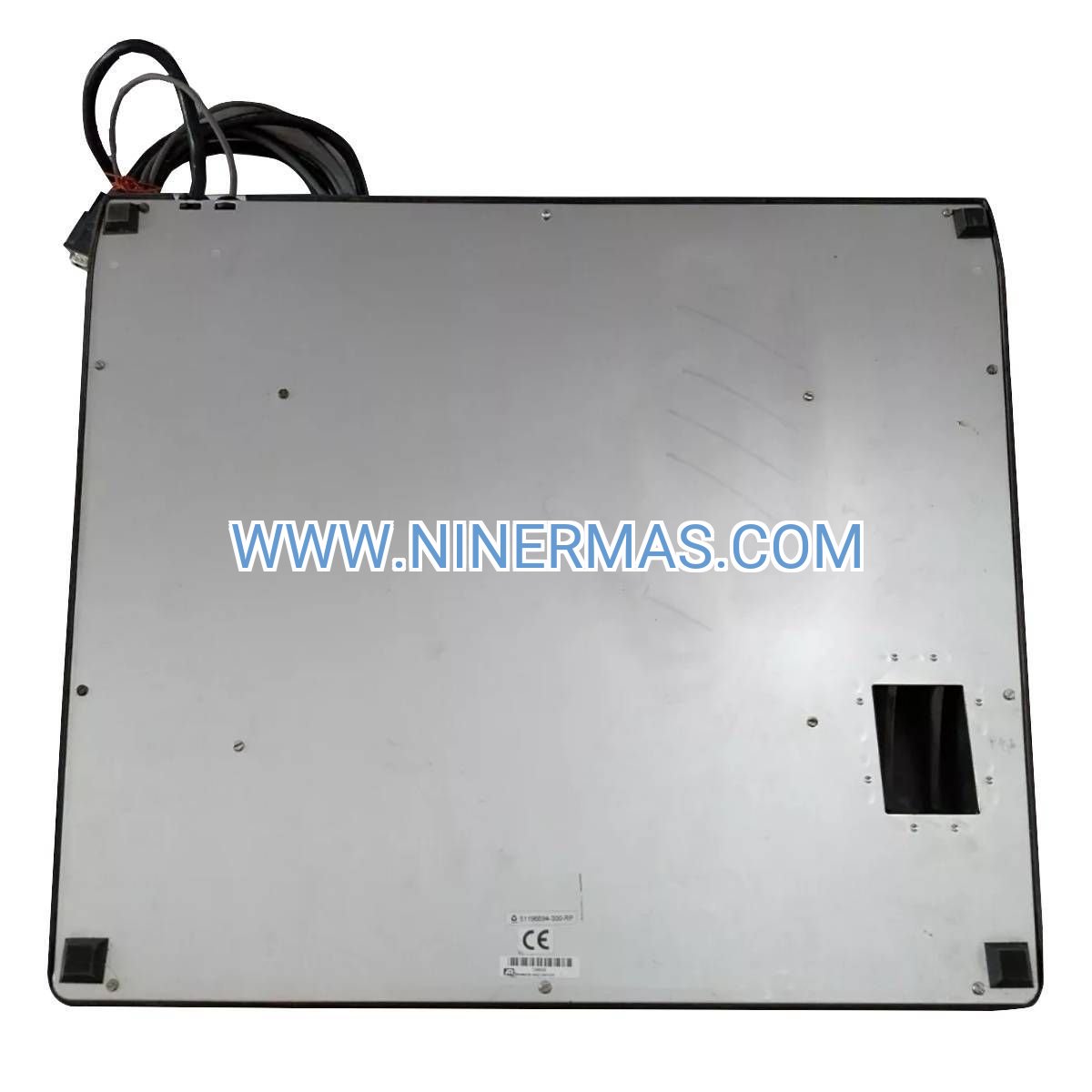
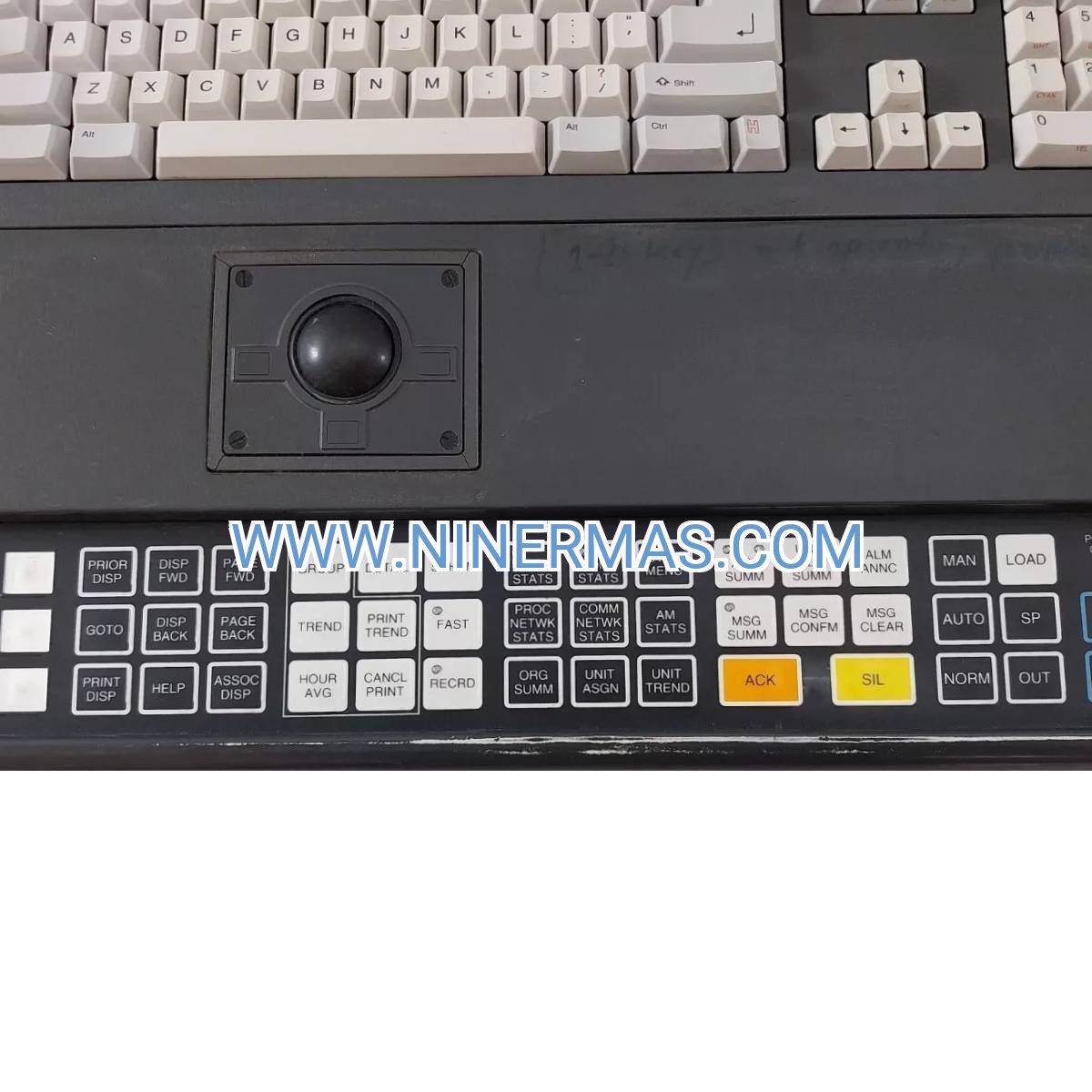
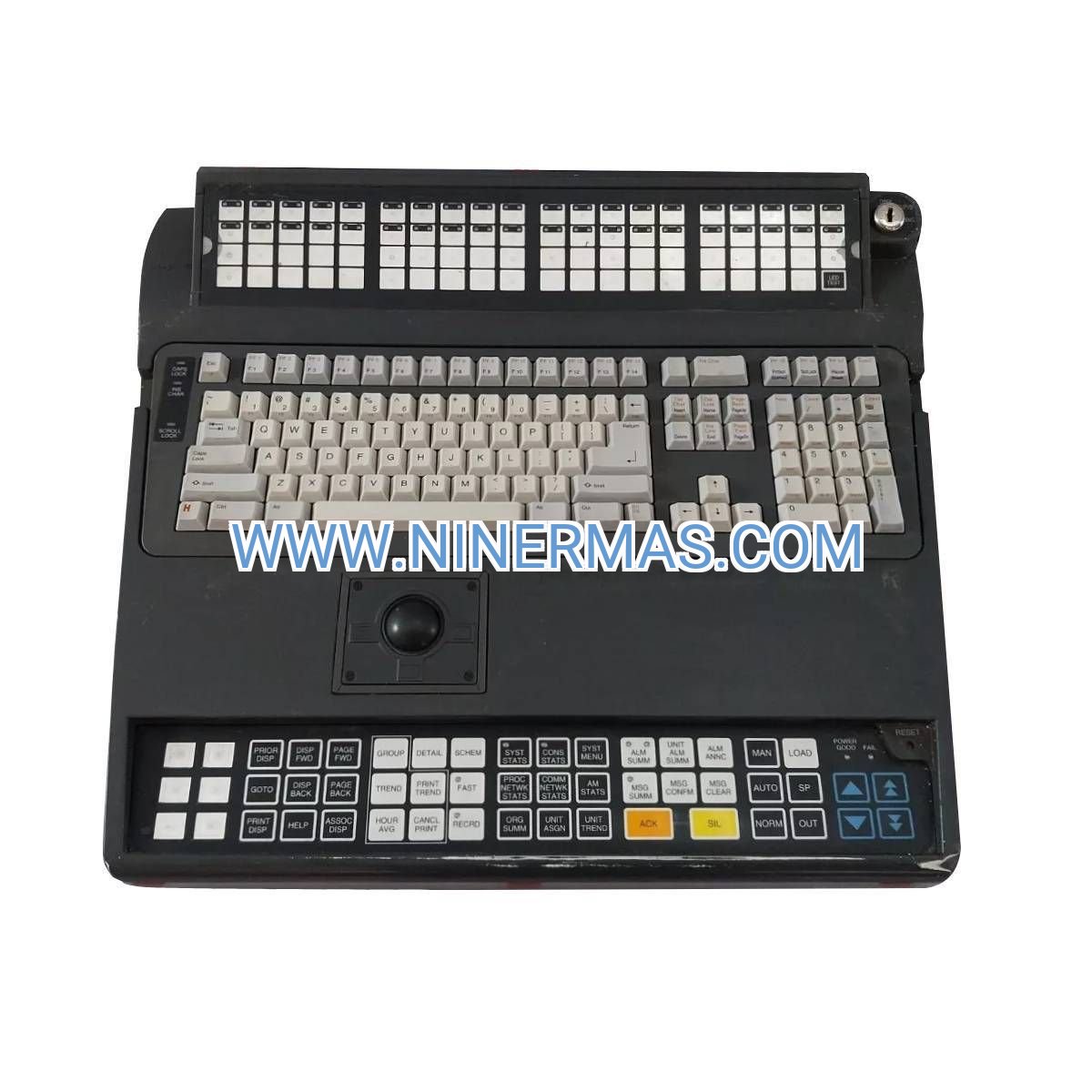
Industrial USB Keyboard with Integrated Trackball (Honeywell 51196694-200)
The Honeywell 51196694-200 represents a purpose-built operator interface solution engineered for continuous process control environments. This desktop keyboard combines full QWERTY layout with precision trackball navigation, delivering reliable human-machine interaction for Experion PKS distributed control systems across oil & gas, chemical processing, and power generation facilities.
Control room operators face unique challenges: 24/7 operations demand equipment that withstands constant use, while critical process decisions require precise input accuracy. The 51196694-200 addresses these requirements through industrial-grade construction, plug-and-play USB connectivity, and ergonomic design that reduces operator fatigue during extended shifts.
Whether you're upgrading legacy TDC 3000 operator stations, standardizing multi-vendor control rooms, or building new Experion PKS workstations, this keyboard provides the durability and functionality required for mission-critical industrial automation. Backed by comprehensive warranty coverage and expert technical support, it's the reliable choice for process control professionals worldwide.
Core Features & Benefits
✓ Integrated Trackball Navigation
Eliminates the need for separate mouse devices, reducing desktop clutter and streamlining operator workflows. The precision trackball enables accurate cursor control for alarm acknowledgment, trend analysis, and setpoint adjustments without hand repositioning.
✓ Plug-and-Play USB 2.0 Interface
Seamless Windows OS compatibility (7/8/10/11) without driver installation requirements. Hot-swappable connectivity allows rapid keyboard replacement during maintenance windows without system reboots, minimizing operational disruption.
✓ Industrial Environmental Ratings
Operates reliably across 0°C to 50°C temperature ranges and 5-95% humidity conditions (non-condensing). CE and UL certifications ensure compliance with international safety standards for industrial control room deployment.
✓ Experion PKS Optimization
Factory-configured key mappings align with Honeywell DCS command structures, accelerating operator training and reducing input errors. Compatible with Station, Server, and Historian workstation configurations across Experion PKS R400-R500 series.
✓ Ergonomic Desktop Form Factor
Standard keyboard layout (approximately 1.0 kg weight) fits existing control room furniture without modifications. Low-profile design reduces wrist strain during 12-hour shift rotations, improving operator comfort and productivity.
✓ Long-Term Availability Assurance
As part of Honeywell's active product portfolio, replacement units and technical support remain available throughout your system lifecycle, protecting your automation infrastructure investment.
Typical Application Scenarios
→ Refinery Process Control Rooms
Operators managing crude distillation units, catalytic crackers, and blending operations require simultaneous monitoring of hundreds of process variables. The 51196694-200 keyboard enables rapid navigation between Experion PKS faceplates, trend displays, and alarm summaries. Integrated trackball functionality proves essential when acknowledging multiple alarms during process upsets, where speed and accuracy directly impact safety outcomes.
→ Chemical Manufacturing Batch Control
Pharmaceutical and specialty chemical facilities running ISA-88 batch sequences depend on precise recipe parameter entry and real-time process adjustments. This keyboard's industrial construction withstands exposure to cleaning agents used in classified manufacturing areas, while USB connectivity simplifies integration with validated 21 CFR Part 11 compliant systems.
→ Power Generation Turbine Monitoring
Combined-cycle and cogeneration plants utilize Experion PKS for turbine control, emissions monitoring, and grid synchronization. The 51196694-200 provides operators with reliable input capabilities for critical functions like turbine startup sequences, load ramping, and emergency shutdown procedures where input delays could result in equipment damage or grid instability.
→ Water Treatment SCADA Integration
Municipal water utilities and industrial wastewater facilities integrate Experion PKS with broader SCADA architectures. Standard USB interface allows this keyboard to function across mixed-vendor environments, supporting both Honeywell DCS consoles and third-party HMI workstations within unified control centers.
→ Offshore Platform Remote Operations
Oil and gas production platforms in harsh marine environments require equipment rated for temperature extremes and humidity exposure. The 51196694-200's environmental specifications (0-50°C operating, -20 to 70°C storage) make it suitable for climate-controlled offshore control rooms where equipment reliability directly impacts production uptime.
Technical Parameters & Selection Guide
| Specification Category | Parameter Details |
|---|---|
| Catalog Number | 51196694-200 |
| Input Method | QWERTY Keyboard + Integrated Trackball |
| Connectivity | USB 2.0 (Type-A connector) |
| System Compatibility | Experion PKS (all releases), Windows 7/8/10/11 |
| Operating Temperature | 0°C to 50°C (32°F to 122°F) |
| Storage Temperature | -20°C to 70°C (-4°F to 158°F) |
| Humidity Tolerance | 5% to 95% RH (non-condensing) |
| Physical Dimensions | Standard desktop form factor |
| Unit Weight | Approximately 1.0 kg (2.2 lbs) |
| Compliance Certifications | CE, UL Listed |
| MTBF Rating | Industrial-grade components for extended service life |
Selection Criteria for Your Application:
Choose the 51196694-200 Desktop Model when: You require standalone keyboard units for existing operator workstations, need flexibility to reposition input devices, or are upgrading control rooms with standard desktop furniture configurations.
Consider Alternative Models when: Panel-mounted installations require the 51196694-904 integrated version, legacy TDC 3000 systems need the 51507429-200 universal keyboard, or specialized applications demand the 51400993-100 enhanced operator keyboard with additional function keys.
Compatibility Verification: Confirm your Experion PKS release version supports USB HID input devices (R400 and later). For R300 and earlier releases, consult Honeywell technical documentation regarding PS/2 adapter requirements.
Extended Functions
Multi-Monitor Workstation Support
The trackball's precision control facilitates navigation across dual or triple monitor Experion PKS configurations common in modern control rooms. Operators can efficiently move between overview displays, detailed faceplates, and alarm management screens without switching input devices.
Customizable Key Mapping (Advanced)
While factory settings optimize Experion PKS operation, Windows-level key remapping utilities enable customization for specialized workflows. Facilities with unique operational procedures can configure macro keys for frequently-executed command sequences, improving operator efficiency.
Redundant Workstation Configurations
Deploy multiple 51196694-200 units across primary and backup operator stations to ensure consistent user experience during station failover events. Identical keyboard layouts reduce operator confusion during emergency response scenarios.
Integration with Third-Party Systems
Standard USB HID protocol ensures compatibility beyond Experion PKS environments. Facilities running mixed automation platforms (Yokogawa, Siemens, ABB) can standardize on this keyboard model across different vendor workstations, simplifying spare parts inventory and operator training.
Delivery & Service Assurance
Standard Lead Time: In-stock units ship within 1-3 business days via express courier services (DHL, FedEx, UPS). Typical delivery to North America, Europe, and Asia-Pacific regions: 5-7 business days. Expedited shipping available for critical outage situations.
Custom Configuration Lead Time: Pre-configured units with specific firmware versions or custom labeling: 2-3 weeks from order confirmation.
Warranty Coverage: Comprehensive 12-month manufacturer warranty covering defects in materials and workmanship. Warranty includes replacement unit shipment and return shipping for defective products.
Technical Support: Our automation specialists provide pre-sales consultation for system compatibility verification, installation guidance, and troubleshooting assistance. Post-sales support includes configuration recommendations and integration best practices.
Documentation Package: Each unit ships with installation quick-start guide, USB driver information (if required for legacy OS), and Honeywell product certification documents. Complete technical manuals available via download portal.
Spare Parts Strategy: We recommend maintaining one spare keyboard per 10 operator stations for facilities with 24/7 operations. Volume pricing available for multi-unit purchases supporting large control room deployments.
Frequently Asked Questions
Q: What USB keyboard drivers are required for Windows 10 workstations?
A: The Honeywell 51196694-200 utilizes standard USB HID protocols recognized natively by Windows 7 through 11. No proprietary drivers are necessary—simply connect the USB cable and the operating system automatically configures the device within seconds. For specialized key mapping or macro functionality, third-party utilities like AutoHotkey can be deployed at the application layer.
Q: Can this keyboard interface with Experion PKS virtual machines?
A: Yes, the standard USB interface passes through to virtualized environments including VMware vSphere and Microsoft Hyper-V platforms. Ensure your virtualization host configuration enables USB device passthrough to the guest operating system running Experion PKS Station software. Consult Honeywell's virtualization guidelines for supported hypervisor versions.
Q: How does trackball sensitivity compare to traditional mouse input?
A: The integrated trackball provides equivalent cursor precision to optical mice while eliminating desk space requirements. Trackball sensitivity is adjustable through Windows mouse settings (Control Panel > Mouse > Pointer Options). Most operators find the default sensitivity appropriate for DCS faceplate navigation, though high-resolution trend analysis may benefit from reduced pointer speed settings.
Q: What cleaning procedures maintain trackball performance in dusty environments?
A: Remove the trackball by rotating the retaining ring counterclockwise and lifting the ball from its housing. Clean the ball and internal rollers with lint-free cloth dampened with isopropyl alcohol (70% concentration minimum). Perform this maintenance every 3-6 months in typical control room environments, or monthly in facilities with elevated particulate levels. Avoid petroleum-based solvents that may degrade plastic components.
Q: Is the 51196694-200 compatible with non-Honeywell DCS platforms?
A: While optimized for Experion PKS, the standard USB HID interface ensures broad compatibility with Windows-based SCADA and DCS systems from vendors including Yokogawa (Centum VP), Emerson (DeltaV), ABB (System 800xA), and Siemens (PCS 7). Function key mappings may differ from Honeywell-specific layouts, but core keyboard and trackball functionality operates universally.
Q: What replacement options exist for legacy TDC 3000 keyboards?
A: For TDC 3000 Universal Station upgrades, the 51196694-200 provides modern USB connectivity as systems migrate to Windows-based platforms. Facilities maintaining original TDC 3000 architectures should consider the 51507429-200 keyboard designed specifically for legacy system interfaces. Our technical team can assess your current configuration and recommend the optimal migration path.
Why Partner with Industrial Control Hub?
We specialize in Honeywell automation components with deep expertise in Experion PKS system architecture. Our inventory includes complementary products for complete operator workstation solutions—from power supplies and I/O modules to redundant controllers and network infrastructure. Whether you're building new control rooms or maintaining existing installations, our team provides the technical guidance and rapid fulfillment that keeps your operations running.
Ready to upgrade your operator interface? Contact our automation specialists today for compatibility verification, volume pricing, and integration support tailored to your facility's requirements.
© 2026 NINERMAS COMPANY LIMITED. All rights reserved.
Original Source: https://ninermas.com
Contact: sale@ninermas.com | +0086 187 5021 5667
Related products

Contact Info
-
Address:22 / F, South Wo Hang building, 148 Wing Lok Street, Sheung Wan, Western District, Hong Kong
-
Phone:+8618750215667
-
Email: