Original Industrial Spare Part
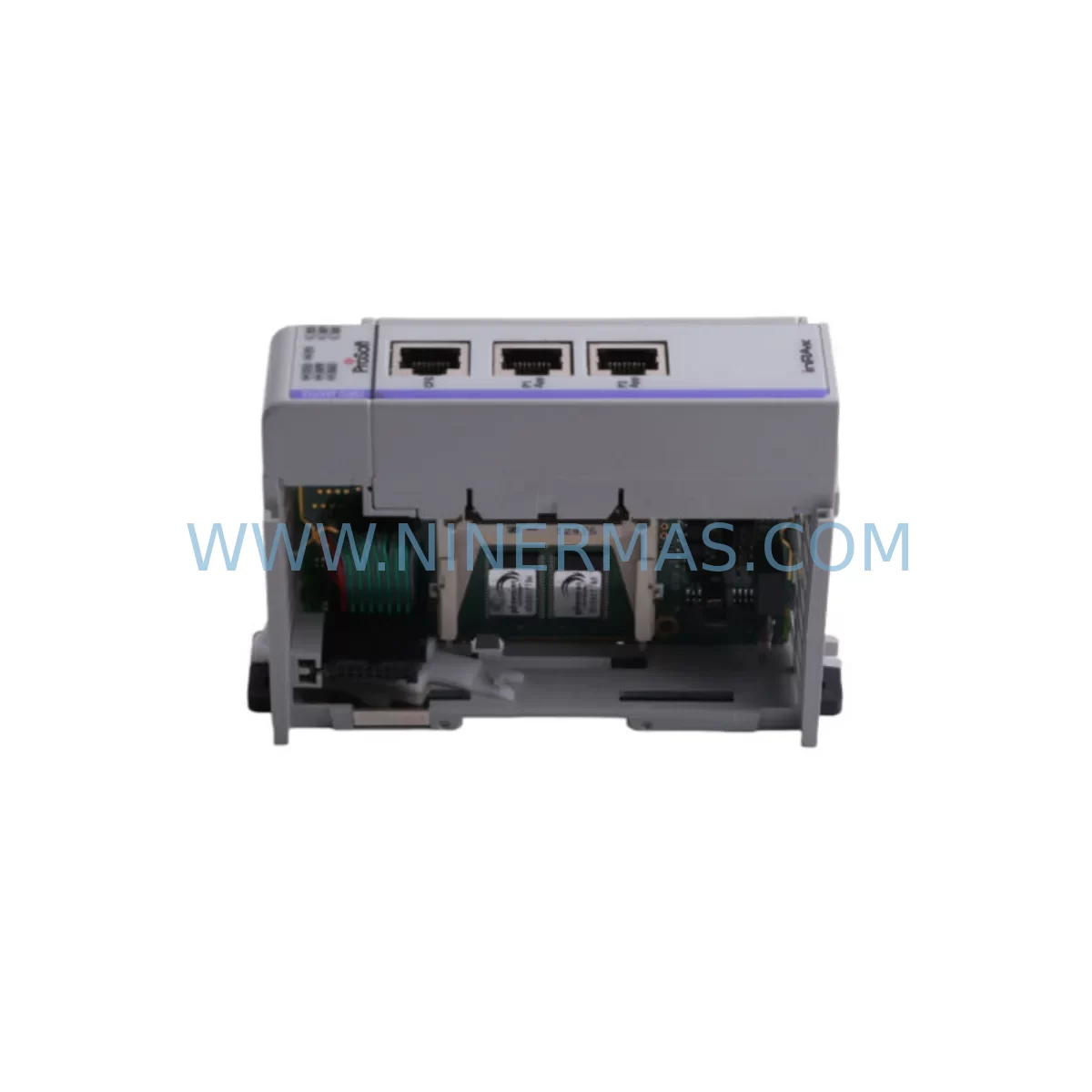
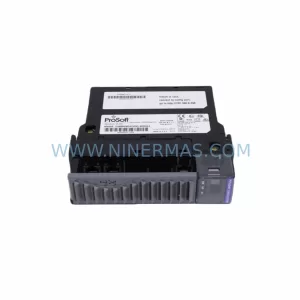
ProSoft MVI69-MCM Service-Ready Spare Part for Industrial Maintenance
Verify the part, confirm the platform family, and move straight into quotation with the right commercial details.
RFQ Ready
- SKUMVI69-MCM
- CategoryPLC & Industrial Automation Modules
- BrandProSoft Technology
- SupportAvailability, lead time, condition, and shipping coordination
How Buyers Usually Use This Page
- Confirm the exact part number and platform family before sending the quote request.
- Use direct email when quantity, condition, and destination are already defined internally.
- Switch to the broader brand or category archive when you need alternates nearby.
Series Navigation
Move through the most common platform families behind this part.
Product RFQ
Send this part directly for quotation.
Include quantity, required condition, destination country, and target delivery timing. Current reference: ProSoft MVI69-MCM Service-Ready Spare Part for Industrial Maintenance with SKU MVI69-MCM.
ProSoft MVI69-MCM Service-Ready Spare Part for Industrial Maintenance
The ProSoft MVI69-MCM is an original Modbus Communication Module designed for seamless integration with Allen-Bradley CompactLogix and MicroLogix PLC platforms within the MVI69 Series ecosystem. As a service-ready spare part, the MVI69-MCM is engineered to support rapid field replacement, minimise unplanned downtime, and sustain continuous operation in demanding industrial automation environments — including automotive assembly lines, water treatment facilities, oil & gas processing plants, and discrete manufacturing cells.
For maintenance engineers managing legacy control architectures, the MVI69-MCM delivers a direct, drop-in replacement path for ageing Modbus master/slave communication links without requiring PLC program restructuring or hardware redesign. Procurement engineers benefit from NINERMAS’s long-term supply commitment, pre-shipment functional testing, and 12-month warranty coverage — reducing procurement risk and supporting multi-year maintenance contracts.
Spare Maintenance Table
| Parameter | Specification |
|---|---|
| Part Number / SKU | MVI69-MCM |
| Brand | ProSoft Technology |
| Series | MVI69 Series |
| Module Type | Modbus Communication Module (Master / Slave) |
| Compatible Platform | Allen-Bradley CompactLogix, MicroLogix 1500 (via 1769 backplane) |
| Communication Protocol | Modbus RTU / ASCII (RS-232 / RS-485 / RS-422) |
| Serial Ports | 2 × configurable serial ports |
| Backplane Interface | 1769 CompactLogix backplane |
| Power Consumption | ≤ 800 mA @ 5 VDC (from backplane) |
| Operating Temperature | 0°C to +60°C |
| Storage Temperature | -40°C to +85°C |
| Humidity | 5% to 95% non-condensing |
| Mounting | DIN rail / panel mount via 1769 bus |
| Certifications | CE, UL, cUL |
| Origin | USA |
| Warranty | 12 Months (NINERMAS) |
| Pre-Shipment Testing | Full functional test performed before dispatch |
| Availability | In-stock; long-term supply commitment available |
Maintenance Planning for Continuous Operation
When scheduling a replacement of the MVI69-MCM during planned maintenance windows or emergency callouts, experienced maintenance engineers treat this module as the anchor point of a broader Modbus communication audit. A single failed MVI69-MCM can silently degrade data throughput across an entire serial device network — affecting field instruments, drives, and remote I/O nodes simultaneously.
Before or alongside replacing the MVI69-MCM, the following components in the same control cabinet or electrical loop should be inspected and, where necessary, stocked as companion spares:
- 1769-PA2 / 1769-PB2 Power Supply — Verify backplane power rail integrity; an under-voltage condition on the 1769 bus is a common root cause of intermittent communication faults that mimic module failure.
- 1769-L33ER / 1769-L36ERM CompactLogix CPU — Confirm firmware revision compatibility with the MVI69-MCM configuration file; mismatched firmware can prevent module initialisation after replacement.
- 1769-ECR / 1769-ECL End Cap — Always replace end caps when reconfiguring the 1769 backplane to maintain bus termination integrity.
- ProSoft MVI69-MNET (Modbus TCP/IP) — In hybrid networks where Modbus RTU and Ethernet/IP coexist, the MVI69-MNET serves as the gateway bridge; inspect for firmware currency and connector wear.
- ProSoft MVI69-DFNT (EtherNet/IP) — If the control system is migrating from serial Modbus to EtherNet/IP, the MVI69-DFNT is the recommended upgrade path and should be evaluated during the same maintenance window.
- RS-485 / RS-422 Signal Isolators — Ground loop interference on long serial cable runs is a leading cause of premature MVI69-MCM port degradation; install DIN-rail signal isolators at both ends of multi-drop Modbus segments exceeding 30 metres.
- Terminal Blocks and Wiring Connectors — Inspect DB9 and Phoenix-style serial connectors for corrosion, loose crimps, and insulation breakdown, particularly in high-vibration or high-humidity environments.
- 24 VDC Industrial Power Supply (e.g., QUINT-PS or equivalent) — Confirm stable auxiliary 24 VDC supply to field devices on the Modbus network; voltage sags cause slave device timeouts that are frequently misdiagnosed as master module faults.
- Surge Protection Devices (SPD) for Serial Lines — RS-485 ports are susceptible to transient overvoltage from nearby VFDs and contactors; DIN-rail SPDs should be verified or replaced as part of the MVI69-MCM swap.
- ProSoft Configuration Manager (PCM) Software License — Ensure the replacement MVI69-MCM is configured using the latest PCM version; retain a backup of the existing .mvi69 configuration file before module removal.
Stocking the MVI69-MCM alongside these companion components as a pre-built Modbus Communication Spare Kit reduces mean time to repair (MTTR) from hours to minutes and eliminates secondary callouts caused by discovering adjacent failures only after the primary module has been replaced.
Site Replacement Workflow
Step 1 — Pre-Replacement Backup: Export the existing MVI69-MCM configuration using ProSoft Configuration Manager. Save the .mvi69 file and the associated RSLogix 5000 / Studio 5000 project to a secure network location. Document the current Modbus node addresses, baud rate, parity, and stop-bit settings.
Step 2 — Safe De-energisation: Follow site LOTO (Lockout/Tagout) procedures. Remove the 1769 bus connector and slide the MVI69-MCM out of the backplane slot. Inspect the backplane connector pins for damage or contamination before inserting the replacement unit.
Step 3 — Module Installation: Insert the new MVI69-MCM into the same backplane slot. Reconnect the 1769 bus connector and serial port wiring. Verify that the DB9 or terminal block pin-out matches the original wiring diagram — do not rely on memory alone.
Step 4 — Configuration Download: Using ProSoft Configuration Manager, download the previously saved configuration file to the replacement module via the RS-232 CFG port. Confirm that all Modbus master/slave parameters are correctly applied before re-energising the backplane.
Step 5 — Commissioning Verification: Power up the system and monitor the MVI69-MCM status LEDs (APP, BP ACT, P1 ACT, P2 ACT). Confirm that all Modbus slave devices are responding within expected poll cycle times. Use the module’s internal diagnostics (accessible via PCM or the RSLogix MSG instruction) to verify error counters are at zero.
Step 6 — Documentation Update: Record the replacement date, new module serial number, firmware version, and technician name in the site maintenance log. Update the spare parts inventory to trigger a replenishment order for the consumed MVI69-MCM unit.
This structured workflow ensures system compatibility is maintained, downtime is minimised, and the replaced module is fully operational before the maintenance team leaves site — eliminating the risk of a repeat callout within the same maintenance cycle.
Spare Parts Support FAQ
Q1: Is the MVI69-MCM supplied by NINERMAS an original ProSoft Technology module?
Yes. All MVI69-MCM units supplied by NINERMAS are sourced as original ProSoft Technology components. Each unit undergoes a full functional test prior to shipment, and a 12-month warranty is provided from the date of delivery. A test report is available upon request.
Q2: How do I confirm compatibility between the MVI69-MCM and my existing CompactLogix system?
The MVI69-MCM is compatible with all 1769 CompactLogix backplane configurations. Compatibility is determined by the ProSoft Configuration Manager version and the RSLogix 5000 / Studio 5000 Add-On Instruction (AOI) revision. Share your PLC firmware version and existing .mvi69 configuration file with our technical team at sale@ninermas.com and we will confirm compatibility before shipment.
Q3: Can NINERMAS support long-term or blanket purchase orders for the MVI69-MCM?
Yes. NINERMAS offers long-term supply agreements and blanket PO arrangements for the MVI69-MCM and related MVI69 Series modules. This is particularly suited to OEMs, system integrators, and plant maintenance teams managing multi-site installations. Contact our procurement team to discuss lead times, volume pricing, and consignment stock options.
Q4: What is the warranty coverage and what does it include?
NINERMAS provides a 12-month warranty on all MVI69-MCM units from the date of delivery. The warranty covers manufacturing defects and functional failures under normal operating conditions. It does not cover damage resulting from incorrect installation, overvoltage events, or unauthorised modification. In the event of a warranty claim, NINERMAS will arrange replacement or repair with priority handling to minimise your production downtime.
| Product Series | Other series |
|---|---|
| Country of Origin | US |
Catalog Continuation
More ProSoft Technology modules in the catalog.
Use the brand lane to compare nearby part numbers, platform-adjacent modules, and other inquiry-ready listings before sending your final RFQ.
Catalog Continuation
Alternative parts within PLC & Industrial Automation Modules.
Stay inside the same system family when you need substitutes, adjacent modules, or a broader shortlist for procurement review.



SKU: HDD02.2-W040N-HS12-01-FW FWA-DIAX04-ELS-05VRS-MS
Rexroth HDD02.2-W040N-HS12-01-FW Service-Ready Spare Part

SKU: I5DAE375F10010000S
Lenze I5DAE375F10010000S Service-Ready Spare Part for Industrial Maintenance