Original Industrial Spare Part
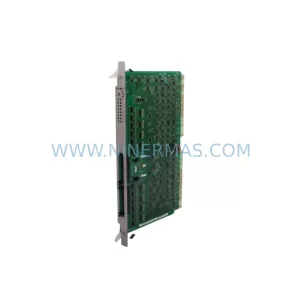
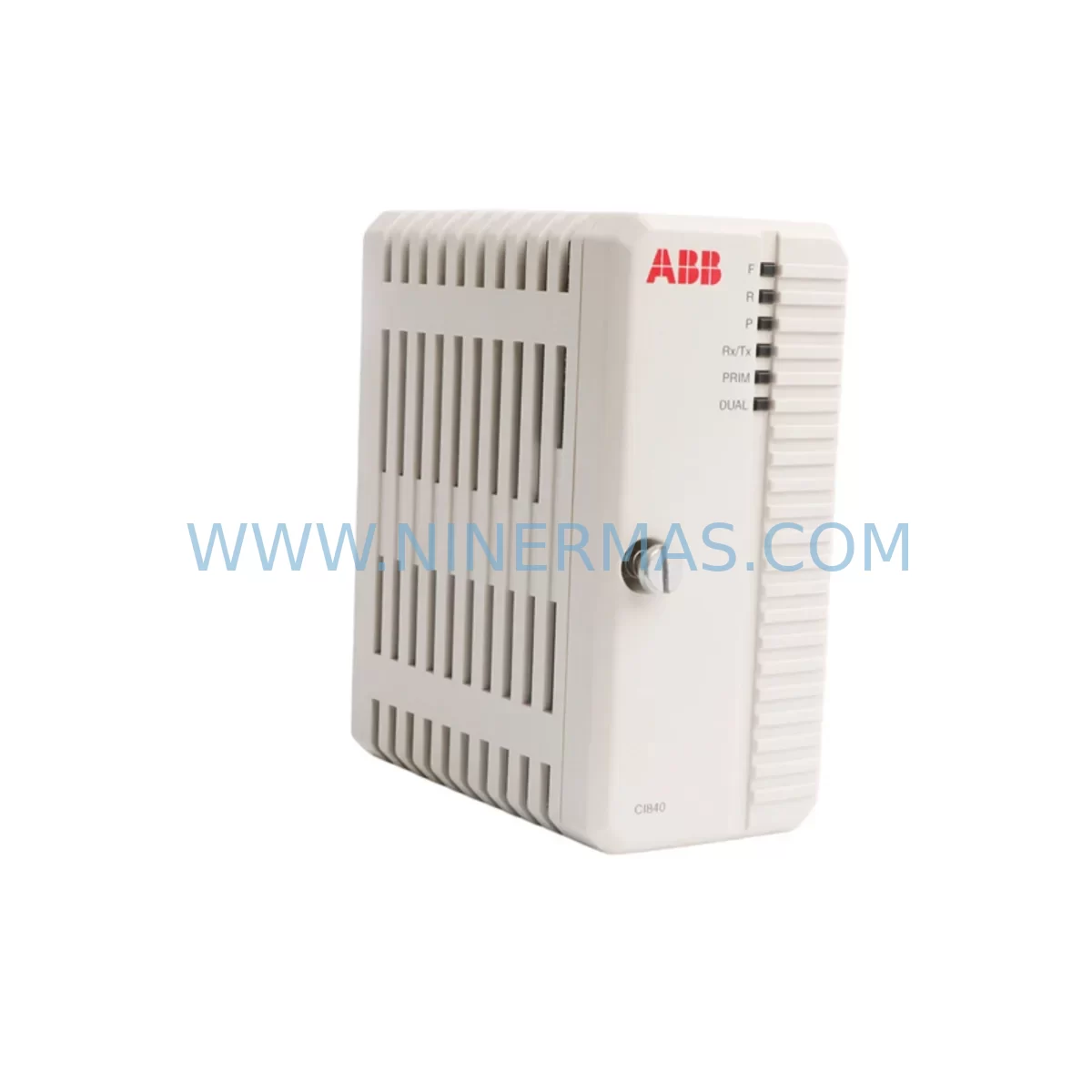
ABB CI840 3BSE022457R1 Service-Ready Spare Part for Industrial Maintenance
Verify the part, confirm the platform family, and move straight into quotation with the right commercial details.
RFQ Ready
- SKUCI840 3BSE022457R1
- CategoryDCS Distributed Control Systems
- BrandABB
- SupportAvailability, lead time, condition, and shipping coordination
How Buyers Usually Use This Page
- Confirm the exact part number and platform family before sending the quote request.
- Use direct email when quantity, condition, and destination are already defined internally.
- Switch to the broader brand or category archive when you need alternates nearby.
Series Navigation
Move through the most common platform families behind this part.
Product RFQ
Send this part directly for quotation.
Include quantity, required condition, destination country, and target delivery timing. Current reference: ABB CI840 3BSE022457R1 Service-Ready Spare Part for Industrial Maintenance with SKU CI840 3BSE022457R1.
ABB CI840 3BSE022457R1 Service-Ready Spare Part for Industrial Maintenance
The ABB CI840 (3BSE022457R1) is a PROFIBUS DP communication interface module designed for the ABB AC800M controller platform — one of the most widely deployed DCS architectures in process automation, power generation, oil & gas, and chemical manufacturing. When this module fails or degrades, the consequences extend far beyond a single I/O channel: the entire PROFIBUS segment loses communication, field devices go silent, and operators lose visibility into critical process variables. Sourcing a verified, service-ready replacement quickly is not optional — it is the difference between a controlled restart and an extended unplanned outage.
At NINERMAS, we stock the CI840 3BSE022457R1 as a tested, ready-to-ship spare part. Each unit undergoes pre-shipment functional verification to confirm communication integrity, firmware compatibility, and physical connector condition. We support maintenance engineers and procurement teams across global industrial sites with fast lead times, transparent compatibility documentation, and a 12-month warranty on every unit shipped.
Spare Maintenance Table
| Part Number | CI840 / 3BSE022457R1 |
| Brand | ABB |
| Series | AC800M (Symphony Plus / Industrial IT) |
| Module Type | PROFIBUS DP Communication Interface |
| Communication Protocol | PROFIBUS DP (EN 50170) |
| Baud Rate | Up to 12 Mbit/s |
| Mounting | AC800M Controller Backplane (CEX-Bus) |
| Power Supply | Supplied via controller backplane (no external PSU required) |
| Operating Temperature | 0°C to +55°C |
| Humidity | 5% to 95% RH, non-condensing |
| Compatibility | PM851, PM856, PM860, PM861, PM864, PM866 processor modules |
| Application Environment | Process automation, power, oil & gas, chemical, pulp & paper |
| Condition | Original / Refurbished-to-OEM-spec (pre-shipment tested) |
| Warranty | 12 Months |
| Origin | Sweden (ABB) |
| Lead Time | In stock — ships within 1–3 business days |
Maintenance Planning for Continuous Operation
The CI840 3BSE022457R1 sits at the heart of your PROFIBUS DP network segment, bridging the AC800M controller to field instruments, variable speed drives, remote I/O stations, and intelligent field devices. When planning a replacement or conducting a scheduled cabinet inspection, experienced maintenance engineers know that the CI840 rarely fails in isolation. A thorough site assessment should include the following associated components.
Begin with the PM864 or PM856 processor module — the host controller that the CI840 plugs into via the CEX-Bus backplane. A degraded processor can cause intermittent communication faults that are incorrectly attributed to the interface module. Verify firmware version compatibility between the replacement CI840 and the installed processor before commissioning. Next, inspect the TB820V2 or TB840A PROFIBUS termination and bus connection units, which manage the physical PROFIBUS segment termination; a failed termination resistor or corroded connector here will prevent the new CI840 from establishing stable communication even if the module itself is fully functional.
Check the SD821 or SD822 power supply modules that feed the AC800M controller rack. Voltage ripple or under-voltage conditions on the 24 VDC rail are a leading cause of communication module resets and should be measured before and after the CI840 swap. If the cabinet also houses AI810, AO810, DI810, or DO810 I/O modules, verify that their status LEDs show normal operation — a PROFIBUS segment fault can cascade into false I/O alarms that complicate fault isolation.
For sites running CI854 or CI858 IEC 61850 or FOUNDATION Fieldbus interface modules in the same controller rack, confirm that the backplane slot assignment for the replacement CI840 matches the original configuration in the Control Builder M project. Slot mismatches are a common commissioning error that causes the controller to fail to recognize the new module at startup. Also review the TP830 or TP854 communication cables and PROFIBUS connectors — cable shielding continuity and connector pin integrity should be verified with a cable tester before the system is returned to service.
Finally, if your site uses an AC800M High Integrity (HI) configuration with redundant CI840 modules, ensure that both the primary and secondary interface modules are replaced or verified simultaneously. Running a new CI840 alongside an aged or degraded redundant partner defeats the purpose of the redundancy architecture and introduces a latent single point of failure. Procurement teams should consider holding at least one CI840 3BSE022457R1 as a dedicated cold-standby spare, particularly for sites where the next-available delivery window exceeds 72 hours.
Site Replacement Workflow
Replacing the CI840 3BSE022457R1 on a live AC800M system requires a structured approach to minimize downtime and avoid configuration loss. Before removing the existing module, use ABB Control Builder M to export the current controller project and record the CI840’s slot position, PROFIBUS node address assignments, and GSD file configuration. This export serves as your rollback reference if the replacement module requires re-parameterization.
Power down the affected controller rack following your site’s lockout/tagout procedure. Remove the failed CI840 by releasing the module latch and sliding it out of the CEX-Bus backplane. Inspect the backplane connector for bent pins or contamination before inserting the replacement unit. Seat the new CI840 firmly until the latch engages, then restore power. The processor module will perform an automatic module recognition sequence — monitor the CI840 status LED for the solid green indication that confirms successful backplane communication.
Re-download the controller project from Control Builder M and verify that all PROFIBUS slave devices return to active status within the expected scan cycle. Use the PROFIBUS diagnostic view in Control Builder M to confirm that no slave devices are reporting communication errors. For sites migrating from an older CI840A or CI840 variant with a different firmware baseline, consult the ABB compatibility matrix to confirm that the replacement 3BSE022457R1 revision is supported by your installed processor firmware version. This step eliminates the most common cause of post-replacement communication instability in legacy AC800M installations.
Document the replacement in your site’s maintenance management system, including the serial number of the removed module, the serial number of the installed replacement, and the date of commissioning. This record supports warranty claims, future fault analysis, and regulatory compliance audits.
Spare Parts Support FAQ
Q1: Is the CI840 3BSE022457R1 compatible with all AC800M processor variants?
The CI840 3BSE022457R1 is compatible with the PM851, PM856, PM860, PM861, PM864, and PM866 processor modules when used with the corresponding CEX-Bus backplane. Compatibility with the PM891 and later Symphony Plus generation processors should be verified against the ABB firmware compatibility matrix for your specific controller revision. NINERMAS provides compatibility documentation with every shipment to support your engineering review before installation.
Q2: What pre-shipment testing does NINERMAS perform on the CI840?
Every CI840 3BSE022457R1 shipped by NINERMAS undergoes functional power-on verification, backplane communication interface testing, and physical inspection of the PROFIBUS DB9 connector and module latch mechanism. Units that do not pass all test criteria are not shipped. A test report summary is available upon request for quality-critical procurement processes. All units are covered by a 12-month warranty from the date of shipment.
Q3: Can NINERMAS support long-term or blanket purchase orders for the CI840?
Yes. NINERMAS supports long-term supply agreements for the CI840 3BSE022457R1 and related AC800M spare parts including processor modules, I/O modules, power supplies, and communication interfaces. For sites with multiple AC800M controllers or multi-year maintenance contracts, we recommend establishing a standing order to ensure priority allocation from our inventory. Contact our sales team at sale@ninermas.com to discuss volume pricing and delivery scheduling.
Q4: What should I do if the replacement CI840 does not establish PROFIBUS communication after installation?
If the replacement CI840 fails to establish PROFIBUS communication, begin by verifying the module’s slot position in the Control Builder M project matches the physical installation slot. Confirm that the PROFIBUS segment termination is active at both ends of the cable run and that the baud rate setting in the GSD configuration matches the network master setting. Check the SD821/SD822 power supply output voltage under load. If the issue persists, contact NINERMAS technical support — our team can assist with remote fault isolation and, if necessary, arrange an expedited replacement under the 12-month warranty.
| Product Series | AC800M |
|---|---|
| Country of Origin | SE |
Catalog Continuation
More ABB modules in the catalog.
Use the brand lane to compare nearby part numbers, platform-adjacent modules, and other inquiry-ready listings before sending your final RFQ.
SKU: 3HAC033388-001
ABB 3HAC033388-001 Safety-Reliable Robot Harness Module
SKU: DSTA001B 3BSE018316R1
ABB DSTA001B 3BSE018316R1 Retrofit-Compatible Interface for Legacy Systems
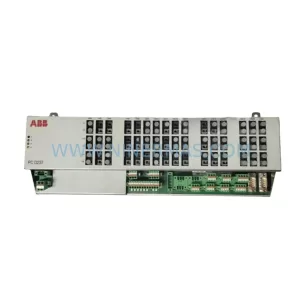
SKU: 3BHE028915R0101 PCD237 A101
ABB 3BHE028915R0101 PCD237 A101 Retrofit Safety Controller
Catalog Continuation
Alternative parts within DCS Distributed Control Systems.
Stay inside the same system family when you need substitutes, adjacent modules, or a broader shortlist for procurement review.