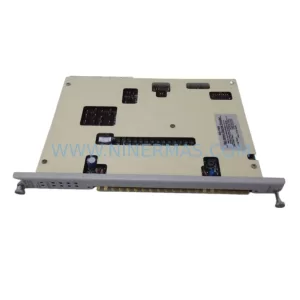
Original Industrial Spare Part
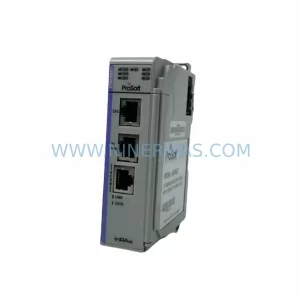
ProSoft MVI56E-GSC Service-Ready Spare Part for Maintenance
Verify the part, confirm the platform family, and move straight into quotation with the right commercial details.
RFQ Ready
- SKUMVI56E-GSC
- CategoryPLC & Industrial Automation Modules
- BrandProSoft Technology
- SupportAvailability, lead time, condition, and shipping coordination
How Buyers Usually Use This Page
- Confirm the exact part number and platform family before sending the quote request.
- Use direct email when quantity, condition, and destination are already defined internally.
- Switch to the broader brand or category archive when you need alternates nearby.
Series Navigation
Move through the most common platform families behind this part.
Product RFQ
Send this part directly for quotation.
Include quantity, required condition, destination country, and target delivery timing. Current reference: ProSoft MVI56E-GSC Service-Ready Spare Part for Maintenance with SKU MVI56E-GSC.
ProSoft MVI56E-GSC Service-Ready Spare Part for Maintenance
The ProSoft MVI56E-GSC is a Generic Serial Communication module engineered for Allen-Bradley ControlLogix 1756-series PLC platforms. Designed to bridge legacy serial devices with modern ControlLogix controllers, this module is a critical link in countless industrial automation architectures across manufacturing, oil and gas, water treatment, and process control environments. When an MVI56E-GSC fails or reaches end-of-service life, the impact is immediate: serial-connected field devices go silent, process data is lost, and production lines halt. Maintaining a verified, service-ready spare on the shelf is not optional — it is a fundamental pillar of any responsible maintenance strategy.
At NINERMAS, every MVI56E-GSC unit is sourced from authorized supply channels, inspected prior to dispatch, and shipped with a 12-month warranty. Our inventory is maintained to support both emergency replacement orders and planned annual maintenance procurement cycles, ensuring your facility is never left waiting for a critical component.
Spare Maintenance Table
| Parameter | Specification |
|---|---|
| Part Number / SKU | MVI56E-GSC |
| Brand | ProSoft Technology |
| Series | MVI56E (ControlLogix Enhanced Communication) |
| Compatible Platform | Allen-Bradley ControlLogix 1756 Chassis |
| Communication Protocol | Generic Serial Communication (RS-232 / RS-422 / RS-485) |
| Number of Serial Ports | 2 (configurable per port) |
| Backplane Interface | ControlLogix 1756 backplane (standard slot) |
| Power Consumption | Supplied via ControlLogix backplane |
| Operating Temperature | 0°C to 60°C (32°F to 140°F) |
| Mounting | Standard 1756 chassis slot — no external wiring to backplane required |
| Configuration Tool | ProSoft Configuration Builder (PCB) |
| Firmware Upgrade | Supported via USB or serial interface |
| Application Environment | Industrial control panels, DCS integration, SCADA serial bridging, legacy device interfacing |
| Maintenance Recommendation | Inspect serial port connectors and cable terminations annually; verify firmware version during scheduled shutdowns |
| Origin | United States |
| Warranty | 12 Months — covers manufacturing defects, tested before shipment |
Maintenance Planning for Continuous Operation
Replacing an MVI56E-GSC in a live ControlLogix system requires a structured approach that goes beyond swapping the module. Maintenance engineers and procurement teams must evaluate the entire communication chain and surrounding cabinet components to ensure a clean, verified restoration of serial communications.
Begin with the 1756-PA75 or 1756-PB75 power supply — confirm output voltage stability before inserting any replacement module. A degraded power supply is a common root cause of repeated module failures and is frequently overlooked during fault isolation. Next, inspect the 1756-A13 or 1756-A7 chassis backplane for physical damage, corrosion on the slot contacts, or signs of heat stress. A faulty backplane slot can damage a new module within hours of installation.
The 1756-L72 or 1756-L74 ControlLogix processor should be checked for firmware compatibility with the MVI56E-GSC’s current configuration file. Mismatched firmware versions between the processor and the communication module can cause tag mapping failures or silent data errors that are difficult to diagnose under production pressure. Verify the processor’s I/O tree in RSLogix 5000 or Studio 5000 to confirm the module slot assignment is intact after replacement.
On the serial wiring side, inspect all DB9 or terminal-block serial cable connections at both the module and the field device end. RS-485 multi-drop networks are particularly sensitive to termination resistor integrity — a missing or failed termination resistor on the 1756-TBCH terminal block assembly or field junction box can cause intermittent communication errors that mimic module failure. If the system uses RS-232 point-to-point connections, verify cable pinout and null-modem configuration before declaring the module faulty.
For facilities running mixed communication architectures, the MVI56E-GSC often operates alongside 1756-EN2T or 1756-EN2TR EtherNet/IP modules for upstream SCADA connectivity and MVI56E-MCM Modbus Communication Modules for legacy Modbus RTU/ASCII device integration. During any cabinet inspection, confirm that these adjacent modules are seated correctly and that their indicator LEDs show normal operational status. A communication fault on the EN2T can cascade into apparent serial communication issues if the SCADA system interprets missing EtherNet/IP data as a serial device failure.
I/O modules in the same chassis — such as the 1756-IB16 DC input module and 1756-OB16E electronically fused DC output module — should be verified for correct tag mapping after any module replacement, as slot renumbering in the I/O tree can silently remap process signals. Signal isolation barriers and signal isolators on 4–20 mA loops connected to serial-reporting field instruments should also be tested for drift, particularly in high-vibration or high-temperature environments.
Where the MVI56E-GSC interfaces with third-party serial devices such as drives, meters, or analyzers, consider stocking the MVI56E-STC (Serial-to-CIP) module as a complementary spare for systems that may require protocol migration during a future upgrade cycle. Additionally, facilities with ControlNet-based architectures should maintain a 1756-CN2R ControlNet module in their spare parts inventory to cover redundant communication path failures that can affect overall system availability.
Fuse integrity on the 24 VDC field power rail, relay output coil resistance on any interposing relay modules, and HMI panel communication port settings should all be verified as part of a complete site restoration checklist before returning the system to automatic operation.
Site Replacement Workflow
Step 1 — Pre-Replacement Verification: Export the current MVI56E-GSC configuration using ProSoft Configuration Builder. Save the .PPF configuration file and the RSLogix 5000 / Studio 5000 project file to a secure backup location before removing the module.
Step 2 — Safe Module Removal: Place the ControlLogix processor in Program mode via the keyswitch or software. Remove the MVI56E-GSC from the chassis slot. Inspect the backplane connector pins on both the module and the chassis slot for damage or contamination.
Step 3 — Replacement Module Preparation: Confirm the replacement MVI56E-GSC firmware version matches or is compatible with the existing configuration file. If a firmware update is required, perform it via USB before chassis installation using ProSoft Configuration Builder.
Step 4 — Installation and Configuration Download: Insert the replacement module into the correct chassis slot. Download the saved .PPF configuration file to the module. Verify that the module’s RX/TX LEDs indicate active serial communication with the connected field devices.
Step 5 — System Restoration and Verification: Return the processor to Run mode. Monitor the I/O tree in Studio 5000 for any fault indicators. Verify that all serial device data is updating correctly in the SCADA or HMI system. Document the replacement date, firmware version, and any configuration changes in the site maintenance log.
This structured workflow minimizes downtime, prevents configuration loss, and ensures full system compatibility is maintained after replacement — reducing the risk of secondary faults caused by rushed or undocumented maintenance actions.
Spare Parts Support FAQ
Q1: Is the MVI56E-GSC still available as a new original spare, or only as a refurbished unit?
NINERMAS supplies original MVI56E-GSC units sourced from authorized distribution channels. Each unit is tested prior to shipment and covered by a 12-month warranty against manufacturing defects. We do not supply uncertified refurbished or counterfeit modules.
Q2: How do I verify compatibility between a replacement MVI56E-GSC and my existing ControlLogix system?
Compatibility is determined by the chassis type (1756-series), the Studio 5000 / RSLogix 5000 project revision, and the ProSoft Configuration Builder version used to generate the .PPF file. Provide your processor catalog number and firmware revision when placing an order, and our technical team will confirm compatibility before dispatch.
Q3: What is the recommended spare parts inventory strategy for facilities running MVI56E-GSC modules?
For facilities with one to three MVI56E-GSC modules installed, we recommend maintaining at least one verified spare on-site. For larger installations or critical process lines, a two-unit buffer is advisable given the potential for extended lead times on new production runs of legacy communication modules. Annual inventory audits aligned with planned shutdown schedules help prevent emergency procurement situations.
Q4: What does the 12-month warranty cover, and what is the replacement process?
The 12-month warranty covers manufacturing defects and functional failures under normal operating conditions. If a unit fails within the warranty period, contact NINERMAS with the order reference and a description of the fault. We will arrange a replacement dispatch or technical assessment based on the fault report. Warranty claims are processed within 5 business days of fault confirmation.
| Product Series | Other series |
|---|---|
| Country of Origin | US |
Catalog Continuation
More ProSoft Technology modules in the catalog.
Use the brand lane to compare nearby part numbers, platform-adjacent modules, and other inquiry-ready listings before sending your final RFQ.
Catalog Continuation
Alternative parts within PLC & Industrial Automation Modules.
Stay inside the same system family when you need substitutes, adjacent modules, or a broader shortlist for procurement review.



SKU: HDD02.2-W040N-HS12-01-FW FWA-DIAX04-ELS-05VRS-MS
Rexroth HDD02.2-W040N-HS12-01-FW Service-Ready Spare Part

SKU: I5DAE375F10010000S
Lenze I5DAE375F10010000S Service-Ready Spare Part for Industrial Maintenance