Original Industrial Spare Part
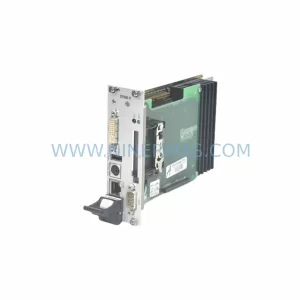
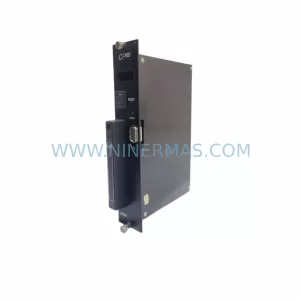
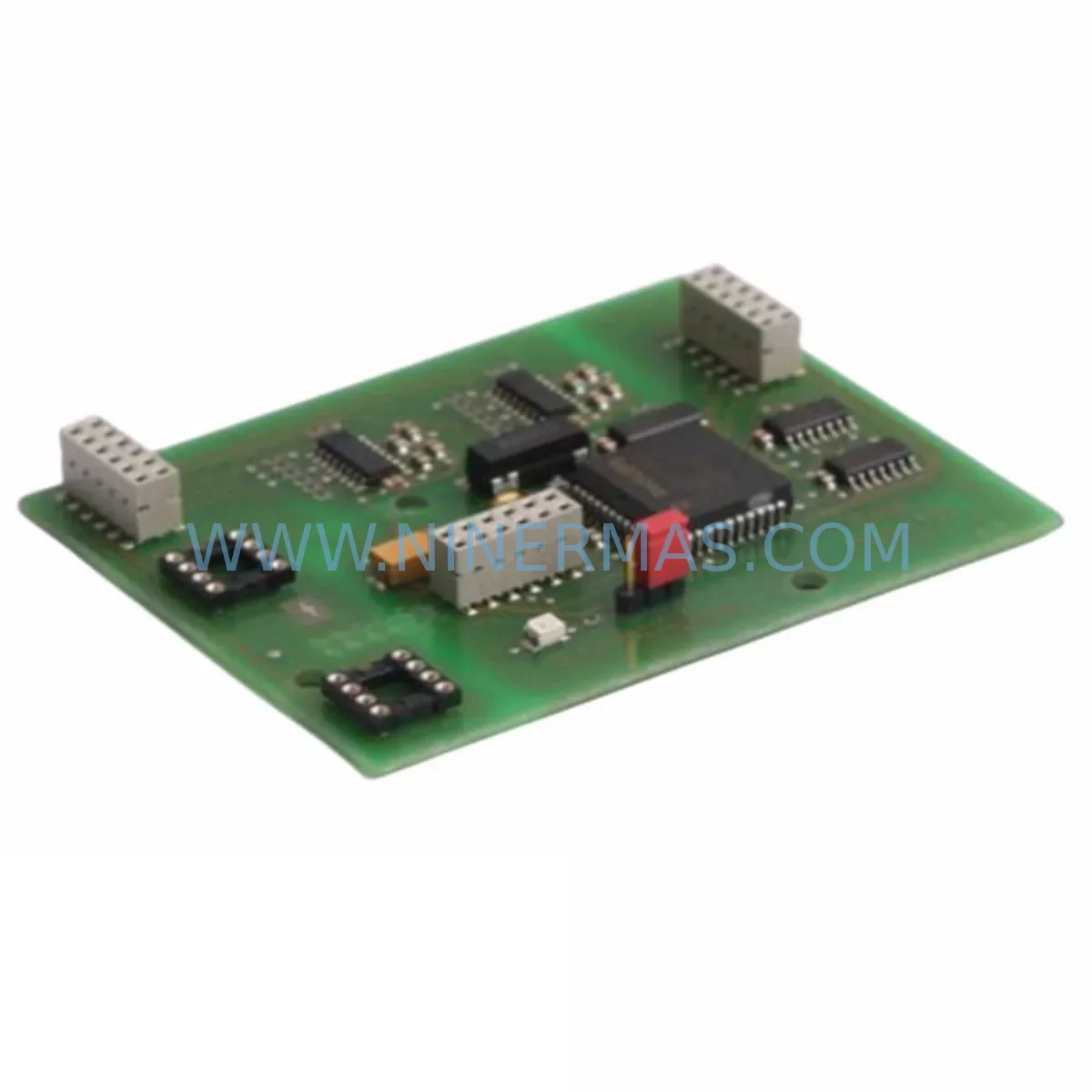
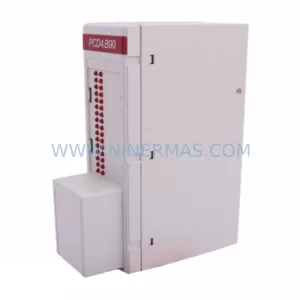
SAIA PCD2.K110 Service-Ready Spare Part for Industrial Maintenance
Verify the part, confirm the platform family, and move straight into quotation with the right commercial details.
RFQ Ready
- SKUPCD2.K110
- CategoryPLC & Industrial Automation Modules
- BrandSAIA
- SupportAvailability, lead time, condition, and shipping coordination
How Buyers Usually Use This Page
- Confirm the exact part number and platform family before sending the quote request.
- Use direct email when quantity, condition, and destination are already defined internally.
- Switch to the broader brand or category archive when you need alternates nearby.
Series Navigation
Move through the most common platform families behind this part.
Product RFQ
Send this part directly for quotation.
Include quantity, required condition, destination country, and target delivery timing. Current reference: SAIA PCD2.K110 Service-Ready Spare Part for Industrial Maintenance with SKU PCD2.K110.
SAIA PCD2.K110 Service-Ready Spare Part for Industrial Maintenance
The SAIA PCD2.K110 is a CPU module designed for the SAIA-Burgess PCD2 programmable controller series, widely deployed across process automation, building management, water treatment, and discrete manufacturing environments. As aging PCD2 installations approach end-of-life support cycles, maintaining a verified stock of the PCD2.K110 is a critical element of any proactive spare parts strategy. Unplanned CPU failures in PLC-controlled systems can result in hours or days of unscheduled downtime — a risk that is entirely preventable with a pre-qualified replacement unit on the shelf.
At NINERMAS, every PCD2.K110 unit is sourced through verified supply channels, subjected to pre-shipment functional testing, and dispatched with a 12-month warranty. Whether you are managing a single-site installation or coordinating spare parts across a multi-plant operation, our team provides long-term supply continuity for SAIA PCD2 series components — including hard-to-source modules that have been discontinued from the OEM catalog.
The PCD2.K110 CPU module supports the standard PCD2 backplane architecture, communicating with I/O expansion modules, communication processors, and power supply units through the internal bus. Its compact form factor and deterministic scan cycle make it suitable for both standalone controller applications and networked SCADA-integrated systems. Replacement of a failed or degraded PCD2.K110 requires careful attention to program backup, hardware configuration, and bus termination — all of which are addressed in the site replacement workflow below.
Spare Maintenance Table
| Parameter | Specification / Detail |
|---|---|
| Part Number / SKU | PCD2.K110 |
| Brand | SAIA-Burgess (Saia-Burgess Controls AG) |
| Series | PCD2 |
| Module Type | CPU / Central Processing Unit Module |
| Compatible Platform | SAIA PCD2 Series PLC Backplane |
| Communication Interface | S-Bus (SAIA proprietary), RS-232/RS-485 (series dependent) |
| Program Memory | Onboard flash / RAM (configuration-dependent) |
| Operating Voltage | 24 VDC (supplied via PCD2 power supply module) |
| Operating Temperature | 0°C to +55°C |
| Mounting | PCD2 backplane slot (CPU slot) |
| Application Environment | Industrial automation, building management, process control, utilities |
| Condition | New / Refurbished-tested (as specified at order) |
| Pre-Shipment Testing | Yes — functional verification prior to dispatch |
| Warranty | 12 Months |
| Origin | Switzerland (CH) |
| Lead Time | In-stock: 3–5 business days; sourced: subject to availability |
Maintenance Planning for Continuous Operation
A PCD2.K110 CPU failure rarely occurs in isolation. Maintenance engineers responding to a PCD2 system fault should treat the CPU replacement as an opportunity to audit the entire control cabinet for latent issues that may trigger the next unplanned outage. When replacing the PCD2.K110, the following associated components should be inspected or replaced as part of a comprehensive maintenance event:
The PCD2 power supply module (such as the PCD2.T100 or equivalent) should be load-tested to confirm it is delivering stable 24 VDC within tolerance. A marginal power supply is a common root cause of intermittent CPU resets and memory corruption. Alongside the power supply, the PCD2 backplane bus connector and slot contacts should be cleaned and inspected for oxidation or mechanical damage — poor bus contact is a frequent source of I/O communication errors that are misdiagnosed as CPU faults.
PCD2 digital input and output modules (e.g., PCD2.A400, PCD2.E100 series) should be checked for blown output drivers or stuck input channels, particularly in high-cycle applications such as conveyor control or pump sequencing. If the system includes PCD2 analog I/O modules, verify signal scaling and confirm that 4–20 mA loops are within range — a drifting analog input can cause the CPU to execute incorrect control logic, masking the true source of a process deviation.
For installations using SAIA S-Bus communication or Modbus RTU over RS-485, inspect the PCD2 communication processor module (e.g., PCD7.F110 or PCD2.F522) for firmware version compatibility with the replacement CPU. Mismatched firmware between the CPU and communication modules can prevent network re-establishment after a swap. Similarly, if the system is integrated with a SAIA PCD7 HMI panel or a third-party SCADA via OPC, confirm that the HMI project and tag database remain consistent with the restored CPU program.
Signal isolators and surge protection devices on field wiring terminals should be inspected after any CPU fault event, as voltage transients from field equipment are a common cause of CPU damage. Replacing the PCD2.K110 without addressing upstream surge protection leaves the new unit exposed to the same failure mode. Terminal blocks and DIN rail-mounted fuse holders protecting 24 VDC field circuits should also be verified for continuity and correct rating.
Finally, if the PCD2 system is part of a redundant or safety-critical loop, confirm that any watchdog relay modules or external safety relays monitoring the CPU heartbeat output are functioning correctly and have been reset following the CPU replacement procedure.
Site Replacement Workflow
Step 1 — Program Backup: Before removing the failed PCD2.K110, attempt to upload the existing program using SAIA PG5 programming software via the serial or Ethernet port. If the CPU is non-responsive, retrieve the last known-good program backup from your site documentation or engineering archive. Confirm the program version matches the installed I/O configuration.
Step 2 — Power Down and Isolation: De-energize the PCD2 control cabinet following your site lockout/tagout (LOTO) procedure. Confirm that all field outputs are in a safe state before removing the CPU module. Document the current slot position and any jumper or DIP switch settings on the existing PCD2.K110.
Step 3 — Module Swap: Remove the failed PCD2.K110 from the CPU slot. Inspect the backplane connector for damage. Insert the replacement PCD2.K110, ensuring full seating in the backplane slot. Replicate any jumper or switch settings from the original unit.
Step 4 — Program Download and Configuration Restore: Re-energize the cabinet and connect PG5. Download the verified program to the replacement CPU. Restore hardware configuration, including I/O module addressing, communication parameters, and S-Bus node addresses. Confirm that all I/O modules are recognized by the CPU.
Step 5 — Functional Verification: Place the system in RUN mode and verify that all digital and analog I/O channels respond correctly. Confirm communication with HMI panels, SCADA systems, and any networked devices. Document the replacement event in the site maintenance log, including the serial number of the replacement unit and the date of installation.
This structured workflow minimizes re-commissioning time and reduces the risk of introducing configuration errors during an emergency replacement — a critical consideration when production pressure is high and engineering resources are limited.
Spare Parts Support FAQ
Q1: Is the PCD2.K110 still available as a new unit, or only as refurbished stock?
NINERMAS maintains both new old stock (NOS) and professionally refurbished-tested units of the PCD2.K110, depending on current inventory. All refurbished units undergo functional testing prior to shipment and are covered by the same 12-month warranty as new units. Availability is confirmed at the time of inquiry — contact our team for current stock status.
Q2: How do I verify compatibility between the PCD2.K110 and my existing PCD2 backplane and I/O modules?
Compatibility is determined by the PCD2 backplane generation and the firmware revision of the CPU. Provide your existing CPU part number, backplane model, and PG5 project version when placing an inquiry. Our technical team will confirm compatibility and advise on any firmware update requirements before shipment.
Q3: What is included with the PCD2.K110 shipment, and how is it packaged for international transport?
Each PCD2.K110 is packaged in anti-static ESD-safe materials with foam cushioning suitable for air freight and courier shipment. A test report and warranty certificate are included. Export documentation, including commercial invoice and packing list, is prepared for customs clearance. Express delivery options are available for urgent maintenance requirements.
Q4: Can NINERMAS support long-term supply agreements for PCD2.K110 and related PCD2 series components?
Yes. NINERMAS offers long-term spare parts supply programs for customers managing aging SAIA PCD2 installations. These programs include reserved stock allocation, priority fulfillment, and scheduled delivery to align with annual maintenance windows. Contact our sales team to discuss a tailored spare parts agreement for your site.
| Product Series | Other series |
|---|
Catalog Continuation
More SAIA modules in the catalog.
Use the brand lane to compare nearby part numbers, platform-adjacent modules, and other inquiry-ready listings before sending your final RFQ.
Catalog Continuation
Alternative parts within PLC & Industrial Automation Modules.
Stay inside the same system family when you need substitutes, adjacent modules, or a broader shortlist for procurement review.