Original Industrial Spare Part
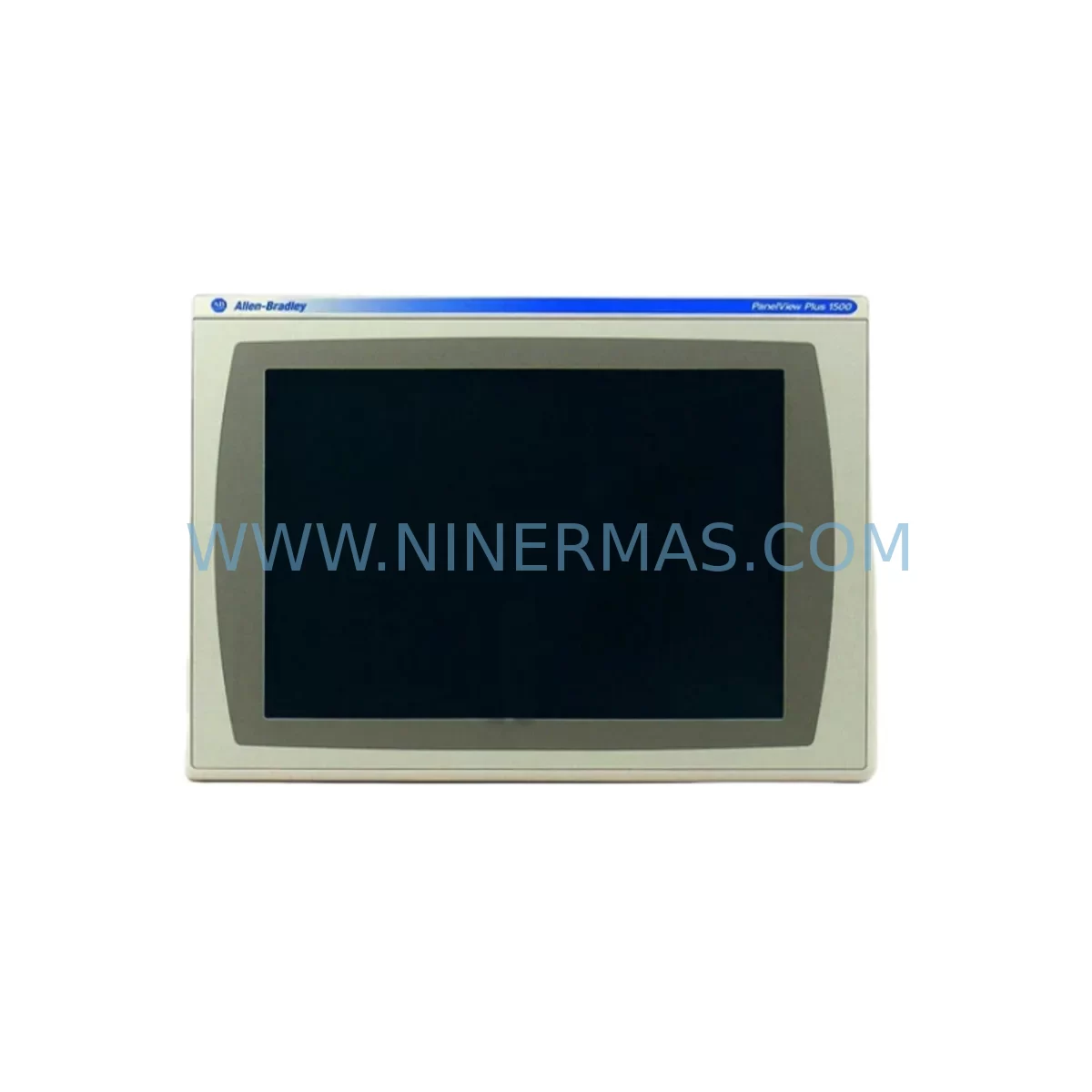
Allen-Bradley 2711P-T15C4D8 Service-Ready Industrial Spare Part
Verify the part, confirm the platform family, and move straight into quotation with the right commercial details.
RFQ Ready
- SKU2711P-T15C4D8
- CategoryPLC & Industrial Automation Modules
- BrandAllen-Bradley
- SupportAvailability, lead time, condition, and shipping coordination
How Buyers Usually Use This Page
- Confirm the exact part number and platform family before sending the quote request.
- Use direct email when quantity, condition, and destination are already defined internally.
- Switch to the broader brand or category archive when you need alternates nearby.
Series Navigation
Move through the most common platform families behind this part.
Product RFQ
Send this part directly for quotation.
Include quantity, required condition, destination country, and target delivery timing. Current reference: Allen-Bradley 2711P-T15C4D8 Service-Ready Industrial Spare Part with SKU 2711P-T15C4D8.
Allen-Bradley 2711P-T15C4D8 Service-Ready Industrial Spare Part
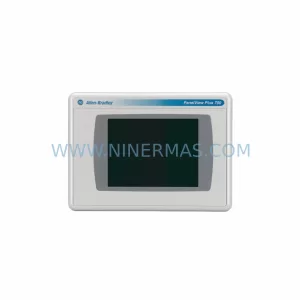
When a PanelView Plus 7 terminal goes dark on the production floor, every minute of unplanned downtime translates directly into lost output, delayed shipments, and escalating maintenance costs. The Allen-Bradley 2711P-T15C4D8 is a 15-inch widescreen touch-screen HMI terminal from Rockwell Automation’s PanelView Plus 7 Performance series, designed for demanding industrial environments where operator interface reliability is non-negotiable. Maintaining a verified, service-ready unit of the 2711P-T15C4D8 in your spare parts inventory is one of the most effective strategies a maintenance engineer can implement to protect continuous operation in ControlLogix, CompactLogix, and legacy SLC/PLC-5 integrated control architectures.
This listing provides an original, pre-shipment tested 2711P-T15C4D8 unit sourced for industrial maintenance, emergency replacement, and planned annual overhaul programs. Each unit is inspected for display integrity, communication port function, DC power input performance, and firmware compatibility before dispatch. A 12-month warranty is included as standard, covering manufacturing defects and functional failures under normal industrial operating conditions.
Spare Maintenance Table
| Parameter | Specification / Detail |
|---|---|
| SKU / Part Number | 2711P-T15C4D8 |
| Brand / Manufacturer | Allen-Bradley (Rockwell Automation) |
| Series | PanelView Plus 7 Performance |
| Product Type | HMI Touch Terminal |
| Display Size | 15-inch Widescreen TFT Color Touch |
| Power Supply Input | 24V DC Nominal |
| Communication Ports | USB (x2), EtherNet/IP, RS-232 |
| Operating Temperature | 0°C to 55°C (32°F to 131°F) |
| Protection Rating | NEMA 4/4X, 12, 13 (front panel); IP65 |
| Compatibility | ControlLogix, CompactLogix, SLC 500, PLC-5, MicroLogix via EtherNet/IP or DH+ |
| Application Environment | Panel-mount industrial control cabinets, harsh process environments, food & beverage, automotive, oil & gas |
| Installation | Panel cutout mount; standard 22mm bezel; rear-access wiring |
| Maintenance Recommendation | Inspect display surface, USB ports, and DC power connector annually; verify firmware version against current FactoryTalk View ME release |
| Warranty | 12 Months — covers manufacturing defects and functional failures under normal industrial use |
| Origin | United States |
Maintenance Planning for Continuous Operation
Replacing a 2711P-T15C4D8 in the field is rarely an isolated task. Experienced maintenance engineers know that an HMI failure often signals stress across the broader control cabinet ecosystem. Before returning the panel to service, it is good practice to inspect the 24V DC power supply feeding the terminal — units such as the 1606-XLS480E are commonly used in Rockwell-integrated cabinets and should be checked for output voltage stability and ripple, particularly if the HMI failure was preceded by intermittent display flickering or unexpected reboots.
The EtherNet/IP network connection is equally critical. If the 2711P-T15C4D8 communicates with a ControlLogix chassis, verify the integrity of the 1756-EN2T EtherNet/IP communication module seated in the backplane, and confirm that the 1783-ETAP managed tap or switch port shows no packet loss or CRC errors. A degraded network path can cause the replacement HMI to exhibit the same communication faults as the failed unit, leading to misdiagnosis and repeat downtime.
Within the ControlLogix chassis itself, inspect the 1756-L83E or equivalent processor module for firmware currency and project file integrity. If the HMI project file stored on the 2711P-T15C4D8’s internal memory or SD card is outdated, the replacement terminal will require a FactoryTalk View ME project download before it can resume normal operator interface functions. Keep a current backup of the .MER application file in your maintenance documentation system.
The 2711P-RP8A logic module — the internal runtime processor of the PanelView Plus 7 — is a field-replaceable component that should be on your spare parts list alongside the full terminal. In scenarios where the display assembly is physically damaged but the logic module is intact, replacing only the 2711P-RP8A can restore operation without a full terminal swap. Similarly, the 2711P-RDT15C replacement display module addresses backlight or touch-screen failures without requiring a complete unit replacement, reducing both cost and lead time for common failure modes.
For I/O-intensive control panels, also verify the status of any 1756-IF16 analog input modules or digital I/O cards that share the same cabinet. Voltage transients that damage an HMI terminal can also degrade I/O module performance, particularly on signal conditioning circuits. Signal isolators installed between field instruments and I/O cards should be tested for isolation resistance and output accuracy as part of the post-replacement commissioning checklist.
Communication cables connecting the 2711P-T15C4D8 to peripheral devices — including 2711P-CBL-EX extension cables and USB programming leads — should be inspected for connector wear, shield continuity, and bend radius compliance. Damaged cables are a frequent source of intermittent communication faults that are difficult to diagnose without systematic cable testing. Stocking a spare set of communication cables alongside the HMI terminal itself is a low-cost insurance policy against extended troubleshooting delays.
For sites running legacy architectures that include a 2711P-B15C22D9P or similar PanelView Plus variant alongside the 2711P-T15C4D8, it is advisable to maintain cross-compatible spare units where possible, as the PanelView Plus 7 platform supports a common FactoryTalk View ME runtime environment across multiple terminal models. This simplifies spare parts consolidation and reduces the total number of unique SKUs that must be held in inventory.
Site Replacement Workflow
Replacing a 2711P-T15C4D8 on-site follows a structured sequence designed to minimize downtime and ensure system compatibility from the first power-on. Begin by isolating the control cabinet from the operator interface network and documenting the existing terminal’s IP address, subnet mask, gateway, and FactoryTalk View ME project version. These parameters must be replicated exactly on the replacement unit to avoid communication conflicts with the ControlLogix processor and SCADA system.
Remove the failed terminal by releasing the panel-mount clamps from the rear and disconnecting the DC power connector and EtherNet/IP cable. Inspect the panel cutout gasket for damage and replace if necessary to maintain the IP65 ingress protection rating. Install the replacement 2711P-T15C4D8, reconnect power and communications, and apply the saved network configuration. Load the current .MER project file via USB or network transfer, verify all screen navigation paths and alarm displays, and confirm EtherNet/IP communication with the ControlLogix processor before returning the panel to operator control.
This workflow is compatible with both hot-standby and cold-swap replacement strategies. For facilities with zero-downtime requirements, maintaining a pre-configured spare terminal with the current project file already loaded reduces the on-site replacement time to under 15 minutes in most installations. NINERMAS ships all 2711P-T15C4D8 units with pre-shipment functional testing documentation to support rapid commissioning and minimize the risk of receiving a non-functional spare during a critical outage.
Spare Parts Support FAQ
Q: Is this 2711P-T15C4D8 an original Allen-Bradley unit or a third-party replacement?
A: This is an original Allen-Bradley 2711P-T15C4D8 unit sourced from authorized supply channels. Each unit undergoes pre-shipment functional testing covering display, touch input, communication ports, and DC power performance. A test report is available upon request.
Q: What is the recommended inventory strategy for the 2711P-T15C4D8 in a multi-line facility?
A: For facilities operating three or more production lines with PanelView Plus 7 terminals, we recommend maintaining at least one service-ready 2711P-T15C4D8 per facility, with a second unit held at regional distribution level for multi-site operations. Given the end-of-life trajectory of legacy HMI platforms, early procurement of long-term stock agreements is advisable to secure supply at current pricing.
Q: How do I verify compatibility between the replacement terminal and my existing FactoryTalk View ME project?
A: Compatibility is determined by the FactoryTalk View ME runtime version and the terminal’s display resolution. The 2711P-T15C4D8 supports the same 1280×800 resolution and runtime environment as other PanelView Plus 7 15-inch models. Confirm the .MER project file was compiled for a 15-inch widescreen terminal and that the runtime version on the replacement unit matches or exceeds the version used during project compilation.
Q: What does the 12-month warranty cover, and how is a warranty claim processed?
A: The 12-month warranty covers manufacturing defects and functional failures under normal industrial operating conditions, including display failure, communication port malfunction, and DC power input circuit failure. Warranty claims are processed by contacting NINERMAS directly at sale@ninermas.com with the order reference and a description of the fault. Replacement or repair is coordinated within the warranty period without additional charge for the covered defect.
| Product Series | 2711 |
|---|---|
| Country of Origin | US |
Catalog Continuation
More Allen-Bradley modules in the catalog.
Use the brand lane to compare nearby part numbers, platform-adjacent modules, and other inquiry-ready listings before sending your final RFQ.
Catalog Continuation
Alternative parts within PLC & Industrial Automation Modules.
Stay inside the same system family when you need substitutes, adjacent modules, or a broader shortlist for procurement review.