Original Industrial Spare Part
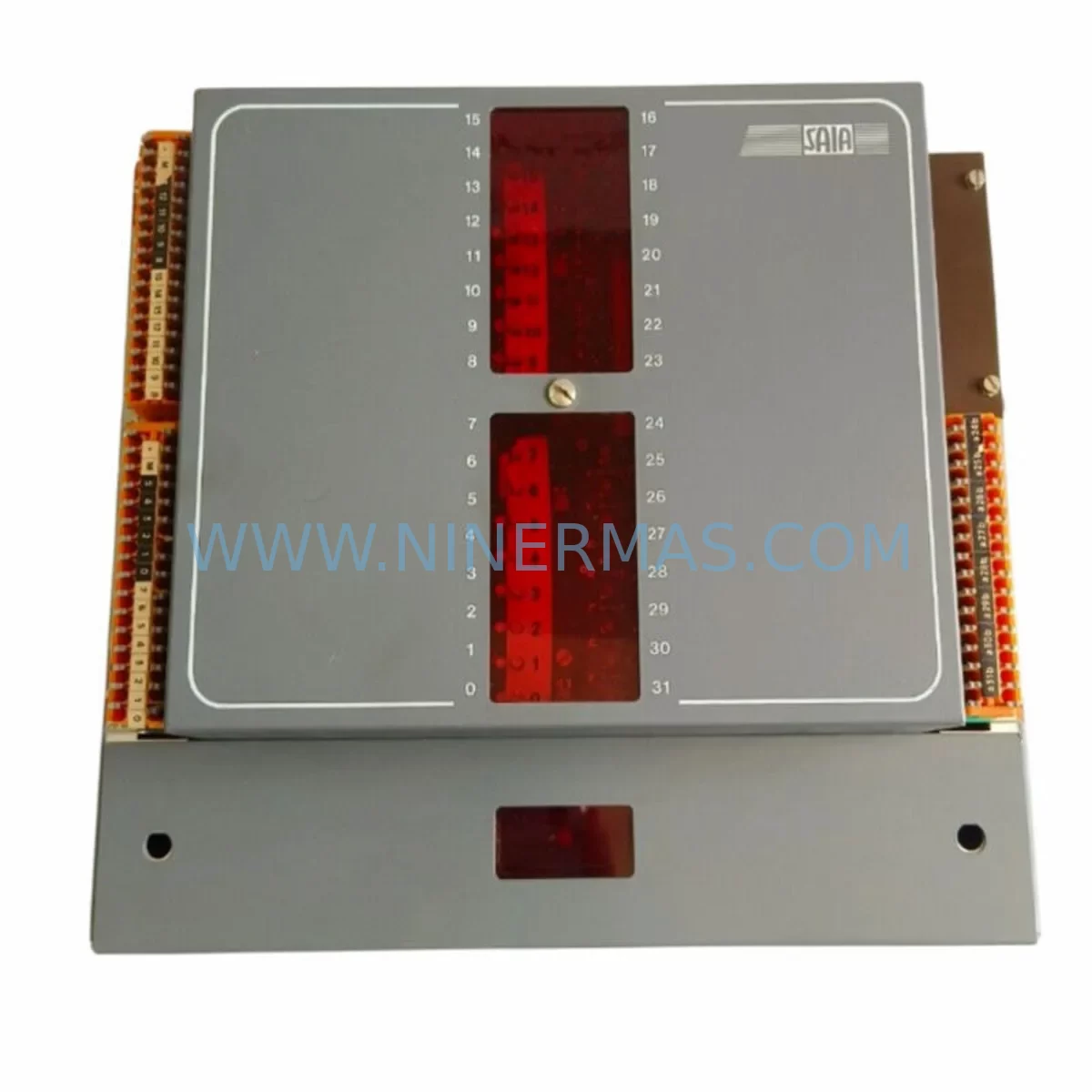
SAIA PCA1.M41M4 Service-Ready Spare Part for Industrial Maintenance
Verify the part, confirm the platform family, and move straight into quotation with the right commercial details.
RFQ Ready
- SKUPCA1.M41M4
- CategoryPLC & Industrial Automation Modules
- BrandSaia Burgess
- SupportAvailability, lead time, condition, and shipping coordination
How Buyers Usually Use This Page
- Confirm the exact part number and platform family before sending the quote request.
- Use direct email when quantity, condition, and destination are already defined internally.
- Switch to the broader brand or category archive when you need alternates nearby.
Series Navigation
Move through the most common platform families behind this part.
Product RFQ
Send this part directly for quotation.
Include quantity, required condition, destination country, and target delivery timing. Current reference: SAIA PCA1.M41M4 Service-Ready Spare Part for Industrial Maintenance with SKU PCA1.M41M4.
SAIA PCA1.M41M4 Service-Ready Spare Part for Industrial Maintenance
The SAIA PCA1.M41M4 is a CPU processor module designed for the SAIA PCD Series programmable logic controller platform — one of the most widely deployed automation architectures in European and Asian process industries. For maintenance engineers managing aging control infrastructure, sourcing a verified, service-ready PCA1.M41M4 is critical to minimising unplanned downtime and sustaining production continuity.
At NINERMAS, every PCA1.M41M4 unit is pre-shipment tested, documented with compatibility verification, and backed by a 12-month warranty. Whether you are executing an emergency replacement during a line stoppage or building a long-term spare parts inventory for a scheduled annual overhaul, our supply chain is structured to support rapid dispatch and reliable sourcing.
The PCD Series platform — including the PCD1, PCD2, and PCD3 controller families — remains operational in thousands of facilities worldwide. As SAIA-Burgess transitions product lines, the availability of original CPU modules such as the PCA1.M41M4 becomes increasingly constrained through standard distribution channels. NINERMAS specialises in bridging this supply gap with authenticated, tested units for industrial maintenance programmes.
Spare Maintenance Table
| Parameter | Specification / Detail |
|---|---|
| SKU / Part Number | PCA1.M41M4 |
| Brand | SAIA-Burgess |
| Series | SAIA PCD Series (PCD1 / PCD2 / PCD3) |
| Module Type | PLC CPU Processor Module |
| Form Factor | DIN Rail Mountable, Modular Backplane |
| Compatible Controllers | PCD1.Mxxx, PCD2.Mxxx, PCD3.Mxxx Series |
| Communication Interfaces | Serial (RS-232 / RS-485), Ethernet (model-dependent) |
| Operating Voltage | 24 VDC (nominal, via backplane power supply) |
| Operating Temperature | 0°C to +55°C |
| Storage Temperature | -20°C to +70°C |
| Humidity | 5% to 95% RH, non-condensing |
| Mounting | Backplane slot insertion, DIN rail chassis |
| Application Environment | Process automation, building management, utilities, manufacturing |
| Maintenance Recommendation | Replace at first sign of CPU fault, watchdog trip, or communication loss |
| Origin | Switzerland (CH) |
| Warranty | 12 Months from date of shipment — NINERMAS |
| Pre-Shipment Testing | Yes — functional and communication verification |
| Lead Time | Contact NINERMAS for current stock availability |
Maintenance Planning for Continuous Operation
Replacing the PCA1.M41M4 CPU module in a live PCD Series control cabinet is rarely an isolated task. Experienced maintenance engineers understand that a CPU fault is often symptomatic of broader stress across the control system. A structured inspection of adjacent components during the replacement window significantly reduces the risk of repeat failures and secondary stoppages.
When scheduling a PCA1.M41M4 replacement, the following components should be inspected or included in the spare parts kit:
Power Supply Module (e.g., PCD7.T100 or equivalent PCD backplane PSU): CPU instability is frequently caused by marginal or degraded backplane power. Verify output voltage under load before reinstalling the new CPU. A failing power supply module will shorten the service life of any replacement CPU.
I/O Expansion Modules (PCD2.Exxx / PCD3.Exxx series): Inspect digital and analogue I/O modules for signs of overheating, relay contact wear, or input channel failure. A faulty I/O module can generate spurious interrupts that stress the CPU and trigger watchdog resets.
Communication Module (e.g., PCD7.F110 Profibus DP or PCD7.F150 Ethernet): If the PCD system participates in a fieldbus or SCADA network, verify that the communication module firmware and configuration are intact after CPU replacement. Communication modules should be inspected for connector corrosion and firmware version compatibility.
Backplane / Rack Assembly: Check the backplane connector pins for oxidation or mechanical damage. A compromised backplane slot can cause intermittent CPU seating faults that are difficult to diagnose without physical inspection.
Terminal Blocks and Field Wiring: Loose or corroded terminal connections on I/O wiring are a leading cause of signal errors that are misattributed to CPU faults. Inspect and re-torque all field terminal connections during the maintenance window.
Relay Output Modules: In systems with high-cycle relay outputs, contact wear can introduce voltage spikes that affect CPU stability. Relay modules with high accumulated switching cycles should be replaced proactively during planned outages.
Signal Isolators and Analogue Conditioning Modules: For process control applications with 4–20 mA loops, verify that signal isolators are functioning correctly. Degraded isolation can introduce ground loops that affect CPU analogue input accuracy.
Fuses and Circuit Protection: Inspect all control cabinet fuses, MCBs, and surge protection devices. A blown fuse on a 24 VDC supply rail may have been the root cause of the original CPU fault.
HMI Panel (e.g., SAIA PCD7.D series or third-party operator panel): After CPU replacement and programme reload, verify HMI communication and screen functionality. HMI configuration files should be backed up before any CPU swap.
Battery / Real-Time Clock Module: Many PCD CPU modules include an onboard battery for programme retention and real-time clock. Replace the battery as a matter of course during any CPU module exchange to prevent programme loss during future power interruptions.
Building a cabinet-level spare parts kit that includes the PCA1.M41M4 alongside these associated components is the most effective strategy for reducing mean time to repair (MTTR) and protecting production uptime.
Site Replacement Workflow
A structured on-site replacement procedure for the SAIA PCA1.M41M4 ensures system compatibility is maintained and downtime is minimised:
Step 1 — Programme Backup: Before removing the existing CPU, use SAIA PG5 programming software to upload and archive the current application programme, data blocks, and hardware configuration. Store the backup on a secure engineering workstation and a secondary offline medium.
Step 2 — Power Down and Isolation: De-energise the control cabinet following site lockout/tagout (LOTO) procedures. Confirm that all field devices connected to the PCD system are in a safe state before proceeding.
Step 3 — Module Removal: Release the CPU module from the backplane slot using the ejector levers. Handle the module by its edges to avoid ESD damage. Note the slot position and any jumper or DIP switch settings on the outgoing module.
Step 4 — Replacement Module Preparation: Verify that the NINERMAS-supplied PCA1.M41M4 matches the hardware revision and firmware version required by the application. Configure any jumpers or DIP switches to match the original module settings.
Step 5 — Installation and Seating: Insert the replacement module into the backplane slot and confirm positive engagement. Restore power and observe the CPU status LEDs for normal boot sequence.
Step 6 — Programme Download and Verification: Using PG5, download the archived application programme to the new CPU. Perform a full I/O force test to verify that all field signals are correctly mapped and responding.
Step 7 — Communication Restoration: Confirm that all fieldbus, Ethernet, and serial communication links are re-established. Verify SCADA and HMI connectivity before returning the system to automatic operation.
Step 8 — Documentation: Record the replacement date, module serial number, firmware version, and test results in the site maintenance log. Update the spare parts inventory to reflect the consumed unit and initiate a replenishment order with NINERMAS to maintain buffer stock.
This workflow is applicable to PCD1, PCD2, and PCD3 series installations and is consistent with SAIA-Burgess recommended maintenance practices for CPU module exchange.
Spare Parts Support FAQ
Q1: Is the NINERMAS PCA1.M41M4 an original SAIA-Burgess component?
Yes. NINERMAS supplies original SAIA-Burgess PCA1.M41M4 units sourced through verified industrial channels. Each unit undergoes pre-shipment functional testing and is accompanied by documentation confirming its authenticity and test results. We do not supply counterfeit, rebranded, or non-original components.
Q2: What warranty coverage applies to the PCA1.M41M4?
All PCA1.M41M4 units supplied by NINERMAS carry a 12-month warranty from the date of shipment. The warranty covers manufacturing defects and functional failures under normal operating conditions. NINERMAS provides technical support throughout the warranty period to assist with installation, compatibility verification, and fault diagnosis.
Q3: Can NINERMAS support long-term or recurring supply of the PCA1.M41M4?
Yes. NINERMAS offers long-term spare parts supply agreements for maintenance programmes requiring scheduled or on-demand replenishment of PCD Series components. We maintain stock buffers for high-demand modules and can provide lead time commitments aligned with your annual maintenance calendar. Contact our team to discuss a dedicated supply arrangement.
Q4: How do I confirm compatibility before ordering?
Provide NINERMAS with your existing CPU module part number, hardware revision, firmware version (if known), and the PCD controller model in use. Our technical team will verify compatibility and advise on any configuration differences between hardware revisions before shipment. We recommend retaining the outgoing module until the replacement has been fully commissioned on-site.
| Product Series | Other series |
|---|---|
| Country of Origin | US |
Catalog Continuation
More Saia Burgess modules in the catalog.
Use the brand lane to compare nearby part numbers, platform-adjacent modules, and other inquiry-ready listings before sending your final RFQ.
Catalog Continuation
Alternative parts within PLC & Industrial Automation Modules.
Stay inside the same system family when you need substitutes, adjacent modules, or a broader shortlist for procurement review.
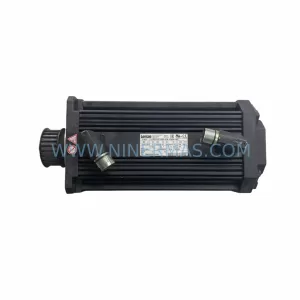
SKU: 14L41-RS0B0-B24R-ST5S00N-R0SU
LENZE 14L41-RS0B0-B24R-ST5S00N-R0SU Retrofit for Legacy Systems
SKU: CI540 3BSE001077R1
ABB CI540 3BSE001077R1 Spare Part for Industrial Maintenance

SKU: ZINT-541 3AUA00000658960
ABB ZINT-541 3AUA00000658960 Retrofit-Compatible Inverter Power Module