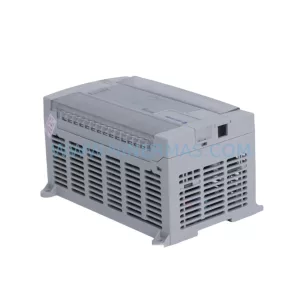
Original Industrial Spare Part
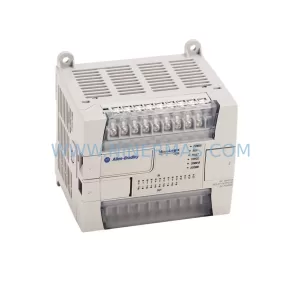
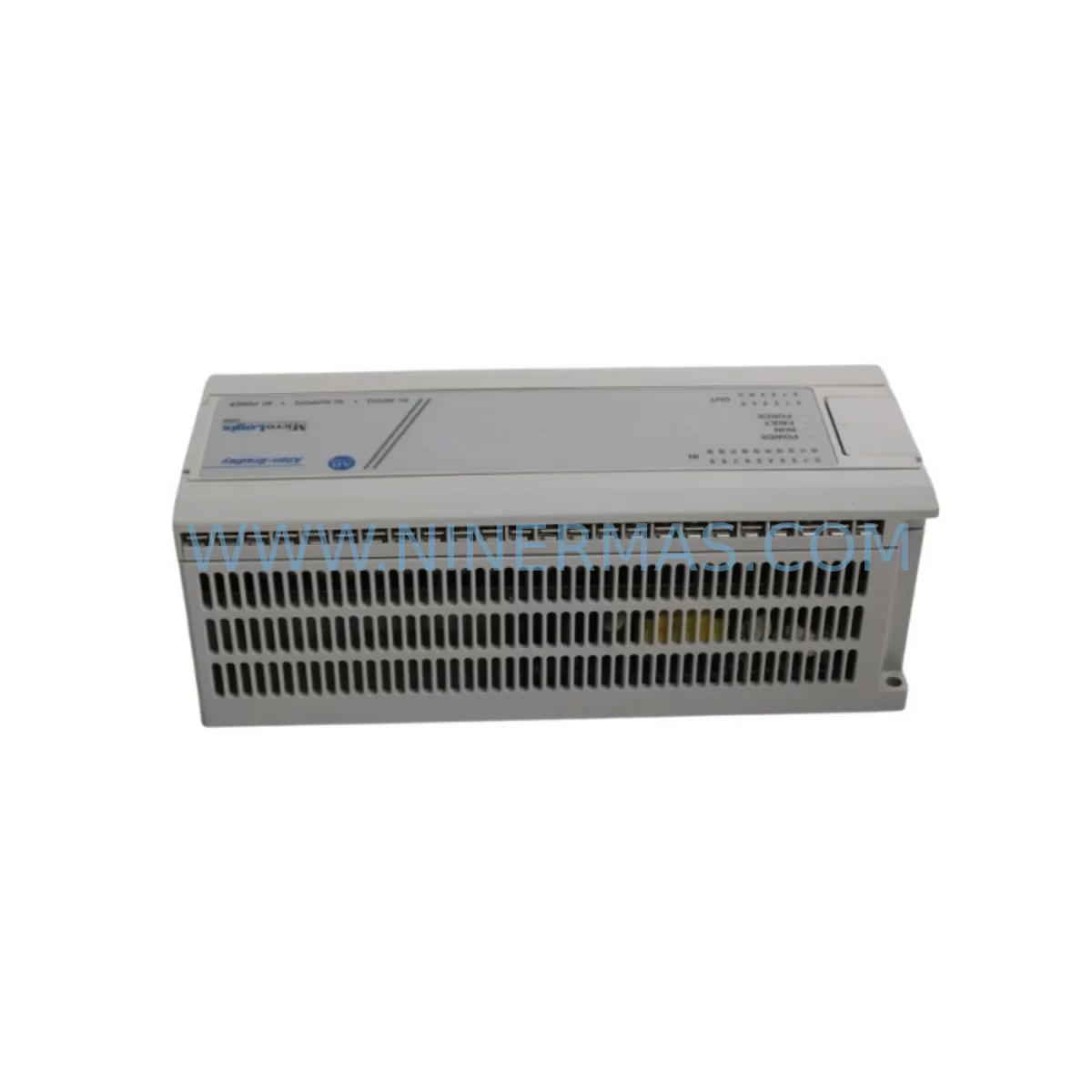
Allen-Bradley 1761-L32AWA Retrofit-Compatible Controller for Legacy Systems
Verify the part, confirm the platform family, and move straight into quotation with the right commercial details.
RFQ Ready
- SKU1761-L32AWA
- CategoryPLC & Industrial Automation Modules
- BrandAllen-Bradley
- SupportAvailability, lead time, condition, and shipping coordination
How Buyers Usually Use This Page
- Confirm the exact part number and platform family before sending the quote request.
- Use direct email when quantity, condition, and destination are already defined internally.
- Switch to the broader brand or category archive when you need alternates nearby.
Series Navigation
Move through the most common platform families behind this part.
Product RFQ
Send this part directly for quotation.
Include quantity, required condition, destination country, and target delivery timing. Current reference: Allen-Bradley 1761-L32AWA Retrofit-Compatible Controller for Legacy Systems with SKU 1761-L32AWA.
Allen-Bradley 1761-L32AWA Retrofit-Compatible Controller for Legacy Systems
The Allen-Bradley 1761-L32AWA is a compact, high-performance programmable logic controller from the MicroLogix 1000 series, purpose-built for applications where legacy system continuity, minimal downtime, and seamless retrofit integration are non-negotiable. As a direct retrofit-compatible replacement for discontinued MicroLogix 1000 variants, the 1761-L32AWA supports 20 digital inputs, 12 relay outputs, and onboard AC power supply — making it one of the most versatile drop-in solutions for aging control panels, legacy production lines, and end-of-life automation infrastructure.
For maintenance engineers and system integrators managing brownfield upgrades, the 1761-L32AWA eliminates the need for full control cabinet redesigns. Its compact DIN-rail footprint and standard terminal block layout allow direct substitution in existing enclosures where space constraints are a primary concern. Before installation, engineers should verify available panel depth, DIN-rail clearance, and proximity to adjacent modules such as the 1761-NET-AIC Advanced Interface Converter or the 1761-NET-ENI Ethernet Interface, both of which are commonly deployed alongside MicroLogix 1000 controllers to extend communication capability to modern SCADA and HMI platforms.
Power supply compatibility is a critical checkpoint during any retrofit. The 1761-L32AWA operates on 120/240V AC input, and field teams must confirm that the existing control transformer or panel power distribution can sustain the controller’s inrush and steady-state current draw alongside co-installed devices. Where the original system used a 1606-XLP power supply or similar Rockwell-compatible 24VDC rail supply for sensor loops and I/O field devices, those circuits should be re-verified against the new load profile before commissioning.
Upgrade Compatibility Table
| Parameter | 1761-L32AWA (This Unit) | Retrofit Notes |
|---|---|---|
| Power Supply | 120/240V AC | Verify panel transformer capacity before swap |
| Digital Inputs | 20 DI (120V AC) | Confirm field wiring voltage matches |
| Relay Outputs | 12 Relay (NO) | Check load ratings vs. existing actuators |
| Communication Port | DH-485 / RS-232 (1761-CBL-PM02 cable) | Use 1761-NET-AIC for multi-drop DH-485 networks |
| Programming Software | RSLogix 500 / Studio 5000 Logix Designer | Backup original .RSS file before upload |
| HMI Compatibility | PanelView 300/550/600 Micro | Verify DF1 or DH-485 driver settings on HMI |
| Mounting | DIN Rail / Panel Mount | Confirm enclosure depth ≥ 90mm |
| Replacement Path | Replaces 1761-L16AWA, 1761-L20AWA | I/O count expansion — review program rung logic |
| Warranty | 12 Months | Covered from date of shipment |
Retrofit Planning for Existing Automation Systems
Successful integration of the 1761-L32AWA into an existing automation environment requires a structured pre-retrofit audit. Begin by documenting the current I/O map from the original controller program — typically an .RSS file created in RSLogix 500. If the legacy unit is a 1761-L16AWA or 1761-L20AWA, the expanded I/O count of the 1761-L32AWA means additional rungs may need to be reviewed to ensure no unintended output activation occurs during the first power-up sequence.
Terminal block wiring should be photographed and labeled before disconnection. The 1761-L32AWA uses the same screw-terminal layout as other MicroLogix 1000 variants, but field wiring for AC input modules must be re-verified for correct phase and neutral assignment. Where the original system included a 1761-NET-AIC for DH-485 multi-drop communication, the network node address and baud rate settings must be preserved and re-entered after controller replacement.
For systems that have evolved to include Ethernet connectivity via a 1761-NET-ENI module, the IP address configuration stored in the ENI device is independent of the controller and will not be lost during the swap — but the DF1 serial port settings on the 1761-L32AWA must match the ENI’s expected baud rate and parity. Similarly, if a PanelView 300 Micro or PanelView 550 HMI is connected via RS-232 DF1, the HMI communication driver must be re-validated post-swap to confirm screen tag addresses resolve correctly against the new controller’s data file structure.
In systems where signal isolation is required between field devices and the controller — common in environments with variable frequency drives, servo amplifiers, or high-voltage switching equipment — inline signal isolators or 1492-IFM interface modules should remain in place and be re-tested after the controller swap. These components protect the 1761-L32AWA’s input circuitry from transient voltages that could cause false triggering or long-term input degradation.
Where the retrofit scope extends beyond the controller itself to include I/O expansion, the 1762-series MicroLogix 1200 expansion I/O modules — such as the 1762-IQ16 digital input module or 1762-OW16 relay output module — are not directly compatible with the MicroLogix 1000 platform. Engineers planning a larger-scale upgrade should evaluate migration to the MicroLogix 1100 or MicroLogix 1400 platform, which supports local expansion I/O and retains RSLogix 500 programming compatibility, preserving the investment in existing ladder logic programs.
Downtime Control During System Migration
Minimizing production downtime during a controller swap begins with preparation, not execution. Before the maintenance window opens, the replacement 1761-L32AWA should be bench-tested with a copy of the production program loaded and verified in offline simulation mode using RSLogix 500. All I/O forcing should be documented and cleared, and the program should be saved with a version-stamped filename to prevent overwriting the validated backup.
On the day of the swap, the recommended sequence is: (1) place the system in a safe, controlled stop state using the existing HMI or operator panel; (2) photograph all terminal wiring; (3) remove the legacy controller; (4) install the 1761-L32AWA and reconnect terminals in sequence; (5) power up in Program mode — never Run mode — to verify communication and I/O status before enabling outputs. This approach protects the original process logic and allows the field team to confirm each I/O point against the physical process before returning to automatic control.
For systems with a PanelView Micro HMI, the HMI application file should be backed up to a PC using PanelBuilder 32 or FactoryTalk View Studio before the swap. After the controller is replaced and communication is confirmed, the HMI should be power-cycled and its communication status verified on-screen before the system is returned to production. Total planned downtime for a straightforward 1761-L32AWA swap in a well-documented system is typically 2–4 hours, including wiring verification and functional testing.
All units supplied by NINERMAS are pre-tested prior to shipment, with I/O continuity and communication port functionality verified. Each 1761-L32AWA is covered by a 12-month warranty from the date of shipment, with in-stock availability supporting rapid dispatch to minimize unplanned downtime scenarios.
Retrofit Support FAQ
Q: Is the 1761-L32AWA a direct drop-in replacement for the 1761-L20AWA?
A: Functionally yes — the 1761-L32AWA is compatible with the same RSLogix 500 program files and uses the same DH-485/RS-232 communication ports. However, the I/O count is higher (32 vs. 20 points), so engineers should review the program’s I/O map to confirm no unintended outputs are mapped to the additional points. Terminal wiring is compatible, and no backplane or rack changes are required.
Q: What programming cable is needed to connect a laptop to the 1761-L32AWA?
A: The standard cable is the 1761-CBL-PM02 (RS-232 to Mini-DIN). For USB-to-serial adapters, a Rockwell-compatible USB/RS-232 converter is required. The 1747-UIC USB-to-DH-485 interface can also be used for DH-485 network programming without a dedicated serial port.
Q: How do I verify compatibility with my existing HMI before the swap?
A: Confirm the HMI communication driver (DF1 Full Duplex or DH-485) and the node address configured in the HMI project match the settings you will program into the 1761-L32AWA. For PanelView Micro units, open the PanelBuilder 32 project and check the Communication Setup screen. No hardware changes to the HMI are required if the driver and node address are preserved.
Q: Does NINERMAS provide pre-shipment testing and warranty coverage?
A: Yes. Every 1761-L32AWA unit is tested for I/O continuity and communication port functionality before dispatch. All units are covered by a 12-month warranty from the date of shipment. In-stock units are available for same-week dispatch. Contact our team at sale@ninermas.com or +0086 187 5021 5667 for availability confirmation and lead time.
| Product Series | MicroLogix |
|---|---|
| Country of Origin | US |
Catalog Continuation
More Allen-Bradley modules in the catalog.
Use the brand lane to compare nearby part numbers, platform-adjacent modules, and other inquiry-ready listings before sending your final RFQ.




Catalog Continuation
Alternative parts within PLC & Industrial Automation Modules.
Stay inside the same system family when you need substitutes, adjacent modules, or a broader shortlist for procurement review.


SKU: 00-176-037 00-176-037 00-262-652 00-262-652 00-178-888 00-178-888
KUKA 00-176-037 Retrofit Reducer Module for Legacy Systems

SKU: 6SE7027-2TD84-6HF3
SIEMENS 6SE7027-2TD84-6HF3 Service-Ready Spare Part