Original Industrial Spare Part
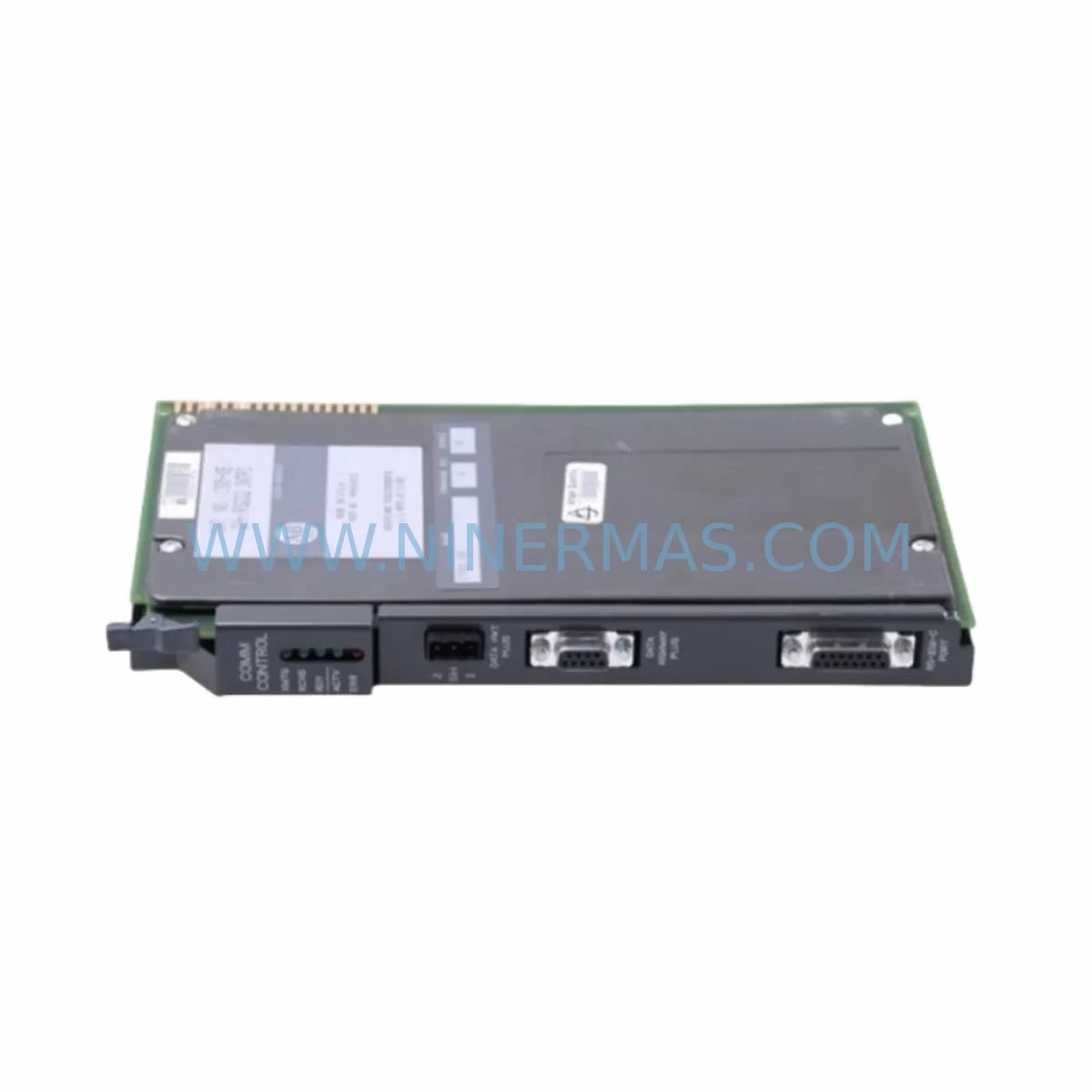
Allen-Bradley 1785-ENET/B PLC-5 Service-Ready Spare Part
Verify the part, confirm the platform family, and move straight into quotation with the right commercial details.
RFQ Ready
- SKU1785-ENET/B 1785-ENET
- CategoryPLC & Industrial Automation Modules
- BrandAllen-Bradley
- SupportAvailability, lead time, condition, and shipping coordination
How Buyers Usually Use This Page
- Confirm the exact part number and platform family before sending the quote request.
- Use direct email when quantity, condition, and destination are already defined internally.
- Switch to the broader brand or category archive when you need alternates nearby.
Series Navigation
Move through the most common platform families behind this part.
Product RFQ
Send this part directly for quotation.
Include quantity, required condition, destination country, and target delivery timing. Current reference: Allen-Bradley 1785-ENET/B PLC-5 Service-Ready Spare Part with SKU 1785-ENET/B 1785-ENET.
Allen-Bradley 1785-ENET/B PLC-5 Service-Ready Spare Part
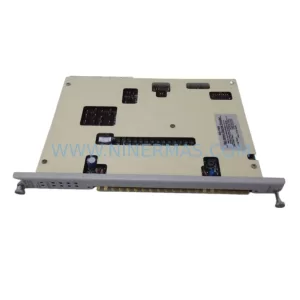
The Allen-Bradley 1785-ENET/B is an original Ethernet Communication Module designed for the PLC-5 Series programmable logic controller platform by Rockwell Automation. As legacy PLC-5 systems continue to operate across process industries, discrete manufacturing, and critical infrastructure, maintaining a reliable inventory of service-ready spare parts like the 1785-ENET/B is essential for minimizing unplanned downtime and sustaining long-term operational continuity.
The 1785-ENET/B provides 10 Mbps Ethernet connectivity for PLC-5 processors, enabling integration with plant-floor SCADA systems, HMI panels, and supervisory networks. When this module fails or degrades, the entire Ethernet communication path between the PLC-5 rack and the control network is severed — halting data exchange, remote monitoring, and in many cases, production itself. Procurement engineers and maintenance planners responsible for aging PLC-5 installations must treat this module as a critical long-lead spare.
At NINERMAS, every 1785-ENET/B unit is sourced from verified original supply channels, electrically tested prior to shipment, and covered by a 12-month warranty. We support global procurement teams with fast dispatch, export documentation, and long-term supply commitments for end-of-life Rockwell Automation components.
Spare Maintenance Table
| Parameter | Specification |
|---|---|
| Part Number | 1785-ENET/B |
| Manufacturer | Allen-Bradley / Rockwell Automation |
| Series | PLC-5 |
| Module Type | Ethernet Communication Module |
| Network Speed | 10 Mbps Ethernet (10BASE-T) |
| Communication Protocol | EtherNet/IP, DF1 over Ethernet |
| Connector Type | RJ-45 |
| Backplane Compatibility | PLC-5 Series Rack (1771 I/O Chassis) |
| Power Supply Requirement | Supplied via PLC-5 backplane |
| Operating Temperature | 0°C to 60°C (32°F to 140°F) |
| Relative Humidity | 5% to 95% non-condensing |
| Mounting | Single-slot, right-most slot of PLC-5 rack |
| Compatibility | PLC-5/20E, PLC-5/40E, PLC-5/80E processors |
| Condition | Original, tested before shipment |
| Warranty | 12 Months |
| Lead Time | In stock — fast global dispatch available |
Maintenance Planning for Continuous Operation
When replacing the 1785-ENET/B Ethernet Communication Module in a PLC-5 rack, a thorough site inspection of the surrounding control cabinet is strongly recommended. Maintenance engineers should treat this replacement as an opportunity to audit the full communication and power infrastructure of the affected panel.
Begin by verifying the integrity of the 1785-L80E or 1785-L60B PLC-5 processor module itself — a degraded processor can cause intermittent Ethernet faults that are misdiagnosed as module failures. Inspect the 1771 I/O chassis backplane for corrosion, bent pins, or loose card guides that may cause intermittent communication errors after module swap.
The 1785-ENET/B draws power from the rack’s backplane, so the condition of the 1771-P4S or 1771-P7 power supply module is critical. A power supply operating near its rated capacity or showing ripple voltage can cause the Ethernet module to reset unexpectedly. Always measure backplane voltage rails before and after module replacement.
Ethernet cabling and patch panels should be inspected for signal integrity. Replace any Cat3 or degraded Cat5 cabling with Cat5e or Cat6 to ensure reliable 10BASE-T communication. Check the industrial Ethernet switch or hub port to which the 1785-ENET/B connects — a faulty switch port can simulate module failure symptoms.
For sites using RSLinx Classic or RSLogix 5 for programming and diagnostics, verify that the Ethernet driver configuration matches the new module’s IP address settings. If the plant uses a 1784-PKTX or 1784-U2DHP Data Highway Plus communication adapter in parallel for programming access, confirm that DH+ node addressing remains consistent after the Ethernet module swap.
Inspect adjacent I/O modules in the 1771 chassis — particularly 1771-OAD output modules and 1771-IAD input modules — for signs of thermal stress or contact wear. A failing I/O module can generate excessive backplane traffic that degrades Ethernet communication performance. Similarly, review any 1771-SDN DeviceNet Scanner modules or 1771-ASB Remote I/O Adapter modules installed in the same rack for firmware compatibility with the replacement Ethernet module.
For sites with PanelView 550 or PanelView 1000 HMI terminals communicating via Ethernet to the PLC-5, re-validate the HMI communication path after module replacement. Update the HMI node configuration if the replacement module is assigned a new IP address. Procurement teams should also consider stocking a spare 1785-ENET/B alongside a spare PLC-5 processor to ensure full system recovery capability without extended lead times.
Site Replacement Workflow
Step 1 — Pre-Replacement Audit: Document the existing 1785-ENET/B IP address, subnet mask, gateway, and node number using RSLinx Classic before powering down. Photograph the module’s DIP switch settings and front-panel LED status for reference.
Step 2 — Safe Power-Down: Follow your site’s lockout/tagout (LOTO) procedure. De-energize the 1771 chassis power supply. Allow capacitors to discharge for a minimum of 30 seconds before handling modules.
Step 3 — Module Extraction: Slide the 1785-ENET/B out of the right-most rack slot. Inspect the backplane connector for bent pins or debris. Clean the slot with compressed air if necessary.
Step 4 — Replacement Module Configuration: Set the DIP switches on the new 1785-ENET/B to match the documented IP address and node settings. Verify firmware revision compatibility with the installed PLC-5 processor firmware using the Rockwell Automation Product Compatibility and Download Center (PCDC).
Step 5 — Installation and Power-Up: Seat the replacement module firmly into the rack slot. Restore power to the chassis. Observe front-panel LEDs — the LINK LED should illuminate solid green within 10 seconds of power-up if the Ethernet connection is valid.
Step 6 — Communication Verification: Use RSLinx Classic to confirm the module appears on the Ethernet driver node list. Ping the module’s IP address from the engineering workstation. Open RSLogix 5 and verify online connection to the PLC-5 processor via the new Ethernet module.
Step 7 — HMI and SCADA Re-validation: Confirm that all PanelView HMI screens are communicating correctly. Verify SCADA tag updates are being received at the expected scan rate. Log the replacement in the site maintenance record with the new module’s serial number and firmware revision.
Spare Parts Support FAQ
Q1: Is the 1785-ENET/B still available as a new original part, or only as refurbished?
The Allen-Bradley 1785-ENET/B has been discontinued by Rockwell Automation as part of the broader PLC-5 platform end-of-life. NINERMAS sources original units from verified industrial surplus and authorized distribution channels. Each unit undergoes electrical testing and functional verification before shipment. Units are supplied as original Allen-Bradley hardware — not remanufactured or cloned — and are covered by our 12-month warranty.
Q2: How do I confirm compatibility between the 1785-ENET/B and my installed PLC-5 processor?
The 1785-ENET/B is compatible with PLC-5/20E, PLC-5/40E, and PLC-5/80E Ethernet-capable processors. Compatibility also depends on the processor firmware revision. We recommend cross-referencing your processor catalog number and firmware version against Rockwell Automation’s PCDC before ordering. Our technical team can assist with compatibility verification — contact us with your processor catalog number and current firmware revision.
Q3: What testing is performed before the 1785-ENET/B is shipped?
Every 1785-ENET/B unit dispatched by NINERMAS is powered up and tested for Ethernet link establishment, backplane communication integrity, and LED status verification. Units that fail any test parameter are quarantined and not offered for sale. A test report summary is available upon request for critical procurement orders.
Q4: Can NINERMAS support long-term supply of the 1785-ENET/B for multi-year maintenance contracts?
Yes. NINERMAS maintains ongoing sourcing relationships for end-of-life Rockwell Automation PLC-5 components. We can support blanket purchase orders, reserved inventory arrangements, and annual supply agreements for the 1785-ENET/B and related PLC-5 spare parts. Contact our sales team to discuss volume pricing, lead time commitments, and long-term supply terms aligned with your plant’s maintenance schedule.
| Product Series | PLC-5 |
|---|---|
| Country of Origin | US |
Catalog Continuation
Likely PLC-5 platform matches.
These parts are closer to the same platform family signaled by the current SKU and title, so buyers can validate continuity before sending a final RFQ.

Catalog Continuation
More Allen-Bradley modules in the catalog.
Use the brand lane to compare nearby part numbers, platform-adjacent modules, and other inquiry-ready listings before sending your final RFQ.



Catalog Continuation
Alternative parts within PLC & Industrial Automation Modules.
Stay inside the same system family when you need substitutes, adjacent modules, or a broader shortlist for procurement review.



SKU: HDD02.2-W040N-HS12-01-FW FWA-DIAX04-ELS-05VRS-MS
Rexroth HDD02.2-W040N-HS12-01-FW Service-Ready Spare Part

SKU: I5DAE375F10010000S
Lenze I5DAE375F10010000S Service-Ready Spare Part for Industrial Maintenance