Original Industrial Spare Part
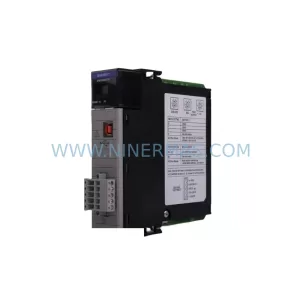
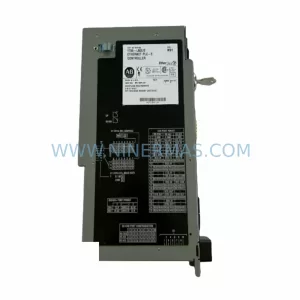
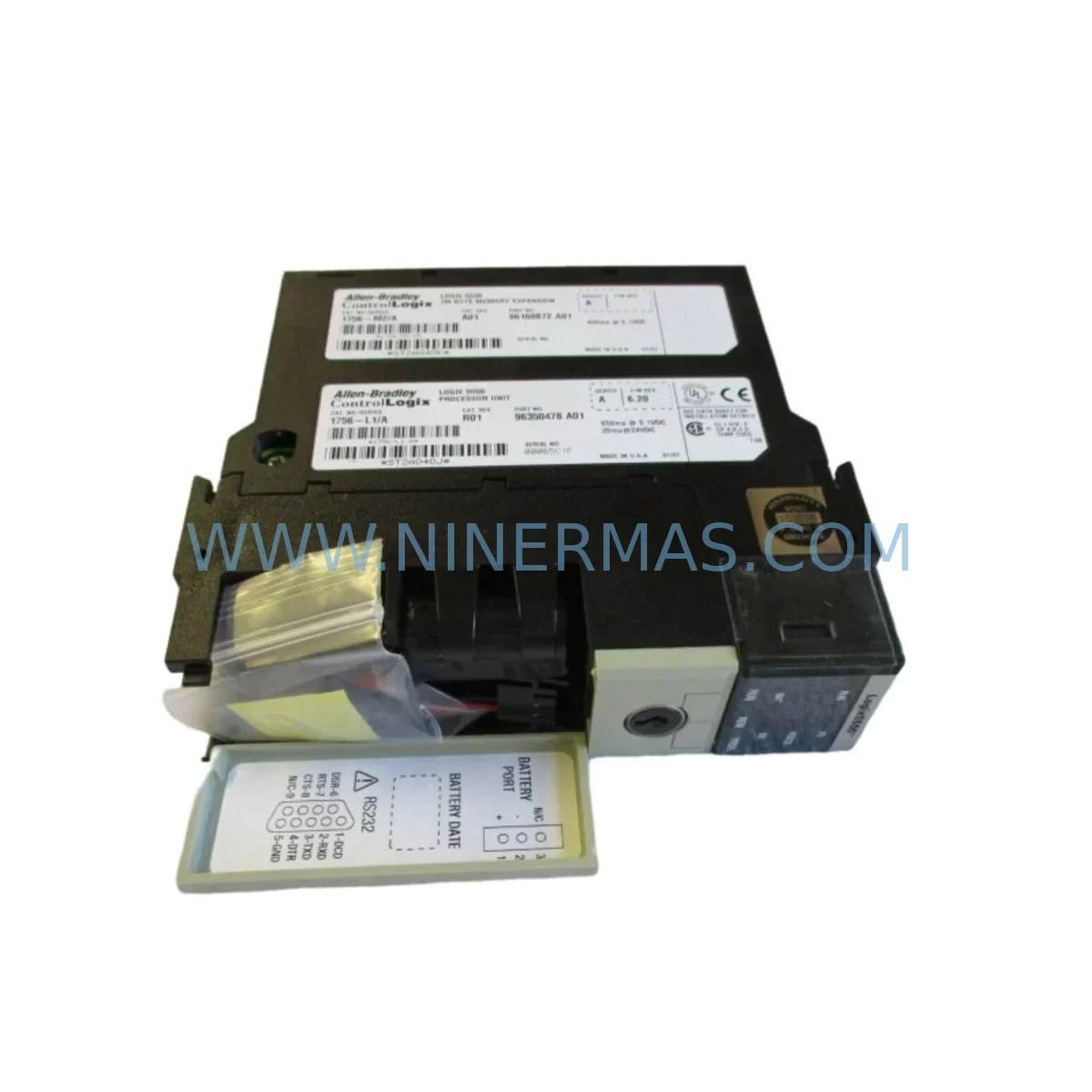
Allen-Bradley 1756-L1M2 Retrofit-Compatible Processor
Verify the part, confirm the platform family, and move straight into quotation with the right commercial details.
RFQ Ready
- SKU1756-L1M2
- CategoryPLC & Industrial Automation Modules
- BrandAllen-Bradley
- SupportAvailability, lead time, condition, and shipping coordination
How Buyers Usually Use This Page
- Confirm the exact part number and platform family before sending the quote request.
- Use direct email when quantity, condition, and destination are already defined internally.
- Switch to the broader brand or category archive when you need alternates nearby.
Series Navigation
Move through the most common platform families behind this part.
Product RFQ
Send this part directly for quotation.
Include quantity, required condition, destination country, and target delivery timing. Current reference: Allen-Bradley 1756-L1M2 Retrofit-Compatible Processor with SKU 1756-L1M2.
Allen-Bradley 1756-L1M2 Retrofit-Compatible Processor for Legacy ControlLogix Systems
The Allen-Bradley 1756-L1M2 is a Logix5550 processor module designed for the ControlLogix platform, widely deployed across discrete manufacturing, process control, and critical infrastructure automation systems. As original equipment manufacturers discontinue support for legacy Logix5550-series hardware, facilities relying on 1756-L1M2 processors face increasing pressure to source verified replacement units or plan structured migration paths to current-generation controllers. NINERMAS supplies the 1756-L1M2 as a retrofit-compatible spare, fully tested and backed by a 12-month warranty, enabling engineers to restore system operation or extend asset life without committing to a full platform overhaul.
Upgrade Compatibility Table
| Parameter | 1756-L1M2 (Logix5550) | Retrofit / Upgrade Notes |
|---|---|---|
| Processor Series | ControlLogix Logix5550 | Direct replacement within 1756 chassis; verify firmware revision compatibility |
| Memory | 750 KB user memory | Confirm program size fits within 750 KB before swap; larger programs require L55 or L6x upgrade |
| Backplane Interface | 1756 ControlLogix backplane | Compatible with all standard 1756 chassis (4, 7, 10, 13, 17-slot) |
| Communication | ControlNet / EtherNet/IP via bridge modules | Retain existing 1756-CNB, 1756-ENBT, or 1756-EN2T bridge modules; no protocol migration required |
| I/O Compatibility | All 1756-series I/O modules | Digital, analog, and specialty I/O modules remain fully compatible |
| Programming Software | RSLogix 5000 v13–v16 | Verify ACD file version; upgrade RSLogix 5000 if required before going online |
| Installation Space | Single-slot 1756 module | No mechanical modification required; standard 1756 keying applies |
| Power Supply | 1756-Pxx series | Confirm chassis power budget; 1756-PA72 or 1756-PB72 typically sufficient |
| Warranty | 12-Month Warranty — all units shipped by NINERMAS are tested prior to dispatch | |
Retrofit Planning for Existing Automation Systems
Replacing a 1756-L1M2 in a live production environment requires careful pre-planning to avoid unintended downtime and configuration loss. Before removing the existing processor, engineers should back up the current program using RSLogix 5000 and verify that the ACD file is saved to a secure location. The processor’s memory card — if a 1784-CF64 or similar CompactFlash card is installed — should be checked for a valid program image that can be used for rapid recovery in the event of a failed swap.
Within the same 1756 chassis, the 1756-L1M2 typically coexists with communication bridge modules such as the 1756-CNB (ControlNet Bridge) or 1756-ENBT (EtherNet/IP Bridge), as well as analog input modules like the 1756-IF16 and digital output modules such as the 1756-OB16E. These modules remain in place during a processor swap and do not require reconfiguration, provided the replacement 1756-L1M2 is loaded with the same program and the module configuration within the ACD file matches the physical rack layout.
For facilities also managing remote I/O racks connected via 1756-CNB or 1756-ENBT modules, it is important to confirm that the network node addresses and scheduled connection parameters in the program match the physical network topology. Any mismatch between the program’s I/O tree and the actual rack configuration will result in faulted connections at startup. Engineers should also verify that the 1756-PA72 or 1756-PB72 power supply in the chassis has sufficient capacity to support all installed modules after the processor replacement, particularly if additional 1756-IB32 input modules or 1756-OB32 output modules have been added to the rack since the original system commissioning.
In control cabinets where the 1756-L1M2 interfaces with an HMI — typically a PanelView Plus 6 or PanelView Plus 7 terminal communicating over EtherNet/IP — the HMI project should be reviewed to confirm that all tag references remain valid after the processor swap. If the replacement processor is loaded with a program that has been modified since the HMI project was last compiled, tag name mismatches may cause display faults or loss of operator visibility. A pre-swap HMI simulation test using FactoryTalk View Studio is recommended to identify any discrepancies before the maintenance window begins.
Where the existing system includes a 1756-DNB DeviceNet Bridge module managing field devices such as variable frequency drives, photoelectric sensors, or pneumatic valve manifolds, the DeviceNet network scan list should be exported and retained as a reference. The 1756-DNB configuration is stored in the processor program, so a verified ACD file backup ensures that DeviceNet device parameters are restored correctly after the processor replacement without requiring individual device re-commissioning.
Downtime Control During System Migration
Minimizing unplanned downtime during a 1756-L1M2 replacement begins with a structured pre-outage checklist. The maintenance team should schedule the swap during a planned production break, coordinate with operations to confirm a safe window, and prepare all tools and replacement hardware in advance. The replacement 1756-L1M2 should be pre-loaded with the verified program image using a 1784-CF64 CompactFlash card or via direct download from a laptop running RSLogix 5000, so that the module is ready to go online immediately after installation.
During the swap, the chassis power supply should be de-energized before removing the existing processor. The replacement module should be inserted into the same slot, the chassis re-energized, and the processor brought online. If the program was pre-loaded via CompactFlash, the processor will typically enter Run mode automatically, restoring control outputs and communication links within seconds. If a direct download is required, the engineer should connect via the 1756-ENBT or a 1761-CBL-PM02 programming cable, download the program, and transition the processor to Run mode under controlled conditions.
To protect original program logic, the ACD file should never be modified on the backup copy used for the swap. A separate working copy should be maintained for any ongoing development. This ensures that the production program remains a known-good baseline that can be reloaded at any time without risk of introducing untested changes. After the processor is online, a full I/O status check should be performed to confirm that all input and output modules are communicating correctly, all HMI tags are resolving, and all network connections — including ControlNet and EtherNet/IP links — are established without faults.
Retrofit Support FAQ
Q: Is the 1756-L1M2 supplied by NINERMAS a direct drop-in replacement for my existing Logix5550 processor?
A: Yes. The 1756-L1M2 is a single-slot 1756 ControlLogix module and installs directly into any standard 1756 chassis without mechanical modification. The replacement unit must be loaded with your existing program, which can be transferred via CompactFlash card or direct RSLogix 5000 download.
Q: What firmware version does the replacement 1756-L1M2 support, and will it be compatible with my existing ACD file?
A: The 1756-L1M2 supports RSLogix 5000 firmware revisions compatible with the Logix5550 series. NINERMAS recommends confirming the firmware revision of your existing processor before ordering, so the replacement unit can be matched accordingly. If a firmware upgrade is required, this should be performed using RSLogix 5000 before going online with the production program.
Q: Does NINERMAS test the 1756-L1M2 before shipment, and what warranty is provided?
A: All 1756-L1M2 units supplied by NINERMAS are functionally tested prior to dispatch. Each unit is covered by a 12-month warranty against manufacturing defects and functional failure. Units are shipped with appropriate anti-static packaging to prevent damage in transit.
Q: What should I verify regarding power supply capacity before replacing the 1756-L1M2?
A: Before the swap, calculate the total current draw of all modules installed in the 1756 chassis, including I/O modules, communication bridges, and the replacement processor. Compare this against the rated output of the installed 1756-PA72 or 1756-PB72 power supply. If the chassis is operating near the power supply’s rated capacity, consider redistributing modules across chassis or upgrading to a higher-capacity supply before proceeding with the processor replacement.
| Product Series | ControlLogix |
|---|---|
| Country of Origin | US |
Catalog Continuation
More Allen-Bradley modules in the catalog.
Use the brand lane to compare nearby part numbers, platform-adjacent modules, and other inquiry-ready listings before sending your final RFQ.




Catalog Continuation
Alternative parts within PLC & Industrial Automation Modules.
Stay inside the same system family when you need substitutes, adjacent modules, or a broader shortlist for procurement review.



SKU: HDD02.2-W040N-HS12-01-FW FWA-DIAX04-ELS-05VRS-MS
Rexroth HDD02.2-W040N-HS12-01-FW Service-Ready Spare Part

SKU: I5DAE375F10010000S
Lenze I5DAE375F10010000S Service-Ready Spare Part for Industrial Maintenance