Original Industrial Spare Part
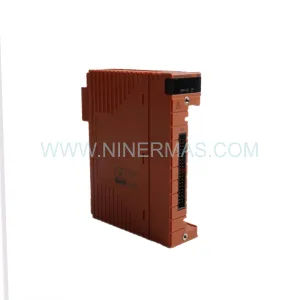
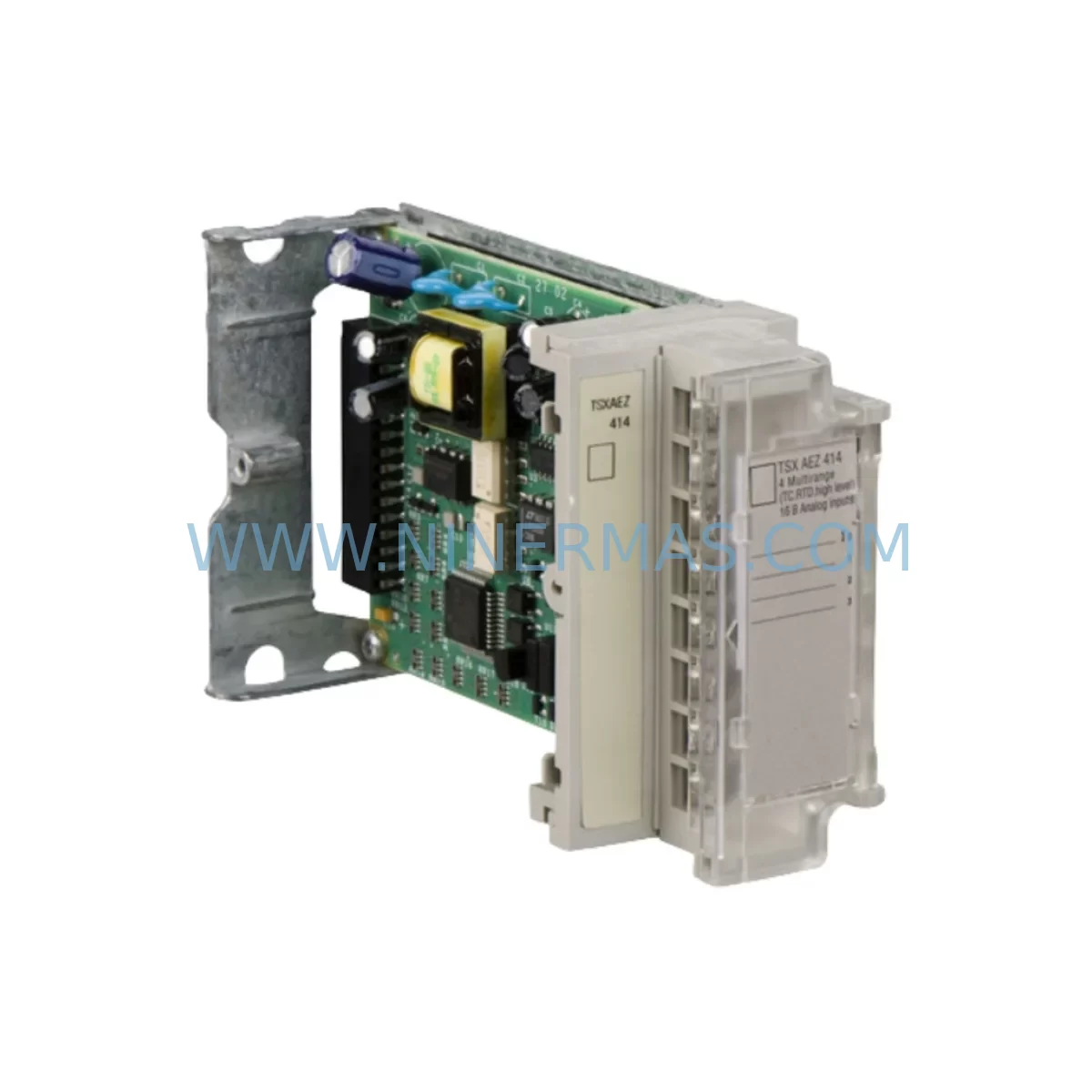
Schneider TSXAEZ414 Retrofit-Compatible Analog Input Module
Verify the part, confirm the platform family, and move straight into quotation with the right commercial details.
RFQ Ready
- SKUTSXAEZ414
- CategoryPLC & Industrial Automation Modules
- BrandSchneider Electric
- SupportAvailability, lead time, condition, and shipping coordination
How Buyers Usually Use This Page
- Confirm the exact part number and platform family before sending the quote request.
- Use direct email when quantity, condition, and destination are already defined internally.
- Switch to the broader brand or category archive when you need alternates nearby.
Series Navigation
Move through the most common platform families behind this part.
Product RFQ
Send this part directly for quotation.
Include quantity, required condition, destination country, and target delivery timing. Current reference: Schneider TSXAEZ414 Retrofit-Compatible Analog Input Module with SKU TSXAEZ414.
Schneider TSXAEZ414 Retrofit-Compatible Analog Input Module: Legacy System Compatibility & Smooth Upgrade
The Schneider Electric TSXAEZ414 is a 4-channel analog input module designed for the TSX Premium PLC platform — one of the most widely deployed mid-range automation controllers in process and discrete manufacturing environments. As legacy TSX Premium systems approach end-of-life and original spare parts become increasingly scarce, the TSXAEZ414 remains a critical component for engineers managing brownfield retrofits, control cabinet upgrades, and production line continuity programs. NINERMAS maintains verified stock of the TSXAEZ414 to support procurement teams requiring fast delivery, pre-shipment testing, and a 12-month warranty on every unit.
Upgrade Compatibility Table
| Parameter | TSXAEZ414 Specification | Retrofit Notes |
|---|---|---|
| Platform Compatibility | TSX Premium (TSX P57 / TSX P47 series) | Slot-compatible with existing TSX Premium racks; no rack replacement required |
| Analog Input Channels | 4 channels, configurable ±10V / 0–20mA / 4–20mA | Verify field wiring signal type before swapping; terminal block pinout matches legacy TSXAEZ401 |
| Resolution | 12-bit + sign | Confirm PLC program scaling blocks (SCALE function blocks in Unity Pro / PL7 Pro) |
| Backplane Interface | TSX Premium X-bus / FIPIO bus | Module address set via rotary switch; confirm address map against existing I/O configuration |
| Power Consumption | 0.8A @ 5VDC (backplane) | Verify TSX PSY power supply headroom before installation; TSX PSY3600M or TSX PSY5500M recommended |
| Communication Protocol | Internal X-bus; FIPIO optional via TSX FPP10 coupler | No protocol migration required for same-rack replacement; FIPIO topology unchanged |
| Installation Space | Single-slot TSX Premium rack module | Fits TSX RKY4, TSX RKY6, TSX RKY8, TSX RKY12 racks without modification |
| Commissioning | PL7 Pro v4.5+ / Unity Pro v2.0+ | Module auto-detected on power-up; re-download I/O configuration if module type changed |
| Warranty | 12-Month Warranty — all units pre-tested before shipment by NINERMAS | |
Retrofit Planning for Existing Automation Systems
When planning a retrofit around the TSXAEZ414, the scope of work typically extends well beyond the module itself. Engineers replacing a failed or end-of-life analog input card must audit the entire control cabinet to ensure system-wide compatibility. In a typical TSX Premium installation, the TSXAEZ414 shares rack space with digital I/O modules such as the TSXDEY16D2 (16-channel 24VDC digital input) and TSXDSY16T2 (16-channel transistor output), as well as specialty modules like the TSXCAY14 motion control module or TSXCTY2A counter module. Each of these modules draws power from the rack’s TSX PSY power supply, so confirming total backplane current budget is a mandatory first step before adding or replacing any module.
Terminal wiring is another critical checkpoint. The TSXAEZ414 uses a removable screw-terminal connector, which simplifies field replacement — the connector can be unplugged from the failed module and transferred directly to the replacement unit, preserving all field wiring without re-termination. However, engineers should inspect terminal condition, verify shielding continuity, and confirm that signal sources (transmitters, sensors, or transducers) are within the module’s input range. For 4–20mA loops, confirm loop power supply voltage and verify that the TSXAEZ414 is configured for passive (externally powered) or active (internally powered) input mode as required by the field device.
In systems where the TSX Premium communicates over Modbus TCP or Ethernet/IP via a TSXETY110 or TSXETY5103 Ethernet module, the analog data mapped through the TSXAEZ414 will appear in the PLC’s data table at addresses defined in the Unity Pro or PL7 Pro I/O configuration. After module replacement, engineers should verify that the data table mapping is intact and that any HMI screens — whether running on a Magelis XBTGT series panel or a SCADA system connected via OPC — are reading the correct register addresses. A mismatch between the module’s configured channel range and the HMI scaling block will produce incorrect process values without triggering a fault, making this a common source of post-retrofit commissioning errors.
For sites migrating from older TSX Micro or TSX Nano controllers to TSX Premium as part of a broader platform upgrade, the TSXAEZ414 provides a standardized analog input interface that integrates cleanly with the Premium’s structured memory organization. Pairing the TSXAEZ414 with a TSXSCY21601 serial communication module or a TSXPBY100 PROFIBUS DP module allows the upgraded system to maintain legacy field device communication while gaining the processing power and memory capacity of the Premium platform. Where FIPIO field bus devices are retained, the TSX FPP10 FIPIO coupler ensures that existing field bus topology is preserved without rewiring.
Downtime Control During System Migration
Minimizing production downtime during a TSXAEZ414 replacement requires a structured pre-outage preparation protocol. Before the maintenance window opens, the engineer should export a full backup of the PLC application from Unity Pro or PL7 Pro, including the I/O configuration, symbol table, and data dictionary. This backup serves as the recovery baseline if the replacement module triggers an unexpected configuration mismatch. The application backup should be stored on a dedicated programming laptop with the correct software version pre-installed — Unity Pro XL v13 or PL7 Pro v4.5 are the most common versions in active TSX Premium installations.
During the outage, the sequence should follow a defined order: power down the rack, remove the failed TSXAEZ414, transfer the terminal connector to the replacement module, re-seat the module in the same rack slot, and restore rack power. On power-up, the TSX Premium CPU will perform a hardware scan and detect the new module. If the module type and address match the stored configuration, the CPU will resume RUN mode automatically. If a configuration mismatch is detected — for example, if the replacement module has a different firmware revision that changes the module’s reported type code — the CPU will halt in STOP mode and display a configuration error. In this case, the engineer must connect the programming laptop, acknowledge the configuration change in Unity Pro or PL7 Pro, re-download the I/O configuration, and restart the CPU.
To further reduce risk, NINERMAS recommends requesting a pre-shipment function test report for each TSXAEZ414 unit. All modules supplied by NINERMAS are powered up, configured, and verified against channel accuracy specifications before dispatch. This eliminates the risk of receiving a defective unit and discovering the fault only after the production line has been shut down for maintenance. Combined with the 12-month warranty, this pre-shipment testing protocol gives maintenance teams the confidence to proceed with planned retrofit windows without contingency stock concerns.
Retrofit Support FAQ
Q1: Is the TSXAEZ414 a direct drop-in replacement for the TSXAEZ401?
The TSXAEZ414 (4-channel) and TSXAEZ401 (1-channel) are both TSX Premium analog input modules but differ in channel count and terminal connector layout. The TSXAEZ414 is not a pin-for-pin replacement for the TSXAEZ401. Engineers must update the I/O configuration in Unity Pro or PL7 Pro to reflect the correct module type and re-map any affected analog input addresses in the application program and HMI screens.
Q2: What commissioning steps are required after installing a replacement TSXAEZ414?
After physical installation, connect the programming laptop and open the PLC application in Unity Pro or PL7 Pro. Verify that the module is detected correctly in the hardware configuration browser. Perform a channel-by-channel analog input verification by applying known reference signals (e.g., a calibrated 4–20mA source) to each channel and confirming that the PLC data table values match expected engineering units. Check HMI display values against the reference signal to confirm end-to-end scaling integrity before returning the system to automatic mode.
Q3: Can NINERMAS supply the TSXAEZ414 with a certificate of conformity and test report?
Yes. NINERMAS provides a pre-shipment test report confirming channel accuracy, power consumption, and backplane communication for each TSXAEZ414 unit. A certificate of conformity is available on request. All units are covered by a 12-month warranty from the date of shipment. Contact sale@ninermas.com for documentation requirements prior to order placement.
Q4: What is the typical lead time and do you hold stock?
NINERMAS maintains verified inventory of the TSXAEZ414 to support urgent retrofit and breakdown replacement requirements. Standard lead time for in-stock units is 3–7 business days to most destinations. For large-quantity procurement or long-term spare parts programs, contact our team to discuss stock reservation and scheduled delivery arrangements. Reach us at sale@ninermas.com or +0086 187 5021 5667.
| Product Series | TSX |
|---|---|
| Country of Origin | FR |
Catalog Continuation
More Schneider Electric modules in the catalog.
Use the brand lane to compare nearby part numbers, platform-adjacent modules, and other inquiry-ready listings before sending your final RFQ.
Catalog Continuation
Alternative parts within PLC & Industrial Automation Modules.
Stay inside the same system family when you need substitutes, adjacent modules, or a broader shortlist for procurement review.
SKU: 00-217-026 00217026D3236-K13 00-217-026
KUKA 00-217-026 Retrofit Power Supply for Legacy Systems
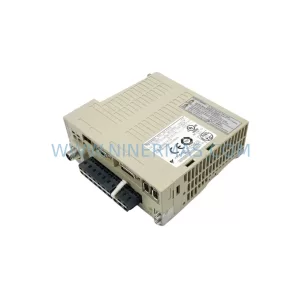
SKU: SGDS-01A32A LS2TR30-300Q8 6SL3120-1TE15-0AA4
Yaskawa SGDS-01A32A Retrofit Servo Drive for Legacy Systems