
Original Industrial Spare Part
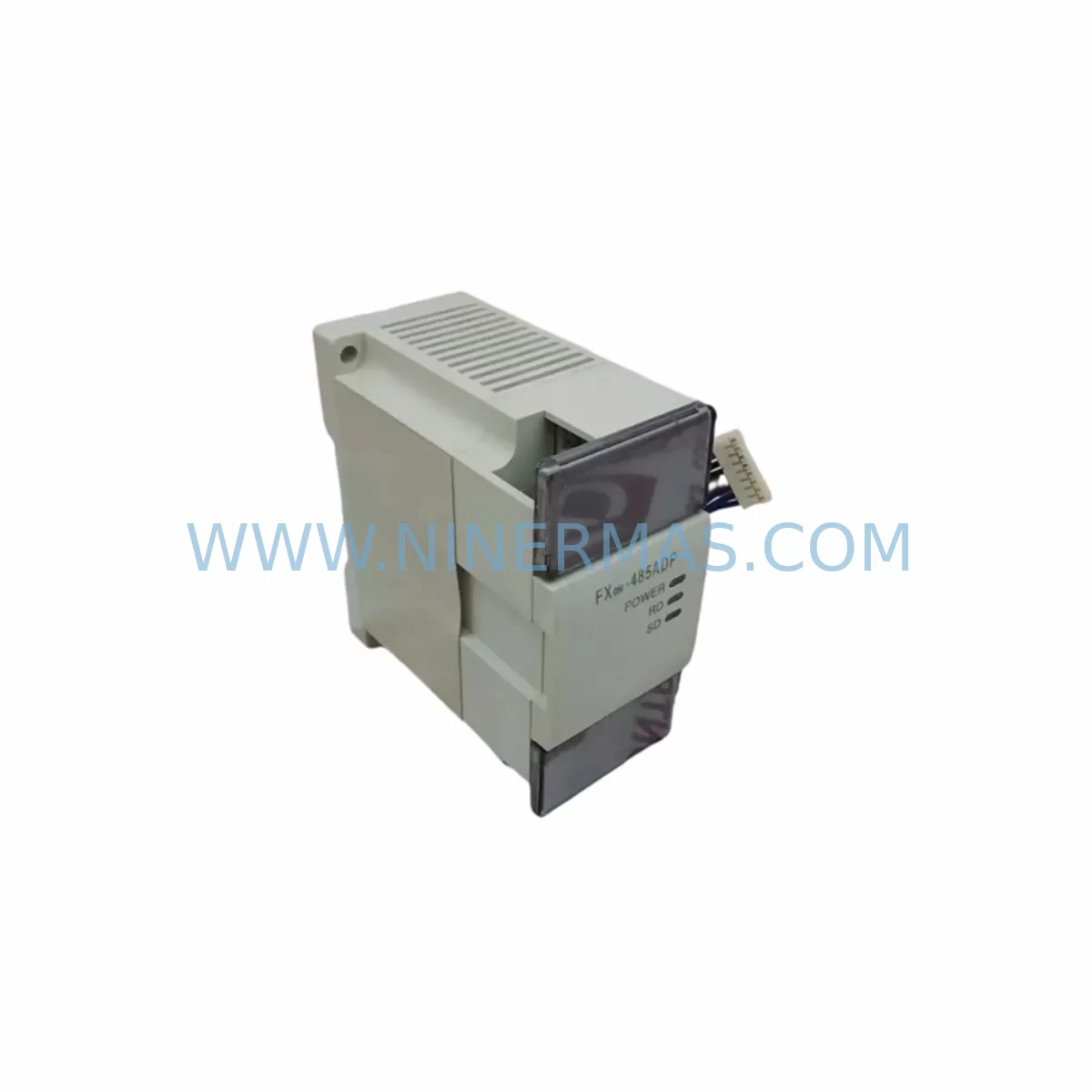
Mitsubishi FX0N-485ADP Retrofit-Compatible RS-485 Adapter
Verify the part, confirm the platform family, and move straight into quotation with the right commercial details.
RFQ Ready
- SKUFX0N-485ADP
- CategoryPLC & Industrial Automation Modules
- BrandMitsubishi Electric
- SupportAvailability, lead time, condition, and shipping coordination
How Buyers Usually Use This Page
- Confirm the exact part number and platform family before sending the quote request.
- Use direct email when quantity, condition, and destination are already defined internally.
- Switch to the broader brand or category archive when you need alternates nearby.
Series Navigation
Move through the most common platform families behind this part.
Product RFQ
Send this part directly for quotation.
Include quantity, required condition, destination country, and target delivery timing. Current reference: Mitsubishi FX0N-485ADP Retrofit-Compatible RS-485 Adapter with SKU FX0N-485ADP.
Mitsubishi FX0N-485ADP Retrofit-Compatible RS-485 Adapter: Seamless Legacy System Upgrade
The Mitsubishi FX0N-485ADP is a dedicated RS-485 communication adapter designed for the FX0N series programmable logic controller platform. As industrial facilities face increasing pressure to modernize aging automation infrastructure, the FX0N-485ADP plays a critical role in bridging legacy control architectures with contemporary communication networks — enabling engineers to extend the operational life of existing control cabinets without a full system overhaul.
Whether you are replacing a failed communication module on a legacy production line, migrating from RS-232 to RS-485 multi-drop topology, or integrating an older FX0N-based controller into a modern SCADA or HMI environment, the FX0N-485ADP provides a direct, plug-compatible retrofit path. Its compact form factor fits within the original FX0N expansion slot, eliminating the need for panel re-engineering or additional DIN rail space — a key advantage when downtime budgets are tight and cabinet real estate is limited.
Upgrade Compatibility Table
| Parameter | FX0N-485ADP Specification | Retrofit / Replacement Notes |
|---|---|---|
| Compatible PLC Series | Mitsubishi FX0N | Direct replacement for failed or end-of-life FX0N communication adapters |
| Communication Standard | RS-485 (2-wire, half-duplex) | Supports multi-drop networks; verify existing wiring polarity before installation |
| Interface Connection | FX0N expansion port (left-side connector) | No additional wiring harness required; confirm slot availability on host PLC |
| Baud Rate Support | Up to 19,200 bps | Match baud rate to existing HMI or SCADA configuration to avoid communication faults |
| Protocol Compatibility | Mitsubishi FX protocol, Modbus RTU (via ladder) | Verify protocol selection in PLC program D8120 register before commissioning |
| Power Supply | Supplied via FX0N expansion bus (5 VDC internal) | No external power required; confirm FX0N power budget allows additional expansion load |
| Installation Space | Mounts directly to FX0N left-side expansion port | Confirm cabinet depth clearance; no additional DIN rail space needed |
| Terminal Wiring | Screw terminal block (SDA, SDB, SG) | Re-use existing RS-485 cable if wire gauge and shielding meet spec |
| Warranty | 12-Month Warranty — all units ship after functional pre-shipment testing | |
Retrofit Planning for Existing Automation Systems
Successful integration of the FX0N-485ADP into a legacy automation environment requires careful pre-installation planning across several interdependent system layers. Engineers undertaking a retrofit should begin by auditing the host FX0N PLC for available expansion capacity. The FX0N platform supports a limited number of special function adapters, and if the control cabinet already houses an FX0N-8EX digital input expansion or an FX0N-8EYR relay output module, the remaining expansion slots must be verified before adding the 485ADP.
Power budget is a frequently overlooked constraint. The FX0N’s internal 5 VDC bus supplies all expansion modules, and adding the FX0N-485ADP increases the total current draw. If the existing configuration already includes an FX0N-3A analog I/O module or an FX0N-16NT terminal block adapter, the engineer must confirm that the host PLC’s power supply margin is sufficient. In cases where the power budget is marginal, replacing the host unit with a higher-capacity FX1N-40MR or FX1N-60MR controller may be the more reliable long-term path, as these models offer greater expansion headroom and are still supported by Mitsubishi’s GX Works2 programming environment.
On the communication side, the FX0N-485ADP is commonly used to connect the FX0N controller to operator panels such as the Mitsubishi GOT1000 series HMI or third-party touch panels using Modbus RTU. Before commissioning, engineers must verify that the HMI communication driver is configured for RS-485 and that the station address, baud rate, data bits, stop bits, and parity settings in the HMI project match the values programmed in the PLC’s D8120 special data register. Mismatches in these parameters are the most common cause of communication faults during initial retrofit commissioning.
For facilities migrating from older RS-232 point-to-point links — such as those previously using an FX0N-232ADP — the transition to RS-485 multi-drop topology requires re-terminating the field cable at both ends of the network segment. A 120-ohm termination resistor should be installed at the furthest node. If the existing cable run exceeds 50 meters or passes through electrically noisy environments, the use of a signal isolator between the PLC adapter and the field device is strongly recommended to prevent ground loop interference from corrupting communication frames.
Where the retrofit involves connecting the FX0N to a modern distributed I/O network or a supervisory system via an FX3U-ENET Ethernet module on an adjacent controller, engineers should document the full communication chain — from the FX0N-485ADP through any protocol converters or gateways — to ensure that address mapping and data refresh rates are correctly configured before live plant testing begins.
Downtime Control During System Migration
Minimizing production downtime during a communication adapter retrofit is achievable with disciplined pre-migration preparation. The first priority is to create a full backup of the existing FX0N ladder program using GX Developer or GX Works2 before any hardware is disturbed. This backup should be stored on at least two separate media — a local engineering laptop and a network share — to protect against data loss during the physical swap.
Where the production schedule permits only a narrow maintenance window, the recommended approach is to pre-configure and bench-test the replacement FX0N-485ADP in a staging environment before the planned outage. Connect the adapter to a spare FX0N unit, load the backed-up program, and verify communication with the target HMI or SCADA system at the correct baud rate and protocol settings. This pre-validation step eliminates the most common sources of commissioning delay and allows the on-site installation to proceed as a straightforward hardware swap rather than a live debugging exercise.
During the physical installation, the FX0N-485ADP connects to the left-side expansion port of the FX0N without tools beyond a small flat-blade screwdriver for the terminal block. The mechanical connection is positive and indexed, preventing incorrect orientation. After securing the adapter and re-terminating the RS-485 field wiring, power the system and monitor the PLC’s communication LEDs and the HMI connection status before releasing the line back to production. If the HMI displays a communication error, the first diagnostic step is to verify the D8120 register value in the running PLC program matches the pre-tested configuration — this single check resolves the majority of post-installation communication faults without requiring further hardware intervention.
For multi-node RS-485 networks where other devices such as variable frequency drives, weighing controllers, or barcode readers share the same bus, bring each node online sequentially rather than simultaneously. This staged approach isolates any address conflicts or termination issues to a single device at a time, dramatically reducing the diagnostic effort required if a fault occurs.
Retrofit Support FAQ
Q1: Is the FX0N-485ADP a direct replacement for a failed FX0N communication adapter, and will my existing ladder program require modification?
A: Yes, the FX0N-485ADP is a direct plug-in replacement for the original Mitsubishi FX0N RS-485 adapter. In the vast majority of retrofit cases, the existing ladder program requires no modification — the communication parameters stored in the D8120 register and the RS/RI instructions in the program logic remain fully compatible. The only adjustment typically needed is to verify that the terminal wiring polarity (SDA/SDB) matches the field cable connections from the previous installation.
Q2: What pre-shipment testing is performed, and what does the 12-month warranty cover?
A: Every FX0N-485ADP unit undergoes functional communication testing prior to shipment, including verification of RS-485 signal integrity at the terminal block and confirmation of correct operation when connected to an FX0N host PLC. The 12-month warranty covers manufacturing defects and functional failures under normal operating conditions. Units that fail within the warranty period are replaced or repaired at no charge, with priority processing for customers in active production environments.
Q3: Can the FX0N-485ADP support Modbus RTU communication with third-party devices such as drives or meters?
A: Yes. The FX0N-485ADP supports Modbus RTU communication when the appropriate ladder program instructions (RS instruction with D8120 configured for Modbus RTU framing) are implemented in the FX0N program. This makes it suitable for connecting to a wide range of third-party field devices including variable frequency drives, digital panel meters, and remote I/O stations. Baud rates up to 19,200 bps are supported, and the specific Modbus function codes available depend on the ladder logic implemented in the host controller.
Q4: Is stock available for immediate shipment, and how should I confirm compatibility before ordering?
A: Stock availability is maintained for the FX0N-485ADP to support urgent replacement and retrofit requirements. To confirm compatibility before ordering, please provide your existing FX0N model number, the current expansion module configuration, and the communication protocol in use. Our technical team will verify the fit and advise on any wiring or configuration considerations specific to your installation before the order is processed.
| Product Series | FX0N |
|---|---|
| Country of Origin | JP |
Catalog Continuation
More Mitsubishi Electric modules in the catalog.
Use the brand lane to compare nearby part numbers, platform-adjacent modules, and other inquiry-ready listings before sending your final RFQ.
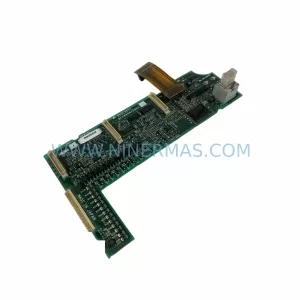
SKU: A50CA55C BC186A433G53
Mitsubishi A50CA55C BC186A433G53 Spare Part for Maintenance
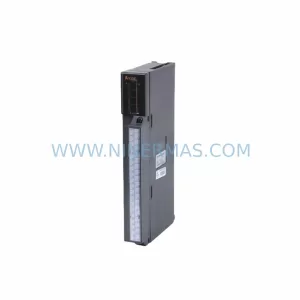
SKU: MELSEC RD77MS16 D 0140-76929 GAS N2, 40 SLM UFC-1660
Mitsubishi RD77MS16 Safety-Reliable Motion for Critical Sites
Catalog Continuation
Alternative parts within PLC & Industrial Automation Modules.
Stay inside the same system family when you need substitutes, adjacent modules, or a broader shortlist for procurement review.

SKU: OZDPROFI12MG12
Hirschmann OZDPROFI12MG12 Spare Part for Industrial Maintenance



SKU: 07025-0000-70-1-04
KONTRON 07025-0000-70-1-04 Service-Ready Spare Part



