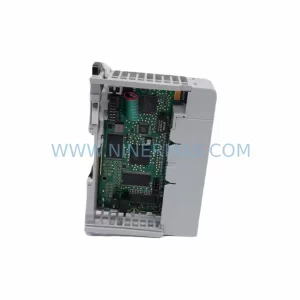
Original Industrial Spare Part
Mitsubishi AY80EP Retrofit-Compatible Output Module
Verify the part, confirm the platform family, and move straight into quotation with the right commercial details.
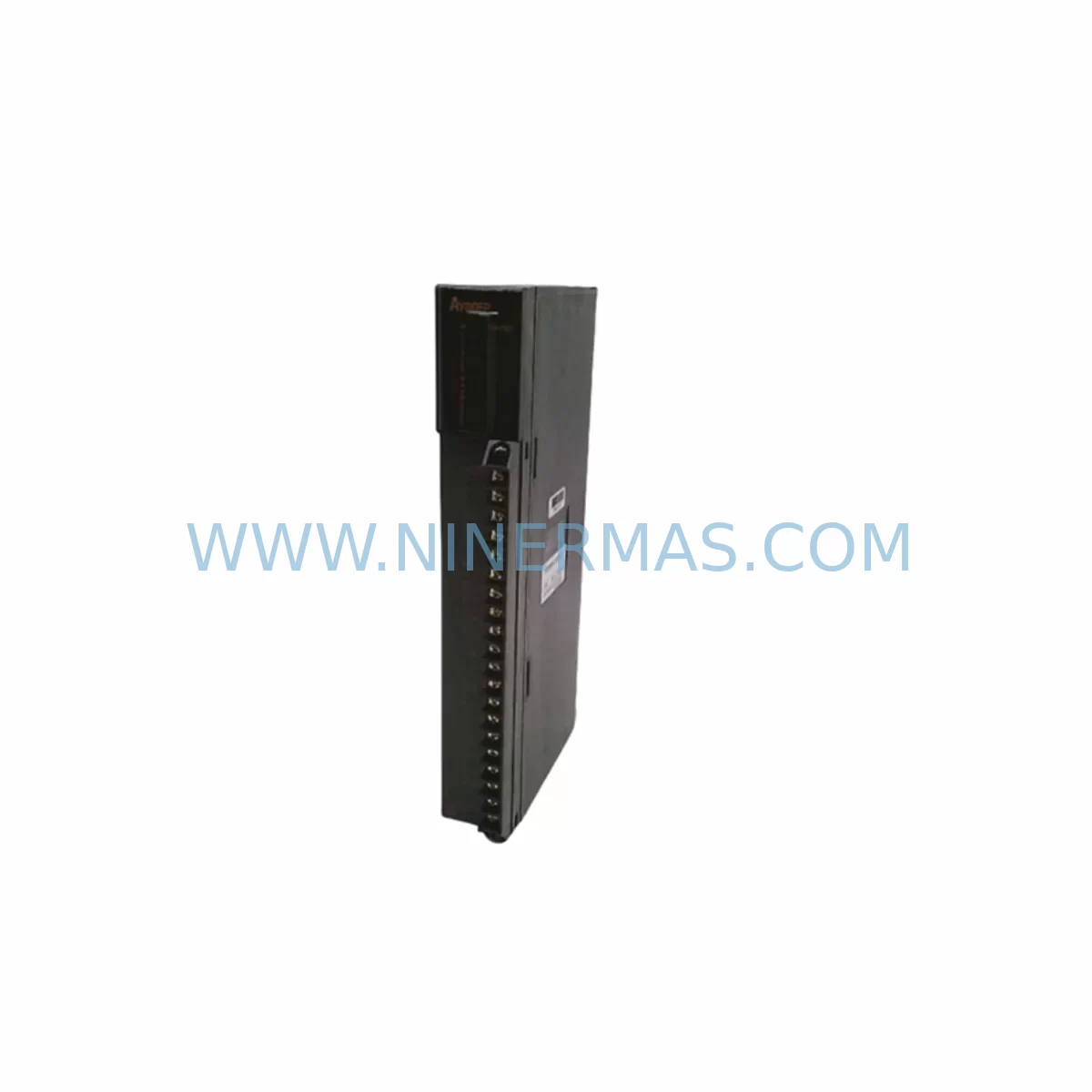
RFQ Ready
- SKUAY80EP
- CategoryPLC & Industrial Automation Modules
- BrandMitsubishi Electric
- SupportAvailability, lead time, condition, and shipping coordination
How Buyers Usually Use This Page
- Confirm the exact part number and platform family before sending the quote request.
- Use direct email when quantity, condition, and destination are already defined internally.
- Switch to the broader brand or category archive when you need alternates nearby.
Series Navigation
Move through the most common platform families behind this part.
Product RFQ
Send this part directly for quotation.
Include quantity, required condition, destination country, and target delivery timing. Current reference: Mitsubishi AY80EP Retrofit-Compatible Output Module with SKU AY80EP.
Mitsubishi AY80EP Retrofit-Compatible Output Module for Legacy MELSEC-A Systems
The Mitsubishi AY80EP is a transistor output module designed for the MELSEC-A series programmable logic controller platform — one of Mitsubishi Electric’s most widely deployed legacy automation architectures across discrete manufacturing, process control, and material handling industries. As the MELSEC-A series has reached end-of-life status, the AY80EP has become a critical spare part for facilities that must maintain production continuity without undertaking a full control system overhaul. NINERMAS supplies the AY80EP from verified stock with a 12-month warranty, supporting engineers and procurement teams managing aging automation infrastructure across global sites.
The AY80EP provides 8-point transistor (NPN sink) output capability, operating at 12–24 VDC with a rated load current of 0.5 A per point. It mounts directly into the MELSEC-A series base unit — including the A1S series slim-line rack and the standard A-series backplane — and communicates with the CPU module via the internal bus without requiring additional configuration beyond I/O address assignment. For facilities running the A2SCPU, A3NCPU, or A1SCPU as the primary controller, the AY80EP integrates without firmware changes, making it the preferred drop-in replacement for failed or degraded output modules on existing production lines.
Upgrade Compatibility Table
| Parameter | AY80EP Specification | Retrofit / Replacement Notes |
|---|---|---|
| Output Type | Transistor NPN (Sink), 8 points | Verify field wiring polarity before installation; NPN sink differs from AY80P (source type) |
| Rated Voltage | 12–24 VDC | Confirm external power supply capacity; shared supply with other I/O modules must be re-evaluated |
| Load Current | 0.5 A per point / 4 A total | Check total current draw against A-series power supply module (e.g., A1S61P or A62P) rating |
| Backplane Interface | MELSEC-A series internal bus | Compatible with A1S, A2S, A3N, and standard A-series base units; not compatible with Q-series or iQ-R racks |
| I/O Address Assignment | Slot-based, auto-assigned by CPU | Confirm slot position matches original module address in GX Developer or MELSEC Medoc ladder program |
| Communication Protocol | Internal A-bus (parallel) | No protocol migration required for like-for-like replacement; MELSECNET/10 or CC-Link adapters unaffected |
| Installation Space | Standard A-series single-slot width | Confirm physical slot availability in existing rack; no panel modification required for standard replacement |
| Terminal Wiring | 18-point screw terminal block | Re-use existing terminal wiring; verify wire gauge and torque spec per Mitsubishi wiring manual |
| Replacement Candidates | AY80EP (direct), AY80P (source type variant) | AY80P is source-type; field wiring must be reversed if substituting between sink and source variants |
| Warranty | 12-Month Warranty — all units shipped from NINERMAS stock are tested and covered for 12 months from date of delivery | |
Retrofit Planning for Existing Automation Systems
Replacing the AY80EP within a live MELSEC-A installation requires a structured approach that accounts for the interdependencies between the output module and the surrounding control architecture. Before ordering a replacement unit, the maintenance engineer should document the current slot assignment within the A-series base unit — typically an A1S38B or A38B rack — and cross-reference the I/O map in the existing GX Developer project file. The AY80EP occupies a defined output address range that is referenced throughout the ladder logic; any mismatch between the physical slot and the programmed address will result in output faults immediately upon CPU restart.
Power supply capacity is the most frequently overlooked constraint in MELSEC-A retrofit projects. The A1S61P and A62P power supply modules that commonly accompany A-series racks have fixed output current ratings. When the AY80EP is replaced alongside other aging modules — such as the AX80 or AX40 input modules, or the AD61 analog input module — the cumulative current draw must be recalculated to confirm the power supply is not operating at or near its rated limit. If the existing power supply is marginal, a parallel replacement with a higher-capacity unit should be planned as part of the same maintenance window.
Terminal wiring on the AY80EP uses an 18-point screw terminal block. In most legacy installations, the field wiring to actuators, solenoid valves, indicator lamps, and relay coils has been in service for years and may show signs of insulation degradation. The retrofit window is the appropriate time to inspect and re-terminate any suspect conductors. Wire labeling should be verified against the as-built wiring diagram before the new module is powered up. For facilities that have migrated documentation to digital formats, the terminal assignment should be confirmed against both the original paper drawings and any updated CAD records.
Where the MELSEC-A system includes a MELSECNET/10 network module such as the A1SJ71AP23Q, or a CC-Link master module like the AJ61BT11, the output module replacement does not affect the network layer directly. However, if the retrofit is part of a broader migration toward a Q-series or iQ-R platform, the AY80EP replacement should be treated as a bridging measure. In that scenario, the engineering team should simultaneously review the A1SD75P1-S3 positioning module, any A6TBXY36 terminal block assemblies, and the MELSEC Medoc or GX Developer program backup strategy to ensure the transition plan is complete before the next planned shutdown.
For systems that include an A985GOT or A975GOT HMI panel connected via RS-232C or RS-422 to the CPU module, the output module replacement has no direct impact on the HMI communication link. However, if the HMI screen contains output status indicators mapped to the AY80EP’s bit devices (Y addresses), the maintenance team should verify that the HMI tag database reflects the correct device addresses after the module is reinstalled and the CPU is restarted. A brief functional test of all HMI-monitored outputs is recommended before returning the line to production.
Downtime Control During System Migration
Minimizing unplanned downtime during an AY80EP replacement requires preparation that begins well before the maintenance window opens. The first priority is a verified backup of the CPU program. Using GX Developer or GX Works2 in compatibility mode, the engineer should read out the current ladder program, parameter file, and device comment file from the A2SCPU or A1SCPU and store copies in at least two separate locations — one on the engineering laptop and one on a network share or USB drive kept at the control panel. This backup is the single most important safeguard against data loss during a module swap.
The second priority is pre-staging the replacement AY80EP at the work site before the line is stopped. The module should be inspected for physical damage, the terminal block should be confirmed as the correct type, and the unit should be verified against the order documentation to confirm the exact model number. NINERMAS ships all AY80EP units with pre-shipment functional testing records; these should be reviewed before installation to confirm the module passed output continuity and isolation checks.
During the actual swap, the CPU should be placed in STOP mode before the module is removed. The field wiring terminal block can typically be disconnected as a single assembly, preserving the wire terminations and reducing reconnection time. The replacement module is inserted into the same slot, the terminal block is reconnected, and the CPU is returned to RUN mode. In most cases, the total module swap time is under 15 minutes for a prepared team. If the system includes a hot-standby CPU configuration using the A1SCPU-S1 redundant CPU module, the switchover to the standby CPU can be used to perform the replacement with zero production interruption, provided the standby system has been verified as healthy prior to the maintenance window.
Post-replacement verification should include a point-by-point output force test using GX Developer’s device monitor function, confirmation that all HMI output status indicators are responding correctly, and a review of the CPU error log to confirm no module fault codes are present. The line should be run at reduced speed for a short trial period before returning to full production rate. All replacement activities, including the module serial number, installation date, and test results, should be recorded in the site maintenance log to support the 12-month warranty claim process if required.
Retrofit Support FAQ
Q1: Is the AY80EP a direct drop-in replacement for a failed MELSEC-A output module?
For systems using the standard A-series or A1S-series rack, the AY80EP is a direct slot-compatible replacement for units of the same model. If the failed module is an AY80P (source-type variant), the AY80EP cannot be substituted without reversing the field wiring polarity, as the two modules use opposite output transistor configurations. Always confirm the output type (sink vs. source) before ordering.
Q2: What commissioning steps are required after installing the AY80EP?
After physical installation, place the CPU in RUN mode and use GX Developer’s device monitor to force each output point (Y address) individually and confirm the corresponding field device responds. Check the CPU diagnostic buffer for any I/O module error codes. If the system uses a MELSECNET/10 or CC-Link network, verify that the network master module reports no communication errors after the CPU restart. Document all test results before returning the line to production.
Q3: Can NINERMAS confirm stock availability and lead time before I place an order?
Yes. NINERMAS maintains dedicated stock of MELSEC-A series spare parts including the AY80EP to support emergency replacement and planned maintenance programs. Contact our team at sale@ninermas.com or +0086 187 5021 5667 to confirm current inventory levels, lead time, and shipping options. For critical production sites, we recommend establishing a consignment or blanket order arrangement to ensure availability without lead-time risk.
Q4: What does the 12-month warranty cover, and how is a claim processed?
All AY80EP units supplied by NINERMAS are covered by a 12-month warranty from the date of delivery. The warranty covers manufacturing defects and functional failures under normal operating conditions as specified in the Mitsubishi Electric product documentation. To initiate a warranty claim, contact NINERMAS with the original order reference, the module serial number, and a description of the fault. NINERMAS will arrange for return, inspection, and replacement or repair within the agreed service timeline. Warranty claims do not cover damage resulting from incorrect installation, overvoltage, or use outside the rated operating parameters.
| Product Series | MELSEC-A |
|---|---|
| Country of Origin | JP |
Catalog Continuation
More Mitsubishi Electric modules in the catalog.
Use the brand lane to compare nearby part numbers, platform-adjacent modules, and other inquiry-ready listings before sending your final RFQ.
SKU: A50CA55C BC186A433G53
Mitsubishi A50CA55C BC186A433G53 Spare Part for Maintenance
SKU: MELSEC RD77MS16 D 0140-76929 GAS N2, 40 SLM UFC-1660
Mitsubishi RD77MS16 Safety-Reliable Motion for Critical Sites
Catalog Continuation
Alternative parts within PLC & Industrial Automation Modules.
Stay inside the same system family when you need substitutes, adjacent modules, or a broader shortlist for procurement review.
SKU: 16-167627-00 8122 410 05002, 4022.470.78191 8122 410 55702 16-273491-00
Novellus 16-167627-00 Service-Ready Industrial Spare Part
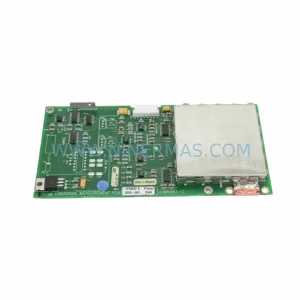
SKU: 2305451-C DT2000 0626 P2, OLE36-10632-02
Advanced Energy 2305451-C Service-Ready Industrial Spare Part