Original Industrial Spare Part
ProSoft MVI69L-MBS Service-Ready Spare Part for Industrial Maintenance
Verify the part, confirm the platform family, and move straight into quotation with the right commercial details.
RFQ Ready
- SKUMVI69L-MBS
- CategoryPLC & Industrial Automation Modules
- BrandProSoft Technology
- SupportAvailability, lead time, condition, and shipping coordination
How Buyers Usually Use This Page
- Confirm the exact part number and platform family before sending the quote request.
- Use direct email when quantity, condition, and destination are already defined internally.
- Switch to the broader brand or category archive when you need alternates nearby.
Series Navigation
Move through the most common platform families behind this part.
Product RFQ
Send this part directly for quotation.
Include quantity, required condition, destination country, and target delivery timing. Current reference: ProSoft MVI69L-MBS Service-Ready Spare Part for Industrial Maintenance with SKU MVI69L-MBS.
ProSoft MVI69L-MBS Service-Ready Spare Part for Industrial Maintenance
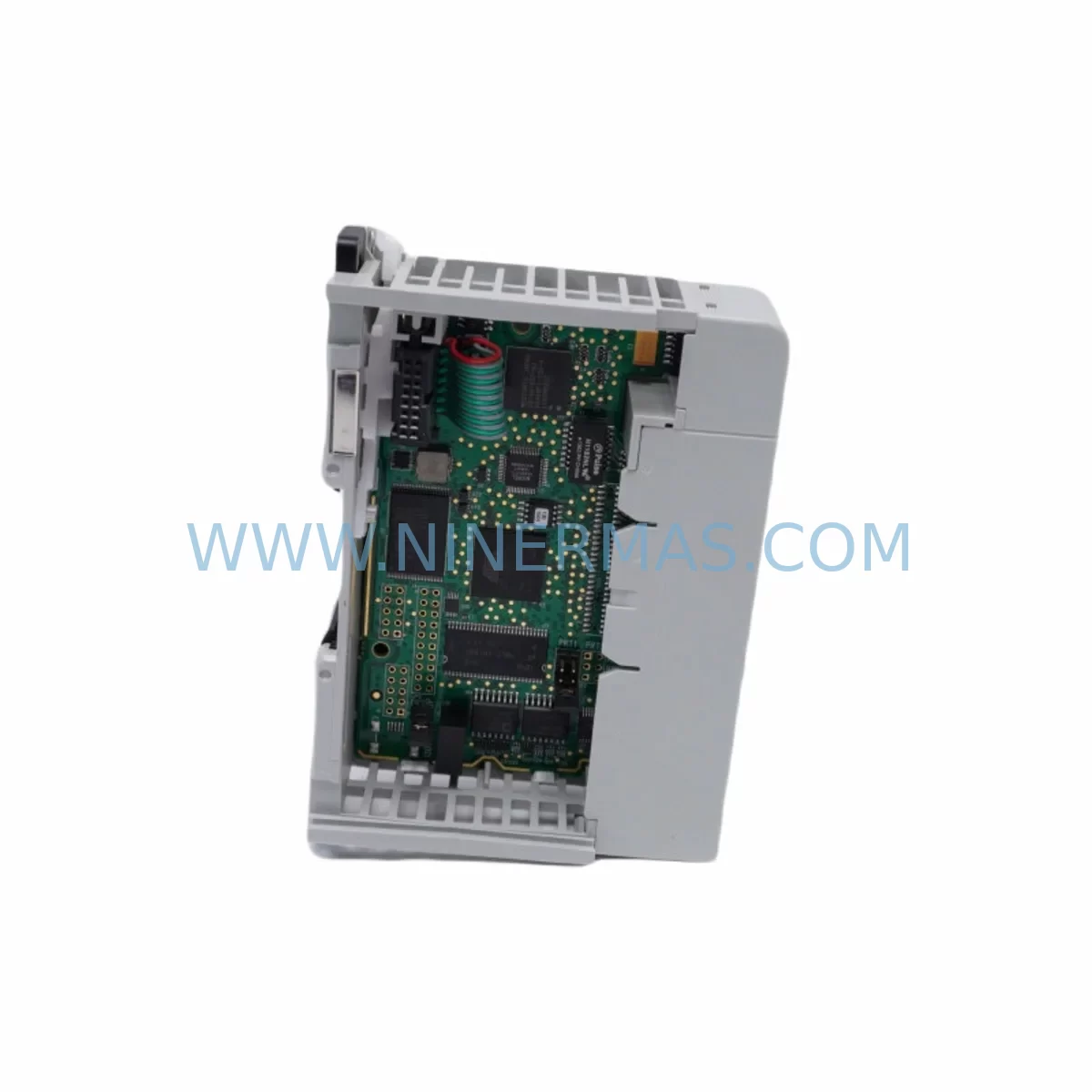
The ProSoft MVI69L-MBS is a Modbus Master/Slave communication module designed for the Allen-Bradley CompactLogix 1769 series platform. As a critical interface component in industrial automation systems, this module enables seamless Modbus RTU/ASCII communication between CompactLogix PLCs and field devices including drives, meters, sensors, and third-party controllers. When a communication fault or module failure triggers an unplanned shutdown, having a verified, service-ready MVI69L-MBS in your spare parts inventory is the fastest path to restoring production continuity.
At NINERMAS, every MVI69L-MBS unit is sourced as an original ProSoft Technology component, fully tested prior to shipment, and backed by a 12-month warranty. We support maintenance engineers and procurement teams across manufacturing, oil & gas, water treatment, power generation, and process industries who require reliable, long-term supply of legacy and current-generation communication modules.
Spare Maintenance Table
| Parameter | Specification |
|---|---|
| Part Number / SKU | MVI69L-MBS |
| Brand | ProSoft Technology |
| Series | CompactLogix 1769 (MVI69L Series) |
| Module Type | Modbus Master/Slave Communication Module |
| Protocol | Modbus RTU / Modbus ASCII |
| Backplane Interface | 1769 CompactLogix Local I/O Bus |
| Serial Ports | 2 × RS-232/RS-422/RS-485 configurable |
| Max Master Commands | Up to 100 command blocks per port |
| Power Consumption | 800 mA @ 5 VDC (from backplane) |
| Operating Temperature | 0°C to 60°C (32°F to 140°F) |
| Mounting | 1769 CompactLogix local or expansion chassis |
| Compatibility | 1769-L16ER, 1769-L18ER, 1769-L24ER, 1769-L27ERM, 1769-L30ER, 1769-L33ER, 1769-L36ERM |
| Firmware | Configurable via ProSoft Configuration Builder (PCB) |
| Application Environment | Industrial automation, process control, SCADA integration |
| Certifications | UL, CE, RoHS compliant |
| Warranty | 12 Months — Tested before shipment |
| Supply Condition | Original spare, long-term supply available |
Maintenance Planning for Continuous Operation
Replacing the MVI69L-MBS in a live CompactLogix system is rarely an isolated task. Experienced maintenance engineers know that a Modbus communication fault often signals stress across adjacent components in the same control cabinet or electrical loop. Before returning the system to full production, a thorough inspection of the surrounding infrastructure is strongly recommended.
Start with the 1769 CompactLogix backplane itself — verify that the backplane bus is free of corrosion, that all module locking tabs are secure, and that no adjacent slots show signs of heat damage. The 1769-PA2 or 1769-PB2 power supply module feeding the local chassis should be checked for output voltage stability; an aging power supply delivering marginal 5 VDC or 24 VDC can cause intermittent communication faults that are misdiagnosed as module failures.
Inspect the serial communication wiring connected to the MVI69L-MBS RS-485 ports. Shielded twisted-pair cables with proper termination resistors (typically 120Ω at each end of the RS-485 bus) are essential for noise immunity in industrial environments. Damaged cable shielding, loose DB9 connectors, or missing termination are common root causes of Modbus timeout errors. While servicing the communication loop, also verify the condition of any signal isolators or RS-232/RS-485 converters in the circuit — these components degrade over time and can introduce ground loops or signal distortion.
On the field device side, check the Modbus slave devices connected to the MVI69L-MBS: variable frequency drives (VFDs), power meters, flow transmitters, and temperature controllers should all be polled individually to confirm correct register mapping and response times after the module swap. If the system uses a ProSoft MVI69-MNET or MVI69L-MNET for EtherNet/IP-to-Modbus bridging in parallel, verify that gateway configurations remain intact.
For control cabinets housing the CompactLogix system, inspect the 24 VDC field power distribution terminals and DIN rail terminal blocks for loose connections or oxidation. Check any 24 VDC relay output modules (such as the 1769-OW16) that may be driven by the PLC logic dependent on Modbus data — a communication interruption can leave relay outputs in an undefined state. Similarly, review the 1769-IQ16 or 1769-IF4 analog input modules in the same chassis to confirm that I/O data integrity is restored after the communication module replacement.
If the system includes an Allen-Bradley PanelView Plus HMI communicating with the CompactLogix processor, verify that all Modbus-sourced data tags are updating correctly on the HMI screens after the MVI69L-MBS is back online. Stale or faulted data on the HMI is a common post-replacement oversight that can delay operator sign-off on system restoration.
For facilities managing aging automation infrastructure, maintaining a minimum stock of one MVI69L-MBS alongside related spares — including a spare 1769 power supply, a set of serial communication cables, and a backup CompactLogix processor module — is a proven strategy for reducing mean time to repair (MTTR) and protecting production uptime.
Site Replacement Workflow
Step 1 — Pre-Replacement Preparation: Before removing the faulty MVI69L-MBS, use ProSoft Configuration Builder (PCB) to export and save the current module configuration file (.pcd). Confirm the firmware version installed on the existing module so the replacement unit can be matched or updated accordingly. Back up the CompactLogix processor program via Studio 5000 Logix Designer.
Step 2 — Safe Module Removal: Place the CompactLogix processor in Program mode to halt PLC execution. Power down the 1769 chassis using the local disconnect or the 1769-PA2/PB2 power supply switch. Remove the serial communication cables from the MVI69L-MBS ports, labeling each cable for correct reinstallation. Slide the module out of the 1769 backplane slot.
Step 3 — Replacement Module Installation: Insert the new MVI69L-MBS into the same backplane slot. Reconnect all serial cables to the correct ports (Port 1 / Port 2) as labeled. Restore chassis power and confirm the module’s LED indicators show normal startup behavior (PWR LED solid green, APP LED flashing during initialization).
Step 4 — Configuration Restore and Verification: Use ProSoft Configuration Builder to download the saved configuration file to the replacement module. Switch the CompactLogix processor back to Run mode. Monitor the MVI69L-MBS status data in the PLC program (module status words, command error counters, port activity LEDs) to confirm all Modbus master commands are executing successfully and slave devices are responding within expected timeouts.
Step 5 — System Validation: Verify all HMI data displays are updating correctly. Confirm process values from Modbus slave devices (drives, meters, transmitters) match expected operating ranges. Document the replacement in the site maintenance log, including the date, replaced module serial number, and technician name. Update the spare parts inventory to reorder a replacement MVI69L-MBS for future readiness.
This structured workflow minimizes re-commissioning time, reduces the risk of configuration errors, and ensures full system compatibility is maintained — keeping your CompactLogix-based control system running at full capacity with minimal disruption to production.
Spare Parts Support FAQ
Q1: Is the MVI69L-MBS compatible with all CompactLogix 1769 processors?
The MVI69L-MBS is designed for the CompactLogix 1769 local I/O bus and is compatible with a wide range of 1769-L series processors including the L16ER, L18ER, L24ER, L27ERM, L30ER, L33ER, and L36ERM. Compatibility depends on the chassis slot configuration and available backplane current budget. Always verify the total backplane current draw before installation, particularly in fully populated chassis. If you are unsure about compatibility with your specific processor revision or firmware version, contact our technical team with your system configuration details.
Q2: How is the MVI69L-MBS tested before shipment?
Every MVI69L-MBS unit supplied by NINERMAS undergoes functional verification prior to dispatch. Testing includes power-on self-test confirmation, LED status verification, and where applicable, communication port functionality checks. Units are inspected for physical condition, connector integrity, and firmware operability. Each module ships with a 12-month warranty covering manufacturing defects and functional failures under normal operating conditions. Our goal is to ensure that every spare part arrives ready for immediate installation without additional bench testing required on your end.
Q3: Can you support long-term or recurring supply of the MVI69L-MBS for our maintenance program?
Yes. NINERMAS specializes in long-term spare parts supply for industrial automation components, including ProSoft Technology modules across the MVI69, MVI69L, MVI56, and MVI46 series. We support annual maintenance contracts, blanket purchase orders, and scheduled replenishment programs for facilities that require guaranteed stock availability. For procurement engineers managing multi-site operations or aging system fleets, we recommend establishing a standing supply agreement to avoid lead time risk on critical communication modules.
Q4: What is your policy if the replacement module does not resolve the communication fault?
If the MVI69L-MBS replacement does not restore normal Modbus communication, our technical support team will assist with remote fault diagnosis. Common causes of persistent faults after module replacement include incorrect serial wiring termination, Modbus address conflicts, baud rate mismatches between the module and slave devices, or upstream PLC program logic errors. We will work with your maintenance team to identify the root cause. If the supplied module is confirmed defective, it will be replaced or refunded under our 12-month warranty policy with no additional cost to you.
| Product Series | Other series |
|---|---|
| Country of Origin | US |
Catalog Continuation
More ProSoft Technology modules in the catalog.
Use the brand lane to compare nearby part numbers, platform-adjacent modules, and other inquiry-ready listings before sending your final RFQ.
Catalog Continuation
Alternative parts within PLC & Industrial Automation Modules.
Stay inside the same system family when you need substitutes, adjacent modules, or a broader shortlist for procurement review.
SKU: 16-167627-00 8122 410 05002, 4022.470.78191 8122 410 55702 16-273491-00
Novellus 16-167627-00 Service-Ready Industrial Spare Part
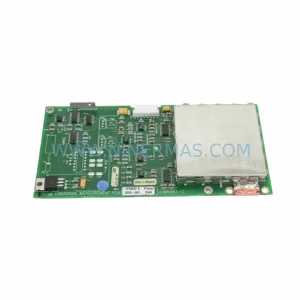
SKU: 2305451-C DT2000 0626 P2, OLE36-10632-02
Advanced Energy 2305451-C Service-Ready Industrial Spare Part