Original Industrial Spare Part
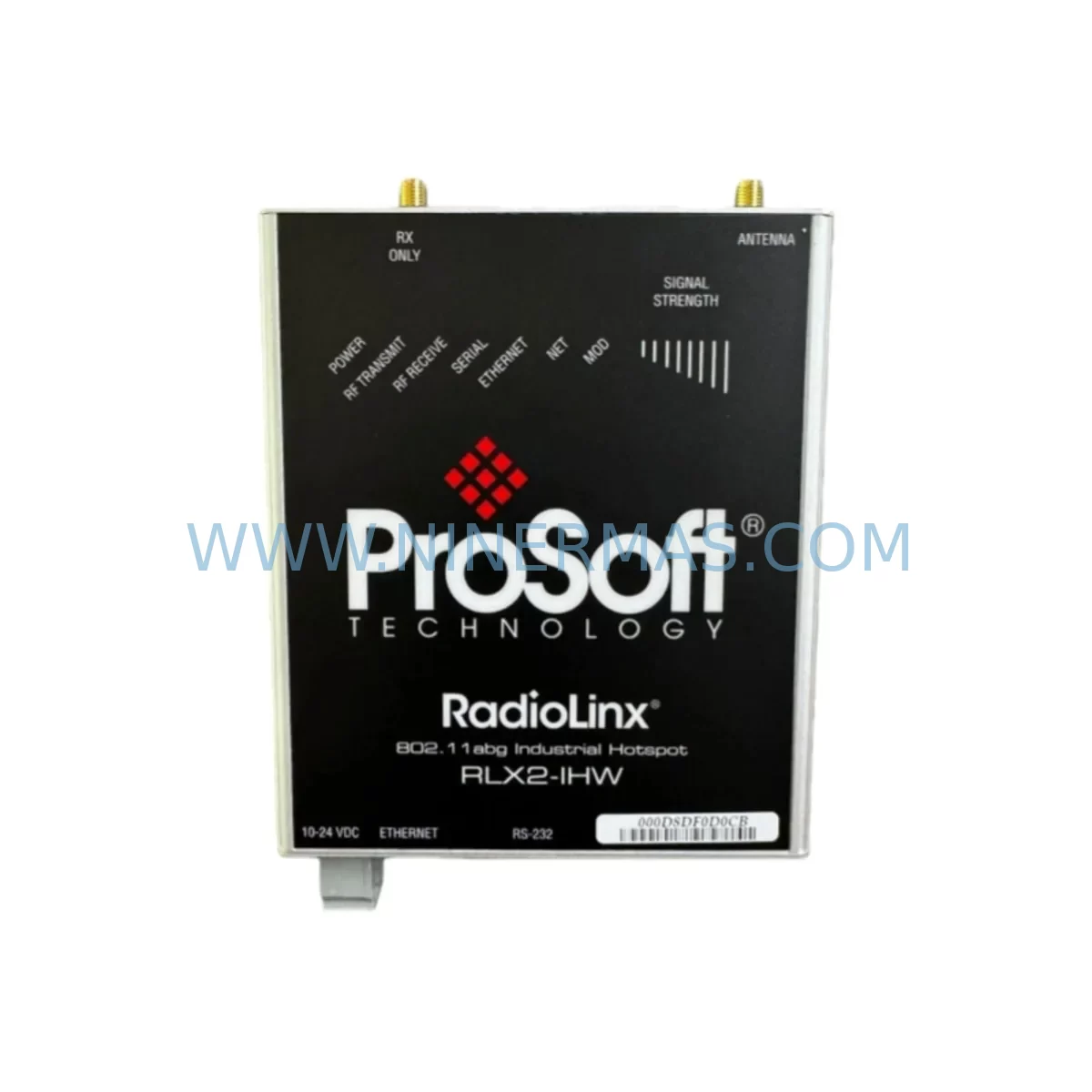
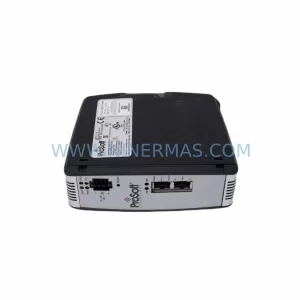
ProSoft RLX2-IHW Retrofit Wireless Module for Legacy Systems
Verify the part, confirm the platform family, and move straight into quotation with the right commercial details.
RFQ Ready
- SKURLX2-IHW
- CategoryPLC & Industrial Automation Modules
- BrandProSoft Technology
- SupportAvailability, lead time, condition, and shipping coordination
How Buyers Usually Use This Page
- Confirm the exact part number and platform family before sending the quote request.
- Use direct email when quantity, condition, and destination are already defined internally.
- Switch to the broader brand or category archive when you need alternates nearby.
Series Navigation
Move through the most common platform families behind this part.
Product RFQ
Send this part directly for quotation.
Include quantity, required condition, destination country, and target delivery timing. Current reference: ProSoft RLX2-IHW Retrofit Wireless Module for Legacy Systems with SKU RLX2-IHW.
ProSoft RLX2-IHW Retrofit Wireless Module for Legacy Systems
The ProSoft Technology RLX2-IHW is an 802.11a/b/g industrial wireless module from the RadioLinx series, purpose-built for demanding automation environments where wired communication infrastructure is impractical, aging, or being phased out. As legacy SCADA networks and older PLC-based control architectures reach end-of-life, the RLX2-IHW provides a proven, retrofit-compatible wireless bridge that preserves existing program logic while enabling modern communication pathways. For maintenance engineers managing aging Allen-Bradley ControlLogix or CompactLogix platforms, this module represents a low-disruption path to wireless connectivity without requiring a full system overhaul.
The RLX2-IHW supports simultaneous 802.11a, 802.11b, and 802.11g protocols, making it compatible with a wide range of existing wireless infrastructure. Its rugged industrial housing is rated for extended temperature ranges and high-vibration environments, ensuring reliable operation in manufacturing floors, water treatment facilities, oil and gas installations, and remote pump stations. The module integrates directly into ProSoft’s RadioLinx network architecture, supporting point-to-point, point-to-multipoint, and repeater topologies — all critical for facilities where legacy copper or fiber runs are no longer viable.
Upgrade Compatibility Table
| Parameter | Specification / Recommendation |
|---|---|
| SKU / Part Number | RLX2-IHW |
| Brand / Series | ProSoft Technology / RadioLinx |
| Wireless Standards | IEEE 802.11a / 802.11b / 802.11g |
| Communication Interface | Ethernet RJ45 (10/100 Mbps) |
| Power Supply Input | 10–30 VDC (verify existing PSU output before installation) |
| Operating Temperature | -20°C to +70°C |
| Mounting | DIN rail or panel mount; confirm cabinet space and antenna clearance |
| Compatible Platforms | Allen-Bradley ControlLogix, CompactLogix, SLC 500 (via gateway), legacy SCADA hosts |
| Retrofit Recommendation | Direct replacement for RLX-IHW and earlier RadioLinx 802.11b/g units; verify firmware version compatibility |
| Commissioning Note | Reconfigure SSID, channel, and security settings via ProSoft Configuration Manager (PCM) |
| Warranty | 12 Months — tested before shipment, full functional verification |
Retrofit Planning for Existing Automation Systems
Replacing a legacy wireless module in an active control system requires careful pre-migration planning to avoid unplanned downtime and configuration loss. Before installing the RLX2-IHW, engineers should audit the existing cabinet layout to confirm available DIN rail space and antenna mounting positions. The module’s 10–30 VDC power input must be matched against the output of the installed 24 VDC power supply module — common units such as the Allen-Bradley 1606-XLP or equivalent Phoenix Contact QUINT series should be verified for adequate current headroom, especially if additional I/O modules share the same rail.
On the communication side, the RLX2-IHW connects via standard RJ45 Ethernet to the host controller’s Ethernet port or to a managed industrial Ethernet switch. In ControlLogix systems, this typically means connecting through the 1756-EN2T or 1756-ENBT Ethernet bridge module. Engineers should document the existing IP addressing scheme and SSID configuration from the outgoing unit before removal — ProSoft Configuration Manager (PCM) can export these settings from a live RLX-IHW if the legacy unit is still partially functional.
For systems where the RLX2-IHW is replacing an older RLX-IHW or RLX-IHNF unit, the physical footprint and DIN rail clip are compatible, simplifying mechanical swap-out. However, the antenna connector type should be confirmed — the RLX2-IHW uses a standard RP-SMA connector, and existing omnidirectional or directional antenna assemblies should be inspected for cable condition and connector integrity before reuse. In high-interference environments, upgrading to a dual-band antenna optimized for 5 GHz (802.11a) can significantly improve link stability.
Where the legacy system includes a ProSoft MVI56-MCM or MVI56-DFCM serial communication module in the same rack, engineers should verify that the wireless migration does not affect serial polling cycles or Modbus master/slave timing. In mixed-protocol environments, the RLX2-IHW can serve as a transparent Ethernet bridge, preserving existing Modbus TCP or EtherNet/IP traffic without requiring PLC program changes. This is particularly valuable in older SLC 500 or PLC-5 installations where reprogramming is costly and risky.
Terminal block wiring for the power input should be inspected and re-terminated if the existing ferrules show signs of oxidation or thermal stress. Use appropriately rated Phoenix Contact or Weidmüller terminal blocks for the 24 VDC feed. If the cabinet includes a signal isolator on analog I/O lines adjacent to the wireless module, verify that the isolator’s ground reference is not creating a common-mode noise path that could affect wireless link quality. Proper cabinet grounding and RF shielding practices should be reviewed as part of the retrofit checklist.
For facilities running FactoryTalk View SE or ME HMI applications that communicate with the PLC over the wireless link, the HMI communication path should be tested in simulation mode before the cutover window. Update the HMI’s RSLinx or FactoryTalk Linx communication driver with the new module’s IP address and verify that all tag subscriptions re-establish within acceptable scan cycle times. In multi-hop RadioLinx networks, also verify that any RLX2-IHW repeater nodes in the topology are running compatible firmware versions to avoid association failures after the access point is replaced.
Downtime Control During System Migration
Minimizing production downtime during a wireless module replacement requires a structured cutover plan. The recommended approach is to pre-configure the replacement RLX2-IHW on a bench using ProSoft Configuration Manager before the maintenance window begins. Clone the SSID, channel selection, transmit power, security mode (WPA2-PSK or 802.1X), and IP address from the outgoing unit’s configuration backup. This allows the physical swap to be completed in under 15 minutes, with the remaining window used for link verification and HMI reconnection testing.
During the cutover, place the PLC in a safe program state — either by enabling a maintenance mode routine in the ladder logic or by placing the controller in Remote Program mode via the 1756-L series ControlLogix processor. This prevents I/O faults from propagating to field devices while the communication link is temporarily interrupted. Once the RLX2-IHW is installed and powered, confirm the wireless association LED status and verify the link from the PCM diagnostic screen before returning the controller to Run mode.
For systems where a cold swap is not acceptable, ProSoft’s RadioLinx architecture supports a brief parallel operation window — the new RLX2-IHW can be powered and associated to the network on a temporary IP address while the legacy unit remains active. This allows pre-validation of the wireless link quality, RSSI levels, and data throughput before the final IP cutover. Document all configuration changes and update the cabinet wiring diagram and asset register to reflect the new module’s firmware version and MAC address.
All units supplied by NINERMAS are fully tested prior to shipment, with wireless association, Ethernet connectivity, and power input verification completed under load conditions. Each RLX2-IHW is covered by a 12-month warranty, and long-term inventory availability is maintained to support ongoing spare parts programs and multi-site retrofit projects.
Retrofit Support FAQ
Q1: Is the RLX2-IHW a direct replacement for the older RLX-IHW?
The RLX2-IHW is the second-generation successor to the RLX-IHW and shares the same DIN rail form factor and RP-SMA antenna interface. The primary differences are the addition of 802.11a (5 GHz) support and updated security protocols. Configuration must be migrated manually using ProSoft Configuration Manager — settings are not automatically transferred between generations.
Q2: What commissioning steps are required after installation?
After physical installation and power-up, connect a laptop running ProSoft Configuration Manager (PCM) to the module’s Ethernet port. Load the pre-prepared configuration file, set the operating mode (Access Point or Client), assign the IP address, and apply the SSID and security settings. Verify wireless association with the peer node and confirm Ethernet/IP or Modbus TCP data flow from the PLC before closing the maintenance window.
Q3: How does NINERMAS verify units before shipment?
Each RLX2-IHW undergoes a full functional test including power-on verification, wireless radio association test, Ethernet port connectivity check, and firmware version confirmation. Units are shipped with original packaging where available, and a test report is included upon request. All units carry a 12-month warranty from the date of shipment.
Q4: Can NINERMAS support long-term supply for multi-site retrofit programs?
Yes. NINERMAS maintains dedicated inventory for ProSoft RadioLinx series modules to support phased retrofit programs across multiple facilities. Blanket order arrangements and reserved stock agreements are available for customers with ongoing replacement schedules. Contact our team to discuss volume pricing and lead time commitments for your project.
| Product Series | Legacy |
|---|---|
| Country of Origin | US |
Catalog Continuation
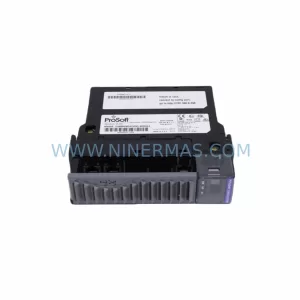
More ProSoft Technology modules in the catalog.
Use the brand lane to compare nearby part numbers, platform-adjacent modules, and other inquiry-ready listings before sending your final RFQ.
Catalog Continuation
Alternative parts within PLC & Industrial Automation Modules.
Stay inside the same system family when you need substitutes, adjacent modules, or a broader shortlist for procurement review.



SKU: HDD02.2-W040N-HS12-01-FW FWA-DIAX04-ELS-05VRS-MS
Rexroth HDD02.2-W040N-HS12-01-FW Service-Ready Spare Part

SKU: I5DAE375F10010000S
Lenze I5DAE375F10010000S Service-Ready Spare Part for Industrial Maintenance