
Original Industrial Spare Part
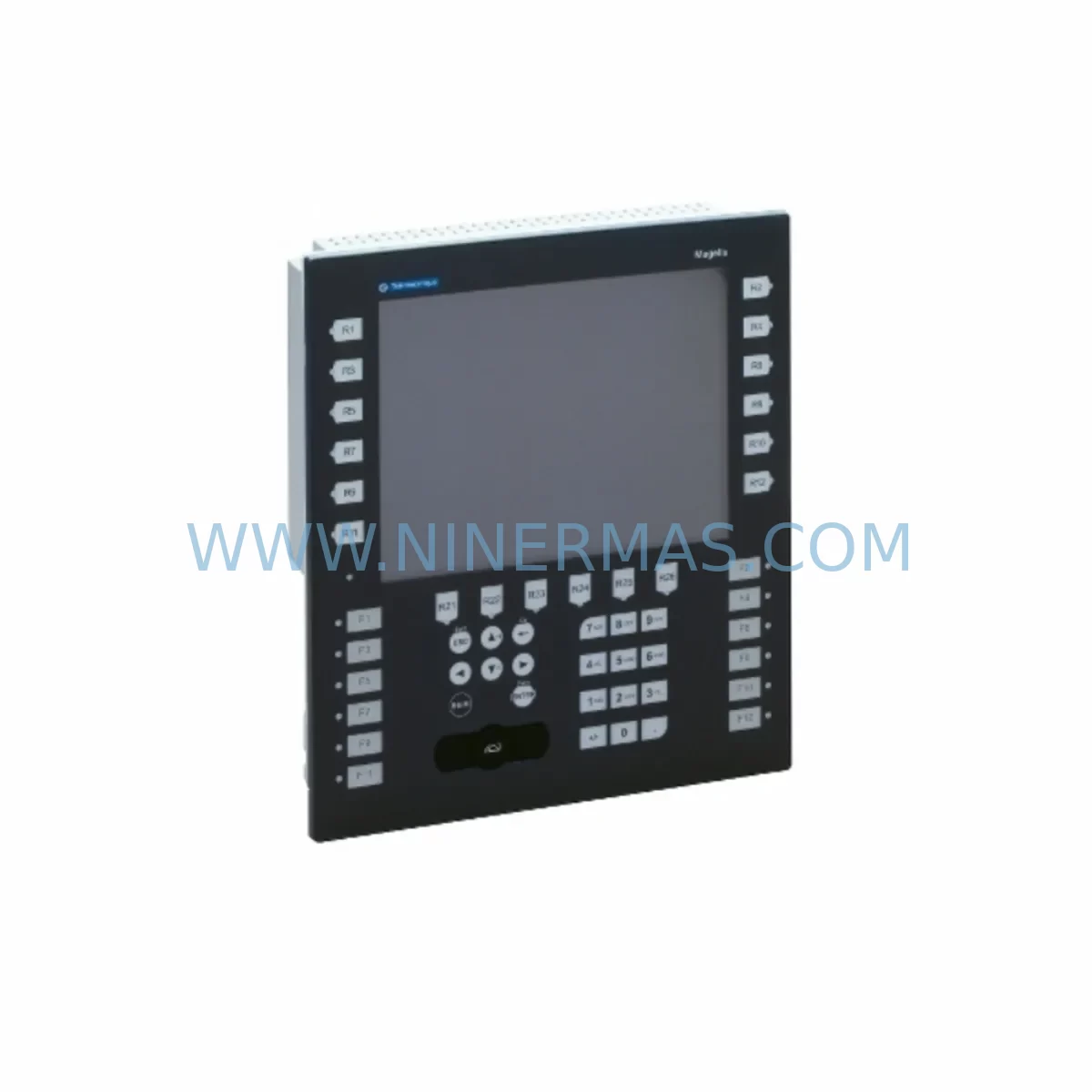
Schneider XBTGK5330 Retrofit-Compatible HMI for Legacy Systems
Verify the part, confirm the platform family, and move straight into quotation with the right commercial details.
RFQ Ready
- SKUXBTGK5330
- CategoryPLC & Industrial Automation Modules
- BrandSchneider Electric
- SupportAvailability, lead time, condition, and shipping coordination
How Buyers Usually Use This Page
- Confirm the exact part number and platform family before sending the quote request.
- Use direct email when quantity, condition, and destination are already defined internally.
- Switch to the broader brand or category archive when you need alternates nearby.
Series Navigation
Move through the most common platform families behind this part.
Product RFQ
Send this part directly for quotation.
Include quantity, required condition, destination country, and target delivery timing. Current reference: Schneider XBTGK5330 Retrofit-Compatible HMI for Legacy Systems with SKU XBTGK5330.
Schneider XBTGK5330 Retrofit-Compatible HMI for Legacy Systems
The Schneider Electric XBTGK5330 is a Magelis XBTGK series HMI panel widely deployed in legacy automation environments across manufacturing, utilities, and process control industries. As original equipment reaches end-of-life and spare parts become increasingly scarce, the XBTGK5330 remains a critical component for plant engineers managing aging control architectures. NINERMAS maintains verified stock of the XBTGK5330 to support retrofit projects, emergency replacements, and planned system upgrades — backed by a 12-month warranty and pre-shipment functional testing.
Whether you are replacing a failed unit on a Modicon M340 or Modicon Premium PLC platform, migrating from an older XBTF or XBTGT panel, or consolidating HMI nodes across a multi-zone control cabinet, the XBTGK5330 delivers a reliable, field-proven interface that preserves existing program logic and operator screen layouts with minimal re-engineering effort.
Upgrade Compatibility Table
| Parameter | XBTGK5330 Specification | Retrofit Notes |
|---|---|---|
| Display | 5.7″ STN Color TFT | Verify panel cutout dimensions before installation; compatible with standard XBTGK bezel frames |
| Communication Ports | RS-232C / RS-485 / USB / Ethernet (RJ45) | Confirm existing cable pinout against XBTGK5330 COM port wiring diagram; RS-485 multi-drop topology supported |
| PLC Compatibility | Modicon M340, Premium, Quantum; Telemecanique TSX series | Driver selection in Vijeo Designer must match connected PLC family; re-validate after firmware update |
| Power Supply | 24 VDC (±15%), 1.5 A max | Verify existing 24 VDC rail capacity; add dedicated breaker if shared with I/O modules |
| Mounting | Panel-mount, IP65 front face | Standard 192 × 138 mm cutout; check depth clearance for rear connector harness |
| Programming Software | Vijeo Designer 6.x / 6.2+ | Export existing project from legacy HMI before replacement; re-compile and download to XBTGK5330 |
| Communication Protocol | Modbus RTU, Modbus TCP/IP, UNITE, Uni-Telway | Confirm protocol selection matches PLC driver; Uni-Telway requires TSX SCP adapter on older Premium racks |
| Replacement Path | Replaces XBTGK5230, XBTGT5330, XBTF034510 | Screen resolution and tag count differences must be verified in Vijeo Designer project settings |
| Commissioning | On-site or remote via USB/Ethernet | Test all alarm pages, trend displays, and PLC variable bindings before handover |
| Warranty | 12 Months | Covers manufacturing defects; includes pre-shipment power-on and communication link test |
Retrofit Planning for Existing Automation Systems
Replacing an XBTGK5330 in an operational plant requires careful pre-work to avoid extended downtime. Begin by documenting the existing HMI project using Vijeo Designer — export the full application archive including all screens, variable tables, alarm groups, and communication driver settings. If the original unit is non-functional, retrieve the project backup from the engineering workstation or the site’s DCS archive server.
On the hardware side, inspect the control cabinet for available 24 VDC supply capacity. The XBTGK5330 draws up to 1.5 A; if the existing power supply module — such as a Schneider ABL8REM24030 or similar 24 VDC regulated rail unit — is already loaded near capacity by coexisting I/O modules, signal isolators, or communication gateways, a dedicated supply branch with appropriate fusing is recommended before installation.
Terminal wiring at the rear of the panel must be mapped against the XBTGK5330 connector layout. Pay particular attention to the RS-485 port termination resistor setting if the HMI sits at the end of a multi-drop Modbus RTU network shared with other nodes such as variable frequency drives, motor protection relays, or remote I/O heads. Incorrect termination is a common source of intermittent communication faults after replacement.
For sites running Modicon M340 PLCs with BMX NOE 0100 or BMX NOE 0110 Ethernet communication modules, the XBTGK5330 Modbus TCP/IP driver should be configured with the correct PLC IP address and unit identifier before the panel is powered on. Where the legacy system used Uni-Telway protocol over a TSX SCP 114 or TSX SCP 111 serial adapter fitted to a Modicon Premium rack, verify that the adapter’s station address and baud rate match the XBTGK5330 driver configuration in Vijeo Designer.
If the retrofit scope extends beyond a single HMI swap — for example, when upgrading an entire control station that also includes a Modicon TSX Micro or TSX Nano controller, a Zelio Logic smart relay, or a TeSys D motor starter with communication option — plan the sequence of replacements to maintain partial system availability during the migration window. Staging the HMI replacement independently from PLC or I/O module changes reduces the risk of simultaneous faults and simplifies fault isolation during commissioning.
Where the existing installation includes a Magelis XBTGT or XBTGC panel connected to a legacy Altivar 31 or Altivar 71 variable speed drive via Modbus RTU, the XBTGK5330 can assume the same communication role after driver reconfiguration. Confirm that the drive’s Modbus address, baud rate, and parity settings are documented before the swap, as these parameters are not always stored in the HMI project file.
Downtime Control During System Migration
Minimizing production interruption during an HMI replacement begins with preparation, not execution. Before the maintenance window opens, the engineering team should have a fully compiled and tested Vijeo Designer project ready for download, a verified 24 VDC supply connection, and all communication cable pinouts confirmed against the XBTGK5330 wiring diagram.
Where the process cannot tolerate a full control system shutdown, consider isolating the HMI from the PLC network during the swap using the communication port’s software disable function or a managed switch port shutdown, allowing the PLC to continue executing its ladder or function block program autonomously while the panel is exchanged. Most Modicon M340 and Premium controllers will maintain last-known output states or execute a predefined safe-state routine during HMI communication loss, depending on the configured watchdog behavior.
After physical installation, restore communication and verify that all PLC variable bindings are active before releasing the system to operators. Walk through each HMI screen systematically — confirm that analog trend displays are updating, discrete status indicators reflect actual field device states, and alarm acknowledgment functions correctly. Document the commissioning result and retain the Vijeo Designer project archive as the new baseline for future maintenance.
NINERMAS ships the XBTGK5330 with a pre-shipment power-on test report confirming display function, USB communication, and Ethernet link activity. This reduces on-site commissioning risk and supports rapid deployment in time-critical replacement scenarios. All units are covered by a 12-month warranty from the date of shipment.
Retrofit Support FAQ
Q1: Is the XBTGK5330 a direct drop-in replacement for the XBTGK5230?
The XBTGK5330 and XBTGK5230 share the same panel cutout dimensions and 24 VDC power input, making physical installation straightforward. However, the XBTGK5330 offers an additional Ethernet port absent on the XBTGK5230. The existing Vijeo Designer project must be opened, verified for compatibility with the XBTGK5330 hardware target, recompiled, and downloaded. Variable tables and screen layouts are generally transferable without modification, but communication driver settings should be reviewed.
Q2: Can the XBTGK5330 communicate with a Modicon TSX Premium PLC using Uni-Telway?
Yes. The XBTGK5330 supports Uni-Telway protocol via its RS-232C or RS-485 serial port when configured with the appropriate driver in Vijeo Designer. A TSX SCP serial communication adapter installed in the Premium rack is required on the PLC side. Confirm the station address and baud rate match between the HMI driver configuration and the SCP adapter settings before powering on.
Q3: What commissioning steps are required after installing the XBTGK5330?
After physical installation and cable connection, download the compiled Vijeo Designer project via USB or Ethernet. Power on the panel and confirm the communication link status indicator is active. Navigate through all operator screens to verify PLC variable binding, check alarm list population, and confirm trend history is logging correctly. Test any recipe or report functions if used. Record the commissioning date and retain the project archive file.
Q4: Does NINERMAS provide stock availability and warranty coverage for the XBTGK5330?
Yes. NINERMAS maintains in-stock inventory of the XBTGK5330 to support urgent replacement and planned retrofit projects. Each unit undergoes a pre-shipment functional test covering display, USB communication, and Ethernet link verification. A 12-month warranty is provided from the date of shipment, covering manufacturing defects. Contact our team for lead time confirmation and bulk order pricing.
| Product Series | Magelis |
|---|---|
| Country of Origin | FR |
Catalog Continuation
More Schneider Electric modules in the catalog.
Use the brand lane to compare nearby part numbers, platform-adjacent modules, and other inquiry-ready listings before sending your final RFQ.
Catalog Continuation
Alternative parts within PLC & Industrial Automation Modules.
Stay inside the same system family when you need substitutes, adjacent modules, or a broader shortlist for procurement review.
SKU: 00-217-026 00217026D3236-K13 00-217-026
KUKA 00-217-026 Retrofit Power Supply for Legacy Systems
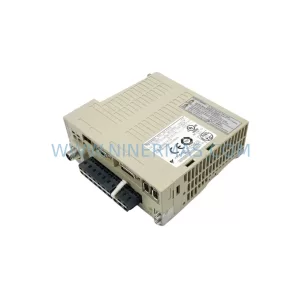
SKU: SGDS-01A32A LS2TR30-300Q8 6SL3120-1TE15-0AA4
Yaskawa SGDS-01A32A Retrofit Servo Drive for Legacy Systems



