
Original Industrial Spare Part
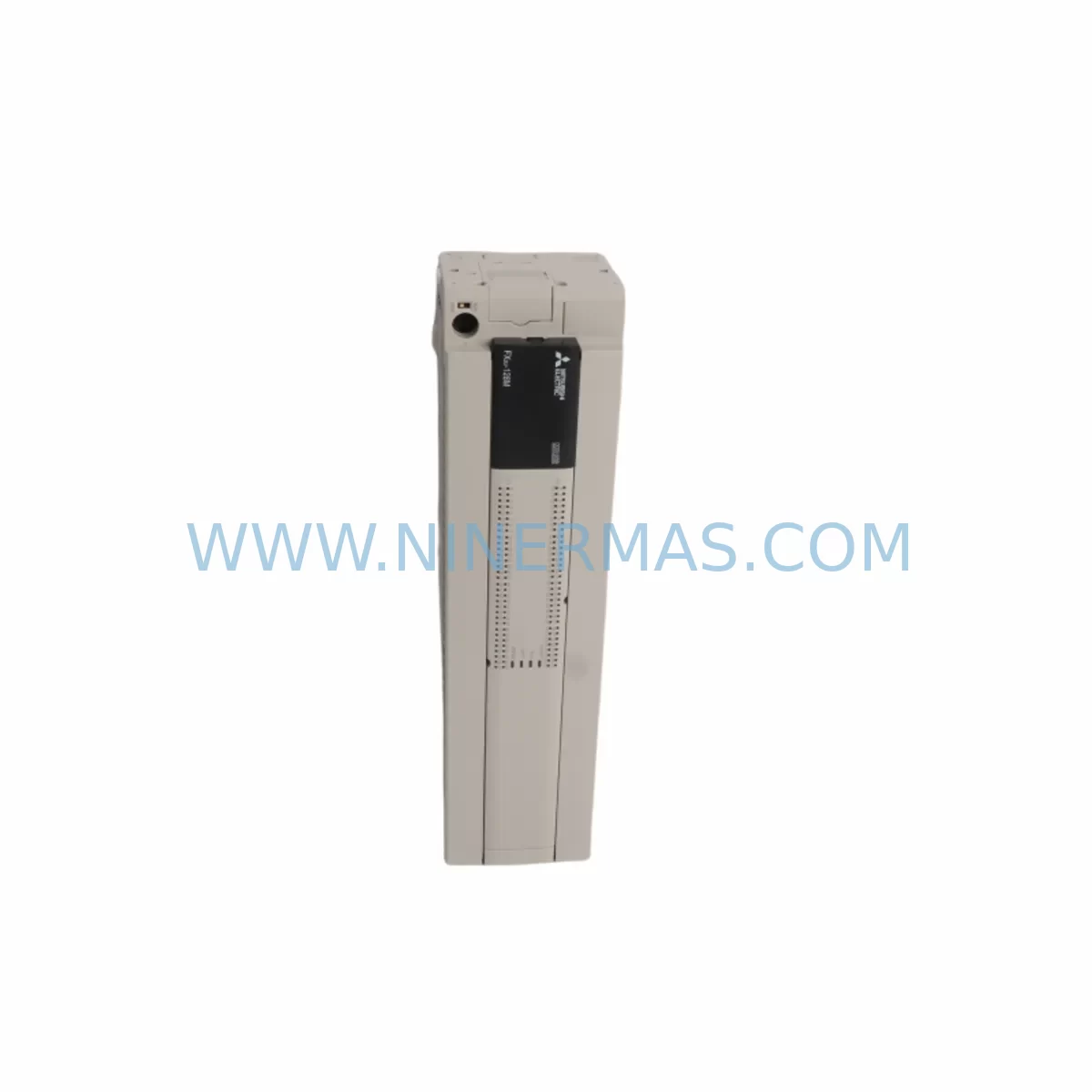
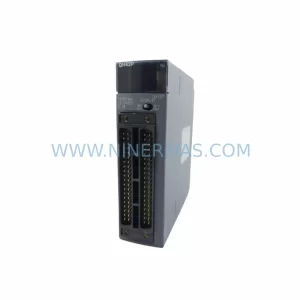
Mitsubishi FX3U-128MR/ESS Service-Ready Spare Part
Verify the part, confirm the platform family, and move straight into quotation with the right commercial details.
RFQ Ready
- SKUFX3U-128MR/ESS FX3U-128M
- CategoryPLC & Industrial Automation Modules
- BrandMitsubishi
- SupportAvailability, lead time, condition, and shipping coordination
How Buyers Usually Use This Page
- Confirm the exact part number and platform family before sending the quote request.
- Use direct email when quantity, condition, and destination are already defined internally.
- Switch to the broader brand or category archive when you need alternates nearby.
Series Navigation
Move through the most common platform families behind this part.
Product RFQ
Send this part directly for quotation.
Include quantity, required condition, destination country, and target delivery timing. Current reference: Mitsubishi FX3U-128MR/ESS Service-Ready Spare Part with SKU FX3U-128MR/ESS FX3U-128M.
Mitsubishi FX3U-128MR/ESS Service-Ready Spare Part: Spare Replacement and Downtime Risk Control
The Mitsubishi FX3U-128MR/ESS is a high-performance compact PLC from Mitsubishi Electric’s FX3U series, widely deployed across discrete manufacturing, process automation, and machine control applications. With 128 I/O points (64 inputs / 64 relay outputs), this unit serves as the central logic controller in production lines, packaging machinery, conveyor systems, and multi-axis motion control panels. When an FX3U-128MR/ESS fails or reaches end-of-service life, the impact on production continuity is immediate. Maintaining a service-ready spare in your inventory is the most effective strategy to minimize unplanned downtime and protect operational throughput.
At NINERMAS, every FX3U-128MR/ESS unit is sourced from verified supply channels, pre-shipment tested for functional integrity, and shipped with a 12-month warranty. Our long-term spare parts support program ensures continued availability for legacy FX3U installations, even as the product approaches or passes its original manufacturer lifecycle phase.
Spare Maintenance Table
| Parameter | Specification |
|---|---|
| Model / SKU | FX3U-128MR/ESS (FX3U-128M) |
| Brand | Mitsubishi Electric (MELSEC) |
| Series | FX3U |
| Product Type | Compact Programmable Logic Controller (PLC) |
| I/O Points | 128 total (64 inputs / 64 relay outputs) |
| Output Type | Relay (R) |
| Power Supply | 100–240 VAC, 50/60 Hz |
| Program Memory | 64,000 steps |
| Communication Port | RS-422 (built-in), expandable via communication modules |
| Expansion Capability | Up to 8 extension modules |
| Operating Temperature | 0°C to 55°C |
| Storage Temperature | -25°C to 75°C |
| Humidity | 5% to 95% RH (non-condensing) |
| Mounting | DIN rail or direct panel mount |
| Origin | Japan |
| Compatibility | FX3U series extension modules, FX3U-ENET, FX3U-232ADP, FX3U-485ADP, GOT2000 HMI series |
| Warranty | 12 Months (NINERMAS) |
| Pre-Shipment Testing | Yes — functional verification before dispatch |
| Long-Term Supply | Available under NINERMAS spare parts program |
Maintenance Planning for Continuous Operation
Replacing an FX3U-128MR/ESS in a live production environment is rarely an isolated task. Maintenance engineers and procurement teams should treat this replacement as an opportunity to audit the surrounding electrical and control architecture. A thorough inspection of the control cabinet during a planned or emergency replacement significantly reduces the risk of secondary failures and repeat downtime events.
When servicing an FX3U-128MR/ESS, the following associated components should be inspected or stocked as part of a comprehensive spare parts strategy:
- FX3U-32MR/ES and FX3U-64MR/ES extension units — Verify that all expansion I/O modules connected to the base unit are operating within rated load. Relay output contacts on extension units degrade over time under inductive loads and should be checked for contact resistance and arc erosion.
- FX3U-ENET Ethernet communication module — If the FX3U-128MR/ESS is networked via Ethernet for SCADA or MES integration, inspect the ENET module for firmware version compatibility and connector integrity after a CPU replacement.
- FX3U-232ADP and FX3U-485ADP serial adapters — RS-232 and RS-485 communication adapters used for HMI, barcode scanner, or third-party device integration should be re-verified for baud rate and protocol settings following a CPU swap.
- GOT2000 series HMI (GT2107, GT2104) — The operator panel communicating with the FX3U-128MR/ESS must be re-linked and screen project compatibility confirmed after CPU replacement, particularly if the firmware version differs.
- FX3U-4AD and FX3U-4DA analog I/O modules — Analog input and output modules used for process variable monitoring (temperature, pressure, flow) should be calibrated and verified after a CPU change to ensure signal scaling parameters are correctly restored from backup.
- 24VDC power supply units (e.g., Mitsubishi PS-5R series or equivalent) — The 24VDC rail supplying the PLC input circuits and field sensors should be load-tested. A degraded power supply is a common root cause of intermittent PLC faults and should be replaced proactively during a major CPU maintenance event.
- Terminal blocks and I/O wiring — Inspect all screw-type terminal blocks on the FX3U-128MR/ESS for loose connections, oxidation, and insulation degradation. Re-torque all terminals to manufacturer specification and replace any discolored or brittle wiring.
- Fuses and circuit protection — Check all fuses in the control cabinet supply circuit, including those protecting the PLC power input and output relay commons. Replace any fuses showing signs of thermal stress.
- FX3U-CNV-BD and FX3U-USB-BD communication boards — These board-level communication adapters, used for programming and diagnostics, should be inspected for connector wear and replaced if intermittent connectivity is observed during the maintenance window.
- Battery backup unit (FX3U-32BL or equivalent) — The internal battery maintaining program memory and clock data should be replaced during any major CPU service event. A depleted battery is a leading cause of program loss after a power interruption.
Stocking these components alongside the FX3U-128MR/ESS spare unit creates a complete maintenance kit that enables rapid, confident restoration of the control system without secondary procurement delays.
Site Replacement Workflow
Replacing an FX3U-128MR/ESS on-site requires a structured approach to ensure system compatibility, minimize downtime, and prevent configuration loss. The following workflow is recommended for maintenance engineers executing a planned or emergency replacement:
- Backup the existing program — Before powering down, connect via GX Works2 or GX Developer and perform a full program upload to a laptop or USB drive. Verify the backup file integrity before proceeding.
- Document I/O wiring and parameter settings — Photograph or record all terminal wiring, special module parameter settings, and communication configurations. Pay particular attention to analog module scaling, communication port settings, and any special function block parameters.
- Power down and isolate — Follow site lockout/tagout (LOTO) procedures. Isolate the PLC power supply and verify zero voltage at the input terminals before disconnecting any wiring.
- Remove and replace the CPU unit — Disconnect all extension modules, communication adapters, and wiring from the FX3U-128MR/ESS. Install the replacement unit on the DIN rail, reconnect all modules and wiring in the documented sequence.
- Restore the program and parameters — Download the backed-up program to the new CPU via GX Works2. Restore all special module parameters and verify communication settings match the original configuration.
- Functional verification — Power up the system and perform a staged I/O check. Verify all inputs, relay outputs, analog channels, and communication links are operating correctly before returning the machine to production.
- Update maintenance records — Log the replacement date, unit serial number, and any observations. Update the spare parts inventory to trigger replenishment of the consumed FX3U-128MR/ESS unit.
This structured approach is compatible with both planned annual maintenance shutdowns and emergency breakdown recovery scenarios. NINERMAS supports rapid dispatch to minimize the window between fault identification and parts availability.
Spare Parts Support FAQ
Q1: Is the FX3U-128MR/ESS still available as a long-term spare part?
Yes. NINERMAS maintains stock of the FX3U-128MR/ESS as part of our long-term industrial spare parts program. Even as Mitsubishi Electric transitions customers toward newer FX5U and iQ-F series platforms, we continue to source and supply FX3U series components to support legacy installations with extended service life requirements. Contact our team to discuss volume commitments and scheduled delivery programs.
Q2: What pre-shipment testing is performed on each unit?
Every FX3U-128MR/ESS dispatched by NINERMAS undergoes functional verification prior to shipment. This includes power-on testing, I/O point verification, communication port check, and visual inspection for physical integrity. Units that do not pass testing are not shipped. A 12-month warranty is provided on all units from the date of delivery.
Q3: Can the FX3U-128MR/ESS be used as a direct replacement for the FX3U-128MT/ESS?
The FX3U-128MR/ESS (relay output) and FX3U-128MT/ESS (transistor output) share the same CPU architecture and I/O count but differ in output type. The relay output version is suitable for AC load switching and general-purpose applications, while the transistor version is preferred for high-speed pulse output and servo/stepper control. Confirm your application’s output requirements before substituting one for the other. NINERMAS can advise on compatibility for your specific installation.
Q4: How should I manage FX3U-128MR/ESS inventory for a multi-line facility?
For facilities operating multiple FX3U-based production lines, we recommend maintaining a minimum of one FX3U-128MR/ESS spare per four to six installed units, adjusted based on criticality and mean time between failures (MTBF) data from your maintenance records. NINERMAS offers blanket order programs that allow you to reserve stock at a fixed price with scheduled release, reducing procurement lead time risk and protecting against market availability fluctuations for legacy components.
| Product Series | FX3U |
|---|---|
| Country of Origin | JP |
Catalog Continuation
More Mitsubishi modules in the catalog.
Use the brand lane to compare nearby part numbers, platform-adjacent modules, and other inquiry-ready listings before sending your final RFQ.
Catalog Continuation
Alternative parts within PLC & Industrial Automation Modules.
Stay inside the same system family when you need substitutes, adjacent modules, or a broader shortlist for procurement review.

SKU: OZDPROFI12MG12
Hirschmann OZDPROFI12MG12 Spare Part for Industrial Maintenance



SKU: 07025-0000-70-1-04
KONTRON 07025-0000-70-1-04 Service-Ready Spare Part



