
Original Industrial Spare Part
SST SST-SR4-CLX Retrofit-Compatible Remote I/O for Legacy
Verify the part, confirm the platform family, and move straight into quotation with the right commercial details.
RFQ Ready
- SKUSST-SR4-CLX
- CategoryPLC & Industrial Automation Modules
- BrandSST
- SupportAvailability, lead time, condition, and shipping coordination
How Buyers Usually Use This Page
- Confirm the exact part number and platform family before sending the quote request.
- Use direct email when quantity, condition, and destination are already defined internally.
- Switch to the broader brand or category archive when you need alternates nearby.
Series Navigation
Move through the most common platform families behind this part.
Product RFQ
Send this part directly for quotation.
Include quantity, required condition, destination country, and target delivery timing. Current reference: SST SST-SR4-CLX Retrofit-Compatible Remote I/O for Legacy with SKU SST-SR4-CLX.
SST SST-SR4-CLX Retrofit-Compatible Remote I/O for Legacy Systems
The SST SST-SR4-CLX is a retrofit-compatible remote I/O adapter engineered to bridge aging Allen-Bradley Remote I/O (RIO) networks with modern Rockwell Automation ControlLogix platforms. As legacy DH+ and RIO-based control architectures reach end-of-life, the SST-SR4-CLX provides a proven, low-risk migration path that preserves existing field wiring, reduces engineering rework, and dramatically shortens planned downtime windows during system modernization projects.
Designed for processing plants, automotive assembly lines, utilities, and discrete manufacturing facilities operating legacy PLC-5 or SLC 500 control systems, the SST-SR4-CLX enables engineers to retain proven I/O infrastructure while upgrading the controller backbone to a ControlLogix 1756 chassis. This approach protects capital investment in field instrumentation, junction boxes, and marshalling panels while delivering the performance, diagnostics, and network connectivity of a current-generation control platform.
Upgrade Compatibility Table
| Parameter | Legacy System (PLC-5 / SLC 500 RIO) | SST SST-SR4-CLX (ControlLogix) |
|---|---|---|
| Controller Platform | Allen-Bradley PLC-5 / SLC 500 | Rockwell ControlLogix 1756 Series |
| Network Protocol | Allen-Bradley Remote I/O (RIO) / DH+ | RIO Scanner via ControlLogix backplane |
| Chassis / Backplane | PLC-5 rack or SLC 500 rack | 1756 ControlLogix chassis (any slot) |
| Installation Slot | Dedicated RIO scanner slot | Any available 1756 chassis slot |
| Field Wiring Retention | Existing RIO trunk cable | Direct connection — no rewiring required |
| Communication Baud Rate | 57.6K / 115.2K / 230.4K bps | 57.6K / 115.2K / 230.4K bps (compatible) |
| I/O Addressing | Rack/Group/Slot addressing | Mapped to ControlLogix tag database |
| Program Migration | PLC-5 ladder / SLC instruction set | Requires RSLogix 5000 / Studio 5000 retag |
| HMI Compatibility | PanelView, FactoryTalk linked to PLC-5 tags | HMI tag remapping required in FactoryTalk View |
| Power Supply | PLC-5 / SLC rack PSU | 1756-PA72 / 1756-PB72 or equivalent 1756 PSU |
| Retrofit Complexity | — | Low — field wiring unchanged, controller swap only |
| Warranty | — | 12-Month Warranty (NINERMAS) |
| Stock Availability | Discontinued / EOL | In Stock — Ready to Ship |
Retrofit Planning for Existing Automation Systems
A successful SST-SR4-CLX deployment begins with a thorough audit of the existing RIO network topology. Engineers should document every rack address, I/O group assignment, and baud rate setting on the legacy PLC-5 or SLC 500 system before any hardware is removed. The SST-SR4-CLX module occupies a single slot in a 1756 ControlLogix chassis, making it straightforward to integrate alongside existing 1756-L series controllers such as the 1756-L71 or 1756-L83E.
Power budget verification is a critical pre-installation step. The 1756 chassis must be equipped with an appropriately rated power supply — typically a 1756-PA72 (120/240 VAC) or 1756-PB72 (24 VDC) — to accommodate the additional current draw of the SST-SR4-CLX alongside other installed modules. Chassis backplane current capacity should be confirmed against the total module load before commissioning.
Terminal wiring from the existing RIO trunk cable connects directly to the SST-SR4-CLX’s blue hose connector, preserving the original field cable runs. Engineers should verify shield grounding continuity and confirm that the RIO trunk termination resistors (typically 82 Ω) remain correctly installed at both ends of the cable. Where the existing installation includes 1771 I/O adapter modules or 1794 FLEX I/O remote racks, these continue to operate transparently through the SST-SR4-CLX scanner without modification.
Module addressing within Studio 5000 Logix Designer requires mapping each legacy rack/group/slot address to a corresponding ControlLogix tag. This process is methodical but straightforward: the SST-SR4-CLX configuration utility generates a tag import file that can be loaded directly into the Studio 5000 project, significantly reducing manual entry errors. Where the original program used 1756-DNB DeviceNet Bridge or 1756-ENBT EtherNet/IP Bridge modules for upstream connectivity, these remain fully compatible in the same chassis alongside the SST-SR4-CLX.
For facilities running FactoryTalk View SE or legacy PanelView Plus HMI terminals, tag remapping is required after the controller migration. The HMI display pages themselves typically require minimal modification — only the tag path references need updating to reflect the new ControlLogix tag database structure. Where 1756-DHRIO modules are already present in the chassis for DH+ network connectivity, the SST-SR4-CLX coexists without conflict, allowing phased migration of DH+ devices in parallel with the RIO network upgrade.
Signal isolation requirements should also be reviewed during retrofit planning. Where analog I/O signals pass through legacy signal isolators or signal conditioners mounted in the marshalling cabinet, these devices remain in service unchanged. The SST-SR4-CLX’s transparent RIO scanning means that all downstream I/O — whether discrete, analog, or specialty — continues to operate exactly as configured in the original system, with no changes required at the field device level.
Downtime Control During System Migration
Minimizing unplanned downtime is the primary concern for any control system modernization project. The SST-SR4-CLX’s ability to retain existing RIO field wiring is the single most powerful tool available to the project team for compressing the cutover window. Because no field rewiring is required, the physical installation of the new ControlLogix chassis and SST-SR4-CLX module can be completed during a planned maintenance window, with the actual controller cutover deferred to a separate, shorter outage.
Best practice is to pre-build and bench-test the complete ControlLogix system — including the SST-SR4-CLX, all 1756 I/O modules, the 1756 power supply, and the Studio 5000 application program — before the production cutover. NINERMAS ships all SST-SR4-CLX units pre-tested and verified against the published specification, with a factory test report included. This allows the project team to validate I/O scanning, tag mapping, and HMI connectivity in a controlled environment before the system goes live.
During the cutover itself, the recommended sequence is: (1) de-energize the legacy PLC-5 or SLC 500 rack, (2) disconnect the RIO trunk cable from the legacy scanner module, (3) connect the trunk cable to the SST-SR4-CLX, (4) energize the new ControlLogix chassis, and (5) download the pre-tested Studio 5000 program. With adequate preparation, total controller cutover time can be reduced to under two hours for a single RIO network, protecting production schedules and minimizing revenue impact.
Where the existing system includes a 1785-L80E PLC-5/80E or similar high-availability controller with redundant I/O scanning, the migration plan should account for redundancy restoration after cutover. The SST-SR4-CLX supports integration with ControlLogix redundancy systems using the 1756-RM2 redundancy module, enabling full hot-standby operation after migration is complete.
Retrofit Support FAQ
Q1: Is the SST SST-SR4-CLX a direct drop-in replacement for the legacy PLC-5 RIO scanner?
The SST-SR4-CLX is not a physical drop-in replacement — it installs in a 1756 ControlLogix chassis rather than a PLC-5 rack. However, it is a functional replacement: it connects to the same RIO trunk cable, scans the same remote I/O racks, and maps all I/O data into the ControlLogix tag database. No field rewiring is required, making it the lowest-disruption migration path available for legacy RIO networks.
Q2: What commissioning steps are required after installation?
After physical installation, the SST-SR4-CLX must be configured using the SST configuration utility to define the RIO network parameters (baud rate, rack addresses, I/O group sizes). The resulting configuration is then imported into Studio 5000 Logix Designer. I/O tags are verified against the original PLC-5 address map, and the HMI tag paths are updated in FactoryTalk View. NINERMAS provides commissioning guidance documentation with every unit shipped.
Q3: Does NINERMAS verify the SST-SR4-CLX before shipment?
Yes. Every SST-SR4-CLX unit supplied by NINERMAS undergoes pre-shipment functional testing covering backplane communication, RIO scanning initialization, and configuration utility connectivity. A test report is included with each shipment. All units are covered by a 12-month warranty from the date of delivery, with direct technical support available via sale@ninermas.com.
Q4: What is the typical lead time and stock availability?
NINERMAS maintains in-stock inventory of the SST-SR4-CLX to support urgent maintenance and planned retrofit projects. Standard orders ship within 3–5 business days. For large-quantity or long-term spare parts program requirements, contact NINERMAS to discuss dedicated stock arrangements and volume pricing.
| Product Series | Other series |
|---|
Catalog Continuation
More SST modules in the catalog.
Use the brand lane to compare nearby part numbers, platform-adjacent modules, and other inquiry-ready listings before sending your final RFQ.
SKU: SST-PFB3-VME-2/SST-PB3-VME-1
SST SST-PFB3-VME-2 Retrofit-Compatible Profibus VME Module
SKU: SST-PB3-VME-1-E
SST SST-PB3-VME-1-E Safety-Reliable PROFIBUS VME Interface
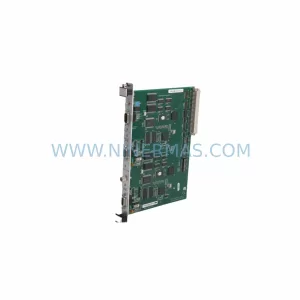
SKU: SST-PB3-VME-2-E
SST SST-PB3-VME-2-E Retrofit-Compatible PROFIBUS VME Module
Catalog Continuation
Alternative parts within PLC & Industrial Automation Modules.
Stay inside the same system family when you need substitutes, adjacent modules, or a broader shortlist for procurement review.

SKU: OZDPROFI12MG12
Hirschmann OZDPROFI12MG12 Spare Part for Industrial Maintenance


SKU: 07025-0000-70-1-04
KONTRON 07025-0000-70-1-04 Service-Ready Spare Part
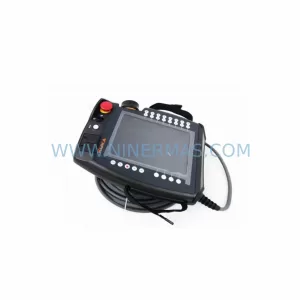
SKU: C4KR5R-1400 00-183-853
KUKA 00-183-853 Retrofit-Compatible Power Module for Legacy Systems



