
Original Industrial Spare Part
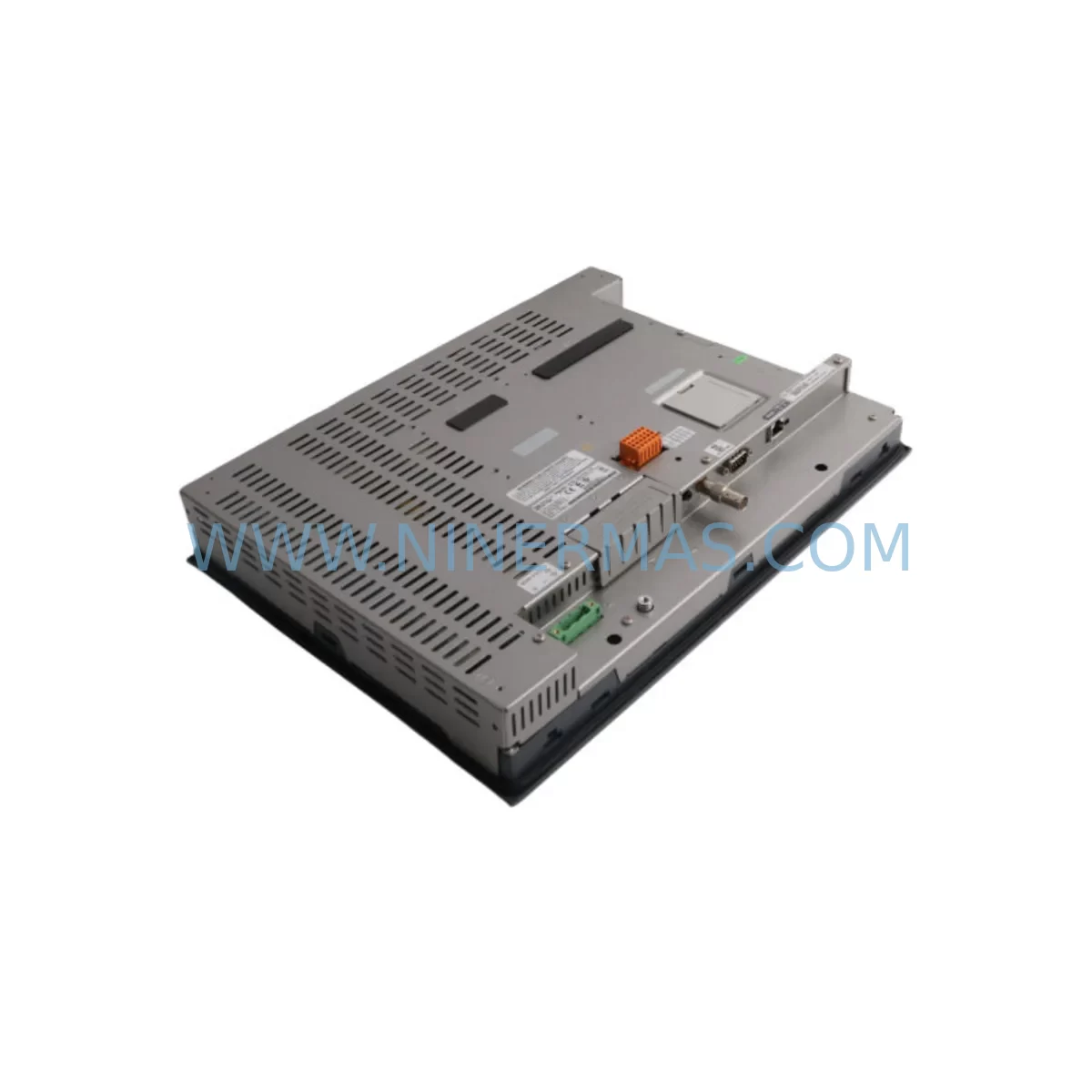
Schneider XBTGT7340 Service-Ready HMI Spare for Maintenance
Verify the part, confirm the platform family, and move straight into quotation with the right commercial details.
RFQ Ready
- SKUXBTGT7340
- CategoryPLC & Industrial Automation Modules
- BrandSchneider
- SupportAvailability, lead time, condition, and shipping coordination
How Buyers Usually Use This Page
- Confirm the exact part number and platform family before sending the quote request.
- Use direct email when quantity, condition, and destination are already defined internally.
- Switch to the broader brand or category archive when you need alternates nearby.
Series Navigation
Move through the most common platform families behind this part.
Product RFQ
Send this part directly for quotation.
Include quantity, required condition, destination country, and target delivery timing. Current reference: Schneider XBTGT7340 Service-Ready HMI Spare for Maintenance with SKU XBTGT7340.
Schneider XBTGT7340 Service-Ready HMI Spare for Industrial Maintenance
The Schneider Electric XBTGT7340 is a Magelis XBTGT series advanced HMI touch panel widely deployed across continuous manufacturing, process control, and critical infrastructure sites. As a high-resolution color touchscreen operator interface, it serves as the primary visualization and control layer between field operators and the underlying PLC or DCS architecture. When this unit reaches end-of-life, develops display faults, or sustains damage from harsh environmental conditions, rapid spare part replacement is essential to restore production continuity and prevent extended downtime.
NINERMAS maintains verified stock of the XBTGT7340 for immediate dispatch. Each unit undergoes pre-shipment functional testing covering display integrity, touch calibration, communication port operation, and power-on diagnostics. A 12-month warranty is included with every shipment, providing procurement and maintenance teams with long-term supply confidence.
Spare Maintenance Table
| Parameter | Specification / Detail |
|---|---|
| SKU / Part Number | XBTGT7340 |
| Brand / Series | Schneider Electric / Magelis XBTGT |
| Product Type | Advanced HMI Touch Panel |
| Display | 10.4″ TFT Color LCD, 800×600 SVGA |
| Processor | Freescale i.MX515, 800 MHz |
| Operating System | Windows CE 6.0 |
| Communication Ports | Ethernet (RJ45), 2× USB, COM1 (RS-232/485), CAN |
| Power Supply | 24 VDC (18–32 VDC range) |
| Protection Rating | IP65 (front panel) |
| Operating Temperature | 0°C to +55°C |
| Storage Temperature | -20°C to +70°C |
| Humidity | 10–95% RH, non-condensing |
| Panel Cutout | Standard XBTGT 10″ cutout (refer to Schneider installation guide) |
| Compatible Software | Vijeo Designer 6.x |
| Compatibility | Modicon M340, M580, Premium, Quantum; Telemecanique; third-party via Modbus/TCP, EtherNet/IP |
| Maintenance Recommendation | Inspect touch calibration, Ethernet link, and 24 VDC supply rail at each scheduled maintenance interval |
| Warranty | 12 Months from shipment date |
| Pre-Shipment Test | Power-on, display, touch, communication port verification |
| Origin | France (Schneider Electric) |
Maintenance Planning for Continuous Operation
Replacing the XBTGT7340 in a live production environment requires a structured maintenance approach that goes beyond simply swapping the HMI panel. Maintenance engineers should treat this replacement as an opportunity to audit the entire operator station and associated control cabinet components.
Begin with the 24 VDC power supply feeding the HMI. Units such as the Schneider ABL8REM24030 or equivalent Phaseo power supply modules should be inspected for output voltage stability, ripple, and thermal condition. A degraded power supply is a common root cause of HMI display instability, random reboots, and communication dropouts — symptoms often misattributed to the HMI panel itself.
Next, verify the Ethernet communication link. The XBTGT7340 connects to Modicon M340 or M580 PLCs via Ethernet/IP or Modbus TCP. Inspect the BMX NOE 0100 or BMXNOE0110 Ethernet communication modules on the PLC rack for firmware version compatibility and port health. Faulty SFP modules or degraded patch cables between the HMI and the PLC Ethernet switch can cause intermittent screen freezes that appear as HMI hardware failures.
For sites running Modicon Premium or Quantum PLCs, check the TSX ETY 110 or 140 NOE 771 11 Ethernet modules for link status. These older communication modules may require firmware updates to maintain stable Modbus TCP sessions with the replacement XBTGT7340 running updated Vijeo Designer runtime.
The COM1 serial port (RS-232/RS-485) on the XBTGT7340 is frequently used for legacy device connections — variable frequency drives, weighing controllers, barcode readers, or third-party PLCs. Inspect the serial cable wiring, terminal block connections, and any RS-232 to RS-485 signal converters in the cabinet. Damaged shielding or loose terminal screws on DIN rail terminal blocks such as Weidmüller or Phoenix Contact WDU series are a frequent source of communication errors on serial links.
USB ports on the XBTGT7340 are used for project upload/download via Vijeo Designer and for USB memory sticks during runtime backup. Confirm that the USB programming cable and associated PC-side drivers are available before the maintenance window begins. Having a pre-loaded USB stick with the current Vijeo Designer project file eliminates the need for a network connection during emergency replacement.
If the site uses a Modicon TM5 or TM7 distributed I/O system connected via CANopen or Sercos, verify that the CAN port wiring and termination resistors are intact. Incorrect CAN bus termination is a common commissioning error that causes I/O communication faults after HMI replacement.
Finally, document the existing HMI IP address, subnet mask, gateway, and Vijeo Designer project version before removing the faulty unit. These parameters must be replicated exactly on the replacement XBTGT7340 to avoid PLC communication rejection and alarm system mismatches. Procurement teams should maintain at least one spare XBTGT7340 in the site spare parts inventory alongside the associated Vijeo Designer project backup to enable same-shift replacement without engineering support.
Site Replacement Workflow
A structured site replacement workflow for the XBTGT7340 minimizes downtime and reduces the risk of configuration errors during the swap.
Step 1 — Pre-Shutdown Preparation: Back up the existing Vijeo Designer project from the running HMI via USB or network export. Record the current IP address, node name, and all communication driver settings. Photograph the rear panel wiring and power connector orientation.
Step 2 — Power Isolation: Isolate the 24 VDC supply to the HMI at the cabinet circuit breaker or fuse terminal. Confirm zero voltage at the HMI power connector before proceeding. Do not rely on software shutdown alone.
Step 3 — Panel Removal: Release the panel mounting clamps from the rear of the cabinet cutout. The XBTGT7340 uses a standard front-mount installation with rear-access clamps. Support the panel weight during removal to avoid stressing the power and communication connectors.
Step 4 — Connector Transfer: Transfer the 24 VDC power connector, Ethernet cable, USB connections, and COM1 serial cable to the replacement unit. Verify connector seating and locking before re-installation.
Step 5 — Project Restore: Power on the replacement XBTGT7340 and restore the Vijeo Designer project from USB. Confirm IP address settings match the original configuration. Verify PLC communication link status on the HMI diagnostic screen before returning to operator control.
Step 6 — Functional Verification: Cycle through all HMI screens, confirm alarm display, analog value readback, and discrete I/O status. Perform a touch calibration check. Log the replacement in the site maintenance record with the new unit serial number and warranty start date.
This workflow is compatible with both planned annual shutdowns and emergency unplanned replacement scenarios. Target replacement time from isolation to verified operation is under 90 minutes for a prepared maintenance team.
Spare Parts Support FAQ
Q1: Is the XBTGT7340 still available as a new or tested spare?
Yes. NINERMAS maintains verified stock of the XBTGT7340. Units are available as original spare parts and are pre-shipment tested for display, touch, power, and communication functionality. Long-term supply is supported for sites with ongoing maintenance programs.
Q2: What is the warranty coverage for the XBTGT7340?
All XBTGT7340 units supplied by NINERMAS carry a 12-month warranty from the shipment date. The warranty covers manufacturing defects and functional failures under normal operating conditions. Warranty claims are supported with direct technical assistance.
Q3: Can the replacement XBTGT7340 run the existing Vijeo Designer project without modification?
In most cases, yes — provided the replacement unit runs the same or compatible Vijeo Designer runtime version. If the original project was created with an older Vijeo Designer version, a minor runtime update may be required. NINERMAS recommends confirming the project version before shipment to ensure compatibility.
Q4: How do I confirm compatibility with my existing PLC and communication architecture?
The XBTGT7340 supports Modbus TCP, EtherNet/IP, Modbus RTU (serial), and CANopen natively via Vijeo Designer drivers. Compatibility with Modicon M340, M580, Premium, Quantum, and many third-party PLCs is well established. Provide your PLC model and communication protocol to NINERMAS before ordering for a pre-sale compatibility confirmation.
| Product Series | Magelis |
|---|---|
| Country of Origin | FR |
Catalog Continuation
More Schneider modules in the catalog.
Use the brand lane to compare nearby part numbers, platform-adjacent modules, and other inquiry-ready listings before sending your final RFQ.
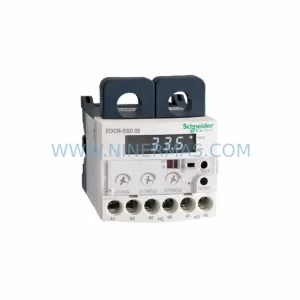
SKU: EOCR-SSD 05 EOCRSSD-05DF7
Schneider EOCR-SSD 05 Safety-Reliable Motor Relay for Critical Control
Catalog Continuation
Alternative parts within PLC & Industrial Automation Modules.
Stay inside the same system family when you need substitutes, adjacent modules, or a broader shortlist for procurement review.

SKU: 6SL3224-0BE33-7UA0
Siemens 6SL3224-0BE33-7UA0 Service-Ready Spare Part
SKU: HENF331395R0001 P4LDA
ABB HENF331395R0001 Service-Ready Industrial Spare Part




