
Original Industrial Spare Part
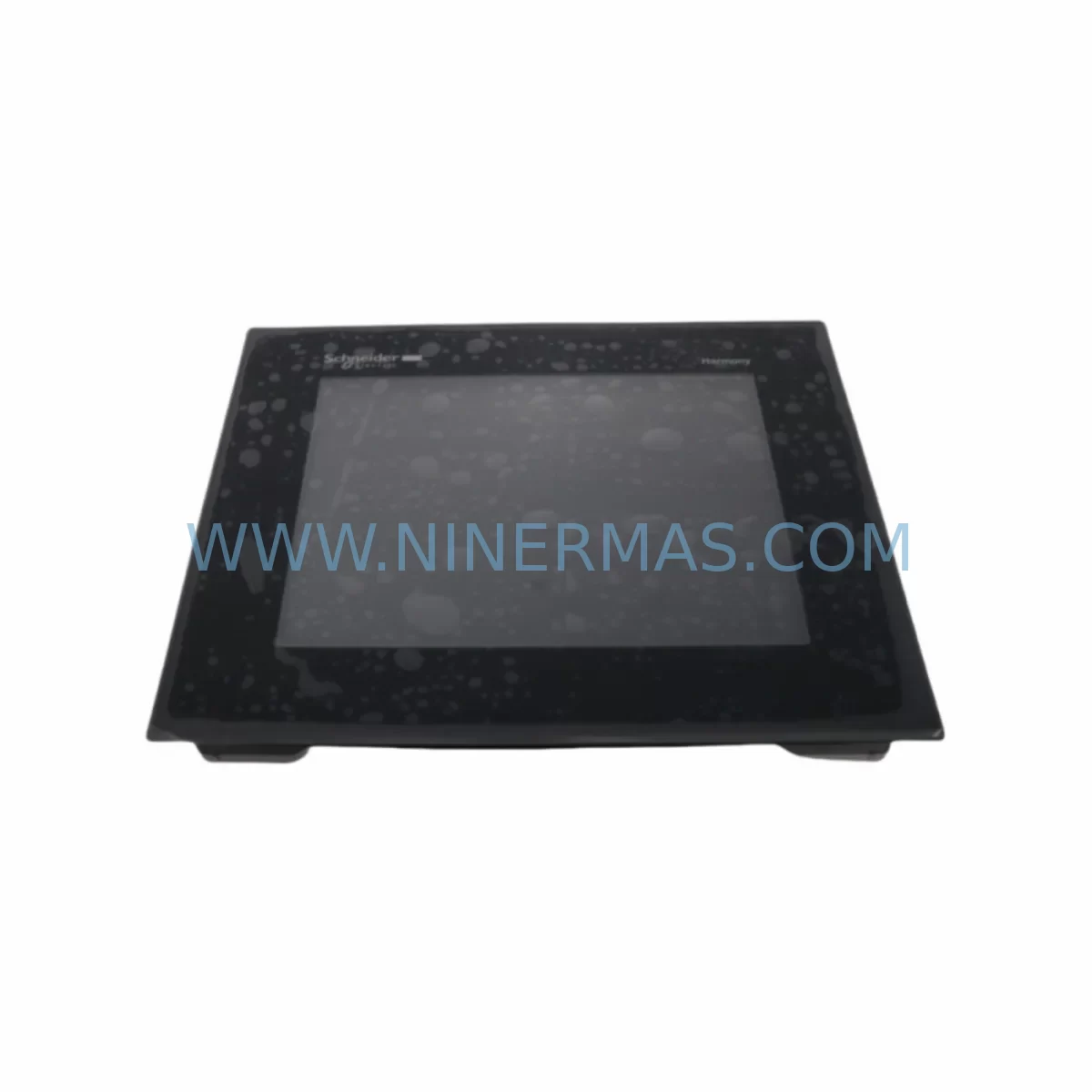
Schneider HMIGTO4310 Retrofit-Compatible HMI for Legacy Systems
Verify the part, confirm the platform family, and move straight into quotation with the right commercial details.
RFQ Ready
- SKUHMIGTO4310
- CategoryPLC & Industrial Automation Modules
- BrandSchneider Electric
- SupportAvailability, lead time, condition, and shipping coordination
How Buyers Usually Use This Page
- Confirm the exact part number and platform family before sending the quote request.
- Use direct email when quantity, condition, and destination are already defined internally.
- Switch to the broader brand or category archive when you need alternates nearby.
Series Navigation
Move through the most common platform families behind this part.
Product RFQ
Send this part directly for quotation.
Include quantity, required condition, destination country, and target delivery timing. Current reference: Schneider HMIGTO4310 Retrofit-Compatible HMI for Legacy Systems with SKU HMIGTO4310.
Schneider HMIGTO4310 Retrofit-Compatible HMI for Legacy Systems
The Schneider Electric HMIGTO4310 is a 10.4-inch SVGA TFT color touch panel from the Magelis GTO series, purpose-built for industrial control environments where legacy system compatibility, minimal downtime, and long-term parts availability are critical. As automation engineers face the challenge of maintaining aging production lines, the HMIGTO4310 has become a go-to retrofit solution for facilities transitioning away from discontinued HMI platforms while preserving existing PLC logic, field wiring, and operator interface layouts.
Whether you are replacing a failed HMIGTO4305 or HMIGTO4315 panel, upgrading from an older Magelis XBT series terminal, or integrating a new display into a Modicon M340 or Modicon Premium control cabinet, the HMIGTO4310 provides a reliable, field-proven upgrade path with broad protocol support and a compact form factor suited to standard DIN-rail enclosures and panel cutouts.
Upgrade Compatibility Table
| Parameter | HMIGTO4310 (This Unit) | Typical Legacy Unit | Retrofit Notes |
|---|---|---|---|
| Display Size | 10.4″ SVGA TFT | 10.4″ STN / TFT | Same cutout dimensions as HMIGTO4305 / XBT GT series |
| Communication Ports | 2× Serial (RS-232/RS-485), 1× Ethernet RJ45, 1× USB Host, 1× USB Device | 1–2× Serial, optional Ethernet card | Verify COM port assignments; Ethernet replaces optional PCMCIA card in older units |
| Supported Protocols | Modbus RTU/TCP, Uni-Telway, FIPIO, EtherNet/IP, CANopen | Modbus RTU, Uni-Telway | Protocol migration from serial to Ethernet TCP/IP is supported natively |
| Panel Cutout | 261 × 201 mm | 261 × 201 mm (GTO series) | No mechanical modification required for same-series swap |
| Power Supply | 24 VDC (18–32 V) | 24 VDC | Confirm existing PSU capacity; recommend ABL8REM24030 or equivalent 24 VDC rail supply |
| Programming Software | Vijeo Designer 6.x | Vijeo Designer / XBT-L1000 | Projects from XBT GT series require conversion; GTO-to-GTO projects transfer directly |
| Installation Environment | IP65 front face, 0–55°C | IP65 / IP54 | Confirm enclosure sealing after panel swap |
| Warranty | 12-Month Warranty — Covered against manufacturing defects from date of shipment | ||
Retrofit Planning for Existing Automation Systems
A successful HMIGTO4310 retrofit begins well before the unit arrives on site. Engineers should start by auditing the existing control cabinet layout to confirm available panel space, power rail capacity, and terminal block assignments. The HMIGTO4310 draws up to 30 W at 24 VDC, so the existing power supply — often an ABL8REM24030 or similar Phaseo rail-mount unit — must be verified to have sufficient headroom after accounting for connected I/O modules, communication adapters, and relay outputs.
Terminal wiring for the serial communication ports (COM1 and COM2) should be documented before disconnecting the legacy panel. In many Modicon M340 and Premium installations, the HMI communicates with the PLC via Uni-Telway over RS-485 or via Modbus RTU on a shared serial bus that also serves remote I/O heads such as the STB NIP 2212 Ethernet network interface or STBDDI3725 digital input modules. Mapping these addresses before the swap prevents address conflicts during commissioning.
For sites running EtherNet/IP or Modbus TCP, the HMIGTO4310’s built-in RJ45 port eliminates the need for the legacy PCMCIA Ethernet card found in older Magelis XBT GT panels. This simplifies the cabinet layout and reduces potential failure points. However, the IP address, subnet mask, and gateway settings must be pre-configured in Vijeo Designer before the panel is powered on to avoid disrupting the plant network.
HMI screen migration is one of the most time-sensitive steps. If the existing project was built in Vijeo Designer for a HMIGTO4305 or HMIGTO4315, the project file can typically be opened and retargeted to the HMIGTO4310 with minimal rework. Alarm lists, recipe tables, trend displays, and PLC variable bindings are preserved. If the original project was created in the older XBT-L1000 environment for an XBTGT series panel, a conversion step is required using the Vijeo Designer import wizard, and all screen layouts should be validated against the new 800×600 SVGA resolution.
Backplane and rack considerations are relevant when the HMIGTO4310 is deployed alongside a Modicon X80 rack or a Quantum 140 series chassis. In these environments, the HMI typically connects via Ethernet to the CPU module — such as the BMXP342020 processor on an X80 rack — rather than through a direct backplane slot. Confirming that the Ethernet switch or managed hub in the control cabinet has a free port, and that the PLC’s Ethernet scanner is configured to accept the HMI’s IP address, is essential before go-live.
For applications involving CANopen field devices — such as servo drives, variable frequency drives, or distributed I/O nodes connected via a CANopen master module like the BMXCRA31210 — the HMIGTO4310 can display real-time device status and fault codes by reading mapped PLC variables, providing operators with a unified view of the entire drive network without requiring a separate SCADA workstation.
Downtime Control During System Migration
Minimizing production downtime during an HMI swap requires a structured pre-commissioning approach. Before the scheduled maintenance window, the replacement HMIGTO4310 should be fully configured offline: the Vijeo Designer project loaded, IP settings applied, PLC driver configured, and a factory acceptance test (FAT) completed against a bench PLC or simulator. This ensures that the on-site swap is limited to physical installation, cable reconnection, and a brief functional verification — typically achievable within a two-to-four hour window for a straightforward like-for-like replacement.
To protect the original program logic, a full backup of the existing PLC project should be taken using Unity Pro or EcoStruxure Control Expert before any hardware is disturbed. Similarly, the existing HMI project file should be archived. If the legacy panel is still functional, exporting the current project directly from the panel via USB provides an additional safety copy.
During the physical swap, labeling all terminal connections before removal — particularly the serial communication wiring on COM1 and COM2 — prevents miswiring on reconnection. The HMIGTO4310’s USB device port allows direct connection to a programming laptop for last-minute project adjustments without requiring a separate programming cable adapter, unlike some older Magelis models that required a dedicated XBTZG935 serial programming cable.
After power-up, the commissioning sequence should follow this order: confirm 24 VDC supply voltage at the panel terminals, verify the HMI boot screen and project load, establish PLC communication and confirm variable read/write, test all alarm triggers and acknowledgment functions, and finally validate operator control outputs against the field devices. Keeping a commissioning checklist aligned to these steps ensures that no functional area is overlooked before the line is returned to production.
All units supplied by NINERMAS are pre-tested prior to shipment. Each HMIGTO4310 undergoes a power-on functional check and communication port verification before dispatch, reducing the risk of receiving a non-functional unit and further protecting your maintenance schedule.
Retrofit Support FAQ
Q1: Is the HMIGTO4310 a direct drop-in replacement for the HMIGTO4305 or HMIGTO4315?
Yes. The HMIGTO4310 shares the same 261 × 201 mm panel cutout and 24 VDC power input as the HMIGTO4305 and HMIGTO4315. Vijeo Designer projects created for these models can be retargeted to the HMIGTO4310 with minimal modification. Communication port pinouts are identical for COM1 and COM2, so existing serial wiring can be reconnected without changes.
Q2: What communication protocols does the HMIGTO4310 support, and can it replace an HMI connected via Uni-Telway?
The HMIGTO4310 supports Modbus RTU, Modbus TCP/IP, Uni-Telway, FIPIO, EtherNet/IP, and CANopen, among others. It can directly replace an HMI communicating via Uni-Telway over RS-485 without any PLC-side configuration changes, provided the driver is correctly selected in Vijeo Designer and the COM port wiring is maintained.
Q3: Does NINERMAS provide pre-shipment testing, and what does the 12-month warranty cover?
Yes. Every HMIGTO4310 unit is powered on and functionally tested before shipment. The 12-month warranty covers manufacturing defects and component failures under normal operating conditions from the date of shipment. It does not cover damage resulting from incorrect installation, overvoltage, or physical impact. Warranty claims are handled directly by NINERMAS with priority turnaround support.
Q4: What is the typical lead time, and do you maintain stock of the HMIGTO4310?
NINERMAS maintains inventory of the HMIGTO4310 to support urgent retrofit and breakdown replacement requirements. Standard orders are dispatched within 1–3 business days. For large-quantity or project-based procurement, please contact our sales team to confirm availability and arrange inspection or FAT before shipment.
| Product Series | Magelis |
|---|---|
| Country of Origin | FR |
Catalog Continuation
More Schneider Electric modules in the catalog.
Use the brand lane to compare nearby part numbers, platform-adjacent modules, and other inquiry-ready listings before sending your final RFQ.
Catalog Continuation
Alternative parts within PLC & Industrial Automation Modules.
Stay inside the same system family when you need substitutes, adjacent modules, or a broader shortlist for procurement review.
SKU: 00-217-026 00217026D3236-K13 00-217-026
KUKA 00-217-026 Retrofit Power Supply for Legacy Systems
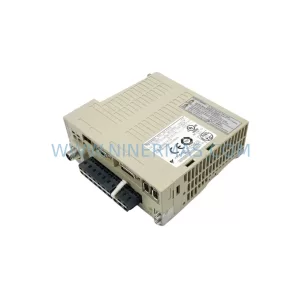
SKU: SGDS-01A32A LS2TR30-300Q8 6SL3120-1TE15-0AA4
Yaskawa SGDS-01A32A Retrofit Servo Drive for Legacy Systems



