Original Industrial Spare Part
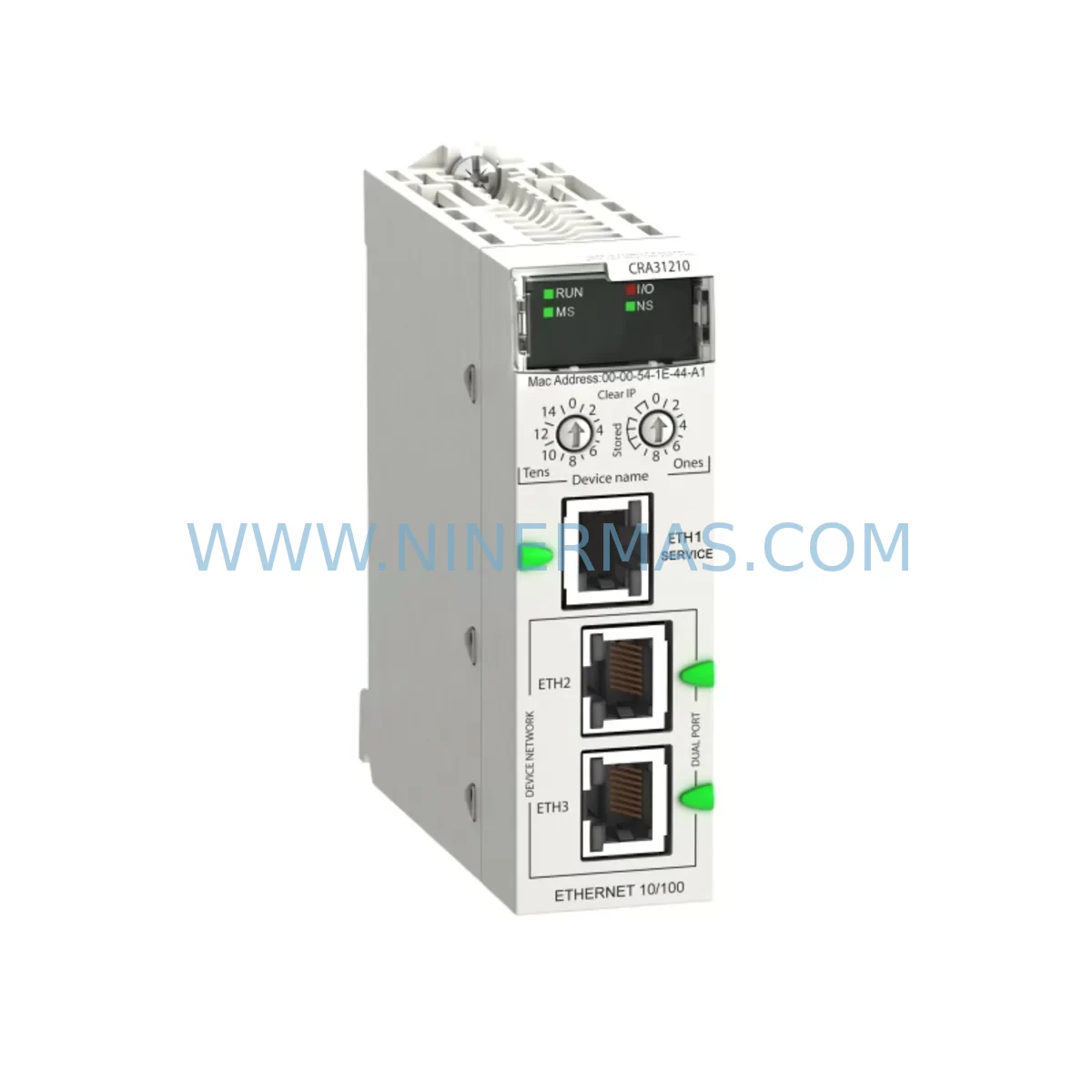
Schneider BMXCRA31210 Service-Ready Spare Part for M340
Verify the part, confirm the platform family, and move straight into quotation with the right commercial details.
RFQ Ready
- SKUBMXCRA31210
- CategoryPLC & Industrial Automation Modules
- BrandSchneider Electric
- SupportAvailability, lead time, condition, and shipping coordination
How Buyers Usually Use This Page
- Confirm the exact part number and platform family before sending the quote request.
- Use direct email when quantity, condition, and destination are already defined internally.
- Switch to the broader brand or category archive when you need alternates nearby.
Series Navigation
Move through the most common platform families behind this part.
Product RFQ
Send this part directly for quotation.
Include quantity, required condition, destination country, and target delivery timing. Current reference: Schneider BMXCRA31210 Service-Ready Spare Part for M340 with SKU BMXCRA31210.
Schneider BMXCRA31210 Service-Ready Spare Part for M340
The Schneider Electric BMXCRA31210 is a CANopen RIO Drop Adapter Module designed for the Modicon M340 programmable automation controller platform. In industrial maintenance environments — from automotive assembly lines to water treatment facilities and process manufacturing plants — this module serves as the critical communication bridge between the M340 CPU rack and remote I/O drops distributed across the plant floor. When this adapter fails or degrades, the entire remote I/O segment it governs goes offline, triggering unplanned downtime that can cost thousands of dollars per hour.
NINERMAS maintains service-ready stock of the BMXCRA31210 to support emergency replacement, planned annual overhaul, and long-term spare parts programs. Every unit undergoes pre-shipment functional testing and ships with a 12-month warranty, ensuring your maintenance team receives a verified, field-deployable component — not a shelf-aged unknown.
Spare Maintenance Table
| Parameter | Specification |
|---|---|
| Part Number | BMXCRA31210 |
| Brand | Schneider Electric |
| Series | Modicon M340 |
| Module Type | CANopen RIO Drop Adapter |
| Communication Protocol | CANopen (CiA DS-301 / DS-302) |
| Bus Speed | Up to 1 Mbit/s |
| Power Supply Input | 24 VDC (from backplane BMX XBP ••••) |
| Max I/O Modules per Drop | Up to 8 I/O modules |
| Mounting | DIN rail / M340 backplane slot |
| Operating Temperature | 0°C to +60°C |
| Protection Rating | IP20 |
| Compatibility | Modicon M340 BMX series backplanes and I/O modules |
| Certifications | CE, UL, cUL |
| Origin | France |
| Warranty | 12 Months (NINERMAS) |
| Pre-Shipment Test | Yes — functional communication and I/O scan verified |
| Maintenance Recommendation | Inspect every 12–18 months; replace on first CANopen bus error or node timeout |
Maintenance Planning for Continuous Operation
Replacing the BMXCRA31210 in a live Modicon M340 system is rarely an isolated task. Experienced maintenance engineers know that a CANopen RIO adapter fault is often a symptom of broader electrical stress in the control cabinet. Before returning the system to service, a disciplined site team will inspect and — where necessary — replace several adjacent components to prevent repeat failures and ensure a stable restart.
Begin with the backplane: the BMXXBP0400 or BMXXBP0800 M340 backplane should be visually inspected for oxidized bus connectors, cracked mounting tabs, or signs of thermal stress. A degraded backplane can cause intermittent communication faults that mimic adapter failure. Next, verify the 24 VDC power supply feeding the remote drop — modules such as the BMXCPS2000 or BMXCPS3500A power supply should be load-tested; a sagging rail voltage is a common root cause of CANopen node dropouts.
On the I/O side, inspect the digital input modules (e.g., BMXDDI1602) and digital output modules (e.g., BMXDDO1602) seated in the remote drop. Connector pins and field wiring terminals should be re-torqued to specification, as vibration-induced loosening is a leading cause of intermittent I/O faults in manufacturing environments. If the drop includes analog I/O modules such as the BMXAMI0410 or BMXAMO0210, verify signal calibration and check for ground loop interference — particularly in process plants where 4–20 mA loops run alongside power cabling.
The CANopen bus cable and termination resistors must also be checked. A missing or incorrect 120-ohm termination at either end of the bus segment is a frequent cause of communication instability after a module swap. Inspect the BMXFTW301 or equivalent CANopen tap connectors for corrosion or mechanical damage. If the system includes a BMXNOE0100 or BMXNOE0110 Ethernet communication module at the CPU rack, confirm that the network configuration still reflects the correct node address for the replacement BMXCRA31210 — node address mismatches will prevent the drop from being recognized by the M340 CPU after restart.
For sites running Vijeo Designer-based HMI panels connected to the M340 network, verify that the HMI communication parameters remain intact after the module replacement. Finally, review the relay output modules and any signal isolators in the same cabinet — components that have been exposed to the same electrical environment as the failed adapter may be operating near end-of-life and should be flagged for the next planned maintenance window.
Site Replacement Workflow
Step 1 — Preparation: Download and save the current M340 project from Unity Pro / EcoStruxure Control Expert before any hardware change. Record the BMXCRA31210 node address (set via rotary switches on the module face) and confirm the replacement unit is set to the identical address before installation.
Step 2 — Safe Isolation: Follow your site LOTO (Lockout/Tagout) procedure. De-energize the remote drop power supply. Do not hot-swap the CRA adapter without confirming that the CPU is in STOP mode and the CANopen bus segment is quiesced — improper hot-swap can corrupt the bus and affect other nodes.
Step 3 — Module Removal: Disconnect the CANopen bus connector and the 24 VDC power connector. Release the module locking lever and slide the BMXCRA31210 out of the backplane slot. Inspect the backplane connector pins for damage before inserting the replacement.
Step 4 — Replacement Installation: Insert the new BMXCRA31210, ensuring the module seats fully and the locking lever engages. Reconnect the CANopen bus and power connectors. Verify termination resistor status at both ends of the bus segment.
Step 5 — System Restart and Verification: Re-energize the drop power supply. Place the M340 CPU in RUN mode. In EcoStruxure Control Expert, open the CANopen bus diagnostics screen and confirm the replacement node appears online with no error flags. Perform a full I/O scan and verify all field signals are reading correctly before releasing the line to production.
Step 6 — Documentation: Record the replacement in your CMMS (Computerized Maintenance Management System), including the new module serial number, installation date, and post-replacement test results. Update your spare parts inventory to trigger a reorder for the consumed BMXCRA31210 unit.
Spare Parts Support FAQ
Q1: Is the BMXCRA31210 supplied by NINERMAS an original Schneider Electric component?
Yes. NINERMAS sources original Schneider Electric BMXCRA31210 modules through authorized industrial distribution channels. Each unit is inspected and functionally tested before shipment. A 12-month warranty is provided from the date of delivery, covering manufacturing defects and functional failures under normal operating conditions.
Q2: How do I confirm compatibility before ordering?
The BMXCRA31210 is compatible with all Modicon M340 BMX-series backplanes (BMXXBP0400, BMXXBP0800, BMXXBP1200) used as remote I/O drops on a CANopen bus managed by an M340 CPU. If your system uses a different communication protocol (e.g., Ethernet I/O via BMXNOE modules), please contact our technical team at sale@ninermas.com with your rack configuration and Unity Pro hardware catalog for compatibility confirmation.
Q3: What is your lead time and long-term supply commitment?
In-stock units ship within 1–3 business days. For planned maintenance programs and annual overhaul contracts requiring multiple units, NINERMAS offers stock-commitment agreements with fixed lead times to protect your maintenance schedule against market shortages — particularly important for legacy M340 systems where Schneider Electric has announced product lifecycle transitions.
Q4: What testing is performed before shipment?
Every BMXCRA31210 unit undergoes a pre-shipment functional test that includes power-on verification, CANopen communication initialization, and I/O scan confirmation using a reference M340 test rack. Units that do not pass all test criteria are quarantined and not shipped. Test records are retained and available upon request for quality-critical procurement processes.
| Product Series | Modicon M340 |
|---|---|
| Country of Origin | FR |
Catalog Continuation
More Schneider Electric modules in the catalog.
Use the brand lane to compare nearby part numbers, platform-adjacent modules, and other inquiry-ready listings before sending your final RFQ.
Catalog Continuation
Alternative parts within PLC & Industrial Automation Modules.
Stay inside the same system family when you need substitutes, adjacent modules, or a broader shortlist for procurement review.
SKU: 00-217-026 00217026D3236-K13 00-217-026
KUKA 00-217-026 Retrofit Power Supply for Legacy Systems
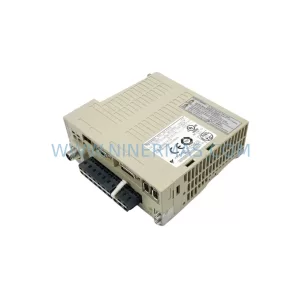
SKU: SGDS-01A32A LS2TR30-300Q8 6SL3120-1TE15-0AA4
Yaskawa SGDS-01A32A Retrofit Servo Drive for Legacy Systems