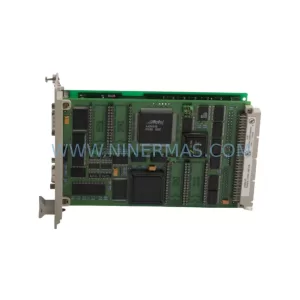
Original Industrial Spare Part
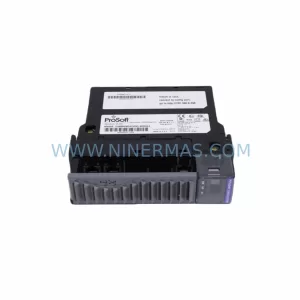
ProSoft MVI56-DFCMR Retrofit-Compatible Interface Module
Verify the part, confirm the platform family, and move straight into quotation with the right commercial details.
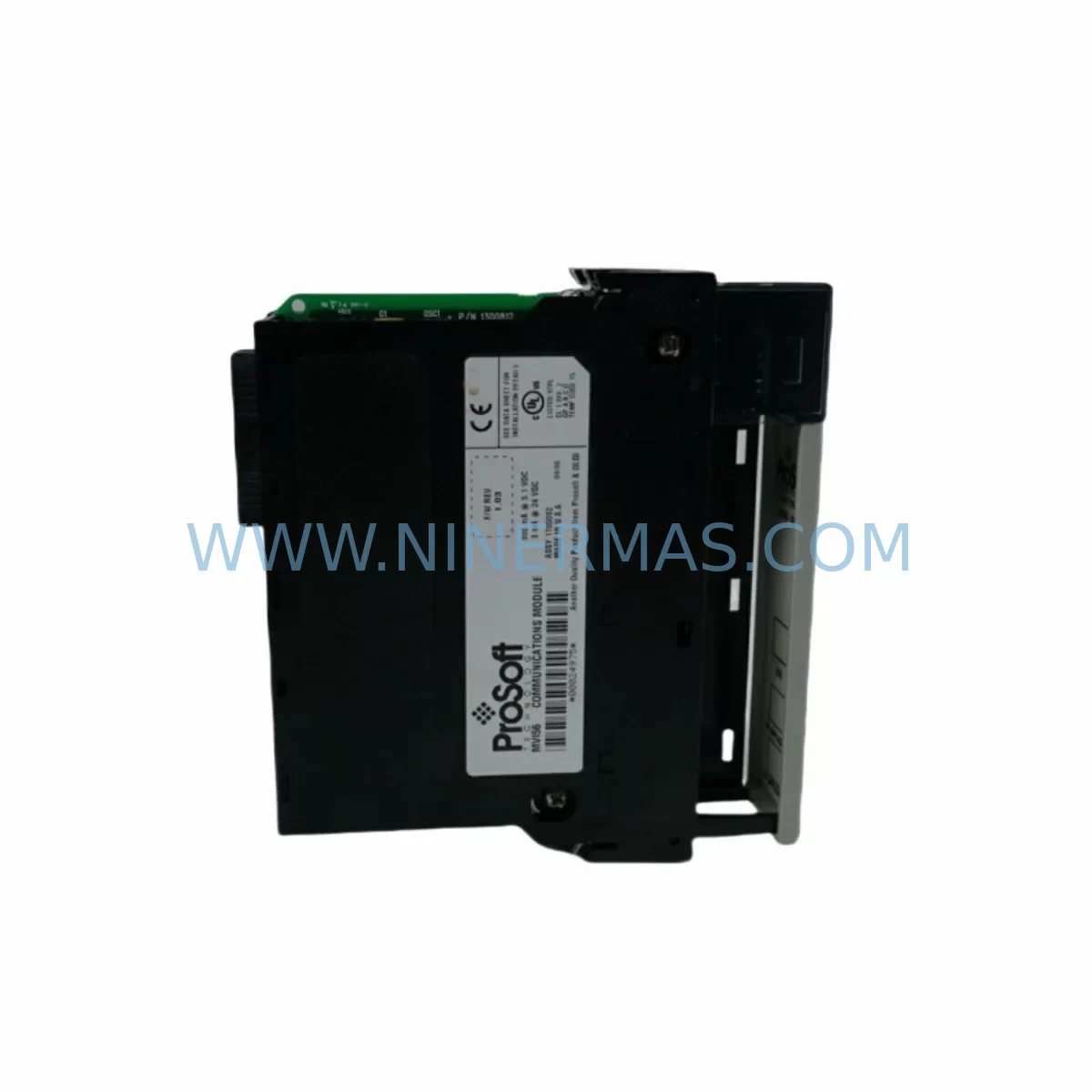
RFQ Ready
- SKUMVI56-DFCMR
- CategoryPLC & Industrial Automation Modules
- BrandProSoft Technology
- SupportAvailability, lead time, condition, and shipping coordination
How Buyers Usually Use This Page
- Confirm the exact part number and platform family before sending the quote request.
- Use direct email when quantity, condition, and destination are already defined internally.
- Switch to the broader brand or category archive when you need alternates nearby.
Series Navigation
Move through the most common platform families behind this part.
Product RFQ
Send this part directly for quotation.
Include quantity, required condition, destination country, and target delivery timing. Current reference: ProSoft MVI56-DFCMR Retrofit-Compatible Interface Module with SKU MVI56-DFCMR.
ProSoft MVI56-DFCMR Retrofit-Compatible Interface Module: Seamless Legacy System Upgrade
The ProSoft MVI56-DFCMR is a FOUNDATION Fieldbus (FF) communication interface module designed for the Rockwell Automation ControlLogix platform. As legacy distributed control systems age and original spare parts become increasingly scarce, the MVI56-DFCMR has become a critical component in industrial retrofit projects — enabling engineers to extend the operational life of existing control architectures without committing to a full platform migration. Whether you are replacing a discontinued module, upgrading a legacy control cabinet, or migrating from an older communication protocol, the MVI56-DFCMR provides a reliable, field-proven path forward.
Designed to seat directly into a standard 1756 ControlLogix chassis, the MVI56-DFCMR occupies a single slot and communicates with the controller backplane via the standard ControlLogix backplane interface. This makes it directly compatible with existing 1756-A7, 1756-A10, 1756-A13, and 1756-A17 chassis without requiring mechanical modification. Engineers replacing older FOUNDATION Fieldbus interface cards — including discontinued third-party FF modules — will find that the MVI56-DFCMR’s standard backplane addressing and ProSoft Configuration Builder (PCB) software simplify the transition considerably.
Before beginning any retrofit, it is essential to verify several key parameters. Power budget is a primary concern: the MVI56-DFCMR draws power from the ControlLogix chassis backplane, and the existing 1756-PA72 or 1756-PB72 power supply must have sufficient remaining capacity to support the module alongside other installed cards such as 1756-EN2T Ethernet modules, 1756-IB16 digital input modules, and 1756-OB16E digital output modules. A power budget worksheet should be completed before installation to avoid nuisance trips or supply overload.
Terminal wiring is another critical checkpoint. The MVI56-DFCMR connects to the FOUNDATION Fieldbus H1 segment via a standard two-wire polarity-sensitive connection. Existing field wiring from legacy FF devices — including pressure transmitters, flow controllers, and valve positioners — can typically be reused, but polarity must be confirmed and segment termination resistors must be verified. Each H1 segment requires exactly two 100-ohm termination resistors at the physical ends of the segment; incorrect termination is a leading cause of communication instability during commissioning.
Module addressing within the ControlLogix program must also be updated. When replacing a legacy FF interface with the MVI56-DFCMR, the slot number assigned in the I/O tree within Studio 5000 Logix Designer must match the physical chassis slot. If the original module occupied a different slot, the program’s I/O configuration must be updated accordingly, and any MSG instructions referencing the old module path must be revised. It is strongly recommended to export and archive the original program before making any modifications.
HMI screen updates are frequently overlooked during retrofit planning. If the existing system uses a PanelView Plus 7 or FactoryTalk View SE application, tag references tied to the old FF module’s data table addresses may need to be remapped to the MVI56-DFCMR’s new data structure. ProSoft’s module user manual provides a detailed mapping of the module’s input and output data files, which should be cross-referenced against the existing HMI tag database before go-live.
Upgrade Compatibility Table
| Parameter | Details |
|---|---|
| Compatible Chassis | 1756-A4, 1756-A7, 1756-A10, 1756-A13, 1756-A17 (ControlLogix) |
| Slot Requirement | 1 slot (standard ControlLogix form factor) |
| Communication Protocol | FOUNDATION Fieldbus H1 |
| Backplane Interface | ControlLogix standard backplane (1756 series) |
| Power Consumption | Verify against 1756-PA72 / 1756-PB72 power supply budget |
| Programming Software | ProSoft Configuration Builder (PCB) + Studio 5000 Logix Designer |
| Legacy Replacement Compatibility | Drop-in replacement for discontinued FF interface modules in 1756 chassis |
| H1 Segment Termination | Two 100Ω termination resistors required per segment |
| Firmware Update Required | Confirm controller firmware compatibility via ProSoft release notes |
| Warranty | 12 Months — covers manufacturing defects and functional failure under normal use |
Retrofit Planning for Existing Automation Systems
A successful MVI56-DFCMR retrofit begins well before the maintenance window opens. The first step is a thorough audit of the existing control cabinet. Engineers should document all installed modules in the ControlLogix chassis — including the 1756-L73 or 1756-L74 controller, any 1756-EN2T or 1756-EN3TR Ethernet communication modules, analog I/O cards such as the 1756-IF16 or 1756-OF8, and any existing communication bridge modules. This inventory establishes the baseline for power budget calculation and slot allocation.
For systems that include a 1756-RIO Remote I/O scanner or legacy DH+ communication modules, the MVI56-DFCMR retrofit may be part of a broader protocol migration effort. In these cases, the communication architecture should be mapped end-to-end before any hardware is changed. FOUNDATION Fieldbus devices on the H1 segment — such as Emerson or Yokogawa field transmitters — must be individually verified for compatibility with the new module’s host integration profile.
Where the existing system includes a 1756-DHRIO module for legacy Data Highway Plus communication alongside the FF interface, care must be taken to ensure that the new module’s backplane data exchange does not conflict with existing scheduled messaging. ProSoft’s PCB software allows engineers to configure the MVI56-DFCMR’s data block size and update rate, which should be tuned to match the controller’s task period and avoid backplane congestion.
Physical installation space must also be confirmed. While the MVI56-DFCMR occupies a standard single slot, the control cabinet’s thermal management should be reviewed — particularly in high-density installations where multiple communication modules are installed adjacent to each other. Adequate airflow and compliance with Rockwell Automation’s derating guidelines for elevated ambient temperatures are essential for long-term reliability.
For sites using a 1784-U2DHP USB-to-DH+ programming cable or a 1761-CBL-PM02 cable for legacy controller access, the retrofit plan should include a transition to Ethernet-based programming access via the 1756-EN2T module, which simplifies future maintenance and remote diagnostics. This is also an appropriate time to review the FactoryTalk Diagnostics configuration and ensure that the new module’s fault codes are mapped into the alarm management system.
Downtime Control During System Migration
Minimizing unplanned downtime is the primary operational concern during any live system retrofit. For the MVI56-DFCMR replacement, the recommended approach is to pre-configure the new module offline using ProSoft Configuration Builder before the maintenance window begins. The configuration file — including H1 segment parameters, device tag assignments, and data block mapping — should be fully validated in a bench test environment using a spare 1756 chassis and a test controller if available.
During the maintenance window, the sequence should follow a structured procedure: first, place the ControlLogix controller into Program mode to suspend scan execution; second, remove the legacy FF module and install the MVI56-DFCMR in the same chassis slot; third, download the pre-prepared PCB configuration to the new module via the USB port; fourth, verify that all H1 segment devices are recognized and communicating; and fifth, return the controller to Run mode and monitor the first scan for any fault conditions.
Original program logic should be preserved in its entirety. If tag remapping is required due to data structure differences between the old and new modules, a shadow tag approach — where new tags are created alongside the originals and validated before the old tags are removed — reduces the risk of inadvertent logic disruption. All changes should be documented in the program change log with revision numbers, engineer identification, and date stamps.
Field control continuity can be maintained by ensuring that all FOUNDATION Fieldbus devices on the H1 segment are configured for fallback mode operation. Most FF-compliant field devices support a configurable fallback output value that activates when host communication is interrupted, preventing uncontrolled process excursions during the module swap interval. Confirming and documenting these fallback settings before the maintenance window is a critical risk mitigation step.
Post-installation, a structured commissioning checklist should be completed: verify all H1 device communication status indicators, confirm data values in the controller tag database match expected process values, validate HMI displays for correct tag binding, and run a timed functional test of all control loops that depend on FF device feedback. The target for a well-prepared MVI56-DFCMR retrofit is a total maintenance window of four hours or less, including pre-installation checks and post-installation validation.
Retrofit Support FAQ
Q: Is the MVI56-DFCMR a direct drop-in replacement for other FOUNDATION Fieldbus modules in the 1756 chassis?
A: The MVI56-DFCMR is designed for the standard ControlLogix 1756 chassis and uses the standard backplane interface. While it is physically compatible with any 1756-series chassis slot, the software configuration and data mapping must be updated to match the MVI56-DFCMR’s specific data structure. It is not a plug-and-play replacement without program modification, but ProSoft’s migration documentation provides detailed mapping guides for common legacy module transitions.
Q: What pre-shipment testing is performed on the MVI56-DFCMR?
A: Each MVI56-DFCMR unit supplied by NINERMAS undergoes functional verification prior to shipment, including backplane communication testing and firmware version confirmation. Units are shipped with original manufacturer packaging where available. A 12-month warranty covers manufacturing defects and functional failure under normal operating conditions from the date of shipment.
Q: How do I verify wiring compatibility with my existing H1 segment field devices?
A: The MVI56-DFCMR connects to the H1 segment via a standard two-wire FF connection. Existing field wiring can typically be reused. Confirm polarity, verify that exactly two 100-ohm termination resistors are installed at the physical ends of the segment, and check that the total segment cable length and number of connected devices are within the H1 specification limits (maximum 1900 meters, up to 32 devices per segment without repeaters).
Q: What is the lead time and stock availability for the MVI56-DFCMR?
A: NINERMAS maintains inventory of the MVI56-DFCMR to support urgent retrofit and breakdown replacement requirements. Standard lead time for in-stock units is 3–7 business days for international shipment. For time-critical applications, expedited shipping options are available. Contact our team to confirm current stock levels and delivery schedules for your project timeline.
| Product Series | Other series |
|---|---|
| Country of Origin | US |
Catalog Continuation
More ProSoft Technology modules in the catalog.
Use the brand lane to compare nearby part numbers, platform-adjacent modules, and other inquiry-ready listings before sending your final RFQ.
Catalog Continuation
Alternative parts within PLC & Industrial Automation Modules.
Stay inside the same system family when you need substitutes, adjacent modules, or a broader shortlist for procurement review.



SKU: HDD02.2-W040N-HS12-01-FW FWA-DIAX04-ELS-05VRS-MS
Rexroth HDD02.2-W040N-HS12-01-FW Service-Ready Spare Part

SKU: I5DAE375F10010000S
Lenze I5DAE375F10010000S Service-Ready Spare Part for Industrial Maintenance