
Original Industrial Spare Part
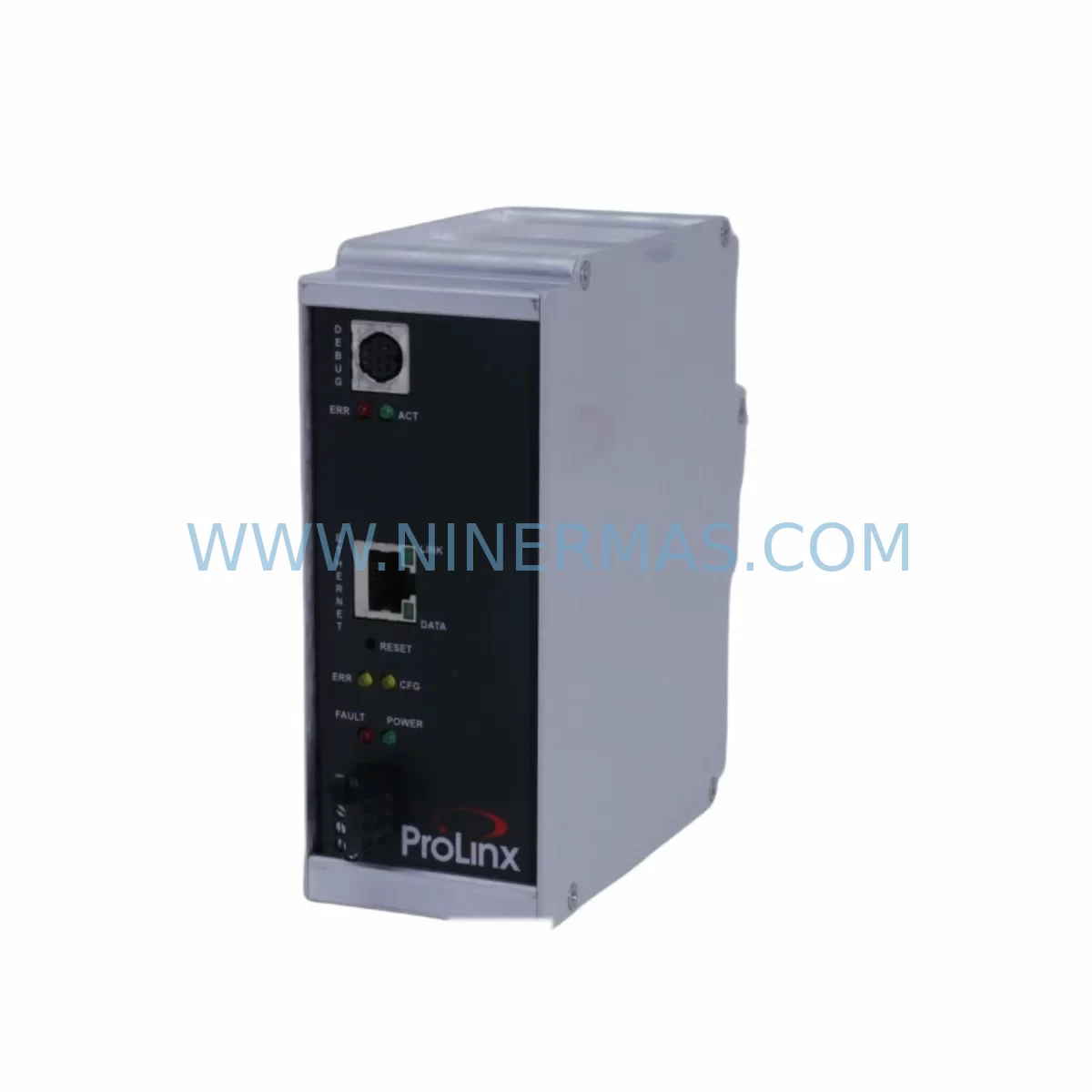
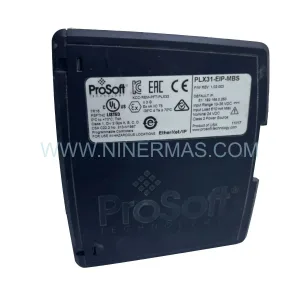
Prosoft 5201-MNET-DFNT Retrofit Modbus TCP/IP Gateway
Verify the part, confirm the platform family, and move straight into quotation with the right commercial details.
RFQ Ready
- SKU5201-MNET-DFNT
- CategoryPLC & Industrial Automation Modules
- BrandProSoft
- SupportAvailability, lead time, condition, and shipping coordination
How Buyers Usually Use This Page
- Confirm the exact part number and platform family before sending the quote request.
- Use direct email when quantity, condition, and destination are already defined internally.
- Switch to the broader brand or category archive when you need alternates nearby.
Series Navigation
Move through the most common platform families behind this part.
Product RFQ
Send this part directly for quotation.
Include quantity, required condition, destination country, and target delivery timing. Current reference: Prosoft 5201-MNET-DFNT Retrofit Modbus TCP/IP Gateway with SKU 5201-MNET-DFNT.
Prosoft 5201-MNET-DFNT Retrofit Modbus TCP/IP Gateway: Legacy System Compatibility & Smooth Upgrade
The Prosoft 5201-MNET-DFNT is a ruggedized Modbus TCP/IP to DeviceNet gateway module engineered for industrial environments where legacy automation systems must be modernized without full line shutdowns. Designed as a retrofit-compatible communication bridge, the 5201-MNET-DFNT enables engineers to migrate aging control architectures — including discontinued PLCs, legacy DCS platforms, and end-of-life SCADA nodes — onto modern Ethernet-based networks while preserving existing field wiring, I/O mapping, and program logic.
For facilities running older Allen-Bradley SLC 500, MicroLogix 1100, or early ControlLogix platforms that rely on DeviceNet for field device communication, the 5201-MNET-DFNT provides a transparent protocol translation layer. It allows Modbus TCP/IP masters — such as modern Siemens S7-1200, Schneider Electric Modicon M340, or updated HMI systems — to communicate seamlessly with DeviceNet slave devices already installed on the production floor, eliminating the need to replace field instruments, drives, or sensors during the upgrade cycle.
Upgrade Compatibility Table
| Parameter | Details |
|---|---|
| SKU / Part Number | 5201-MNET-DFNT |
| Series | Prosoft MVI / 5000 Series Communication Module |
| Protocol — Network A | Modbus TCP/IP (Client / Server) |
| Protocol — Network B | DeviceNet (Master / Scanner) |
| Installation Interface | Prosoft 5000 Series backplane / rack-mount DIN rail adapter |
| Power Supply Requirement | 24 VDC (verify existing PSU capacity before installation) |
| Communication Ports | RJ-45 Ethernet (Modbus TCP/IP), 5-pin Open Style DeviceNet connector |
| Replacement Compatibility | Replaces legacy Prosoft MVI46-MNET-DFNT, MVI56-MNET-DFNT in retrofit scenarios |
| Firmware / Configuration Tool | ProSoft Configuration Builder (PCB) — backward compatible |
| Mounting Space | Single-slot module; confirm rack slot availability before ordering |
| Commissioning Notes | Verify node address, baud rate, and EDS file registration on DeviceNet network |
| Warranty | 12 Months — NINERMAS Certified |
Retrofit Planning for Existing Automation Systems
Successful integration of the Prosoft 5201-MNET-DFNT into a legacy control system begins with a thorough site survey. Engineers should document the existing rack configuration, including the backplane type, available slot positions, and the current power budget of the installed Prosoft 5000 Series power supply module. The 5201-MNET-DFNT draws power from the backplane, so confirming that the existing PSU can support the additional load is a critical first step before any hardware is ordered.
On the DeviceNet side, the module operates as a scanner (master), meaning it will poll all configured DeviceNet slave nodes — such as Allen-Bradley 1769-SDN Scanner Modules, PowerFlex 40 and PowerFlex 755 variable frequency drives, and distributed I/O blocks like the 1734 POINT I/O series — according to the scan list defined in the ProSoft Configuration Builder software. Before replacing a legacy gateway, engineers must export the existing scan list and node address assignments to ensure the new module replicates the same polling behavior without disrupting field device communication.
On the Modbus TCP/IP side, the 5201-MNET-DFNT acts as both a client and server, making it compatible with a wide range of SCADA systems, modern HMI panels (including Proface GP4000 series and Weintek cMT series), and upper-level controllers. When migrating from an older serial Modbus RTU architecture, engineers should map existing register addresses carefully — the 5201-MNET-DFNT supports configurable register mapping, allowing legacy Modbus RTU address tables to be preserved and translated into Modbus TCP/IP register space without rewriting the SCADA database or HMI tag library.
Terminal wiring on the DeviceNet connector must be verified against the original installation drawings. DeviceNet uses a 5-wire trunk cable (V+, V−, CAN_H, CAN_L, Shield), and any deviation in termination resistance or cable length can cause network instability. If the existing trunk cable was sized for a previous module with different current draw specifications, a cable audit should be performed. Similarly, the Ethernet port should be connected to a managed industrial switch — such as a Moxa EDS-308 or Hirschmann RS20 — to ensure deterministic communication latency on the Modbus TCP/IP network.
For systems that also require I/O expansion during the retrofit, the 5201-MNET-DFNT can coexist in the same rack with Prosoft 5201-MNET Modbus TCP/IP modules and analog or digital I/O modules from the same platform family. This allows engineers to consolidate communication and I/O expansion into a single rack upgrade project, reducing overall installation time and minimizing the number of separate commissioning events required.
Downtime Control During System Migration
Minimizing production downtime is the primary concern in any legacy system retrofit. When replacing a discontinued gateway module with the Prosoft 5201-MNET-DFNT, the recommended approach is to pre-configure the replacement module offline using ProSoft Configuration Builder before the scheduled maintenance window. All Modbus TCP/IP client connection parameters, DeviceNet scan list entries, node addresses, and data mapping tables should be fully programmed and verified in a bench test environment prior to installation.
During the cutover window, the sequence should follow a structured procedure: first, back up the existing PLC program from the host controller — whether it is a ControlLogix L7x, CompactLogix L3x, or a legacy SLC 5/05 — using RSLogix 5000 or Studio 5000 Logix Designer. Next, document all active DeviceNet node statuses and Modbus TCP/IP connection states. Then power down the rack, remove the legacy module, install the 5201-MNET-DFNT in the same slot position, restore power, and verify that the module initializes correctly before re-enabling field device communication.
Because the 5201-MNET-DFNT uses the same backplane interface as other modules in the Prosoft 5000 Series family, the host PLC program typically requires only minor updates to the module configuration tags — the underlying ladder logic or function block program controlling process outputs does not need to be rewritten. This significantly reduces the risk of introducing program errors during the migration and allows the control system to resume normal operation within the same maintenance window.
For facilities that cannot tolerate any unplanned downtime, a parallel commissioning approach is recommended: install the new module in a spare rack slot, configure it fully, and validate all DeviceNet node responses and Modbus TCP/IP register reads before switching the active communication path. This approach requires one additional rack slot but eliminates the risk of extended downtime caused by unexpected configuration issues during the cutover.
Retrofit Support FAQ
Q1: Is the Prosoft 5201-MNET-DFNT a direct replacement for the MVI56-MNET-DFNT?
The 5201-MNET-DFNT is designed for the Prosoft 5000 Series platform and is not a direct slot-for-slot replacement for the MVI56-MNET-DFNT, which is designed for the ControlLogix 1756 backplane. However, it serves the same functional role — Modbus TCP/IP to DeviceNet protocol conversion — and can be used as a functional replacement in retrofit projects where the host rack is being upgraded or where a standalone gateway solution is acceptable. Configuration files created in ProSoft Configuration Builder for the MVI56-MNET-DFNT can be adapted for the 5201-MNET-DFNT with minor parameter adjustments.
Q2: What commissioning steps are required after installation?
After physical installation, connect the module to the Modbus TCP/IP network and DeviceNet trunk. Use ProSoft Configuration Builder to download the pre-configured project file to the module via the Ethernet port. Verify that all DeviceNet slave nodes appear in the scanner’s active node table and that their status indicators show healthy communication. On the Modbus TCP/IP side, confirm that the SCADA system or HMI can read and write the expected register addresses. Check the module’s diagnostic LEDs and event log for any communication errors before returning the system to automatic operation.
Q3: Does NINERMAS provide pre-shipment testing for the 5201-MNET-DFNT?
Yes. All units shipped by NINERMAS undergo functional verification prior to dispatch, including power-on testing and communication port integrity checks. Each unit is supplied with a test report confirming that the module initializes correctly and that both the Modbus TCP/IP and DeviceNet ports are operational. Units are covered by a 12-month warranty from the date of shipment, covering manufacturing defects and communication failures under normal operating conditions.
Q4: What is the typical lead time and stock availability?
NINERMAS maintains inventory of the Prosoft 5201-MNET-DFNT to support urgent retrofit and emergency replacement requirements. Standard orders are processed and shipped within 1–3 business days. For large-quantity orders or projects requiring multiple units for phased rollouts, please contact our sales team to confirm stock levels and arrange priority allocation. Emergency same-day dispatch may be available for critical production line recovery situations.
—
| Product Series | Other series |
|---|---|
| Country of Origin | US |
Catalog Continuation
More ProSoft modules in the catalog.
Use the brand lane to compare nearby part numbers, platform-adjacent modules, and other inquiry-ready listings before sending your final RFQ.
Catalog Continuation
Alternative parts within PLC & Industrial Automation Modules.
Stay inside the same system family when you need substitutes, adjacent modules, or a broader shortlist for procurement review.
SKU: NA-1E221 1E-221.2
KONGSBERG NA-1E221 Service-Ready Spare Part for Maintenance
SKU: 023PLX0100 23 SGM-02U3B4L 10.004.22 RKH/W 500L 0040-99736
Yaskawa SGM-02U3B4L Retrofit AC Servo Motor for Legacy Systems
SKU: 6ES7341-1AH02-0AE0
Siemens 6ES7341-1AH02-0AE0 Retrofit-Compatible CP for Legacy S7-300



