Original Industrial Spare Part
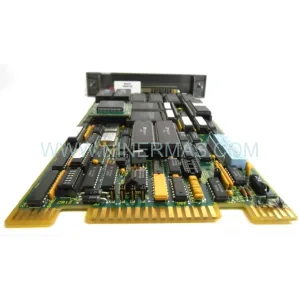
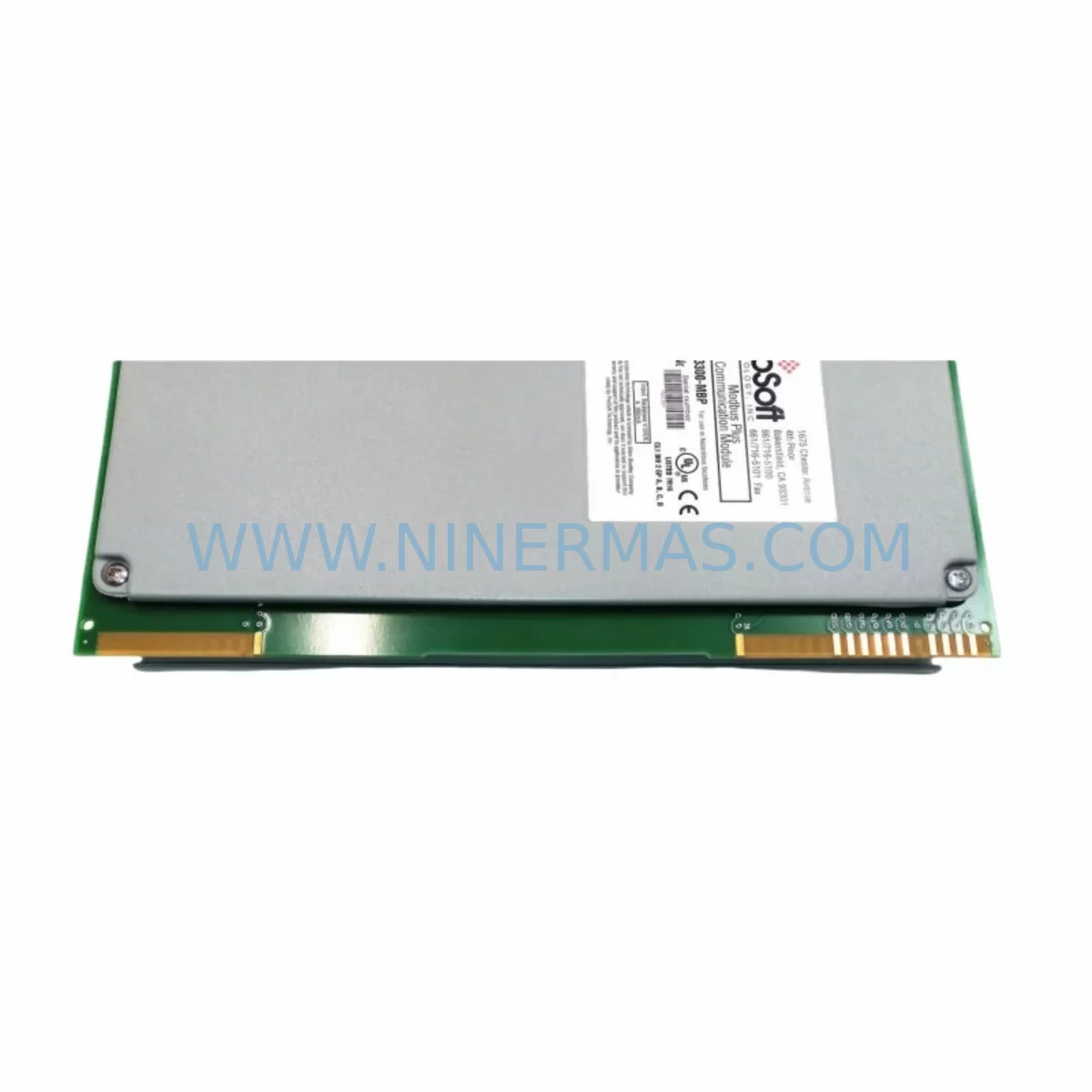
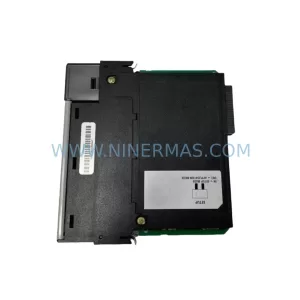
ProSoft 3300-MBP Retrofit-Compatible MBP Module for Legacy Systems
Verify the part, confirm the platform family, and move straight into quotation with the right commercial details.
RFQ Ready
- SKU3300-MBP
- CategoryPLC & Industrial Automation Modules
- BrandProSoft Technology
- SupportAvailability, lead time, condition, and shipping coordination
How Buyers Usually Use This Page
- Confirm the exact part number and platform family before sending the quote request.
- Use direct email when quantity, condition, and destination are already defined internally.
- Switch to the broader brand or category archive when you need alternates nearby.
Series Navigation
Move through the most common platform families behind this part.
Product RFQ
Send this part directly for quotation.
Include quantity, required condition, destination country, and target delivery timing. Current reference: ProSoft 3300-MBP Retrofit-Compatible MBP Module for Legacy Systems with SKU 3300-MBP.
ProSoft 3300-MBP Retrofit-Compatible MBP Module for Legacy Systems: Seamless Upgrade for Aging Automation Infrastructure
The ProSoft 3300-MBP is a Modbus Plus (MBP) communication module engineered for integration into legacy automation environments where aging infrastructure demands a reliable, drop-in replacement. As industrial facilities face the growing challenge of maintaining continuity on discontinued control platforms, the 3300-MBP provides a proven migration path that minimizes engineering risk, reduces unplanned downtime, and extends the operational life of existing control cabinets without requiring a full system overhaul.
Designed for installation in ProSoft Technology’s 3000-series backplane architecture, this module slots directly into existing rack positions previously occupied by legacy MBP communication cards. Engineers undertaking a retrofit project must first verify backplane slot compatibility, confirm available power budget from the rack power supply, and review the existing node addressing scheme on the Modbus Plus network. The 3300-MBP supports standard Modbus Plus peer-to-peer and global data communication, making it a functionally equivalent replacement for obsolete modules that are no longer available through the original manufacturer’s supply chain.
Upgrade Compatibility Table
| Parameter | Details |
|---|---|
| SKU / Part Number | 3300-MBP |
| Brand / Series | ProSoft Technology / 3300 Series |
| Communication Protocol | Modbus Plus (MBP) |
| Backplane / Rack Interface | ProSoft 3000-Series Backplane (ControlLogix-style slot) |
| Installation Requirement | Single slot; verify rack power budget before installation |
| Replacement Compatibility | Direct replacement for legacy ProSoft MBP communication modules |
| Node Addressing | Configurable via ProSoft Configuration Builder (PCB) software |
| Communication Ports | Dual Modbus Plus ports (daisy-chain or trunk topology) |
| Commissioning Tool | ProSoft Configuration Builder; RS-232 programming cable required |
| HMI Compatibility | Compatible with SCADA/HMI systems using Modbus Plus driver |
| Warranty | 12-Month Warranty — Tested and verified before shipment |
Retrofit Planning for Existing Automation Systems
A successful retrofit using the ProSoft 3300-MBP begins well before the module arrives on-site. Project engineers should conduct a thorough audit of the existing control cabinet, documenting the current rack layout, slot assignments, and the power draw of all installed modules. The rack power supply — often a ProSoft 3000-PS or equivalent — must have sufficient headroom to support the 3300-MBP without triggering undervoltage conditions that could destabilize adjacent I/O modules or the host controller.
Terminal wiring for the Modbus Plus network cable must be carefully mapped. The dual-port MBP interface uses a specific pinout for the 9-pin D-sub connectors, and any deviation from the original wiring diagram can result in communication faults or network collisions. Technicians should photograph and label all existing cable connections before removal, particularly in installations where the Modbus Plus trunk serves multiple remote I/O drops, ProSoft 3150-MCM Modbus serial modules, or third-party drives and instrumentation.
Module address configuration is a critical step that is frequently overlooked during rushed retrofits. The 3300-MBP node address must be set to match the address previously assigned to the legacy module, or all upstream and downstream devices — including Quantum 140NOE77100 Ethernet bridges and Momentum M1E adapters that may be sharing the same Modbus Plus segment — will lose communication. This address is configured in ProSoft Configuration Builder and downloaded via an RS-232 programming cable before the module is inserted into the live rack.
For facilities running Rockwell Automation ControlLogix or CompactLogix platforms alongside the ProSoft gateway, the associated RSLogix 5000 or Studio 5000 project file must be reviewed to confirm that the MSG instruction targeting the 3300-MBP slot is still valid after the swap. If the original module occupied a different slot number, the ladder logic path must be updated accordingly. Technicians should also verify that any ProSoft 3300-DFNT EtherNet/IP-to-DF1 bridge modules or ProSoft 3300-MCM multi-protocol serial modules installed in adjacent slots are not affected by the rack reconfiguration.
HMI screens connected to the Modbus Plus network — whether running on a Schneider Electric Magelis panel or a PC-based SCADA platform — should be tested in simulation mode before the live cutover. Tag addresses that reference Modbus Plus register offsets must be verified against the new module’s data map to ensure that process values, alarm setpoints, and control outputs are correctly mapped. Any discrepancy in register addressing will cause silent data errors that are difficult to diagnose under production pressure.
Where the retrofit involves migrating from a purely Modbus Plus architecture to a hybrid network that also includes ProSoft 3300-MNET Modbus TCP/IP modules or ProSoft 3300-PDPMV1 PROFIBUS DP master modules, the protocol migration plan must account for gateway latency, scan cycle timing, and the impact on PLC program execution. A phased migration — where the 3300-MBP remains active on the legacy segment while new Ethernet-based modules are commissioned in parallel — is strongly recommended to avoid a single point of failure during the transition period.
Downtime Control During System Migration
Minimizing production downtime during a Modbus Plus module replacement requires a structured pre-outage preparation process. Before the scheduled maintenance window, the engineering team should export a full backup of the PLC program from the host controller, save the current ProSoft Configuration Builder project file for the 3300-MBP, and document all active Modbus Plus node addresses on the network segment. This backup package ensures that if the replacement module requires reconfiguration, the original parameters can be restored within minutes rather than hours.
During the outage window, the sequence of operations should follow a defined order: power down the rack, remove the legacy module, insert the pre-configured 3300-MBP, restore rack power, and verify communication status via the module’s diagnostic LEDs before reconnecting field devices. The 3300-MBP’s onboard diagnostics provide real-time feedback on network token rotation, node health, and communication error counts, allowing technicians to confirm a successful replacement before the process is restarted.
To protect the original program logic, the PLC should remain in Program mode throughout the module swap. This prevents the controller from executing output commands against field devices while the communication path is temporarily interrupted. Once the 3300-MBP has established stable Modbus Plus communication — confirmed by steady LED indicators and successful MSG instruction execution in the ladder program — the controller can be returned to Run mode and production resumed.
For critical processes where even a brief interruption is unacceptable, a hot-standby configuration using a redundant controller and a parallel Modbus Plus segment can be implemented. In this architecture, the standby controller takes over seamlessly while the primary rack undergoes the module replacement, maintaining field control continuity throughout the maintenance window. All replacement modules supplied by NINERMAS are pre-tested and verified before shipment, with a 12-month warranty covering defects in materials and workmanship, ensuring that the replacement module performs to specification from the moment it is installed.
Retrofit Support FAQ
Q1: Is the ProSoft 3300-MBP a direct drop-in replacement for my existing MBP communication module?
In most cases, yes. The 3300-MBP is designed to occupy the same backplane slot and replicate the Modbus Plus communication functions of legacy ProSoft MBP modules. However, you should verify the slot type, rack generation, and firmware version compatibility before installation. Our technical team can assist with compatibility confirmation based on your existing rack model and software version.
Q2: What commissioning steps are required after installing the 3300-MBP?
After physical installation, connect a PC running ProSoft Configuration Builder via an RS-232 programming cable to the module’s CFG port. Download the configuration file with the correct Modbus Plus node address, data map, and scan list. Verify communication by checking the module’s diagnostic LEDs and reviewing the MSG instruction status bits in your PLC program. A full network scan using the Modbus Plus network diagnostic tool is recommended to confirm all nodes are visible.
Q3: How do I confirm wiring compatibility between the 3300-MBP and my existing Modbus Plus cable infrastructure?
The 3300-MBP uses standard 9-pin D-sub connectors for Modbus Plus ports 1 and 2. Verify that your existing trunk cable pinout matches the ProSoft wiring specification (pins 1, 2, and shield). If your legacy installation used a different connector type or a custom cable assembly, an adapter or rewiring of the terminal end may be required. NINERMAS can provide wiring diagrams and technical support to assist with this verification.
Q4: What warranty and testing does NINERMAS provide with the 3300-MBP?
Every ProSoft 3300-MBP supplied by NINERMAS undergoes functional testing and communication verification before shipment. All units are covered by a 12-month warranty against manufacturing defects. In the event of a warranty claim, NINERMAS provides advance replacement support to minimize your system downtime. Stock availability is maintained to support urgent retrofit and emergency spare requirements. Contact us at sale@ninermas.com or +0086 187 5021 5667 for lead time and inventory confirmation.
| Product Series | Legacy |
|---|---|
| Country of Origin | US |
Catalog Continuation
More ProSoft Technology modules in the catalog.
Use the brand lane to compare nearby part numbers, platform-adjacent modules, and other inquiry-ready listings before sending your final RFQ.
Catalog Continuation
Alternative parts within PLC & Industrial Automation Modules.
Stay inside the same system family when you need substitutes, adjacent modules, or a broader shortlist for procurement review.


SKU: 6FC5357-0BB12-0AE0
Siemens 6FC5357-0BB12-0AE0 Service-Ready Industrial Spare Part

SKU: 3BSE011790R1(PXHK401)
ABB 3BSE011790R1 PXHK401 Retrofit-Ready Communication Module