Original Industrial Spare Part
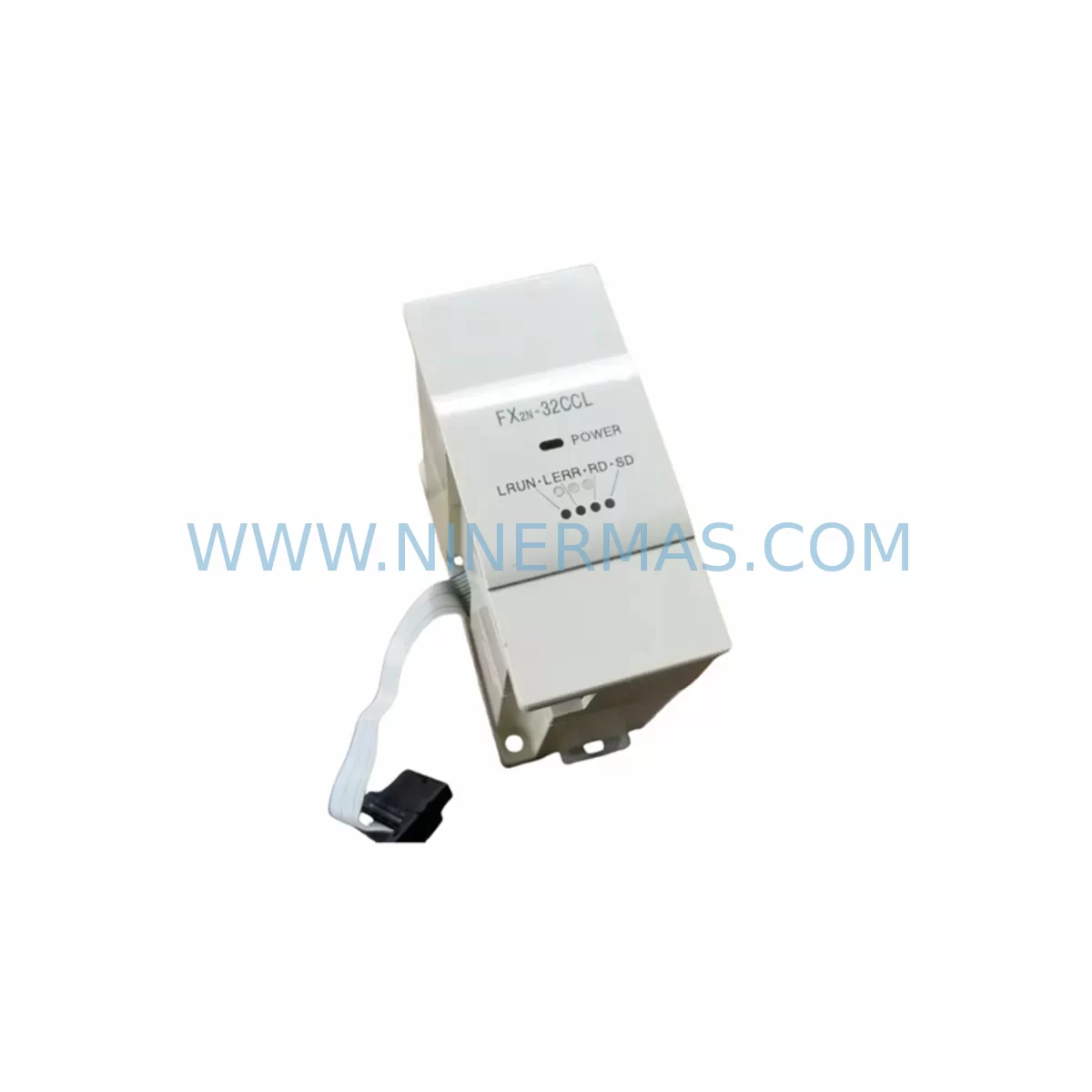
Mitsubishi FX2N-32CCL Service-Ready Spare Part for Industrial Maintenance
Verify the part, confirm the platform family, and move straight into quotation with the right commercial details.
RFQ Ready
- SKUFX2N-32CCL
- CategoryPLC & Industrial Automation Modules
- BrandMitsubishi
- SupportAvailability, lead time, condition, and shipping coordination
How Buyers Usually Use This Page
- Confirm the exact part number and platform family before sending the quote request.
- Use direct email when quantity, condition, and destination are already defined internally.
- Switch to the broader brand or category archive when you need alternates nearby.
Series Navigation
Move through the most common platform families behind this part.
Product RFQ
Send this part directly for quotation.
Include quantity, required condition, destination country, and target delivery timing. Current reference: Mitsubishi FX2N-32CCL Service-Ready Spare Part for Industrial Maintenance with SKU FX2N-32CCL.
Mitsubishi FX2N-32CCL Service-Ready Spare Part for Industrial Maintenance
The Mitsubishi FX2N-32CCL is a CC-Link communication module designed for the FX2N series programmable logic controller platform — one of Mitsubishi Electric’s most widely deployed compact PLC families in discrete manufacturing, material handling, and process automation environments. As production lines age and original equipment reaches end-of-life, maintaining a verified, service-ready spare of the FX2N-32CCL becomes a critical element of any industrial maintenance strategy. Unplanned downtime caused by a failed CC-Link interface can halt an entire production cell, making rapid replacement capability essential for maintenance engineers and procurement teams alike.
At NINERMAS, every FX2N-32CCL unit is sourced from verified supply channels, electrically tested prior to shipment, and backed by a 12-month warranty. Whether you are responding to an emergency breakdown, building a preventive spare parts inventory, or planning an annual overhaul, this module ships ready for immediate installation.
Spare Maintenance Table
| Parameter | Specification |
|---|---|
| Model / SKU | FX2N-32CCL |
| Brand | Mitsubishi Electric |
| Series | FX2N |
| Module Type | CC-Link Communication Interface Module |
| CC-Link Version | Ver. 1.10 |
| Occupied Stations | 1 to 4 stations (selectable) |
| Remote I/O Points | Up to 32 remote I/O points |
| Transmission Speed | 156 kbps / 625 kbps / 2.5 Mbps / 5 Mbps / 10 Mbps |
| Power Supply | Supplied via FX2N main unit bus (5 VDC internal) |
| Operating Temperature | 0°C to 55°C |
| Storage Temperature | -25°C to 75°C |
| Humidity | 5% to 95% RH (non-condensing) |
| Compatibility | FX2N, FX2NC series PLC main units |
| Installation | Direct expansion on FX2N main unit right side |
| Applicable Standards | CC-Link Partner Association certified |
| Warranty | 12 Months — tested and verified before shipment |
Maintenance Planning for Continuous Operation
When a CC-Link communication fault is traced to the FX2N-32CCL, experienced maintenance engineers know that the module itself is rarely the only component that warrants inspection. A systematic approach to fault isolation and spare parts readiness should encompass the entire communication loop and power distribution chain.
Begin by verifying the FX2N main unit power supply integrity — the FX2N-32CCL draws its operating voltage from the PLC bus, so a degraded FX2N-1PS-5V power supply module or a failing FX2N-CNV-BD communication board can produce symptoms that mimic a module fault. Inspect the CC-Link dedicated cable termination resistors (110 Ω at both ends of the trunk line) and verify that the DA/DB/DG signal lines are free of ground loops or insulation breakdown.
For sites running mixed CC-Link networks, the FX2N-16CCL-M master station module should be checked for station number conflicts and baud rate mismatches whenever a slave device such as the FX2N-32CCL is replaced. Similarly, if the control cabinet houses FX2N-8EX or FX2N-8EYR expansion I/O modules, confirm that the expansion bus ribbon cable connectors are fully seated — a marginal connection here can cause intermittent communication errors that are incorrectly attributed to the CC-Link interface.
Relay output modules such as the FX2N-8EYR and solid-state output modules like the FX2N-8EYT should be included in the annual inspection checklist alongside the FX2N-32CCL, as coil-driven outputs in the same cabinet are subject to inductive voltage spikes that can degrade communication module firmware over time. Installing a surge suppressor across inductive loads and verifying the cabinet’s 24 VDC power supply output ripple are low-cost preventive measures that extend the service life of all modules in the enclosure.
For facilities operating GOT1000 or GOT2000 series HMI panels connected to the FX2N network, confirm that the HMI communication parameters (station number, baud rate, protocol) are re-validated after any CC-Link module replacement to avoid nuisance alarms or screen freeze conditions. Procurement engineers building a comprehensive spare parts kit for FX2N-based systems should also consider stocking the FX2N-32MR/ES or FX2N-48MR/ES main unit as a cold standby, along with a set of FX2N-8AV-BD analog voltage boards if the application involves process variable monitoring.
Long-term supply continuity is a growing concern for FX2N-series users, as this platform has entered the mature phase of its product lifecycle. NINERMAS maintains dedicated inventory of FX2N-32CCL and related FX2N expansion modules to support customers through planned obsolescence transitions, system life extension projects, and emergency breakdown recovery scenarios.
Site Replacement Workflow
Step 1 — Isolate and de-energize: Switch the PLC main unit to STOP mode via the RUN/STOP switch or GX Works2 / GX Developer software. De-energize the control cabinet following your site’s lockout/tagout procedure. Allow capacitors to discharge for a minimum of 30 seconds before handling any module.
Step 2 — Document current configuration: Before removing the FX2N-32CCL, record the station number setting (rotary switch SW1) and baud rate setting (rotary switch SW2) from the module face. Photograph the wiring at the CC-Link terminal block (DA, DB, DG, SLD, FG) for reference during reinstallation.
Step 3 — Remove the faulty module: Disconnect the CC-Link terminal block connector. Release the DIN rail mounting clip or remove the direct-mount screws. Slide the module off the FX2N expansion bus connector carefully to avoid bending the bus pins.
Step 4 — Install the replacement FX2N-32CCL: Set the station number and baud rate rotary switches on the new module to match the recorded values before installation. Align the expansion bus connector and press firmly until the latch clicks. Reconnect the CC-Link terminal block, observing correct DA/DB/DG polarity.
Step 5 — Power-up and verify: Re-energize the cabinet and switch the PLC to RUN mode. Confirm that the FX2N-32CCL L RUN LED illuminates steady green and that no ERR LED is active. Use GX Works2 or the CC-Link diagnostics function to verify all slave stations are communicating normally. Document the replacement in your maintenance log with the module serial number and date.
This workflow is compatible with direct replacement of legacy FX2N-32CCL units without requiring PLC program modification, provided the station number and baud rate settings are preserved. No firmware update is required for standard CC-Link Ver. 1.10 networks.
Spare Parts Support FAQ
Q1: Is the FX2N-32CCL you supply an original Mitsubishi Electric component?
Yes. All FX2N-32CCL units supplied by NINERMAS are sourced from verified distribution channels and are original Mitsubishi Electric manufactured components. Each unit undergoes electrical function testing prior to shipment. A 12-month warranty is provided from the date of delivery, covering manufacturing defects and functional failures under normal operating conditions.
Q2: How do I confirm compatibility with my existing FX2N system before ordering?
The FX2N-32CCL is compatible with all FX2N and FX2NC series main units. It is not compatible with FX3U, FX3G, or iQ-F series PLCs, which use different expansion bus architectures. If you are unsure of your main unit model, locate the label on the top or front face of the PLC — the model number will begin with FX2N or FX2NC. You are welcome to contact our technical team at sale@ninermas.com with your main unit model and application details for pre-order compatibility confirmation.
Q3: What is your lead time and how is the module tested before shipment?
In-stock FX2N-32CCL units are dispatched within 1–3 business days. Each module is tested for power-on initialization, CC-Link station recognition, and LED status indication before packaging. Units are shipped in anti-static packaging with protective foam inserts. Express international shipping options are available for emergency breakdown situations — contact us directly for expedited arrangements.
Q4: Can NINERMAS support long-term supply of FX2N-32CCL for ongoing maintenance contracts?
Yes. NINERMAS specializes in long-term spare parts supply for mature and end-of-life industrial automation platforms, including the Mitsubishi FX2N series. We can support blanket purchase orders, scheduled delivery programs, and dedicated inventory reservation for customers with multi-site maintenance contracts. Contact our procurement team to discuss volume pricing and supply continuity agreements tailored to your maintenance schedule.
| Product Series | FX2N |
|---|---|
| Country of Origin | JP |
Catalog Continuation
More Mitsubishi modules in the catalog.
Use the brand lane to compare nearby part numbers, platform-adjacent modules, and other inquiry-ready listings before sending your final RFQ.
Catalog Continuation
Alternative parts within PLC & Industrial Automation Modules.
Stay inside the same system family when you need substitutes, adjacent modules, or a broader shortlist for procurement review.

SKU: 6SL3224-0BE33-7UA0
Siemens 6SL3224-0BE33-7UA0 Service-Ready Spare Part
SKU: HENF331395R0001 P4LDA
ABB HENF331395R0001 Service-Ready Industrial Spare Part