Original Industrial Spare Part
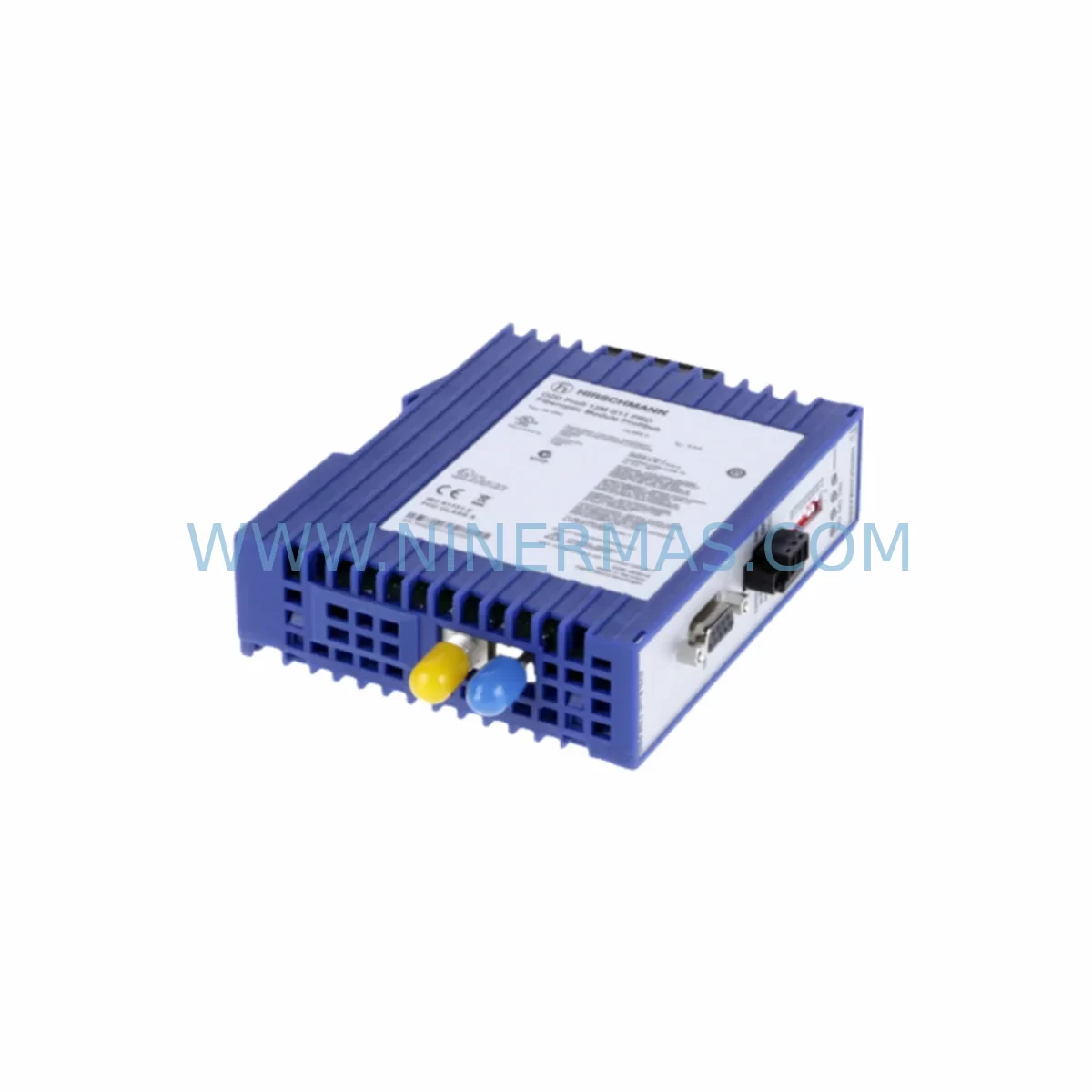
Hirschmann OZD PROFI 12M G12 PRO Service-Ready Spare Part
Verify the part, confirm the platform family, and move straight into quotation with the right commercial details.
RFQ Ready
- SKUOZD PROFI 12M G12 PRO
- CategoryPLC & Industrial Automation Modules
- BrandHirschmann
- SupportAvailability, lead time, condition, and shipping coordination
How Buyers Usually Use This Page
- Confirm the exact part number and platform family before sending the quote request.
- Use direct email when quantity, condition, and destination are already defined internally.
- Switch to the broader brand or category archive when you need alternates nearby.
Series Navigation
Move through the most common platform families behind this part.
Product RFQ
Send this part directly for quotation.
Include quantity, required condition, destination country, and target delivery timing. Current reference: Hirschmann OZD PROFI 12M G12 PRO Service-Ready Spare Part with SKU OZD PROFI 12M G12 PRO.
Hirschmann OZD PROFI 12M G12 PRO Service-Ready Spare Part for Industrial Maintenance
The Hirschmann OZD PROFI 12M G12 PRO is a field-proven PROFIBUS optical link module (OLM) designed for converting RS-485 electrical PROFIBUS signals to fiber optic transmission, enabling noise-immune, long-distance communication in demanding industrial environments. As a service-ready spare part sourced and pre-shipment tested by NINERMAS, this unit is positioned to support rapid replacement, minimize unplanned downtime, and sustain continuous operation across process and discrete manufacturing facilities.
Maintenance engineers and procurement teams managing aging PROFIBUS DP networks rely on the OZD PROFI 12M G12 PRO to bridge electrical and optical segments with deterministic timing and full DP/FMS protocol transparency. Whether you are executing a planned annual overhaul, responding to a segment fault, or building a strategic spare parts buffer, having a verified replacement unit on hand is the single most effective measure against extended production stoppages.
Spare Maintenance Table
| Parameter | Specification |
|---|---|
| Part Number / SKU | OZD PROFI 12M G12 PRO |
| Brand | Hirschmann (Belden) |
| Series | OZD PROFI / PROFIBUS OLM Series |
| Function | PROFIBUS DP/FMS Optical Link Module – RS-485 to Fiber Optic Conversion |
| Fiber Type | Multimode Glass Fiber (62.5/125 µm or 50/125 µm) |
| Optical Ports | 2 × ST connector (duplex fiber) |
| RS-485 Ports | 1 × Sub-D9 + terminal block |
| Max. Transmission Distance | Up to 3,000 m (glass fiber, multimode) |
| PROFIBUS Baud Rate | 9.6 kbps – 12 Mbps (auto-detection) |
| Supply Voltage | 24 V DC (18–32 V DC) |
| Power Consumption | Approx. 3 W |
| Operating Temperature | -10 °C to +60 °C |
| Protection Class | IP20 |
| Mounting | DIN Rail (35 mm) |
| Certifications | CE, UL (typical for series) |
| Compatibility | PROFIBUS DP / FMS; compatible with Siemens S7-300/400, ABB AC500, Schneider Modicon Premium/Quantum PROFIBUS masters |
| Application Environment | Control cabinets, field junction boxes, process plant DCS/PLC rooms, automotive assembly lines |
| Maintenance Recommendation | Inspect fiber connectors and ST adapters every 12 months; clean with IEC 61300-3-35 compliant tools; verify optical power budget annually |
| Warranty | 12 Months – NINERMAS Quality Assurance |
| Condition | Original / Tested Stock – Pre-shipment functional verification |
| Long-Term Supply | Available through NINERMAS long-term spare parts program |
Maintenance Planning for Continuous Operation
When replacing the OZD PROFI 12M G12 PRO in a live PROFIBUS segment, a disciplined maintenance engineer will not stop at the OLM itself. The optical link module sits at the intersection of the electrical bus and the fiber backbone, meaning a fault in this unit often masks or is caused by degradation in adjacent components. A thorough site inspection should cover the following areas:
Power Supply Integrity: The OZD PROFI 12M G12 PRO operates on 24 V DC. Verify the upstream Hirschmann PS24 or equivalent 24 V DIN rail power supply is within tolerance (18–32 V DC) and that ripple is within spec. A marginal power supply is a common root cause of intermittent OLM resets. If the cabinet also houses a Hirschmann SPIDER or MICE series Industrial Ethernet switch, confirm its power rail is independently fused.
RS-485 Bus Termination and Wiring: Inspect the PROFIBUS cable shield continuity and the bus termination resistors at both segment ends. Incorrect termination is the leading cause of signal reflection errors that stress OLMs. Check the Sub-D9 PROFIBUS connectors (e.g., Siemens 6ES7 972-0BA52-0XA0 or equivalent) for pin corrosion or loose crimps.
Fiber Optic Patch Cords and ST Adapters: Multimode ST-ST duplex fiber patch cords should be inspected for end-face contamination and physical damage. A dirty ST connector can introduce 3–5 dB of additional loss, pushing the link beyond the optical power budget. Replace patch cords showing insertion loss above 0.5 dB per connector.
PROFIBUS DP Master and Slave Modules: If the segment fault persists after OLM replacement, audit the PROFIBUS DP master interface card in the PLC or DCS rack — for example, a Siemens CP 342-5 or CP 443-5 communications processor, or an ABB CI854A PROFIBUS DP interface module for AC800M systems. Confirm GSD file versions and station address assignments have not drifted.
I/O Modules and Field Devices: Downstream PROFIBUS remote I/O stations — such as Siemens ET 200M IM 153-x interface modules or Schneider Electric Momentum 170ENT11001 adapters — should be checked for firmware currency and address conflicts. A single misconfigured slave can cause bus-wide communication failures that appear as OLM faults.
Signal Isolators and Surge Protection: In environments with high electromagnetic interference (welding lines, variable frequency drives), install or verify PROFIBUS signal isolators (e.g., Pepperl+Fuchs KFD2-BR-1.PA or equivalent) and surge protection devices on the RS-485 port. These components protect the OLM from transient overvoltages that cause premature failure.
Cabinet Thermal Management: Confirm that cabinet ventilation, DIN rail cooling fans, or thermostat-controlled cabinet heaters are functional. The OZD PROFI 12M G12 PRO is rated to +60 °C; sustained operation above this threshold accelerates optical transmitter degradation.
Incorporating these checks into your annual maintenance schedule — alongside the OLM replacement — transforms a reactive repair into a proactive reliability improvement, reducing the probability of repeat failures within the same maintenance cycle.
Site Replacement Workflow
Step 1 – Pre-Replacement Verification: Before powering down the segment, document the current PROFIBUS network topology using your DCS/PLC diagnostic tool (e.g., Siemens STEP 7 NetPro or TIA Portal network view). Record all station addresses, baud rate settings, and optical power readings from the existing OLM’s diagnostic LEDs.
Step 2 – Safe Isolation: Isolate the 24 V DC supply to the OLM using the dedicated circuit breaker or fuse in the control cabinet. Do not disconnect fiber cables under power — optical transmitters can be damaged by reflections from disconnected fibers.
Step 3 – Physical Replacement: Remove the faulty OZD PROFI 12M G12 PRO from the DIN rail. Install the NINERMAS-supplied replacement unit. The OZD PROFI 12M G12 PRO is a direct drop-in replacement — no firmware configuration is required for standard DP/FMS operation. Reconnect the ST fiber patch cords and the RS-485 Sub-D9 connector.
Step 4 – Power-Up and Diagnostics: Restore 24 V DC power. Observe the OLM’s LED indicators: the optical port LEDs should illuminate solid green within 5 seconds of power-up if the fiber link is intact. The RS-485 port LED should begin flashing in synchrony with PROFIBUS traffic. If the optical LED remains red or flashing, re-inspect fiber connectors for contamination or incorrect polarity (TX/RX swap).
Step 5 – System Validation: From the PLC/DCS master, perform a full PROFIBUS DP bus scan to confirm all slave stations are online. Compare the post-replacement station list against the pre-replacement documentation. Log the replacement date, unit serial number, and optical power readings in your maintenance management system (CMMS) for lifecycle tracking.
This workflow is compatible with legacy Hirschmann OZD PROFI 12M G12 installations and supports migration from older OZD PROFI 12M variants, ensuring backward compatibility without bus reconfiguration.
Spare Parts Support FAQ
Q1: Is the NINERMAS OZD PROFI 12M G12 PRO an original Hirschmann part?
Yes. NINERMAS sources original Hirschmann (Belden) components through authorized industrial distribution channels. Each unit undergoes pre-shipment functional testing to verify optical power output, RS-485 signal integrity, and power supply operation before dispatch. A 12-month warranty is provided from the date of shipment.
Q2: Can this unit replace older OZD PROFI 12M variants without reconfiguring the PROFIBUS network?
In the vast majority of installations, yes. The OZD PROFI 12M G12 PRO is backward compatible with earlier OZD PROFI 12M revisions and supports the same baud rate auto-detection (9.6 kbps to 12 Mbps). No GSD file changes or master configuration updates are required for standard DP/FMS segment replacement. Always verify the fiber connector type (ST) and fiber specification (multimode glass) match your existing installation before ordering.
Q3: What is NINERMAS’s long-term supply commitment for this part?
NINERMAS maintains strategic stock of the OZD PROFI 12M G12 PRO as part of its long-term spare parts program for industrial automation components. We support customers with multi-unit blanket orders, consignment stock arrangements, and scheduled delivery programs to ensure availability for planned maintenance shutdowns and emergency replacements. Contact our team to discuss a dedicated supply agreement.
Q4: How should I store spare OZD PROFI 12M G12 PRO units in my parts inventory?
Store units in their original anti-static packaging in a dry environment at 0–40 °C with relative humidity below 75% (non-condensing). Avoid storage near strong magnetic fields or sources of mechanical vibration. Inspect stored units annually — verify optical connector end-faces are clean and capped, and confirm the unit powers up correctly before committing it to a live replacement. NINERMAS recommends a maximum storage period of 5 years before re-testing is advisable for long-lifecycle spare parts programs.
| Product Series | Other series |
|---|---|
| Country of Origin | DE |
Catalog Continuation
Nearby part numbers around OZDPROFI.
Use this lane when the buyer is comparing adjacent model numbers, revision-near items, or closely related spare variants within the same brand family.

SKU: OZDPROFI12MG12
Hirschmann OZDPROFI12MG12 Spare Part for Industrial Maintenance
Catalog Continuation
More Hirschmann modules in the catalog.
Use the brand lane to compare nearby part numbers, platform-adjacent modules, and other inquiry-ready listings before sending your final RFQ.
SKU: OZD PROFI 12M G12-1300 PRO
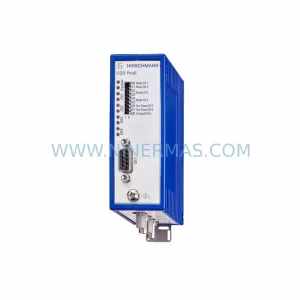
Hirschmann OZD PROFI 12M G12-1300 PRO Industrial Spare Part
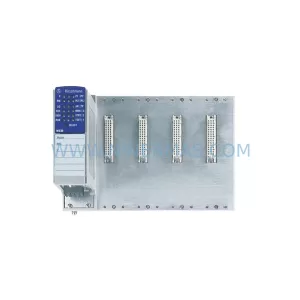
SKU: KTDE-V 943258-001
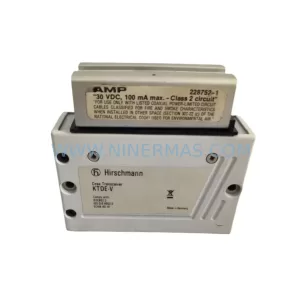
Hirschmann KTDE-V 943258-001 Safety-Reliable Coax Transceiver
Catalog Continuation
Alternative parts within PLC & Industrial Automation Modules.
Stay inside the same system family when you need substitutes, adjacent modules, or a broader shortlist for procurement review.
SKU: NA-1E221 1E-221.2
KONGSBERG NA-1E221 Service-Ready Spare Part for Maintenance
SKU: 023PLX0100 23 SGM-02U3B4L 10.004.22 RKH/W 500L 0040-99736
Yaskawa SGM-02U3B4L Retrofit AC Servo Motor for Legacy Systems
SKU: 6ES7341-1AH02-0AE0
Siemens 6ES7341-1AH02-0AE0 Retrofit-Compatible CP for Legacy S7-300