Original Industrial Spare Part
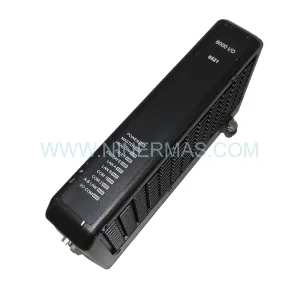
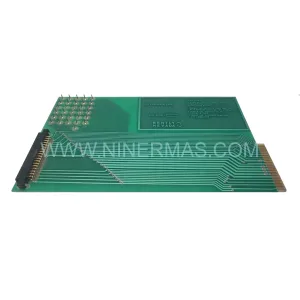
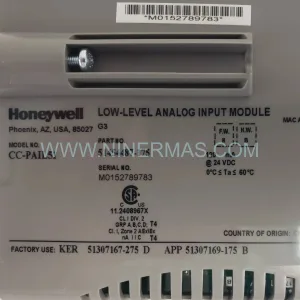
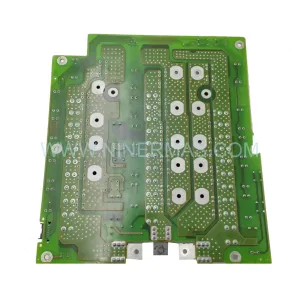
Alstom 700.000 151/01 30 Retrofit-Compatible I/O Module
Verify the part, confirm the platform family, and move straight into quotation with the right commercial details.
RFQ Ready
- SKU700.000 151/01 30
- CategoryPLC & Industrial Automation Modules
- BrandALSTOM
- SupportAvailability, lead time, condition, and shipping coordination
How Buyers Usually Use This Page
- Confirm the exact part number and platform family before sending the quote request.
- Use direct email when quantity, condition, and destination are already defined internally.
- Switch to the broader brand or category archive when you need alternates nearby.
Series Navigation
Move through the most common platform families behind this part.
Product RFQ
Send this part directly for quotation.
Include quantity, required condition, destination country, and target delivery timing. Current reference: Alstom 700.000 151/01 30 Retrofit-Compatible I/O Module with SKU 700.000 151/01 30.
Alstom 700.000 151/01 30 Retrofit-Compatible I/O Module: Legacy System Compatibility & Smooth Upgrade Path
The Alstom 700.000 151/01 30 is a retrofit-compatible industrial I/O module engineered for seamless integration into aging automation architectures. As legacy Alstom control platforms approach end-of-life and original spare parts become increasingly scarce, this module serves as a verified drop-in replacement that preserves existing wiring infrastructure, backplane addressing, and program logic — minimizing retrofit risk and unplanned downtime across power generation, rail traction, and process automation environments.
Whether you are managing a mid-life refurbishment of a distributed control system, upgrading a control cabinet from an obsolete Alstom ALSPA or Contronic platform, or sourcing a last-time-buy spare to extend the operational life of a critical production line, the 700.000 151/01 30 delivers the electrical and mechanical compatibility required for a controlled, low-risk migration. NINERMAS maintains verified stock of this module with full pre-shipment functional testing and a 12-month warranty on every unit.
Upgrade Compatibility Table
| Parameter | Details |
|---|---|
| SKU / Part Number | 700.000 151/01 30 |
| Brand / Manufacturer | Alstom |
| Module Series | Alstom 700 Series Industrial Control Module |
| Module Type | I/O Module (Digital/Analog, field-configurable) |
| Backplane Interface | Compatible with Alstom 700-series rack and backplane bus |
| Installation Format | Rack-mount / DIN rail compatible (confirm chassis slot pitch before installation) |
| Communication Compatibility | Supports legacy Alstom internal bus; verify protocol bridge requirements for PROFIBUS or Modbus migration |
| Terminal Wiring | Screw-terminal field wiring; verify terminal block pitch and conductor cross-section against existing drawings |
| Power Supply Requirement | 24 VDC nominal (confirm with system power budget before installation) |
| Replacement Recommendation | Direct replacement for 700.000 151/01 30; cross-reference against system BOM before ordering |
| Commissioning Notes | Verify module address DIP switch settings match original configuration; re-download program if required |
| Warranty | 12 Months — covers manufacturing defects and functional failure under normal operating conditions |
| Pre-Shipment Testing | Full functional test performed on every unit prior to dispatch |
| Origin | Germany (OEM manufactured) |
Retrofit Planning for Existing Automation Systems
A successful retrofit of the Alstom 700.000 151/01 30 begins well before the module arrives on site. Engineers should pull the original system drawings and confirm the rack slot assignment, backplane bus address, and terminal wiring schedule. In many legacy Alstom installations, the I/O rack is shared with power supply modules such as the Alstom 700.000 100 series PSU, and the available power budget must be recalculated whenever a module is replaced — particularly if the replacement unit draws a slightly different standby or active current.
Terminal block compatibility is a frequent source of delay during retrofit projects. The original field wiring connected to the 700.000 151/01 30 may use a proprietary Alstom terminal block or a standard Phoenix Contact-style connector. Confirm the connector pitch and locking mechanism before the planned maintenance window to avoid last-minute procurement delays. Where the original terminal block is no longer available, a compatible Alstom 700-series terminal adapter or a direct-wire modification to a standard 3.5 mm pitch block is typically acceptable.
For systems that include an Alstom ALSPA CP600 or CP800 controller as the host CPU, the I/O module address is typically set via onboard DIP switches or rotary selectors. Document the original address setting with a photograph before removal, and replicate it exactly on the replacement module. If the host controller firmware has been updated since the original installation, verify that the new firmware version still supports the I/O map used by the 700.000 151/01 30 — in rare cases, a firmware delta can shift channel numbering or change the handshake timing.
Communication protocol migration is increasingly common in legacy Alstom retrofit projects. Many older installations rely on a proprietary Alstom serial bus or early PROFIBUS DP segments. If the retrofit scope includes migrating to PROFINET or Modbus TCP, a communication gateway module — such as an Alstom 700-series communication coupler or a third-party protocol converter — must be inserted between the legacy I/O rack and the new network infrastructure. This gateway must be configured and tested independently before the I/O module swap to avoid compounding variables during commissioning.
HMI screen updates are often overlooked during I/O module replacements. If the plant uses an Alstom Alspa View or a third-party SCADA system with hardcoded tag addresses referencing the original module’s channel map, those tags must be audited and updated before the new module goes live. Failure to do so can result in silent data errors where the HMI displays stale or incorrect process values without generating an alarm.
Where the retrofit also involves expanding I/O capacity — for example, adding new field instruments to an existing control loop — an Alstom 700-series I/O expansion rack or a supplementary remote I/O station connected via the existing communication link may be required. Confirm available rack slots and backplane bus bandwidth before specifying additional modules. In tightly packed control cabinets, physical installation space is often the binding constraint: measure the available DIN rail length and verify that the replacement module’s depth does not conflict with cable duct routing or door clearance.
Downtime Control During System Migration
Minimizing production downtime during an Alstom 700.000 151/01 30 replacement requires a structured pre-outage preparation process. The goal is to reduce the actual module swap window to the shortest possible interval — ideally under 30 minutes for a single-module replacement — by completing all preparatory work during normal production hours.
Before the maintenance window: Obtain a verified replacement unit from NINERMAS stock and confirm it has passed pre-shipment functional testing. Download and archive the current PLC program from the host controller — whether an Alstom ALSPA CP series or a compatible third-party controller — to a secure offline backup. Photograph all terminal wiring and DIP switch positions on the module to be replaced. Prepare a wiring label kit and a torque screwdriver set to the terminal manufacturer’s specification.
During the maintenance window: Place the affected control loop in manual or safe-state mode before de-energizing the rack. Remove the faulty or end-of-life 700.000 151/01 30 module, transfer the terminal block or re-terminate field wiring to the replacement unit, set the address switches to match the documented original configuration, and re-seat the module in the rack. Re-energize the rack and verify that the host controller recognizes the module without generating a hardware fault. If the controller requires a program download to re-establish the I/O map, execute the download from the pre-prepared backup.
After the maintenance window: Perform a channel-by-channel I/O verification against the original signal list. Confirm that all HMI tags are updating correctly and that no latent alarms are present. Return the control loop to automatic mode only after all channels have been verified. Document the completed replacement in the plant maintenance management system, including the new module’s serial number and the date of installation, to support future warranty claims and lifecycle planning.
For multi-module retrofit projects involving simultaneous replacement of several Alstom 700-series I/O modules, a phased approach — replacing one module per maintenance window — is strongly recommended to isolate variables and protect the integrity of the running process.
Retrofit Support FAQ
Q1: Is the Alstom 700.000 151/01 30 a direct drop-in replacement for the original module?
In the vast majority of installations, yes. The module is mechanically and electrically compatible with the original Alstom 700-series rack and backplane. However, customers should verify the DIP switch address configuration, terminal block type, and host controller firmware version before installation. NINERMAS technical support can assist with compatibility verification based on your system’s BOM and drawings.
Q2: What pre-shipment testing is performed on each unit?
Every 700.000 151/01 30 unit dispatched by NINERMAS undergoes a full functional test on a live Alstom 700-series test rack prior to shipment. The test covers power-on initialization, I/O channel response, backplane communication handshake, and visual inspection for physical damage. A test report is available upon request.
Q3: What does the 12-month warranty cover?
The 12-month warranty covers manufacturing defects and functional failure under normal operating conditions from the date of shipment. It does not cover damage resulting from incorrect installation, overvoltage events, or physical mishandling. Warranty claims are processed directly through NINERMAS — contact sale@ninermas.com with the unit serial number and a description of the fault.
Q4: How quickly can NINERMAS ship the Alstom 700.000 151/01 30?
NINERMAS maintains ready stock of the 700.000 151/01 30 and can typically dispatch within 1–3 business days of order confirmation. Express air freight options are available for urgent breakdown situations. Contact our sales team at sale@ninermas.com or +0086 187 5021 5667 to confirm current stock availability and lead time before placing your order.
| Product Series | Other series |
|---|
Catalog Continuation
More ALSTOM modules in the catalog.
Use the brand lane to compare nearby part numbers, platform-adjacent modules, and other inquiry-ready listings before sending your final RFQ.

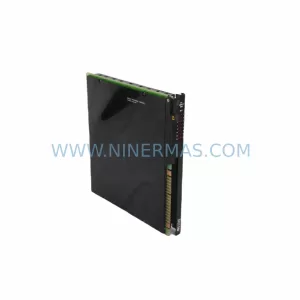
Catalog Continuation
Alternative parts within PLC & Industrial Automation Modules.
Stay inside the same system family when you need substitutes, adjacent modules, or a broader shortlist for procurement review.
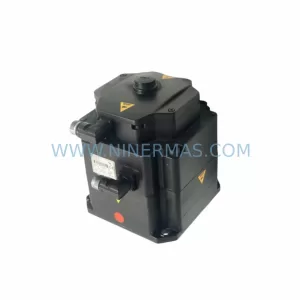
SKU: 00-117-606 1FK7100-5AZ91-1ZZ9-Z S05 3.2kw 00-122-284C2ksd1-08 00-119-768 1FK7103-5AZ91-1ZZ9-Z S08 5.9kw
KUKA 00-117-606 Retrofit-Compatible Servo Motor for Legacy Systems
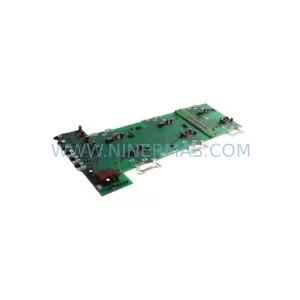
SKU: 6SE7035-1EJ84-1JC2
SIEMENS 6SE7035-1EJ84-1JC2 Retrofit-Compatible Inverter
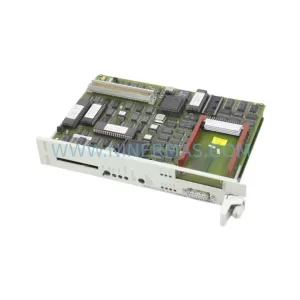
SKU: CPU948 6ES5948-3UA13
Siemens 6ES5948-3UA13 Retrofit-Compatible CPU for Legacy Systems