Original Industrial Spare Part
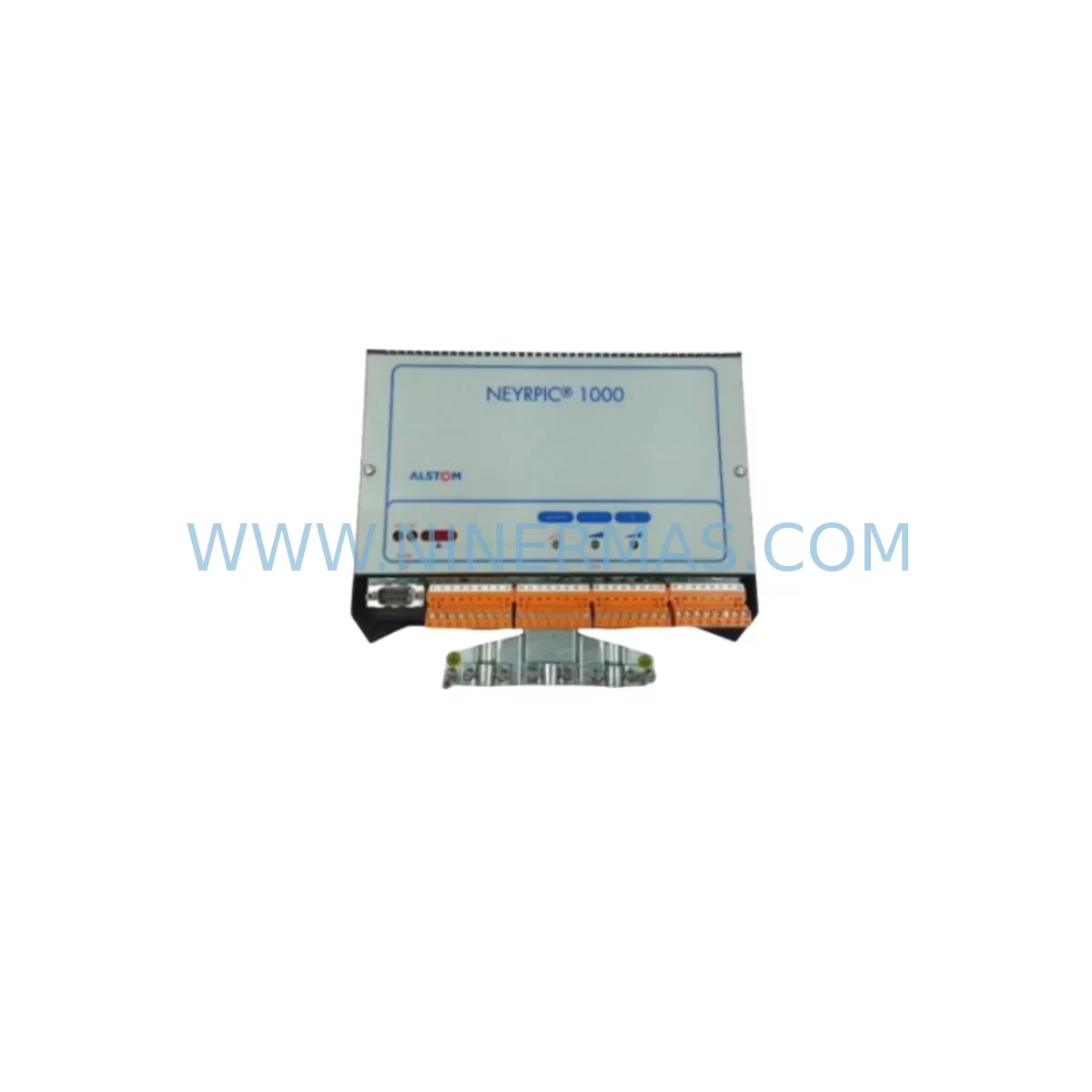
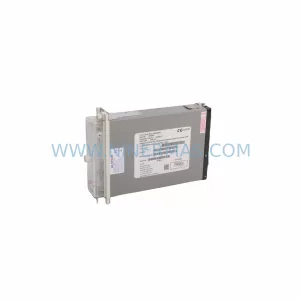
ALSTOM EY-6691 Service-Ready Spare Part for Industrial Maintenance
Verify the part, confirm the platform family, and move straight into quotation with the right commercial details.
RFQ Ready
- SKUEY-6691
- CategoryDCS Distributed Control Systems
- BrandALSTOM
- SupportAvailability, lead time, condition, and shipping coordination
How Buyers Usually Use This Page
- Confirm the exact part number and platform family before sending the quote request.
- Use direct email when quantity, condition, and destination are already defined internally.
- Switch to the broader brand or category archive when you need alternates nearby.
Series Navigation
Move through the most common platform families behind this part.
Product RFQ
Send this part directly for quotation.
Include quantity, required condition, destination country, and target delivery timing. Current reference: ALSTOM EY-6691 Service-Ready Spare Part for Industrial Maintenance with SKU EY-6691.
ALSTOM EY-6691 Service-Ready Spare Part for Industrial Maintenance
The ALSTOM EY-6691 is an original-specification power supply unit engineered for continuous-duty industrial control environments. Designed as a direct service replacement within the ALSTOM EY Series platform, this unit supports mission-critical applications in power generation, rail traction control, process automation, and distributed control system (DCS) architectures. For maintenance engineers managing aging ALSTOM control cabinets, the EY-6691 represents a proven, drop-in solution that eliminates the risk of extended downtime caused by power supply failure — one of the most common root causes of unplanned production stoppages in legacy automation infrastructure.
Every EY-6691 unit dispatched from our warehouse undergoes pre-shipment electrical testing, including output voltage verification, load regulation assessment, and ripple measurement. This ensures that the unit arriving on-site is ready for immediate installation without requiring bench calibration. A 12-month warranty is included as standard, covering manufacturing defects and premature failure under normal operating conditions. Long-term supply continuity is maintained through our dedicated industrial spare parts inventory, making the EY-6691 available for both emergency procurement and planned annual maintenance cycles.
Spare Maintenance Table
| Parameter | Specification / Detail |
|---|---|
| Part Number | EY-6691 |
| Brand | ALSTOM |
| Series | EY Series |
| Product Type | Industrial Power Supply Unit |
| Application | PLC / DCS Control Cabinet Power Rail |
| Compatibility | ALSTOM EY Series control systems; legacy ALSTOM automation platforms |
| Output Type | Regulated DC (application-specific; verify against system nameplate) |
| Installation | Direct replacement; verify rail mounting and connector pinout before installation |
| Operating Environment | Industrial control cabinet; IP20 or better enclosure recommended |
| Maintenance Interval | Inspect annually; replace proactively at first sign of output instability |
| Origin | France |
| Warranty | 12 Months — covers manufacturing defects under normal operating conditions |
| Pre-Shipment Test | Yes — output voltage, load regulation, and ripple verified before dispatch |
| Supply Continuity | Long-term stock maintained for emergency and planned procurement |
Maintenance Planning for Continuous Operation
When replacing the EY-6691 power supply unit in an ALSTOM EY Series control cabinet, a disciplined maintenance engineer will treat the replacement as an opportunity to audit the surrounding electrical environment. Power supply failures rarely occur in isolation — they are frequently preceded or accompanied by stress on adjacent components that share the same power rail or control bus.
Begin by inspecting the input fuse and circuit breaker feeding the EY-6691. A blown or weakened fuse upstream is a common indicator of prior overcurrent events that may have stressed the power supply. Replace any suspect fuses with correctly rated components before energising the new unit. Next, examine the 24 VDC distribution terminal blocks and power rail connectors within the cabinet — loose or corroded terminals can cause intermittent voltage drops that shorten power supply service life.
For systems where the EY-6691 feeds a CPU or processor module within the ALSTOM EY Series rack, verify that the backplane bus connectors are clean and fully seated. A degraded backplane connection can cause the power supply to operate under abnormal load conditions. If the cabinet also houses ALSTOM EY Series I/O modules — whether digital input, digital output, or analogue signal cards — inspect each module’s power connector and confirm that no module is drawing excessive current due to a field wiring fault.
Communication integrity should also be verified during the replacement window. ALSTOM EY Series communication modules — including serial, Modbus, or proprietary fieldbus interfaces — are sensitive to power quality. A power supply that has been operating in a degraded state may have introduced noise onto the communication bus, causing intermittent data errors that persist even after the power supply is replaced. Inspect signal isolators and surge protection devices on analogue input channels, as these components absorb transient energy and may require replacement after a power supply failure event.
If the control cabinet includes an HMI panel or operator interface powered from the same supply rail, confirm that the HMI is operating correctly and that its internal power supply has not been damaged by the same fault condition. Similarly, check any relay output modules or interposing relay assemblies within the cabinet — relay coils present an inductive load that can generate voltage spikes harmful to power supply output stages. Verify that freewheeling diodes or RC snubber circuits are intact on all relay coils.
For facilities operating multiple ALSTOM EY Series cabinets, it is advisable to maintain a minimum stock of one EY-6691 unit per cabinet cluster. Pairing this with a stock of ALSTOM EY Series CPU modules, analogue I/O cards, and communication interface modules creates a comprehensive emergency spare kit that supports rapid system recovery without waiting for international procurement lead times.
Site Replacement Workflow
Step 1 — Isolation and Safety: De-energise the control cabinet following your site’s lockout/tagout procedure. Confirm zero voltage on the power rail using a calibrated multimeter before touching any components.
Step 2 — Documentation: Photograph the existing EY-6691 installation, including wiring connections, DIP switch settings, and any jumper configurations. This documentation is essential for replicating the configuration on the replacement unit.
Step 3 — Removal: Disconnect all wiring from the EY-6691 terminals in sequence, labelling each wire if not already marked. Release the unit from its DIN rail or rack mounting and remove it from the cabinet.
Step 4 — Inspection: With the unit removed, inspect the mounting location for signs of heat damage, contamination, or mechanical stress. Clean the mounting area before installing the replacement.
Step 5 — Configuration: Transfer any DIP switch or jumper settings from the removed unit to the replacement EY-6691, referencing your documentation from Step 2. Confirm output voltage selection matches the system requirement.
Step 6 — Installation: Mount the replacement EY-6691 and reconnect all wiring in reverse order of removal. Verify terminal torque to manufacturer specification to prevent loose connections.
Step 7 — Commissioning: Re-energise the cabinet and measure output voltage under no-load and then full-load conditions. Confirm that all downstream modules — CPU, I/O cards, communication modules, and HMI — power up correctly and that the system returns to normal operation.
Step 8 — Documentation Closure: Record the replacement in your maintenance management system, including the date, technician name, unit serial number, and any observations. Update your spare parts inventory to trigger reorder of a replacement EY-6691 unit.
Spare Parts Support FAQ
Q1: Is the EY-6691 a new original unit or a refurbished part?
All EY-6691 units we supply are sourced from authorised industrial spare parts channels. Each unit is pre-shipment tested to verify electrical performance before dispatch. The 12-month warranty applies to all units regardless of production date, covering manufacturing defects and premature failure under normal operating conditions.
Q2: How do I confirm compatibility with my existing ALSTOM EY Series system?
Compatibility should be verified by cross-referencing the part number EY-6691 against your system’s original bill of materials or the nameplate data on the installed unit. If you have the original ALSTOM system documentation, confirm the output voltage and connector type match. Our technical team can assist with compatibility verification prior to order placement — contact us at sale@ninermas.com.
Q3: What is your lead time and can you support emergency procurement?
Standard orders are processed and dispatched within 1–3 business days. For emergency breakdown situations, contact us directly at +0086 187 5021 5667 to confirm stock availability and arrange priority dispatch. We maintain long-term inventory of EY-6691 and related ALSTOM EY Series components to support both planned annual maintenance and unplanned emergency replacement scenarios.
Q4: How should I manage EY-6691 spare parts inventory for a multi-cabinet facility?
For facilities with multiple ALSTOM EY Series control cabinets, we recommend maintaining a minimum of one EY-6691 unit per cabinet cluster as a hot spare. Combine this with a structured annual inspection cycle — checking output voltage stability, terminal condition, and thermal performance — to identify units approaching end of service life before failure occurs. Proactive replacement during scheduled maintenance windows is significantly less costly than emergency replacement during an unplanned production stoppage.
| Product Series | Other series |
|---|
Catalog Continuation
More ALSTOM modules in the catalog.
Use the brand lane to compare nearby part numbers, platform-adjacent modules, and other inquiry-ready listings before sending your final RFQ.

Catalog Continuation
Alternative parts within DCS Distributed Control Systems.
Stay inside the same system family when you need substitutes, adjacent modules, or a broader shortlist for procurement review.
SKU: KJ3002X1-BG2 12P1731X082
Emerson KJ3002X1-BG2 12P1731X082 Spare Part for Maintenance
SKU: CL6821X1-A5 41B5222X422
Fisher CL6821X1-A5 41B5222X422 Service-Ready Spare Part
SKU: KJ3102X1-BA1 12P1863X032
Emerson KJ3102X1-BA1 12P1863X032 Spare Part for Maintenance