Original Industrial Spare Part
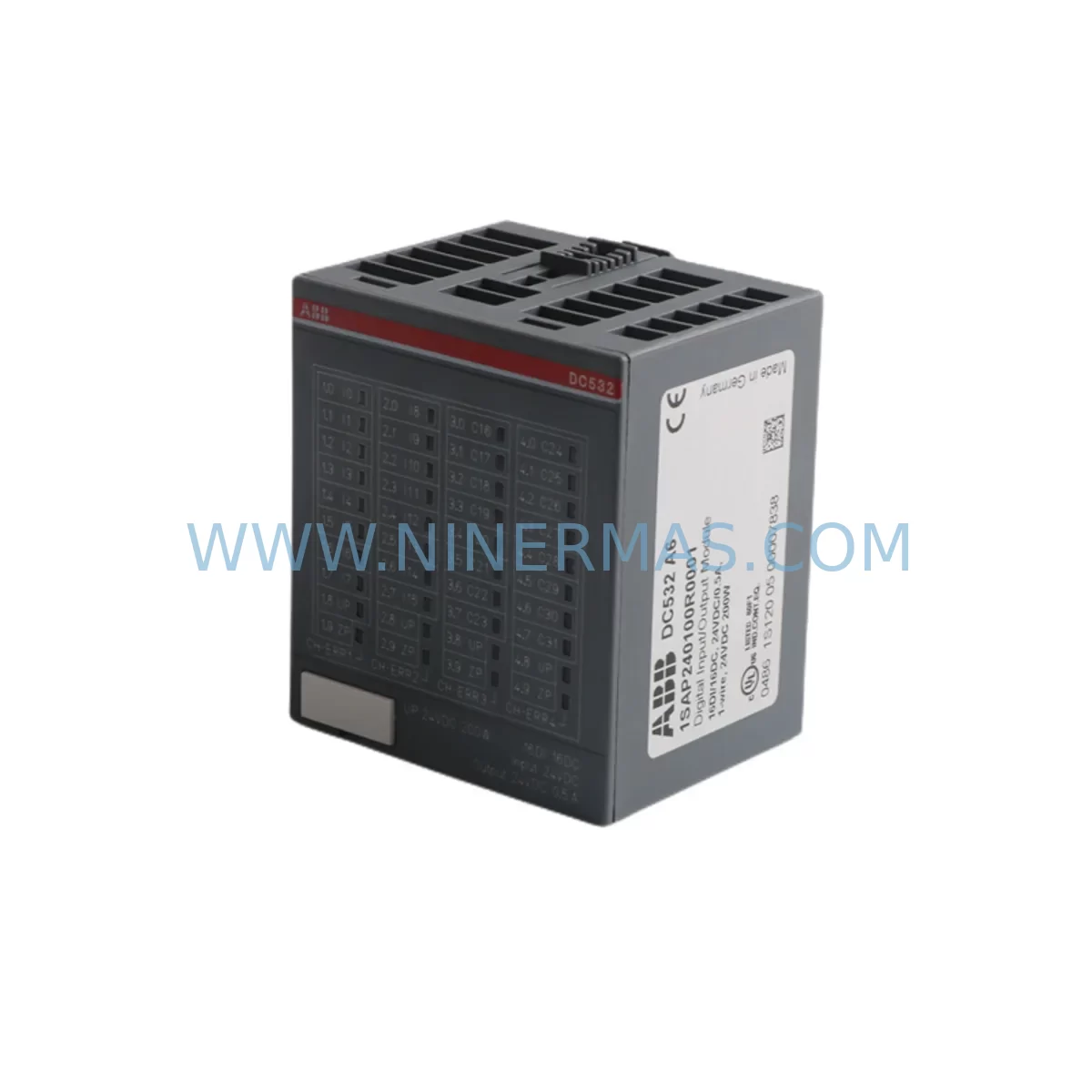
ABB DC532 1SAP240100R0001 Retrofit-Compatible DI for Legacy Systems
Verify the part, confirm the platform family, and move straight into quotation with the right commercial details.
RFQ Ready
- SKUDC532 1SAP240100R0001
- CategoryPLC & Industrial Automation Modules
- BrandABB
- SupportAvailability, lead time, condition, and shipping coordination
How Buyers Usually Use This Page
- Confirm the exact part number and platform family before sending the quote request.
- Use direct email when quantity, condition, and destination are already defined internally.
- Switch to the broader brand or category archive when you need alternates nearby.
Series Navigation
Move through the most common platform families behind this part.
Product RFQ
Send this part directly for quotation.
Include quantity, required condition, destination country, and target delivery timing. Current reference: ABB DC532 1SAP240100R0001 Retrofit-Compatible DI for Legacy Systems with SKU DC532 1SAP240100R0001.
ABB DC532 1SAP240100R0001 Retrofit-Compatible Digital Input Module for Legacy AC500 Systems
The ABB DC532 (part number 1SAP240100R0001) is a 16-channel 24 VDC digital input module designed for the ABB AC500 PLC platform. As legacy automation systems age and original spare parts become increasingly difficult to source, the DC532 serves as a critical retrofit and replacement component for engineers tasked with modernizing aging control infrastructure without full system overhauls. Whether you are replacing a discontinued module in an existing AC500 rack, expanding I/O capacity in a legacy control cabinet, or migrating from an older ABB S500 I/O configuration, the DC532 provides a reliable, drop-in compatible solution that preserves existing program logic and minimizes engineering rework.
For facilities running AC500 CPUs such as the PM554, PM564, or PM583, the DC532 integrates directly onto the standard AC500 backplane without requiring firmware changes or hardware adapters. Its 16 digital inputs accept 24 VDC signals with a standard IEC 61131-2 Type 1/3 input characteristic, making it compatible with a wide range of field sensors, proximity switches, pushbuttons, and relay contacts already wired in legacy panels. Engineers replacing older DC505 or DC522 modules will find that the DC532 offers an expanded channel count and improved diagnostic capability while maintaining backward-compatible addressing on the AC500 bus.
Upgrade Compatibility Table
| Parameter | DC532 1SAP240100R0001 | Notes / Retrofit Guidance |
|---|---|---|
| Input Channels | 16 x 24 VDC Digital Input | Verify field wiring terminal count before replacement |
| Input Voltage Range | 24 VDC (15–30 VDC) | Compatible with standard 24 VDC panel power supplies |
| Backplane Interface | AC500 S500 I/O Bus | Direct plug-in to TB521, TB541, TB561 terminal bases |
| Terminal Base Required | TB521 / TB541 / TB561 | Confirm existing terminal base model before ordering |
| Compatible CPUs | PM554, PM564, PM572, PM583, PM591, PM595 | No firmware upgrade required for standard replacement |
| Replaces / Upgrades From | DC505, DC522, DC523 | Address remapping may be required in PLC program |
| Communication Protocol | AC500 Internal I/O Bus | No additional fieldbus configuration needed |
| Installation Space | Standard AC500 module slot | Confirm rack slot availability before installation |
| Diagnostic Support | LED status per channel + bus diagnostics | Update HMI alarm tags if replacing DC505/DC522 |
| Warranty | 12 Months | Covered from date of shipment; includes DOA replacement |
Retrofit Planning for Existing Automation Systems
Successful retrofit of the DC532 into an existing AC500 installation requires a structured pre-migration assessment. Before removing the legacy module, engineers should document the current I/O address assignments in the PLC program — typically configured in the AC500 hardware editor within Automation Builder. If the existing installation uses a DC522 (8-channel DI) and is being upgraded to the DC532 (16-channel DI), the module address on the S500 I/O bus will remain the same, but the channel count expansion must be reflected in the hardware configuration file and any associated HMI screens built on CP600 or CP635 panels.
The DC532 mounts onto a compatible terminal base — most commonly the TB521 or TB541 — which provides the physical wiring interface for field cables. If the existing terminal base is already installed and wired, the DC532 can be hot-swapped in systems where the AC500 CPU supports online module replacement, significantly reducing downtime. However, engineers should verify that the installed terminal base model matches the DC532’s mechanical keying before proceeding. In installations where the terminal base must also be replaced, full panel shutdown and re-termination of field cables will be required.
For control cabinets that also house communication modules such as the CI501-PNIO (PROFINET), CI502-PNIO, or CI504-PNIO, the DC532 replacement does not affect the fieldbus configuration, as the S500 I/O bus operates independently of the upper-level communication layer. Similarly, installations using CM589-PNIO or CM579-ETHCAT for EtherCAT connectivity will not require reconfiguration of the communication stack when replacing a digital input module. Engineers should, however, verify that the total I/O bus load — including all installed DC532, DA501, DA502, AX521, and AX522 modules — remains within the power budget of the installed power supply module (e.g., PS501 or PS502) to avoid undervoltage faults after the retrofit.
Signal isolation requirements should also be reviewed during retrofit planning. In applications where field signals originate from high-voltage or noisy environments, signal isolators or relay interface modules may be installed between the field wiring and the DC532 input terminals. These components do not need to be replaced as part of the module swap, but their wiring connections to the TB521 terminal base should be inspected and re-torqued to manufacturer specification during the retrofit window.
Downtime Control During System Migration
Minimizing unplanned downtime is the primary concern in any live production environment undergoing PLC module replacement. For DC532 retrofits in AC500 systems, the recommended approach is to perform the hardware swap during a scheduled maintenance window, with the replacement module pre-configured and tested offline using a bench AC500 CPU and a spare TB521 terminal base before the cutover date.
Prior to shutdown, engineers should export a full backup of the AC500 project from Automation Builder, including the hardware configuration, program logic (ST, LD, FBD, or SFC), and all variable declarations. This backup serves as the recovery baseline if the retrofit encounters unexpected compatibility issues. The HMI project — whether running on a CP600 panel or a SCADA system connected via OPC-UA or Modbus TCP — should also be backed up, as any changes to I/O tag addresses resulting from the module replacement will require corresponding updates to HMI screen bindings.
During the physical swap, the DC532 should be inserted into the terminal base with the system powered down. After power-up, the AC500 CPU will perform an automatic I/O bus scan and detect the new module. If the hardware configuration in Automation Builder matches the installed module type, the CPU will transition to RUN mode without requiring a full program download. In cases where the module type has changed (e.g., from DC522 to DC532), a hardware configuration update and program download will be required, which typically takes less than two minutes on a standard AC500 system.
Post-retrofit commissioning should include a channel-by-channel input verification using the Automation Builder online monitoring function, confirming that each of the 16 input channels responds correctly to field signals before returning the system to automatic operation. This step also validates that no wiring errors were introduced during the terminal base re-termination process.
Retrofit Support FAQ
Q: Is the DC532 1SAP240100R0001 a direct replacement for the DC522 or DC505?
A: The DC532 is functionally compatible with the AC500 I/O bus and can replace DC522 or DC505 modules in the same terminal base slot, provided the terminal base model (TB521, TB541, or TB561) is compatible. Because the DC532 has 16 input channels versus the DC522’s 8, the hardware configuration in Automation Builder must be updated to reflect the new module type, and any HMI tags referencing the expanded channel range must be added accordingly.
Q: Does the DC532 require any special wiring changes compared to the module it replaces?
A: If the existing terminal base (TB521 or TB541) is already installed and wired, no wiring changes are required for the channels that were previously in use. The additional 8 channels (channels 9–16) on the DC532 are available on the same terminal base and can be wired to new field devices without any modification to the existing connections.
Q: What pre-shipment testing is performed on the DC532?
A: Each DC532 unit supplied by NINERMAS undergoes functional verification prior to shipment, including power-on self-test, I/O bus communication check, and per-channel input signal verification. Units are shipped with original manufacturer packaging where available, and each order includes a test report upon request. All units are covered by a 12-month warranty from the date of shipment.
Q: What is the lead time and stock availability for the DC532 1SAP240100R0001?
A: NINERMAS maintains inventory of the DC532 1SAP240100R0001 to support urgent retrofit and breakdown replacement requirements. Standard orders are processed and shipped within 1–3 business days. For large-quantity orders or long-term supply agreements, please contact our sales team directly to confirm availability and lead time.
—
| Product Series | AC500 |
|---|---|
| Country of Origin | SE |
Catalog Continuation
More ABB modules in the catalog.
Use the brand lane to compare nearby part numbers, platform-adjacent modules, and other inquiry-ready listings before sending your final RFQ.
SKU: TK850V007 3BSC950192R1
ABB TK850V007 3BSC950192R1 Service-Ready Spare Part for Industrial Maintenance
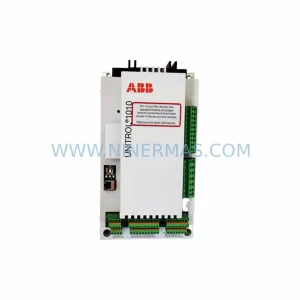
SKU: UNITROL1010 3BHE035301R0001 UNS0121 A-Z,V1
ABB UNITROL1010 3BHE035301R0001 Service-Ready Spare Part
SKU: HENF209709R0001 P4LK
ABB HENF209709R0001 Safety-Reliable Power Cord for Control Sites
Catalog Continuation
Alternative parts within PLC & Industrial Automation Modules.
Stay inside the same system family when you need substitutes, adjacent modules, or a broader shortlist for procurement review.
SKU: AG319100-0200C AG319100-0200D
Endress+Hauser AG319100-0200C/D Retrofit PCB for Legacy Systems
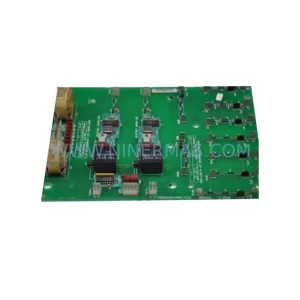
SKU: DS200SHVMG1ACC
GE DS200SHVMG1ACC Service-Ready Spare Part for Maintenance