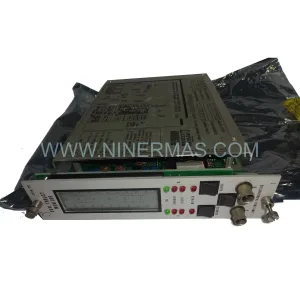
Original Industrial Spare Part
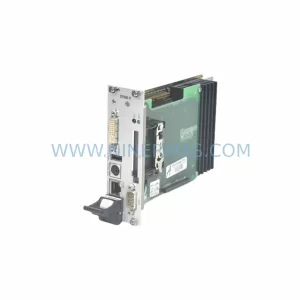
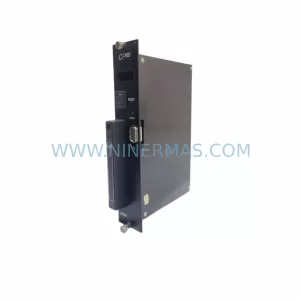
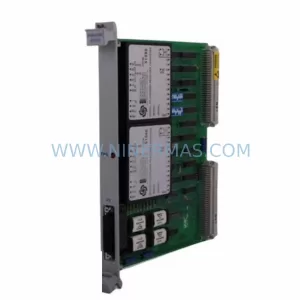
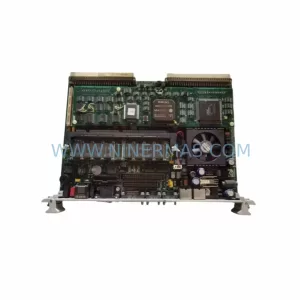
VMIC VMIVME7589 VMIVME7434 Retrofit-Compatible Control Module
Verify the part, confirm the platform family, and move straight into quotation with the right commercial details.
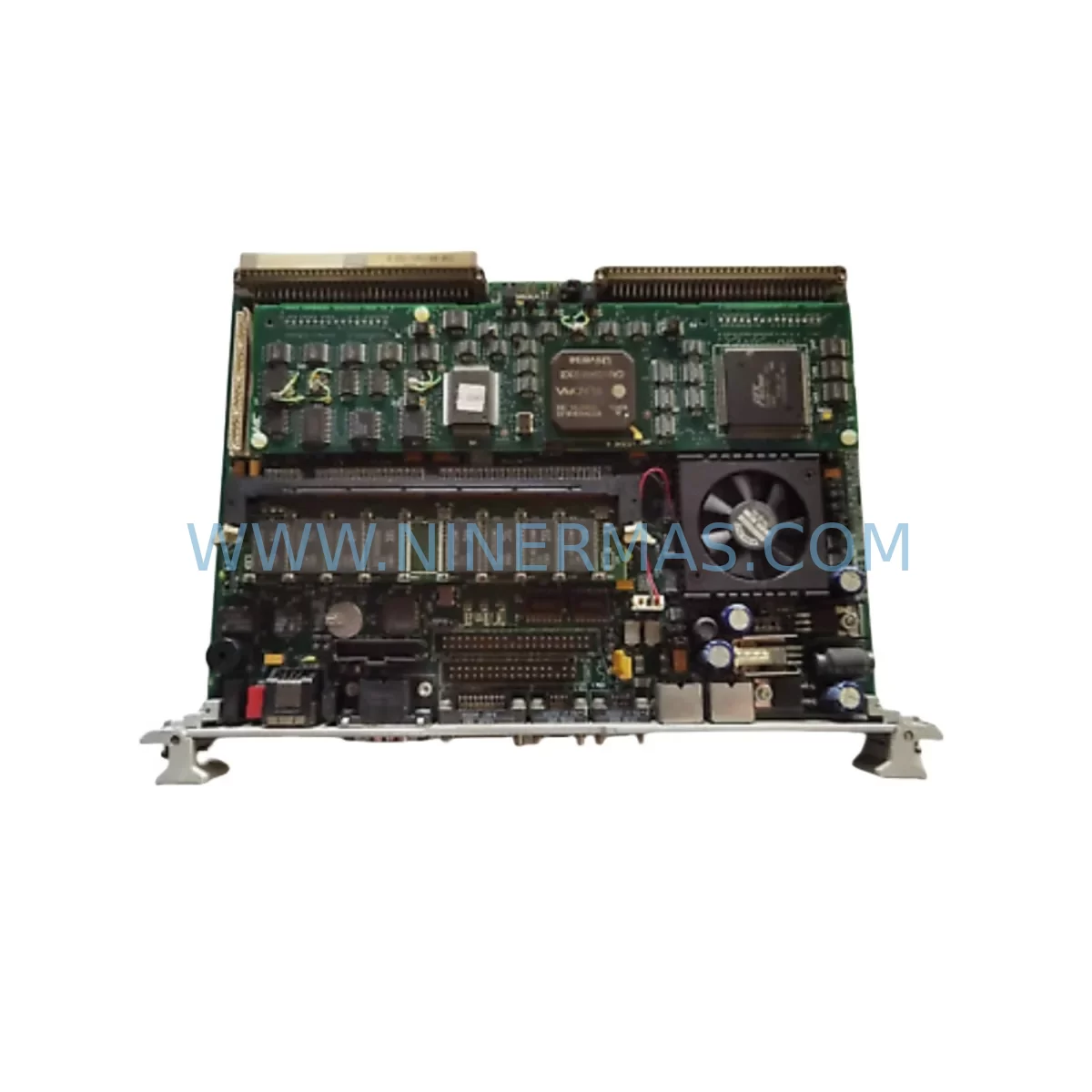
RFQ Ready
- SKUVMIVME7589 VMIVME7434
- CategoryPLC & Industrial Automation Modules
- BrandVMIC
- SupportAvailability, lead time, condition, and shipping coordination
How Buyers Usually Use This Page
- Confirm the exact part number and platform family before sending the quote request.
- Use direct email when quantity, condition, and destination are already defined internally.
- Switch to the broader brand or category archive when you need alternates nearby.
Series Navigation
Move through the most common platform families behind this part.
Product RFQ
Send this part directly for quotation.
Include quantity, required condition, destination country, and target delivery timing. Current reference: VMIC VMIVME7589 VMIVME7434 Retrofit-Compatible Control Module with SKU VMIVME7589 VMIVME7434.
VMIC VMIVME7589 VMIVME7434 Retrofit-Compatible Control Module: Seamless Legacy System Upgrade
The VMIC VMIVME7589 and VMIVME7434 are ruggedized VMEbus control modules engineered for continuous operation in harsh industrial environments — including high-vibration, wide-temperature, and EMI-intensive process and discrete manufacturing settings. As VMIC (now part of Abaco Systems) has transitioned its product roadmap, both the VMIVME-7589 and VMIVME-7434 have reached end-of-life status, making qualified replacement stock and retrofit-compatible spares critical for facilities running legacy VME-based control architectures.
NINERMAS maintains verified, pre-tested inventory of the VMIVME7589 and VMIVME7434 to support plant engineers, system integrators, and MRO procurement teams managing lifecycle extensions for aging control systems. Each unit undergoes functional verification prior to shipment and is covered by a 12-month warranty against manufacturing defects and operational failure.
Upgrade Compatibility Table
| Parameter | VMIVME-7589 | VMIVME-7434 | Retrofit Notes |
|---|---|---|---|
| Bus Architecture | VMEbus (IEEE 1014) | VMEbus (IEEE 1014) | Direct slot-compatible with standard 6U VME backplanes |
| Form Factor | 6U VME | 6U VME | Confirm rack slot pitch and card guide clearance before installation |
| Operating Temperature | -40°C to +85°C (ruggedized) | -40°C to +85°C (ruggedized) | Suitable for outdoor enclosures and non-climate-controlled cabinets |
| Power Supply Requirement | +5V, ±12V VME rail | +5V, ±12V VME rail | Verify existing VME PSU capacity; add headroom for inrush current |
| Communication Interface | VMEbus P1/P2 connectors | VMEbus P1/P2 connectors | Check P2 rear I/O transition card compatibility |
| Replacement Recommendation | Direct swap for VMIVME-7589 in same chassis | Direct swap for VMIVME-7434 in same chassis | No firmware re-flash required if OS image is preserved |
| Commissioning Focus | IRQ level, VME address map, DMA channel | IRQ level, VME address map, DMA channel | Validate address conflicts with co-resident I/O modules |
| Warranty | 12-Month Warranty — NINERMAS COMPANY LIMITED | Covers functional failure under normal operating conditions | |
Retrofit Planning for Existing Automation Systems
Replacing a VMIVME-7589 or VMIVME-7434 in a live production environment requires careful pre-migration planning across multiple system layers. The VMEbus ecosystem is deeply integrated — a single control module interfaces with the backplane, the power supply, co-resident I/O modules, the host operating system, and the application software simultaneously.
Begin by auditing the existing VME chassis. Identify the backplane slot assignments and confirm that the VMIVME-7589 or VMIVME-7434 occupies a system controller slot (typically Slot 1) or a peripheral slot, as this determines the SYSCON jumper configuration on the replacement board. If the chassis uses a VMIVME-7750 or VMIVME-7651 single-board computer in an adjacent slot, verify that the VMEbus arbitration settings do not conflict after the swap.
Power supply capacity is a frequent oversight in VME retrofit projects. The existing PSU — often a VMIVME-2540 or equivalent bulk power module — must deliver stable +5V and ±12V rails under the combined load of all installed modules. Add the replacement module’s rated current draw to the existing load budget and confirm at least 20% headroom remains. Inadequate power margin is a leading cause of intermittent faults after module replacement.
Terminal wiring and rear I/O transition cards must be reviewed before removal of the legacy module. Many VMIC VME systems use rear-panel transition modules — such as the VMIVME-4100 series analog I/O boards or VMIVME-5565 reflective memory modules — that connect to the P2 rear connector. Photograph and document all wiring before disconnection. Label each signal wire against the original engineering drawing to prevent mis-termination during reinstallation.
If the control system communicates over a legacy fieldbus — such as PROFIBUS DP, Modbus RTU, or a proprietary VMEbus shared memory link — confirm that the communication module (e.g., a VMIVME-5565 reflective memory node or a third-party PROFIBUS master card) remains fully operational after the CPU module swap. Protocol migration is not required when replacing like-for-like, but any firmware version mismatch between the CPU and the communication module must be resolved before returning the system to service.
For systems that include VMIC VMIVME-7807 or VMIVME-7696 single-board computers in a multi-processor VME chassis, ensure that the VMEbus data transfer protocol (BLT, MBLT, or 2eSST) supported by the replacement module matches the existing software driver configuration. Mismatched transfer modes will cause bus errors that are difficult to diagnose without a VMEbus analyzer.
HMI screens connected to the VME controller via serial RS-232/RS-422 or Ethernet must be validated after the swap. If the HMI application polls specific memory-mapped I/O addresses on the VME board, confirm that the address map of the replacement VMIVME-7589 or VMIVME-7434 matches the original. Address map differences — even minor ones — will cause HMI display errors or loss of process variable updates.
Installation space confirmation is essential in densely populated control cabinets. Measure the available card slot depth, confirm that the card ejector levers clear adjacent modules, and verify that the rear transition card (if used) aligns correctly with the P2 connector on the replacement board. Forced insertion of a misaligned VME module can damage both the board and the backplane connector.
Downtime Control During System Migration
Minimizing unplanned downtime during a VME module replacement is achievable with disciplined pre-work. The most effective strategy is to perform a full system image backup before any hardware is touched. For VxWorks-based VMIC systems, use the BSP boot configuration to capture the current OS image, application binary, and configuration files to a network share or removable media. This ensures that if the replacement module requires a fresh OS load, the original application logic can be restored without re-engineering.
Schedule the physical swap during a planned maintenance window. Notify all stakeholders — including process engineers, safety officers, and shift supervisors — of the expected outage duration. A straightforward VMIVME-7589 or VMIVME-7434 swap in a well-documented system typically requires 2–4 hours including functional verification, but allow additional time if the system has not been serviced recently and wiring documentation is incomplete.
During the swap, keep the original module on the bench powered off but intact until the replacement has been confirmed operational. This preserves the option to revert within the same maintenance window if an unexpected compatibility issue arises. Use an ESD wrist strap and anti-static mat when handling VME boards — ruggedized modules are robust in the field but sensitive to electrostatic discharge during handling.
After installation, perform a structured commissioning sequence: power on the chassis, confirm VMEbus enumeration in the system monitor, verify that all co-resident modules (I/O boards, communication modules, memory boards) are recognized, and then load the application software. Run a full I/O checkout against the process P&ID before releasing the system to automatic control. Document the replacement in the plant maintenance management system (CMMS) with the new module’s serial number and installation date.
NINERMAS ships all VMIVME-7589 and VMIVME-7434 units with a pre-shipment functional test report. This report confirms that the module passed power-on self-test (POST), VMEbus arbitration, and basic I/O verification before leaving our facility, reducing the risk of DOA failures and shortening on-site commissioning time.
Retrofit Support FAQ
Q1: Is the VMIVME-7589 a direct drop-in replacement for the VMIVME-7434, or are there hardware differences?
The VMIVME-7589 and VMIVME-7434 are related but distinct VMIC ruggedized control modules. While both use the 6U VMEbus form factor and share similar environmental ratings, they may differ in processor generation, memory capacity, and rear I/O connector pinout. Always cross-reference the original system BOM and engineering drawings before substituting one model for the other. NINERMAS technical support can assist with compatibility verification based on your chassis configuration and software revision.
Q2: What commissioning steps are required after installing a replacement VMIVME-7589 or VMIVME-7434?
After physical installation, confirm VMEbus slot addressing (geographic addressing or software-configured), load the operating system image (VxWorks or LynxOS as applicable), restore the application software, and perform a full I/O checkout. Verify communication links to any co-resident VMIVME-5565 reflective memory modules or external fieldbus gateways. Run the system in manual mode before switching to automatic control to confirm all process variables are reading correctly.
Q3: Does NINERMAS provide pre-shipment testing, and what does the 12-month warranty cover?
Yes. Every VMIVME-7589 and VMIVME-7434 unit shipped by NINERMAS undergoes functional verification including power-on self-test, VMEbus arbitration check, and basic I/O verification. The 12-month warranty covers functional failure under normal operating conditions from the date of shipment. It does not cover damage resulting from incorrect installation, overvoltage, or physical mishandling. A test report is included with each shipment.
Q4: What is the typical lead time, and can NINERMAS support long-term spare parts programs for legacy VME systems?
In-stock units typically ship within 1–3 business days. For facilities managing long-term lifecycle extensions on VME-based control platforms, NINERMAS offers stock-commitment programs that reserve dedicated inventory against a purchase order or blanket agreement, ensuring supply continuity for critical spare parts over multi-year maintenance cycles. Contact our team to discuss your specific requirements.
| Product Series | Other series |
|---|
Catalog Continuation
More VMIC modules in the catalog.
Use the brand lane to compare nearby part numbers, platform-adjacent modules, and other inquiry-ready listings before sending your final RFQ.
SKU: VME7671 605-064676-005 VME7671-42000A
VMIC VME7671 605-064676-005 Service-Ready Spare Part
SKU: VMIVME7658 VMIVME-7658-330
VMIC VMIVME-7658-330 Service-Ready Spare Part for Industrial
SKU: R91133022C7 SH01.1C-SE-ENS-EN1-NNN-S2-S-NN-FW
VMIC R91133022C7 SH01.1C Retrofit-Compatible Safety I/O Module
Catalog Continuation
Alternative parts within PLC & Industrial Automation Modules.
Stay inside the same system family when you need substitutes, adjacent modules, or a broader shortlist for procurement review.