Original Industrial Spare Part
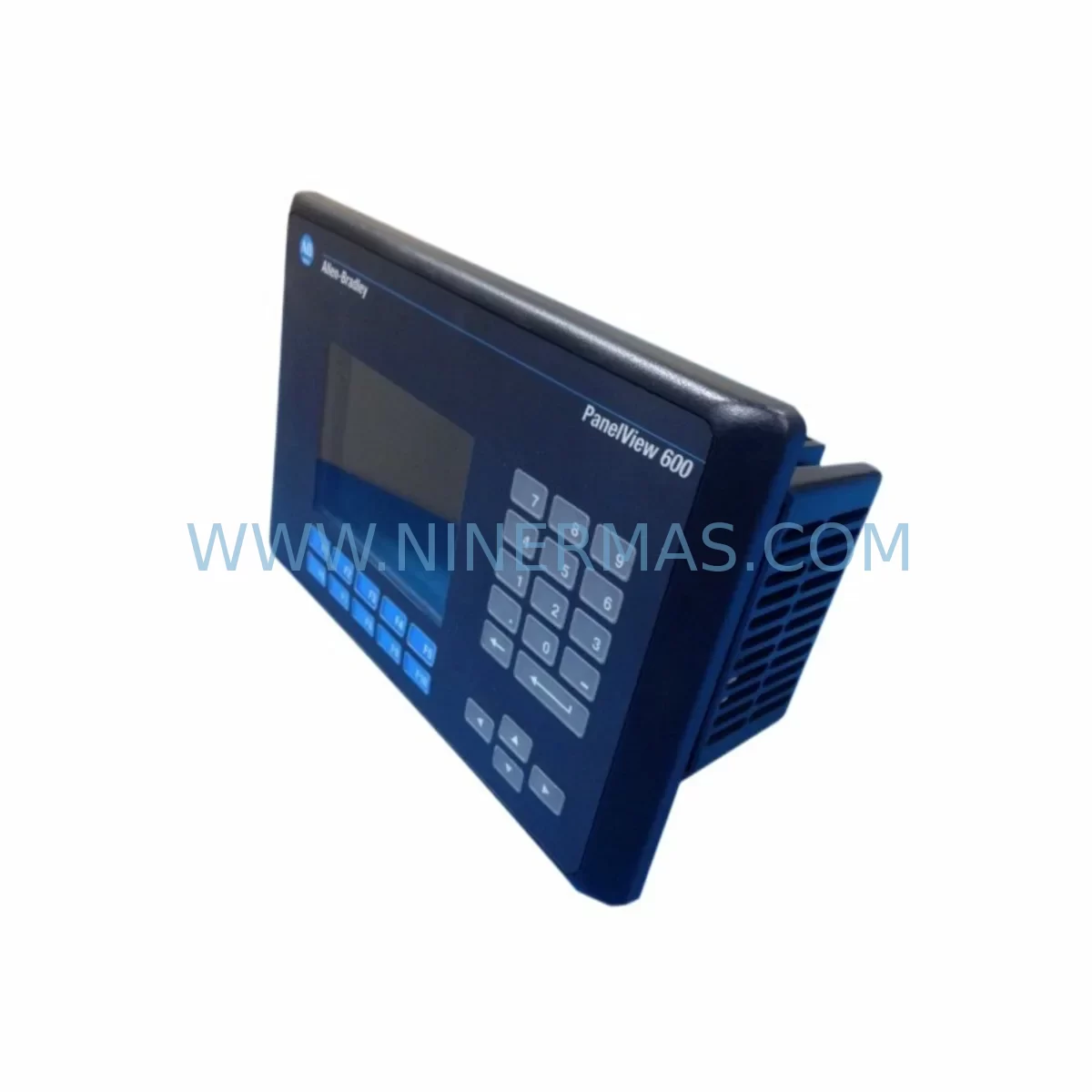
Allen-Bradley 2711-K6C9L1 Retrofit-Compatible HMI for Legacy Systems
Verify the part, confirm the platform family, and move straight into quotation with the right commercial details.
RFQ Ready
- SKU2711-K6C9L1
- CategoryPLC & Industrial Automation Modules
- BrandAllen-Bradley
- SupportAvailability, lead time, condition, and shipping coordination
How Buyers Usually Use This Page
- Confirm the exact part number and platform family before sending the quote request.
- Use direct email when quantity, condition, and destination are already defined internally.
- Switch to the broader brand or category archive when you need alternates nearby.
Series Navigation
Move through the most common platform families behind this part.
Product RFQ
Send this part directly for quotation.
Include quantity, required condition, destination country, and target delivery timing. Current reference: Allen-Bradley 2711-K6C9L1 Retrofit-Compatible HMI for Legacy Systems with SKU 2711-K6C9L1.
Allen-Bradley 2711-K6C9L1 Retrofit-Compatible HMI for Legacy Systems
The Allen-Bradley 2711-K6C9L1 is a 6-inch monochrome keypad HMI terminal from the PanelView 600 series, designed for operator interface applications in industrial control environments. As legacy PanelView 600 units approach end-of-life and spare parts become increasingly scarce, the 2711-K6C9L1 remains one of the most sought-after retrofit-compatible replacements for aging control panels across discrete manufacturing, process control, and material handling systems. Whether you are restoring a failed HMI on an existing production line or executing a planned control cabinet upgrade, the 2711-K6C9L1 provides a proven, cost-effective path to maintaining operational continuity without a full system overhaul.
At NINERMAS, we maintain verified stock of the 2711-K6C9L1 sourced from authorized channels, with each unit subject to pre-shipment functional testing. Every order is backed by a 12-month warranty covering hardware defects and operational failures under normal industrial use conditions.
Upgrade Compatibility Table
| Parameter | Details |
|---|---|
| SKU / Part Number | 2711-K6C9L1 |
| Series | PanelView 600 |
| Display Type | 6-inch Monochrome LCD with Keypad |
| Communication Interface | DH-485 / RS-232 (DF1) |
| Power Supply Requirement | 24 VDC |
| Mounting | Panel cutout mount; compatible with standard PanelView 600 cutout dimensions |
| Common Replaced Models | 2711-K6C1, 2711-K6C5, 2711-K6C8, 2711-B6C1 |
| Communication Compatibility | DH-485 network; DF1 point-to-point; compatible with SLC 500, MicroLogix 1000/1100/1400 series PLCs |
| Installation Requirement | Verify panel cutout dimensions (approx. 192 × 144 mm); confirm cable connector type (mini-DIN or DB-9) |
| Retrofit Recommendation | Retain existing PanelView application file (.PVA); re-download via PanelBuilder 32 or PanelBuilder 1400e |
| Commissioning Notes | Verify node address, baud rate (19.2K default on DH-485), and terminal block wiring before power-on |
| Warranty | 12 Months — covers hardware defects and operational failures under normal industrial use |
Retrofit Planning for Existing Automation Systems
Replacing a failed or end-of-life 2711-K6C9L1 in an existing control system requires careful pre-planning to avoid extended downtime. The first step is to confirm the communication protocol in use. The 2711-K6C9L1 supports DH-485 and DF1 (RS-232), making it directly compatible with Allen-Bradley SLC 500 series controllers such as the SLC 5/03 and SLC 5/04, as well as MicroLogix 1000, MicroLogix 1100, and MicroLogix 1400 processors. If your existing control architecture uses a 1747-AIC Advanced Interface Converter or a 1761-NET-AIC network interface converter to bridge DH-485 segments, these components should be inspected and confirmed operational before the new HMI is installed.
Power supply capacity is a critical verification point. The 2711-K6C9L1 requires a stable 24 VDC supply. In older control cabinets, the existing 1606-XLP or 1606-XLS series power supply modules may be operating near capacity, particularly if additional I/O modules or relay outputs have been added over the years. Confirm available current headroom before energizing the replacement unit.
Terminal block wiring should be documented before the old unit is removed. The 2711-K6C9L1 uses a standard DB-9 or mini-DIN connector for its communication port depending on the revision. Verify the cable pinout against your existing wiring diagram. If the original cable is damaged or missing, a replacement 2711-NC13 or 2711-NC14 communication cable may be required to restore the DH-485 link to the SLC rack or MicroLogix processor.
For sites running 1746-series I/O modules in an SLC 500 rack — including 1746-IB16 digital input modules, 1746-OB16 digital output modules, or 1746-NI4 analog input modules — the HMI application screens referencing these I/O addresses must be validated after the replacement unit is commissioned. If the original PanelView application file (.PVA) is unavailable, it may be possible to recover the application from the old unit using PanelBuilder 32 software before the display fails completely.
In control cabinets where space is constrained, confirm the physical installation envelope. The PanelView 600 series requires a standard panel cutout of approximately 192 × 144 mm. If the cabinet door has been modified or a non-standard cutout exists, a panel adapter plate may be needed. Also verify that the depth clearance behind the panel door accommodates the unit body and cable bend radius without interference from adjacent components such as 1492-series terminal blocks, circuit breakers, or cable ducts.
For systems that include a 1747-SN Remote I/O Scanner or communicate over a Remote I/O (RIO) network, note that the 2711-K6C9L1 does not natively support RIO. If your legacy HMI was connected via RIO, a protocol migration to DH-485 or DF1 will be required, which may involve reconfiguring the PLC communication channel and updating the HMI application accordingly.
Downtime Control During System Migration
Minimizing unplanned downtime during an HMI replacement is a primary concern for maintenance teams. The most effective approach is to prepare the replacement 2711-K6C9L1 fully before taking the existing system offline. This means loading the verified PanelView application file onto the new unit in a bench environment using PanelBuilder 32, confirming that all screen navigation, tag references, and alarm displays function correctly against a simulated or offline PLC program.
Before shutdown, document the current DH-485 node address configured on the existing HMI — typically accessible through the HMI’s configuration menu. Set the replacement unit to the same node address and baud rate (default 19.2 Kbps for DH-485) before installation. This eliminates one of the most common commissioning delays: node address conflicts on the DH-485 network.
If the control system includes a 1747-L553 SLC 5/05 processor with an Ethernet port, or a MicroLogix 1400 with built-in Ethernet, consider whether a longer-term migration to a PanelView Plus 6 or PanelView Plus 7 terminal using EtherNet/IP is appropriate. However, for immediate production restoration, the 2711-K6C9L1 provides the fastest path back to operation with no PLC program changes required, preserving all existing ladder logic, I/O mapping, and HMI screen logic intact.
Once the replacement unit is physically installed and the communication cable is connected, power up the system and verify the DH-485 link status indicator. Confirm that the HMI establishes communication with the PLC within the expected timeout period. Walk through all operator screens to verify tag data is updating correctly, alarm conditions are displaying as expected, and any setpoint entry screens are functioning. A complete functional verification typically takes 15–30 minutes for a standard PanelView 600 application, allowing the production line to resume with confidence.
Retrofit Support FAQ
Q: Is the 2711-K6C9L1 a direct drop-in replacement for other PanelView 600 models such as the 2711-K6C1 or 2711-K6C5?
A: The 2711-K6C9L1 shares the same physical form factor and panel cutout dimensions as other PanelView 600 keypad models. The primary differences are in the communication protocol and display type. Confirm that your existing application was developed for a DH-485 or DF1 communication configuration before substituting. The application file (.PVA) is transferable between compatible PanelView 600 units using PanelBuilder 32.
Q: What commissioning steps are required after installing the replacement unit?
A: After physical installation, set the DH-485 node address and baud rate to match the original configuration. Download the PanelView application file using PanelBuilder 32 via the RS-232 programming port. Power up the system and verify communication link establishment with the connected SLC 500 or MicroLogix controller. Perform a full screen-by-screen functional check before returning the line to production.
Q: Does NINERMAS perform pre-shipment testing on the 2711-K6C9L1?
A: Yes. Each unit undergoes functional power-on testing and communication port verification before shipment. Units are inspected for display integrity, keypad response, and connector condition. All tested units ship with a 12-month warranty covering hardware defects and operational failures under normal industrial use conditions.
Q: What is the typical lead time and inventory availability?
A: NINERMAS maintains stock of the 2711-K6C9L1 to support urgent replacement requirements. Standard orders ship within 1–3 business days. For large quantity requirements or time-critical plant shutdowns, contact our sales team directly to confirm availability and expedited shipping options.
| Product Series | 2711 |
|---|---|
| Country of Origin | US |
Catalog Continuation
More Allen-Bradley modules in the catalog.
Use the brand lane to compare nearby part numbers, platform-adjacent modules, and other inquiry-ready listings before sending your final RFQ.
Catalog Continuation
Alternative parts within PLC & Industrial Automation Modules.
Stay inside the same system family when you need substitutes, adjacent modules, or a broader shortlist for procurement review.
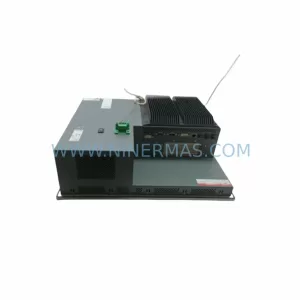
SKU: PFXPP170CA66K00N00
Pro-face PFXPP170CA66K00N00 Service-Ready Spare Part
SKU: 6SL3224-0BE32-2UA0
Siemens 6SL3224-0BE32-2UA0 Retrofit PM240 Power Module
SKU: DSQC611 3HAC13389-2
ABB DSQC611 3HAC13389-2 Service-Ready Spare for IRC5