
Original Industrial Spare Part
Panasonic AFPX-COM3 Retrofit Comm Module for Legacy Systems
Verify the part, confirm the platform family, and move straight into quotation with the right commercial details.
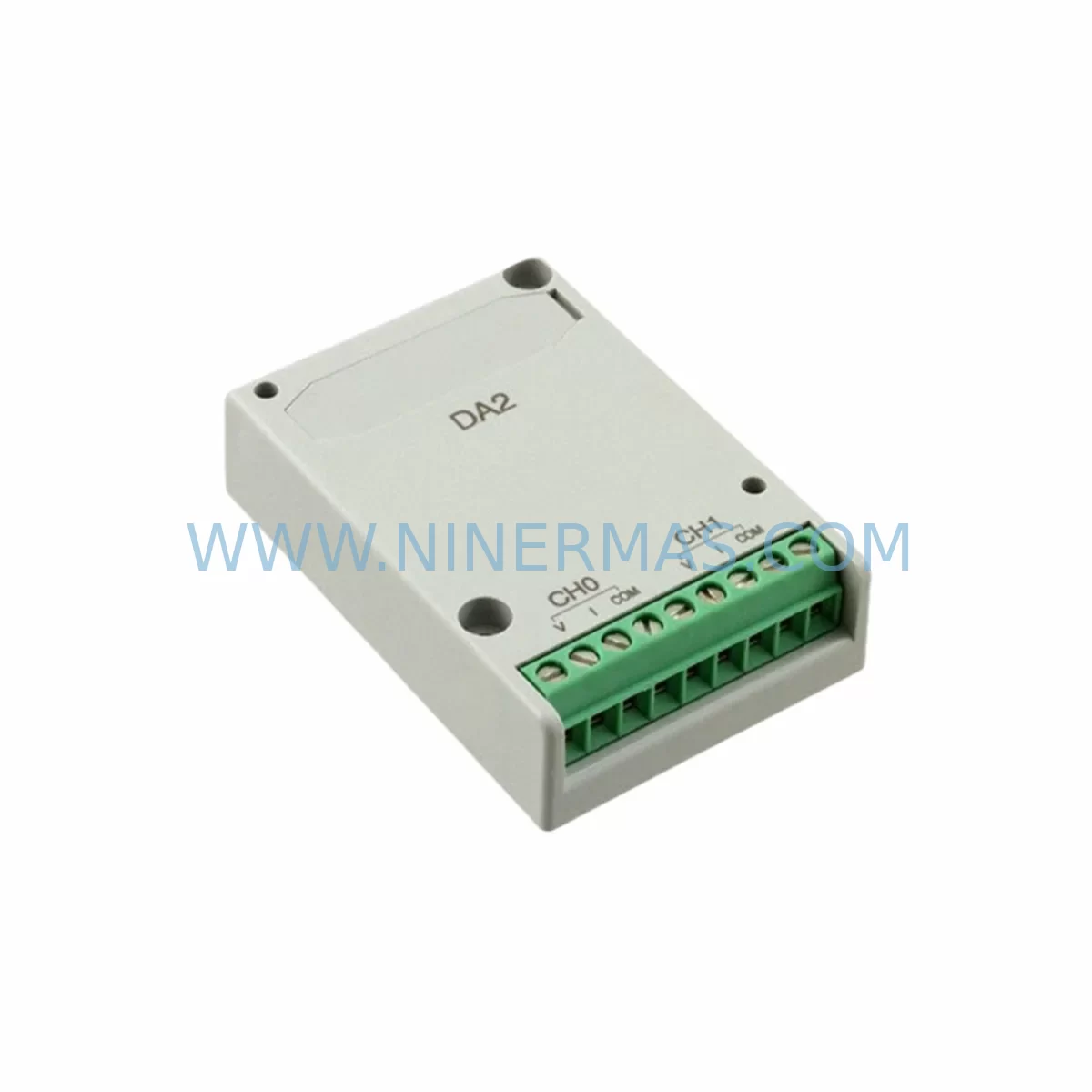
RFQ Ready
- SKUAFPX-COM3
- CategoryPLC & Industrial Automation Modules
- BrandPanasonic
- SupportAvailability, lead time, condition, and shipping coordination
How Buyers Usually Use This Page
- Confirm the exact part number and platform family before sending the quote request.
- Use direct email when quantity, condition, and destination are already defined internally.
- Switch to the broader brand or category archive when you need alternates nearby.
Series Navigation
Move through the most common platform families behind this part.
Product RFQ
Send this part directly for quotation.
Include quantity, required condition, destination country, and target delivery timing. Current reference: Panasonic AFPX-COM3 Retrofit Comm Module for Legacy Systems with SKU AFPX-COM3.
Panasonic AFPX-COM3 Retrofit Comm Module for Legacy Systems
The Panasonic AFPX-COM3 is an RS232C serial communication cassette designed for the FP-X series programmable logic controller platform. As industrial facilities face increasing pressure to modernize aging control infrastructure without full system replacement, the AFPX-COM3 provides a proven, cost-effective path for extending the operational life of existing FP-X installations. Whether your facility is migrating from an older FP-M or FP3 controller to the FP-X platform, or integrating legacy HMI panels and SCADA systems into a modernized control cabinet, the AFPX-COM3 delivers the serial communication backbone required for a smooth, low-risk transition.
This communication cassette slots directly into the cassette port of compatible FP-X CPU units, including the AFPX-C30T and AFPX-C60T, without requiring additional mounting hardware or backplane modifications. Its compact form factor is particularly valuable in retrofit scenarios where control cabinet space is constrained and installation clearance must be carefully managed before committing to a replacement strategy.
Upgrade Compatibility Table
| Parameter | AFPX-COM3 Specification | Retrofit Consideration |
|---|---|---|
| Communication Interface | RS232C (1 channel) | Verify host device supports RS232C; use signal converter if RS485 is required |
| Baud Rate | Up to 115,200 bps | Match baud rate to existing HMI or SCADA configuration before commissioning |
| Installation Method | Cassette slot (FP-X CPU) | Confirm cassette slot availability on AFPX-C30T or AFPX-C60T CPU unit |
| Compatible CPU Units | FP-X C14, C30, C60 series | Check firmware version; update CPU firmware if communication errors occur |
| Replacement for | FP-M COM port, FP3 serial unit | Re-map COM port addresses in ladder program after installation |
| Communication Protocol | Mewtocol-COM, Free protocol | Confirm protocol compatibility with upstream SCADA or HMI panel |
| Power Supply | Supplied via CPU cassette bus | No additional power wiring required; verify CPU power budget |
| Commissioning Focus | Port address, baud rate, parity | Use FPWIN Pro or FPWIN GR to configure and verify communication parameters |
| Warranty | 12 Months | Covered from date of shipment; includes functional verification test report |
Retrofit Planning for Existing Automation Systems
Successful integration of the AFPX-COM3 into a legacy control system begins well before the module arrives on-site. Retrofit engineers must first audit the existing control cabinet to confirm the CPU cassette slot is unoccupied or can be freed by relocating a lower-priority cassette such as the AFPX-COM1 (RS232C) or AFPX-COM2 (RS485) to an alternative position. In systems where both serial and Ethernet communication are required simultaneously, the AFPX-COM4 Ethernet cassette can be installed alongside the AFPX-COM3 to support dual-protocol operation without replacing the CPU unit.
For facilities running mixed analog and digital I/O alongside serial communication, the retrofit plan must account for the full cassette configuration. Analog input expansion via the AFPX-AD2 and analog output via the AFPX-DA2 are commonly installed in the same FP-X chassis, and their cassette slot assignments must be documented before the AFPX-COM3 is inserted. Failure to map cassette addresses correctly in the FPWIN Pro project file is one of the most common causes of communication failure during initial power-up after a retrofit.
Digital I/O expansion units such as the AFPX-E16T are frequently part of the same control panel assembly. When the AFPX-COM3 is used to establish a Mewtocol-COM link between the FP-X CPU and an upstream DCS or SCADA workstation, the I/O expansion units must remain online throughout the migration to avoid process interruption. Engineers should verify that the expansion bus remains stable during cassette installation by performing a cold-start test with all expansion units connected before the live cutover.
In upgrade paths that involve migrating from the FP-X platform to the newer FP7 generation, the AFP0RE32T remote I/O unit is often retained as a field device while the central controller is replaced. The AFPX-COM3 can serve as a temporary communication bridge during the transition period, maintaining serial links to legacy HMI panels while the new FP7 CPS41E power supply and CPU are commissioned in parallel. This staged approach significantly reduces the risk of unplanned downtime during the cutover window.
Terminal wiring compatibility is another critical checkpoint. The AFPX-COM3 uses a standard DB9 connector for RS232C communication. When replacing an older FP-M serial port or a dedicated FP3 serial communication unit, the existing cable harness may require a wiring adapter or pin-out modification. Engineers should prepare a terminal mapping document comparing the old and new connector pin assignments before the scheduled maintenance window begins.
Downtime Control During System Migration
Minimizing production downtime during a communication module retrofit requires a structured pre-commissioning protocol. The recommended approach is to complete all software configuration changes — including COM port address reassignment, baud rate setting, and protocol selection in FPWIN Pro — on a bench-test unit before the scheduled plant shutdown. This allows the engineering team to validate the AFPX-COM3 configuration against the actual HMI panel or SCADA driver without consuming production time.
During the physical installation window, the original ladder program logic should be backed up to a PC using FPWIN Pro before any hardware changes are made. The program backup preserves all communication function blocks, including SEND and RECV instructions that reference the COM port address of the AFPX-COM3. If the cassette slot assignment changes during the retrofit, these function block parameters must be updated in the program before re-downloading to the CPU.
For systems where the HMI panel — such as a legacy GT series or third-party operator terminal — communicates with the FP-X CPU via the AFPX-COM3, the HMI project file must also be reviewed to confirm that the communication driver settings match the new module configuration. Mismatched baud rates or parity settings between the HMI and the AFPX-COM3 are a common source of post-retrofit communication alarms that can delay restart.
Once the AFPX-COM3 is installed and the program is downloaded, a structured commissioning sequence should be followed: power-on self-test, communication link verification using the FPWIN Pro online monitor, I/O status check across all AFPX-E16T expansion units, and a full-cycle functional test of all SEND/RECV communication sequences before handing control back to the operations team. This sequence typically requires 30 to 90 minutes depending on system complexity, and should be completed within the planned maintenance window to avoid extended production loss.
NINERMAS maintains ready stock of the AFPX-COM3 to support urgent retrofit and emergency replacement requirements. All units are functionally tested prior to shipment, and a test report is included with each order. Standard lead time for in-stock units is 3 to 5 business days for international shipment, with expedited options available for critical downtime situations.
Retrofit Support FAQ
Q1: Can the AFPX-COM3 directly replace the serial communication port on an older FP-M or FP3 controller?
The AFPX-COM3 is not a plug-in replacement for FP-M or FP3 serial ports, as those platforms use different hardware architectures. However, it provides equivalent RS232C communication functionality when installed in an FP-X CPU unit that is used as the replacement controller. The migration path typically involves replacing the FP-M or FP3 CPU with an AFPX-C30T or AFPX-C60T and installing the AFPX-COM3 in the cassette slot to restore serial communication with existing HMI panels or SCADA systems.
Q2: What wiring changes are required when installing the AFPX-COM3 in a retrofit application?
The AFPX-COM3 uses a DB9 female connector for RS232C communication. If the existing cable was wired for an FP-M or FP3 serial port with a different connector type or pin assignment, a wiring adapter will be required. NINERMAS recommends preparing a pin-out comparison document before the installation window and testing the cable continuity with a loopback test before connecting to the host device.
Q3: How is the AFPX-COM3 configured for Mewtocol-COM communication with a SCADA system?
Communication parameters including station number, baud rate, data bits, stop bits, and parity are configured in the FPWIN Pro software under the COM cassette settings menu. The SCADA driver must be configured with matching parameters. NINERMAS provides basic commissioning guidance with each unit and can supply a sample FPWIN Pro configuration file for standard Mewtocol-COM setups upon request.
Q4: Does NINERMAS provide a warranty and pre-shipment test for the AFPX-COM3?
Yes. All AFPX-COM3 units supplied by NINERMAS carry a 12-month warranty from the date of shipment and are functionally tested before dispatch. A test report confirming communication functionality is included with each unit. In the event of a warranty claim, NINERMAS will arrange replacement or repair within the warranty period. Contact sale@ninermas.com for warranty registration and claim procedures.
| Product Series | Legacy |
|---|
Catalog Continuation
More Panasonic modules in the catalog.
Use the brand lane to compare nearby part numbers, platform-adjacent modules, and other inquiry-ready listings before sending your final RFQ.
Catalog Continuation
Alternative parts within PLC & Industrial Automation Modules.
Stay inside the same system family when you need substitutes, adjacent modules, or a broader shortlist for procurement review.
SKU: CCD-98R.CALYPSO CCD-98R.CALYPS0
Berger Lahr CCD-98R.CALYPSO Service-Ready Spare Part
SKU: AM3043-0E00-0000 716-069688-793 3520782 DRIVE 4003 AT
Beckhoff AM3043-0E00-0000 Spare Part for Industrial Maintenance



