Original Industrial Spare Part
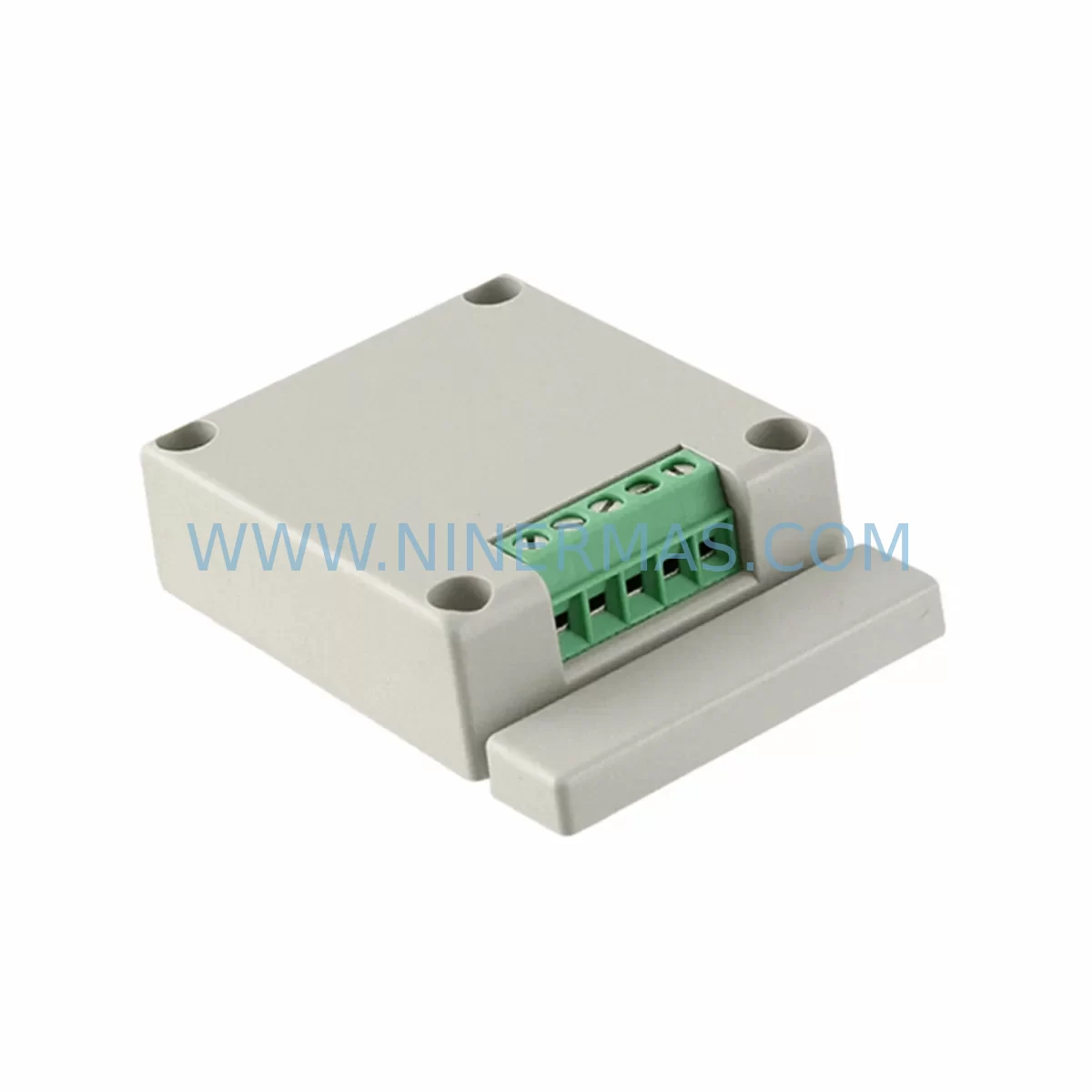
Panasonic AFPX-COM4 Service-Ready Spare Part for Industrial Maintenance
Verify the part, confirm the platform family, and move straight into quotation with the right commercial details.
RFQ Ready
- SKUAFPX-COM4
- CategoryPLC & Industrial Automation Modules
- BrandPanasonic
- SupportAvailability, lead time, condition, and shipping coordination
How Buyers Usually Use This Page
- Confirm the exact part number and platform family before sending the quote request.
- Use direct email when quantity, condition, and destination are already defined internally.
- Switch to the broader brand or category archive when you need alternates nearby.
Series Navigation
Move through the most common platform families behind this part.
Product RFQ
Send this part directly for quotation.
Include quantity, required condition, destination country, and target delivery timing. Current reference: Panasonic AFPX-COM4 Service-Ready Spare Part for Industrial Maintenance with SKU AFPX-COM4.
Panasonic AFPX-COM4 Service-Ready Spare Part for Industrial Maintenance
The Panasonic AFPX-COM4 is a communication expansion module designed for the FP-X Series programmable logic controller platform. As a service-ready original spare part, the AFPX-COM4 supports RS232C and RS485 serial communication interfaces, enabling reliable data exchange between the FP-X CPU unit and external devices such as HMI panels, SCADA systems, inverters, and serial peripherals. For maintenance engineers managing legacy control systems, sourcing a verified AFPX-COM4 replacement is critical to minimizing unplanned downtime and restoring production continuity without requiring a full controller upgrade.
Industrial facilities operating Panasonic FP-X control cabinets depend on the AFPX-COM4 for serial communication integrity. When this module fails or degrades, symptoms typically include communication timeouts, loss of HMI connectivity, erratic data polling, and PLC fault alarms. Prompt replacement with a pre-tested original spare eliminates diagnostic uncertainty and accelerates line recovery. Each unit supplied by NINERMAS undergoes pre-shipment functional verification and is backed by a 12-month warranty, providing procurement engineers with the supply assurance needed for both emergency replacement and planned spare inventory programs.
Spare Maintenance Table
| Part Number | AFPX-COM4 |
| Brand | Panasonic |
| Series | FP-X |
| Module Type | Communication Expansion Module |
| Communication Interfaces | RS232C × 1, RS485 × 1 |
| Compatible CPU Units | FP-X C14, C30, C60 Series |
| Mounting | Right-side expansion slot on FP-X CPU unit |
| Power Supply | Supplied via CPU backplane (no external power required) |
| Operating Temperature | 0°C to 55°C |
| Storage Temperature | -25°C to 70°C |
| Humidity | 10% to 95% RH (non-condensing) |
| Protection Rating | IP20 (panel-mounted) |
| Application Environment | Industrial control cabinets, production line PLCs, SCADA-connected systems |
| Maintenance Recommendation | Inspect communication wiring and terminal connections during annual overhaul; replace module if communication errors persist after cable verification |
| Origin | Japan |
| Warranty | 12 Months from shipment date |
| Pre-Shipment Testing | Yes — functional verification performed before dispatch |
Maintenance Planning for Continuous Operation
When replacing the AFPX-COM4 in a Panasonic FP-X control cabinet, a thorough site inspection of the surrounding electrical environment is essential to prevent repeat failures and ensure stable communication restoration. Maintenance engineers should begin by verifying the FP-X CPU unit itself — models such as the AFPX-C30T or AFPX-C60T — confirming that the CPU backplane connector is undamaged and that firmware is current before inserting the replacement module.
The AFPX-E30R expansion I/O unit and any additional AFPX-E16X digital input expansion modules connected to the same rack should be inspected for loose terminal connections, as vibration-induced contact degradation can cause intermittent communication faults that are incorrectly attributed to the COM module. Similarly, the 24VDC power supply unit feeding the FP-X rack — commonly a DIN-rail mounted unit such as a Panasonic BFP-series or equivalent industrial SMPS — should be load-tested to confirm output voltage stability under full rack load, since undervoltage conditions accelerate communication module wear.
RS232C and RS485 field wiring connected to the AFPX-COM4 should be inspected for insulation damage, improper shielding termination, and excessive cable length. For RS485 multi-drop networks, verify that termination resistors (typically 120Ω) are correctly installed at both ends of the bus. Signal isolators or RS485 repeaters in the communication loop should be tested for correct signal levels, as degraded isolators can cause the COM module to report communication errors even when the module itself is functional.
If the FP-X system interfaces with an HMI panel — such as a Panasonic GT series or third-party touch panel — confirm that the HMI communication parameters (baud rate, parity, stop bits, station address) match the AFPX-COM4 configuration stored in the CPU program. Mismatched parameters after module replacement are a common cause of post-maintenance communication failure. Additionally, inspect any relay output modules or AFPX-E8YT transistor output expansion units in the cabinet for contact wear, as relay chatter can introduce electrical noise onto shared communication cables.
For facilities maintaining a structured spare parts inventory, it is advisable to stock at least one AFPX-COM4 alongside the primary FP-X CPU spare, one set of terminal block connectors for the RS232C/RS485 ports, and a spare 24VDC DIN-rail power supply matched to the rack’s power budget. Annual cabinet inspections should include a communication loop test using the FP-X programming tool (FPWIN GR or FPWIN Pro) to verify error-free data exchange across all connected serial devices before any fault occurs.
Site Replacement Workflow
Replacing the AFPX-COM4 on-site follows a structured sequence to minimize downtime and avoid configuration loss. Before removing the existing module, use the Panasonic FPWIN GR or FPWIN Pro programming software to export the current PLC program and communication parameter settings to a backup file. This ensures that the replacement module can be configured identically without relying on memory or incomplete site documentation.
Power down the FP-X CPU unit and disconnect all RS232C and RS485 field cables from the AFPX-COM4 terminal block, labeling each wire before removal. Slide the module out of the right-side expansion slot and inspect the backplane connector on the CPU unit for bent pins or contamination. Insert the replacement AFPX-COM4, ensuring the module is fully seated and the locking tab is engaged. Reconnect field cables according to the labeled wiring, restore power, and use FPWIN GR to download the backed-up communication parameters to the new module.
Perform a communication loop test by monitoring the RD and SD indicator LEDs on the AFPX-COM4 during active data exchange with the connected HMI or SCADA system. Stable, rhythmic LED activity confirms correct operation. If communication errors persist, verify RS485 termination, cable shielding, and baud rate settings before concluding that the replacement module is defective. This systematic approach reduces mean time to repair (MTTR) and avoids unnecessary secondary replacements.
For facilities managing multiple FP-X installations, standardizing on the AFPX-COM4 as the communication module across all cabinets simplifies spare parts inventory, reduces technician training requirements, and enables faster cross-site emergency response. NINERMAS supports long-term supply continuity for the AFPX-COM4, providing a reliable source for both immediate emergency orders and scheduled annual restocking.
Spare Parts Support FAQ
Q1: Is the AFPX-COM4 supplied by NINERMAS an original Panasonic part?
Yes. All AFPX-COM4 units are sourced as original Panasonic components. Each unit undergoes pre-shipment functional testing to verify communication interface operation before dispatch. A 12-month warranty is provided from the shipment date, covering manufacturing defects and functional failures under normal operating conditions.
Q2: How do I confirm compatibility between the AFPX-COM4 and my existing FP-X CPU unit?
The AFPX-COM4 is compatible with the Panasonic FP-X C14, C30, and C60 CPU series. Confirm your CPU model number from the unit label or system documentation. If your installation uses an older FP-X revision, contact NINERMAS with your CPU model and firmware version for compatibility verification before ordering.
Q3: Can NINERMAS support long-term or recurring supply of the AFPX-COM4 for planned maintenance programs?
Yes. NINERMAS maintains stock of the AFPX-COM4 to support both emergency single-unit orders and scheduled bulk procurement for annual maintenance programs. For facilities managing multiple FP-X installations, we recommend establishing a standing spare parts agreement to ensure supply availability and consistent lead times regardless of market conditions.
Q4: What should I do if the replacement AFPX-COM4 does not resolve the communication fault?
If communication errors persist after installing a verified replacement AFPX-COM4, the fault is likely external to the module. Systematically check RS485 termination resistors, cable shielding continuity, field device baud rate and parity settings, and the 24VDC supply voltage under load. If the FP-X CPU unit itself is suspected, contact NINERMAS for CPU spare availability. Our technical support team can assist with fault isolation guidance based on your system configuration.
| Product Series | Other series |
|---|
Catalog Continuation
More Panasonic modules in the catalog.
Use the brand lane to compare nearby part numbers, platform-adjacent modules, and other inquiry-ready listings before sending your final RFQ.
Catalog Continuation
Alternative parts within PLC & Industrial Automation Modules.
Stay inside the same system family when you need substitutes, adjacent modules, or a broader shortlist for procurement review.
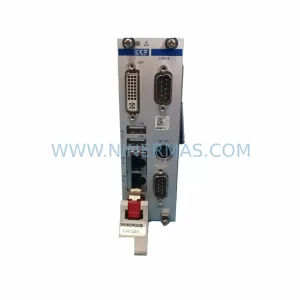
SKU: CCD-98R.CALYPSO CCD-98R.CALYPS0
Berger Lahr CCD-98R.CALYPSO Service-Ready Spare Part
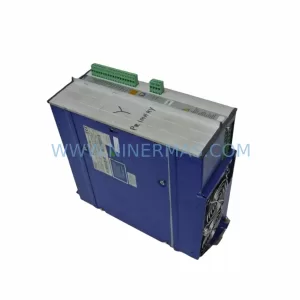
SKU: AM3043-0E00-0000 716-069688-793 3520782 DRIVE 4003 AT
Beckhoff AM3043-0E00-0000 Spare Part for Industrial Maintenance