Original Industrial Spare Part
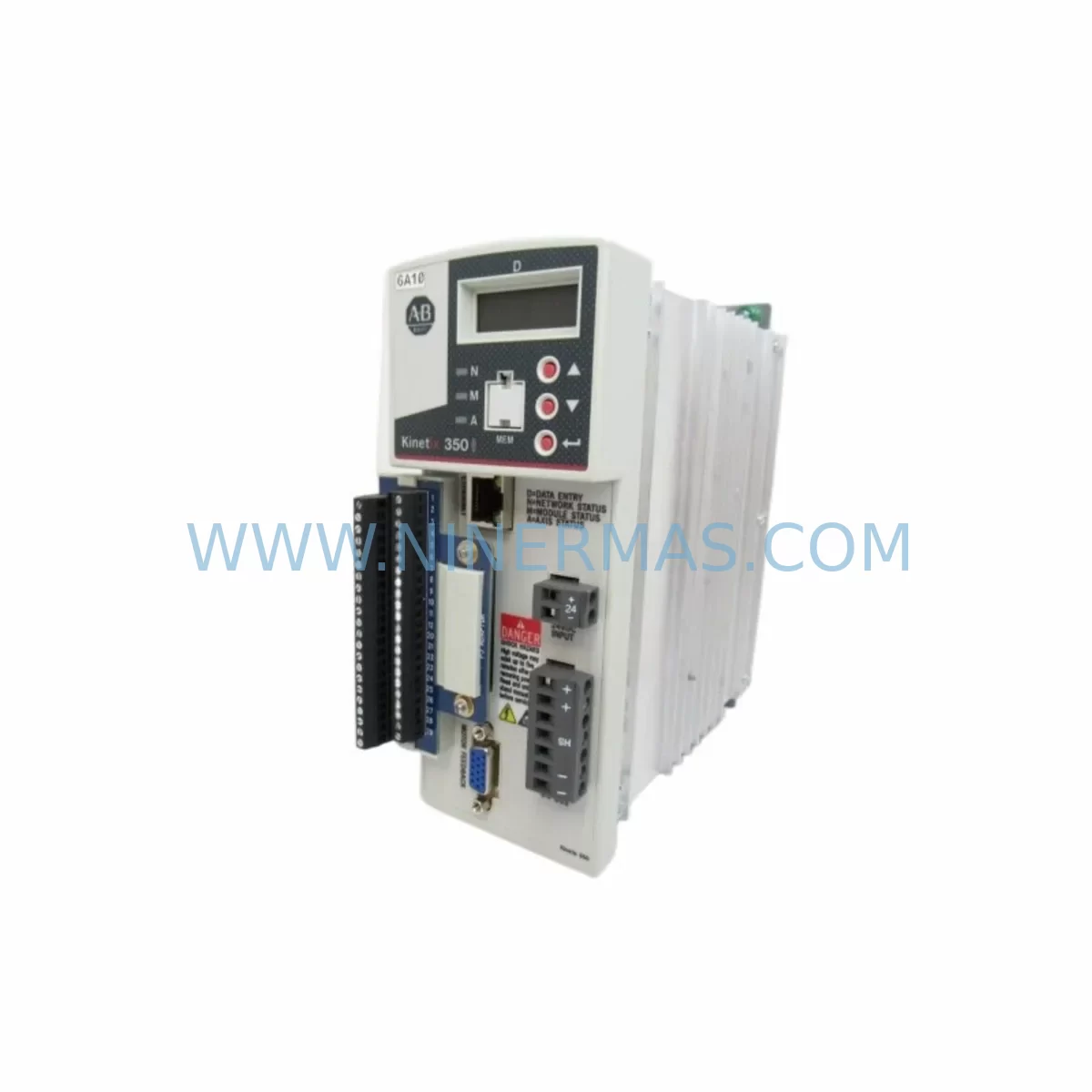
Allen-Bradley 2097-V33PR1 Service-Ready Spare for Kinetix 300
Verify the part, confirm the platform family, and move straight into quotation with the right commercial details.
RFQ Ready
- SKU2097-V33PR1
- CategoryPLC & Industrial Automation Modules
- BrandAllen-Bradley
- SupportAvailability, lead time, condition, and shipping coordination
How Buyers Usually Use This Page
- Confirm the exact part number and platform family before sending the quote request.
- Use direct email when quantity, condition, and destination are already defined internally.
- Switch to the broader brand or category archive when you need alternates nearby.
Series Navigation
Move through the most common platform families behind this part.
Product RFQ
Send this part directly for quotation.
Include quantity, required condition, destination country, and target delivery timing. Current reference: Allen-Bradley 2097-V33PR1 Service-Ready Spare for Kinetix 300 with SKU 2097-V33PR1.
Allen-Bradley 2097-V33PR1 Service-Ready Spare Part for Industrial Maintenance
The Allen-Bradley 2097-V33PR1 is a single-axis servo drive belonging to the Kinetix 300 series, manufactured by Rockwell Automation. Designed for embedded EtherNet/IP motion control, this drive is widely deployed across packaging lines, material handling systems, assembly automation, and precision positioning applications. As production facilities age and original equipment reaches end-of-life, maintaining a reliable stock of the 2097-V33PR1 becomes a critical element of any proactive maintenance strategy.
For maintenance engineers managing legacy motion control systems, the 2097-V33PR1 represents a compact, cost-effective solution for sustaining servo axis performance without requiring a full drive cabinet redesign. Its integrated EtherNet/IP interface eliminates the need for a separate motion controller module in many single-axis applications, reducing panel space requirements and simplifying wiring topology. When a drive fault occurs on the production floor, having a pre-tested, shelf-ready 2097-V33PR1 unit can reduce unplanned downtime from hours to minutes.
Procurement engineers sourcing spare parts for Kinetix 300 installations should verify the firmware revision compatibility between the replacement unit and the existing Logix controller project. The 2097-V33PR1 is typically paired with a CompactLogix L3x or L2x controller running Studio 5000 Logix Designer. Before installation, confirm that the axis configuration parameters — including motor catalog number, feedback type, and scaling units — are correctly mapped in the controller program. A mismatch in motor feedback configuration is one of the most common causes of commissioning delays during emergency replacements.
Spare Maintenance Table
| Parameter | Specification / Detail |
|---|---|
| SKU / Part Number | 2097-V33PR1 |
| Brand / Manufacturer | Allen-Bradley / Rockwell Automation |
| Series | Kinetix 300 |
| Drive Type | Single-Axis EtherNet/IP Servo Drive |
| Input Voltage | 200–240 VAC, 3-Phase |
| Continuous Output Current | 3.0 A RMS |
| Communication Interface | EtherNet/IP (embedded) |
| Feedback Support | Incremental Encoder, Absolute Encoder (SinCos) |
| Mounting | Panel Mount (DIN rail or direct) |
| Compatibility | CompactLogix, MicroLogix (via EtherNet/IP), Studio 5000 |
| Replacement Scope | Direct spare for existing 2097-V33PR1 installations |
| Application Environment | Industrial panel, IP20, 0–50°C operating range |
| Maintenance Recommendation | Inspect cooling vents, bus capacitors, and feedback wiring annually |
| Warranty | 12 Months — Tested before shipment |
Maintenance Planning for Continuous Operation
A well-structured spare parts plan for a Kinetix 300 servo system extends well beyond stocking a single 2097-V33PR1 drive. Maintenance engineers should conduct a full cabinet audit when scheduling a drive replacement, using the opportunity to inspect and refresh adjacent components that share the same electrical circuit and thermal environment.
Begin with the power supply and bus infrastructure. The 2097-V33PR1 operates from a 200–240 VAC three-phase supply, and the incoming power quality directly affects drive longevity. Inspect the line filter module and any EMC suppression components installed upstream of the drive. A degraded line filter can introduce conducted noise that triggers nuisance faults even after a drive replacement. Similarly, check the 24 VDC control power supply — often a dedicated 1606-XLP or 1606-XLS series power supply — that feeds the drive’s logic and I/O circuits. A marginal control power supply is a frequent root cause of intermittent drive faults that are misdiagnosed as drive failures.
Next, inspect the motor feedback cable and connector. The 2097-V33PR1 relies on clean encoder or resolver signals for accurate position and velocity control. Damaged shielding, corroded connectors, or excessive cable length can introduce feedback noise that causes following errors or drive trips. When replacing the drive, always inspect the full feedback cable run from the motor to the drive terminal. If the cable shows signs of wear, replace it alongside the drive to avoid a repeat fault after restart.
The motor power cable and its associated terminal block connections at the drive output should also be checked for tightness and insulation integrity. Loose terminal connections at the U, V, W motor output terminals are a common source of intermittent overcurrent faults. Use a torque screwdriver to verify all terminal connections meet the manufacturer’s specified torque values.
For systems where the 2097-V33PR1 is integrated into a larger motion network, verify the EtherNet/IP network switch and patch cables connecting the drive to the CompactLogix controller. A faulty managed switch port or a degraded patch cable can prevent the controller from establishing a motion connection after drive replacement, adding unnecessary troubleshooting time to the recovery process. In multi-axis installations, also check the 1756-EN2T or 1756-EN3TR EtherNet/IP communication module in the ControlLogix backplane if the system architecture includes a ControlLogix gateway.
If the machine uses an HMI panel — such as a PanelView Plus 7 or PanelView Component — verify that the drive status tags and fault codes are correctly mapped and visible to the operator after the replacement. An HMI that displays stale or incorrect drive status can delay fault diagnosis during the next incident. Finally, inspect any safety relay modules or STO (Safe Torque Off) wiring connected to the drive’s safety inputs, as these circuits must be verified functional before returning the axis to automatic operation.
Site Replacement Workflow
Replacing a 2097-V33PR1 in a live production environment requires a structured approach to minimize downtime and avoid configuration errors. Follow this recommended workflow to ensure a safe, efficient, and fully verified replacement:
Step 1 — Pre-Replacement Preparation: Before removing the faulty drive, export the axis configuration from Studio 5000 Logix Designer and save a backup of the controller project. Record the drive’s IP address, subnet mask, and gateway settings. Photograph the terminal wiring layout for reference during reinstallation.
Step 2 — Power Isolation: De-energize the drive using the appropriate lockout/tagout procedure. Verify that the DC bus voltage has discharged to a safe level before touching any internal components. The 2097-V33PR1 retains bus voltage for several minutes after power removal.
Step 3 — Physical Replacement: Disconnect the motor power cable (U, V, W), feedback cable, control power wiring, and EtherNet/IP patch cable. Remove the drive from its mounting position. Install the replacement 2097-V33PR1 unit and reconnect all cables in reverse order, verifying terminal torque values.
Step 4 — IP Address and Parameter Configuration: Assign the same IP address to the replacement drive using the drive’s front-panel keypad or the Logix Designer Add-On Profile (AOP). Verify that the motor catalog number and feedback type match the original axis configuration in the controller project.
Step 5 — Commissioning and Test: Restore power and perform a controlled jog test at reduced speed to verify encoder feedback direction, motor phasing, and drive response. Check for any active faults on the drive display and in the controller fault log. Once the axis operates correctly at reduced speed, return it to full automatic operation under supervisor authorization.
This structured workflow typically allows a trained maintenance technician to complete a 2097-V33PR1 replacement and return the axis to production within 2–4 hours, depending on site access and system complexity.
Spare Parts Support FAQ
Q1: Is the 2097-V33PR1 still available as a new original spare part?
Yes. NINERMAS maintains stock of the Allen-Bradley 2097-V33PR1 as a genuine original spare part. All units are sourced through authorized industrial supply channels and are tested before shipment. Contact our team to confirm current stock availability and lead time.
Q2: What is the warranty coverage for the 2097-V33PR1 supplied by NINERMAS?
All 2097-V33PR1 units supplied by NINERMAS are covered by a 12-month warranty from the date of shipment. Each unit undergoes functional testing prior to dispatch. In the event of a warranty claim, our technical team will provide replacement or repair support with priority handling.
Q3: How do I verify compatibility between the replacement drive and my existing controller project?
Compatibility is determined by the firmware revision of the drive and the version of the Add-On Profile (AOP) installed in your Studio 5000 project. Before ordering, provide your controller firmware version and existing drive firmware revision to our technical team. We will confirm compatibility and, where necessary, advise on firmware update procedures to ensure a seamless replacement.
Q4: Can NINERMAS support long-term supply of the 2097-V33PR1 for multi-site maintenance programs?
Yes. NINERMAS supports long-term procurement agreements for maintenance teams managing multiple Kinetix 300 installations across different facilities. We can provide scheduled delivery, reserved stock allocation, and consolidated invoicing to simplify your spare parts procurement process. Contact sale@ninermas.com to discuss your program requirements.
| Product Series | Kinetix |
|---|---|
| Country of Origin | US |
Catalog Continuation
More Allen-Bradley modules in the catalog.
Use the brand lane to compare nearby part numbers, platform-adjacent modules, and other inquiry-ready listings before sending your final RFQ.




Catalog Continuation
Alternative parts within PLC & Industrial Automation Modules.
Stay inside the same system family when you need substitutes, adjacent modules, or a broader shortlist for procurement review.


SKU: 00-176-037 00-176-037 00-262-652 00-262-652 00-178-888 00-178-888
KUKA 00-176-037 Retrofit Reducer Module for Legacy Systems

SKU: 6SE7027-2TD84-6HF3
SIEMENS 6SE7027-2TD84-6HF3 Service-Ready Spare Part