
Original Industrial Spare Part
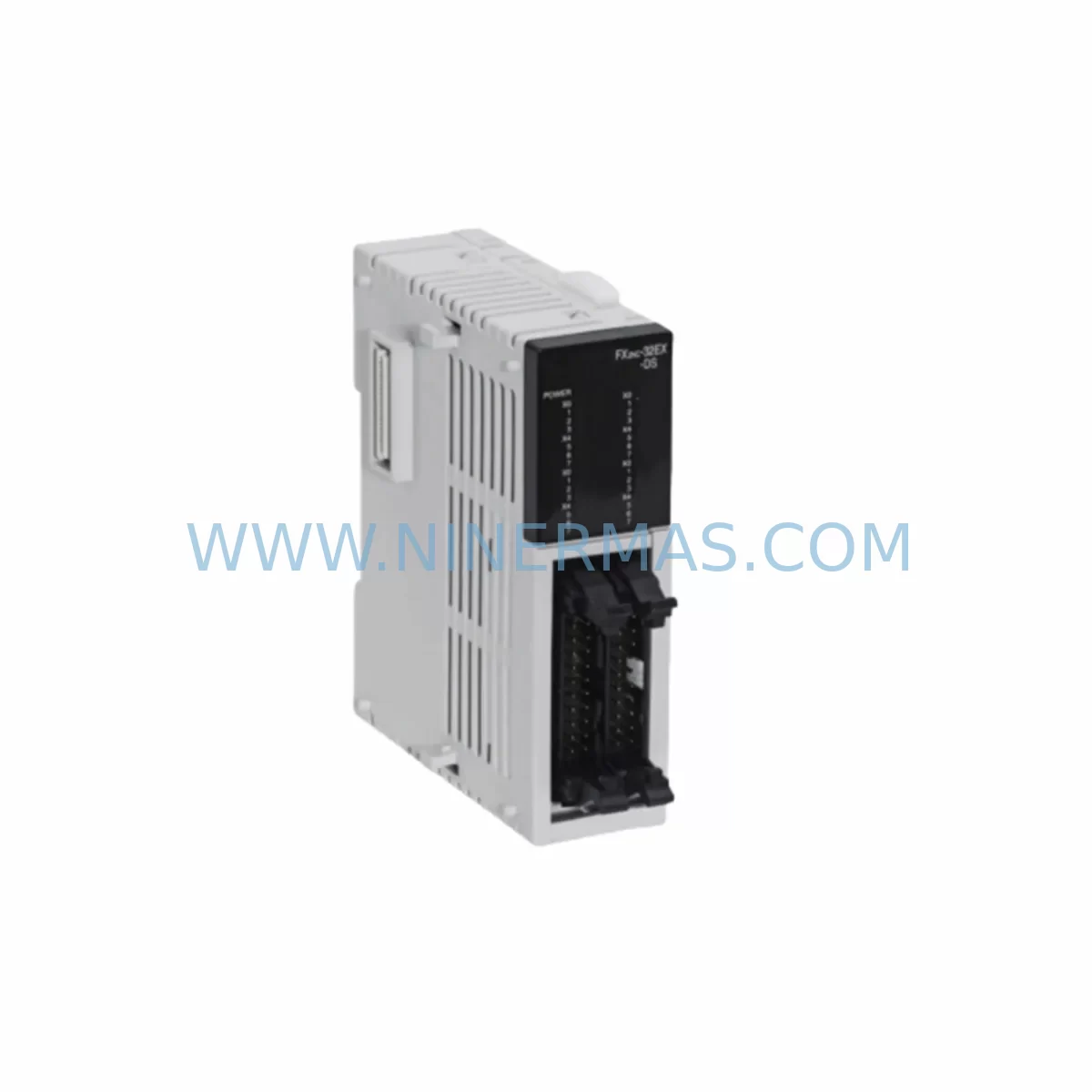
Mitsubishi FX2NC-32EX Service-Ready Spare Part for Industrial Maintenance
Verify the part, confirm the platform family, and move straight into quotation with the right commercial details.
RFQ Ready
- SKUFX2NC-32EX
- CategoryPLC & Industrial Automation Modules
- BrandMitsubishi Electric
- SupportAvailability, lead time, condition, and shipping coordination
How Buyers Usually Use This Page
- Confirm the exact part number and platform family before sending the quote request.
- Use direct email when quantity, condition, and destination are already defined internally.
- Switch to the broader brand or category archive when you need alternates nearby.
Series Navigation
Move through the most common platform families behind this part.
Product RFQ
Send this part directly for quotation.
Include quantity, required condition, destination country, and target delivery timing. Current reference: Mitsubishi FX2NC-32EX Service-Ready Spare Part for Industrial Maintenance with SKU FX2NC-32EX.
Mitsubishi FX2NC-32EX Service-Ready Spare Part for Industrial Maintenance
The Mitsubishi Electric FX2NC-32EX is a 32-point digital input/output expansion module engineered for the MELSEC FX2NC compact PLC series. Designed for demanding industrial environments, this module delivers reliable I/O expansion in space-constrained control cabinets where high-density signal management is critical. For maintenance engineers managing aging automation infrastructure, sourcing a verified, pre-tested FX2NC-32EX is the fastest path to restoring production uptime after an unplanned I/O failure or scheduled module replacement.
At NINERMAS, every FX2NC-32EX unit undergoes pre-shipment functional verification before dispatch. Each module is covered by a 12-month warranty, giving procurement and maintenance teams confidence in long-term spare parts planning. Whether you are replenishing a critical spares inventory, executing an emergency replacement during a line stoppage, or conducting a planned annual overhaul, the FX2NC-32EX is available for immediate order with reliable lead times.
Spare Maintenance Table
| Parameter | Specification |
|---|---|
| Model / SKU | FX2NC-32EX |
| Brand | Mitsubishi Electric |
| Series | MELSEC FX2NC |
| Module Type | Digital Expansion I/O Module |
| I/O Points | 32 points (16 inputs / 16 outputs) |
| Input Voltage | 24 VDC |
| Output Type | Transistor (sink/source configurable) |
| Compatibility | MELSEC FX2NC series PLC (FX2NC-16MT, FX2NC-32MT, FX2NC-64MT, FX2NC-96MT) |
| Connector Type | Compact direct-mount connector (FX2NC bus) |
| Operating Temperature | 0°C to 55°C |
| Storage Temperature | -25°C to 75°C |
| Humidity | 5% to 95% RH (non-condensing) |
| Vibration Resistance | IEC 61131-2 compliant |
| Origin | Japan |
| Pre-Shipment Test | Yes — functional I/O verification |
| Warranty | 12 Months |
| Application | Industrial automation, machine control, process lines, OEM equipment |
Maintenance Planning for Continuous Operation
When a FX2NC-32EX module fails or reaches end of service life, the replacement process should be treated as an opportunity to audit the surrounding control architecture. Maintenance engineers are advised to inspect the FX2NC main CPU unit — such as the FX2NC-32MT or FX2NC-64MT — for firmware currency and connector wear before reinstalling a new expansion module. The FX2NC bus connector and ribbon cable assembly should be checked for oxidation or mechanical stress, as degraded connectors are a common root cause of intermittent I/O faults that are misdiagnosed as module failure.
The 24 VDC field power supply feeding the I/O module inputs should be verified with a calibrated meter. Voltage sag below 21.6 VDC under load can cause false input reads and premature module wear. If the control cabinet houses a dedicated 24 VDC power supply module — such as the Mitsubishi A1S61PN or equivalent DIN-rail SMPS — its output ripple and load capacity should be confirmed before commissioning the replacement FX2NC-32EX.
Output-side components warrant equal attention. Relay output modules such as the FX2NC-32ER or intermediate relay banks connected to the FX2NC-32EX outputs should be inspected for contact wear, especially on high-cycle actuator circuits. Terminal blocks and wiring ferrules on the I/O connector should be retorqued to manufacturer specification to prevent loose-connection faults after module swap.
For systems integrating communication modules — such as the FX2NC-232IF RS-232C interface or FX2NC-485ADP RS-485 adapter — verify that the communication parameters and station addresses remain intact after the CPU power cycle that accompanies module replacement. HMI panels connected via RS-422 or RS-485, including GOT1000 series terminals, should be tested for screen refresh and alarm acknowledgement after the replacement is complete.
Procurement engineers building a recommended spare parts list around the FX2NC-32EX should also consider stocking the FX2NC-32MT CPU module, FX2NC-32ER relay output expansion, FX3U-4AD analog input module for mixed signal cabinets, and FX2NC-CNV-IF conversion interface for FX3U migration paths. Signal isolators on analog input channels and surge protection devices on field wiring terminals should be part of the annual inspection checklist to protect both the new module and the broader control system investment.
Site Replacement Workflow
Step 1 — Isolation: De-energize the control cabinet following site LOTO procedures. Confirm zero voltage on the 24 VDC bus before touching the FX2NC bus connector.
Step 2 — Documentation: Photograph the existing wiring layout and record the I/O address assignments from the PLC program (GX Developer or GX Works2) before disconnecting any field wiring.
Step 3 — Module Removal: Disconnect the FX2NC bus connector by releasing the locking tab. Remove field wiring from the I/O terminal block, labelling each wire if not already marked.
Step 4 — Inspection: Inspect the bus connector pins on the CPU or adjacent expansion module for bent pins or corrosion. Clean with contact cleaner if required.
Step 5 — Installation: Seat the replacement FX2NC-32EX firmly onto the bus connector until the locking tab clicks. Reconnect field wiring per the documented layout. Retorque terminal screws.
Step 6 — Power-Up and Verification: Restore 24 VDC field power, then energize the PLC CPU. Monitor the RUN/ERROR LED indicators. Use GX Developer or GX Works2 to force-test each I/O point and confirm correct field device response before returning the line to production.
Step 7 — Record: Log the replacement in the site maintenance management system (CMMS) with the module serial number, replacement date, and technician ID. Update the spare parts inventory to trigger reorder if stock falls below the minimum holding level.
This workflow minimises unplanned downtime and ensures the replacement FX2NC-32EX is fully validated before production restart, consistent with IEC 62443 maintenance best practices for industrial control systems.
Spare Parts Support FAQ
Q1: Is the FX2NC-32EX compatible with both FX2NC and FX3UC series PLCs?
The FX2NC-32EX is designed for the MELSEC FX2NC series. Compatibility with FX3UC requires the FX2NC-CNV-IF conversion interface adapter. Always verify the bus connector type and I/O address mapping in GX Works2 before installation in a mixed-generation system.
Q2: What is the recommended minimum spare holding quantity for a production facility?
For facilities running continuous production with FX2NC-based control systems, a minimum of two FX2NC-32EX modules per production line is recommended. High-cycle or harsh-environment installations should maintain three units on-site to cover both emergency replacement and the lead time for replenishment orders.
Q3: How is each unit tested before shipment?
Every FX2NC-32EX dispatched by NINERMAS undergoes a pre-shipment functional test that verifies all 32 I/O points, bus communication integrity, and LED indicator operation. Units that do not pass the full test protocol are not dispatched. A 12-month warranty is provided from the date of shipment.
Q4: Can NINERMAS support long-term supply for discontinued or end-of-life Mitsubishi FX2NC modules?
Yes. NINERMAS maintains stock of legacy MELSEC FX2NC series components to support customers operating older installed bases. Long-term supply agreements and scheduled delivery programmes are available for procurement teams requiring predictable inventory replenishment without exposure to spot-market price volatility.
| Product Series | MELSEC FX |
|---|---|
| Country of Origin | JP |
Catalog Continuation
More Mitsubishi Electric modules in the catalog.
Use the brand lane to compare nearby part numbers, platform-adjacent modules, and other inquiry-ready listings before sending your final RFQ.
SKU: A50CA55C BC186A433G53
Mitsubishi A50CA55C BC186A433G53 Spare Part for Maintenance
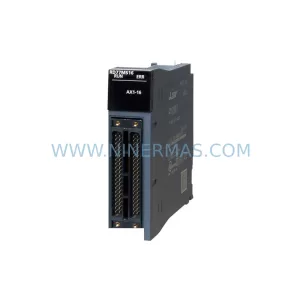
SKU: MELSEC RD77MS16 D 0140-76929 GAS N2, 40 SLM UFC-1660
Mitsubishi RD77MS16 Safety-Reliable Motion for Critical Sites
Catalog Continuation
Alternative parts within PLC & Industrial Automation Modules.
Stay inside the same system family when you need substitutes, adjacent modules, or a broader shortlist for procurement review.

SKU: OZDPROFI12MG12
Hirschmann OZDPROFI12MG12 Spare Part for Industrial Maintenance



SKU: 07025-0000-70-1-04
KONTRON 07025-0000-70-1-04 Service-Ready Spare Part



