
Original Industrial Spare Part
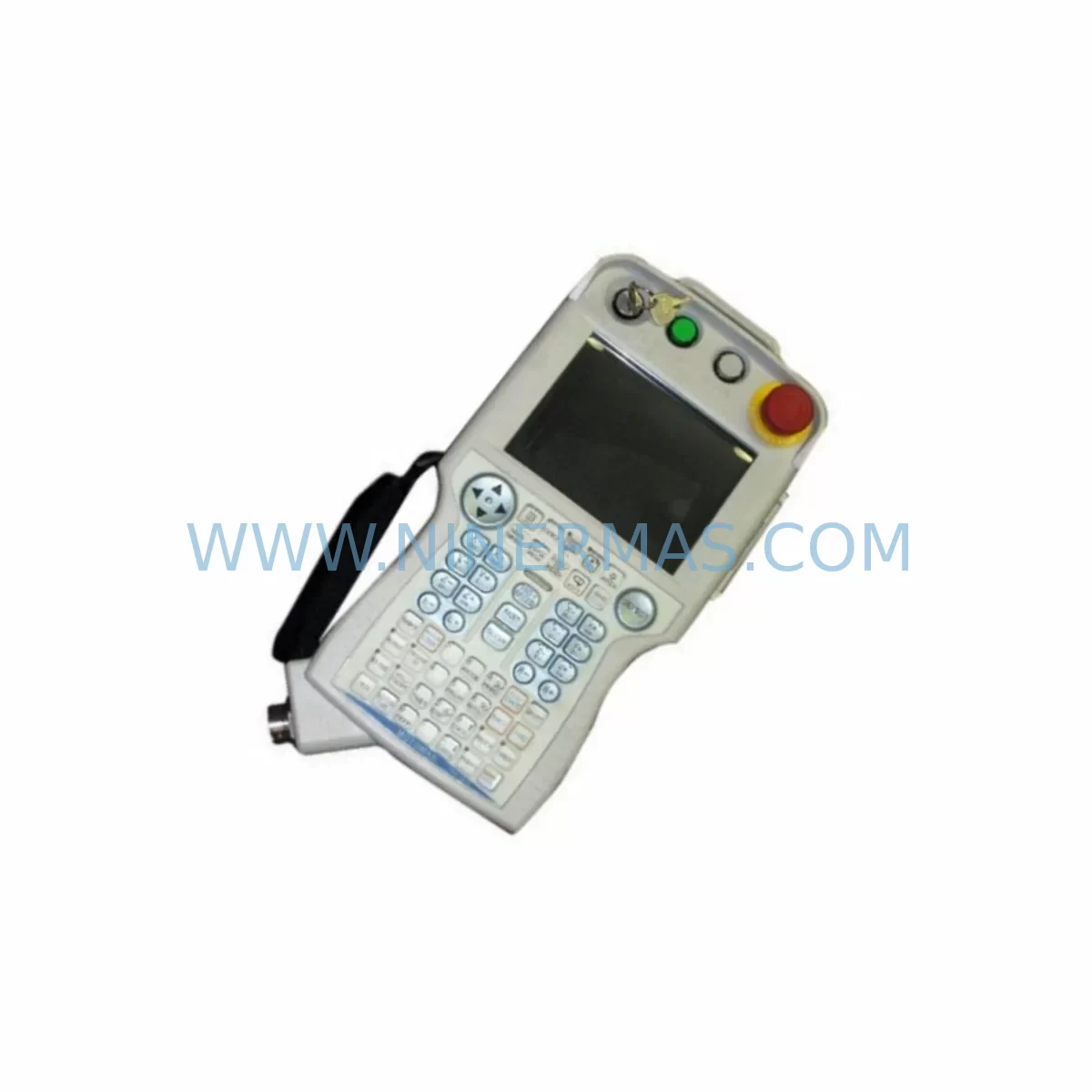
Yaskawa JZRCR-YPP01-1 Retrofit Teach Pendant for Legacy Systems
Verify the part, confirm the platform family, and move straight into quotation with the right commercial details.
RFQ Ready
- SKUYRC100 CSRB-CBB01AA JANCD-NCP02 JANCD-NSL01 DX100 JZRCR-YPP01 DX200、NX100
- CategoryPLC & Industrial Automation Modules
- BrandYASKAWA
- SupportAvailability, lead time, condition, and shipping coordination
How Buyers Usually Use This Page
- Confirm the exact part number and platform family before sending the quote request.
- Use direct email when quantity, condition, and destination are already defined internally.
- Switch to the broader brand or category archive when you need alternates nearby.
Series Navigation
Move through the most common platform families behind this part.
Product RFQ
Send this part directly for quotation.
Include quantity, required condition, destination country, and target delivery timing. Current reference: Yaskawa JZRCR-YPP01-1 Retrofit Teach Pendant for Legacy Systems with SKU YRC100 CSRB-CBB01AA JANCD-NCP02 JANCD-NSL01 DX100 JZRCR-YPP01 DX200、NX100.
Yaskawa JZRCR-YPP01 Retrofit Teach Pendant for Legacy Systems: Retrofit-Compatible Upgrade for Motoman DX100, DX200, NX100, and YRC1000 Controllers
The Yaskawa JZRCR-YPP01 is a retrofit-compatible teach pendant designed to serve as a direct replacement and upgrade solution for legacy Motoman robot controller platforms including the DX100, DX200, NX100, and YRC1000 series. As industrial facilities face increasing pressure to extend the operational life of existing automation lines while maintaining safety and productivity, the JZRCR-YPP01 provides a reliable, field-proven interface for programming, jogging, and monitoring Yaskawa Motoman industrial robots without requiring a full controller replacement. This unit is pre-shipment tested, supplied with a 12-month warranty, and stocked for immediate dispatch to minimize unplanned downtime across manufacturing, automotive, energy, and general industrial applications.
For facilities operating aging DX100 or NX100 controller cabinets, the JZRCR-YPP01 offers a smooth migration path that preserves existing robot programs, job files, and I/O configurations. The pendant connects via the standard teach pendant port on the controller front panel, maintaining full compatibility with the JANCD-NCP01 CPU board and JANCD-NSL01 safety logic board found in legacy NX100 systems. Replacement of a failed or damaged teach pendant does not require re-teaching robot positions when the controller memory is intact, significantly reducing the risk of production disruption.
Upgrade Compatibility Table
| Parameter | JZRCR-YPP01 (This Unit) | Legacy / Predecessor Models |
|---|---|---|
| Compatible Controllers | DX100, DX200, NX100, YRC1000 | NX100, XRC, MRC (with adapter) |
| Interface Connector | Standard Yaskawa teach pendant port | Proprietary multi-pin (XRC/MRC) |
| Display | Color LCD touchscreen | Monochrome LCD (NX100 era) |
| Communication Protocol | Internal serial / CAN bus | RS-232 / proprietary serial |
| Safety Enable Switch | 3-position deadman switch | 2-position (older XRC) |
| Installation Space | Standard cabinet door mount / handheld | Same form factor (DX/NX series) |
| Replacement Recommendation | Direct drop-in for DX100/DX200/NX100/YRC1000 | Adapter required for XRC/MRC |
| Commissioning Focus | Verify pendant cable HW9381613-A seating; confirm E-stop loop continuity | Full re-wiring may be required |
| Warranty | 12 Months (NINERMAS) | N/A (end-of-life parts) |
Retrofit Planning for Existing Automation Systems
Successful integration of the JZRCR-YPP01 into an existing robot cell begins with a thorough review of the controller cabinet wiring and software revision. Before disconnecting the failed pendant, technicians should document the current software version displayed on the controller HMI screen and confirm that the JANCD-NCP02 CPU board firmware is compatible with the replacement unit. In DX200 installations, the CSRB-CBB01AA communication backplane board governs data exchange between the teach pendant and the main CPU; any corrosion or connector damage on this board should be addressed simultaneously to avoid repeat failures.
Power supply integrity is a critical pre-installation check. The 24 VDC control power rail feeding the teach pendant interface must be verified at the terminal block before connecting the JZRCR-YPP01. In older NX100 cabinets, the JZNC-NRK01-1E robot I/O module and associated relay outputs share this rail, and a degraded power supply unit can cause intermittent pendant communication faults that are misdiagnosed as pendant hardware failures. Replacing the pendant without addressing power supply issues will result in recurring faults.
For cells where the robot communicates with a PLC or SCADA system via DeviceNet or Ethernet/IP, the JUSP-NS115 network interface module and associated fieldbus configuration must be verified to remain intact after pendant replacement. The JZRCR-YPP01 does not alter fieldbus parameters stored in the controller, but a controller power cycle during installation will trigger a communication re-initialization sequence that the PLC program must be prepared to handle. Coordinating with the controls engineer to temporarily suppress PLC fault alarms during the pendant swap reduces the risk of a nuisance production stop.
In multi-axis servo systems paired with Yaskawa Motoman robots, the SGMGV series AC servo motors and their associated SGDV-R90A01A servo amplifiers operate independently of the teach pendant hardware. However, if the retrofit scope includes upgrading from an NX100 to a YRC1000 controller, the servo amplifier wiring, encoder cable routing, and CACR-SR series servo pack configurations must all be re-validated against the new controller’s axis assignment table. The JZRCR-YPP01 teach pendant will display axis alarm codes that guide technicians through this re-commissioning process step by step.
HMI screen layouts stored in the robot controller are preserved during a pendant-only replacement. However, if the facility also operates a standalone HMI panel linked to the robot via the JZNC-YEW01-1E Ethernet board, the HMI project file should be backed up before any controller maintenance. This ensures that custom operator screens, production counters, and alarm history logs are not lost during the retrofit window. The JZRCR-YPP01 supports all standard Yaskawa job file formats, allowing existing welding, handling, and palletizing programs to run without modification after the pendant is replaced and the controller is restarted.
Downtime Control During System Migration
Minimizing unplanned downtime is the primary operational concern when replacing a teach pendant on a production robot. The JZRCR-YPP01 is designed for rapid field swap: the pendant cable connector is a keyed, locking type that can be disconnected and reconnected in under two minutes with the controller powered down. NINERMAS recommends a controlled shutdown sequence — place the robot in home position, set the controller to maintenance mode, power down, swap the pendant, power up, and verify E-stop and deadman switch function before returning to automatic mode. This sequence typically takes 15 to 30 minutes for a trained technician.
To protect original program logic, all robot job files, system parameters, and I/O assignments should be backed up to a USB memory device via the controller’s file management menu before the pendant is removed. This backup takes approximately five minutes and provides a complete restore point if any parameter corruption occurs during the power cycle. In facilities with a robot programming cable such as the JZRCR-YPP01-compatible HW9381613-A cable, an offline backup via the Yaskawa MotoSim or FSU software suite provides an additional layer of protection for complex multi-robot cell programs.
For facilities that cannot tolerate any production interruption, NINERMAS maintains reserved inventory of the JZRCR-YPP01 and can arrange same-day or next-day dispatch to support emergency replacement scenarios. All units are pre-shipment tested under simulated controller load conditions to verify display function, keypad response, deadman switch operation, and communication handshake with the controller before leaving the warehouse.
Retrofit Support FAQ
Q1: Is the JZRCR-YPP01 a direct replacement for the teach pendant on my DX100 controller?
Yes. The JZRCR-YPP01 is a direct drop-in replacement for the standard teach pendant on DX100, DX200, NX100, and YRC1000 series controllers. No wiring modifications or firmware updates are required for a like-for-like pendant replacement. Existing robot programs and system parameters are retained in the controller memory and are not affected by the pendant swap.
Q2: What commissioning steps are required after installing the JZRCR-YPP01?
After installation, verify that the pendant cable (HW9381613-A) is fully seated and the locking collar is engaged. Power on the controller and confirm that the pendant display initializes correctly and shows the controller status screen. Test the E-stop button, deadman switch (all three positions), and mode selector switch before enabling servo power. Run a slow-speed jog test on all axes to confirm motion response before returning the robot to automatic production mode.
Q3: Does NINERMAS provide a warranty on the JZRCR-YPP01?
Yes. All JZRCR-YPP01 units supplied by NINERMAS carry a 12-month warranty covering manufacturing defects and functional failures under normal operating conditions. Each unit undergoes pre-shipment functional testing including display verification, keypad actuation, deadman switch continuity, and communication handshake testing. Warranty claims are supported directly by NINERMAS with replacement unit dispatch to minimize customer downtime.
Q4: Can NINERMAS supply the JZRCR-YPP01 for long-term spare parts programs?
Yes. NINERMAS maintains reserved inventory of the JZRCR-YPP01 and can support long-term spare parts agreements for facilities operating multiple DX100, DX200, NX100, or YRC1000 robot controllers. Reserved stock programs provide guaranteed availability with agreed lead times, protecting production lines from the supply disruptions that commonly affect discontinued or end-of-life Yaskawa components. Contact our team to discuss inventory reservation and multi-unit pricing.
| Product Series | Legacy |
|---|---|
| Country of Origin | JP |
Catalog Continuation
More YASKAWA modules in the catalog.
Use the brand lane to compare nearby part numbers, platform-adjacent modules, and other inquiry-ready listings before sending your final RFQ.
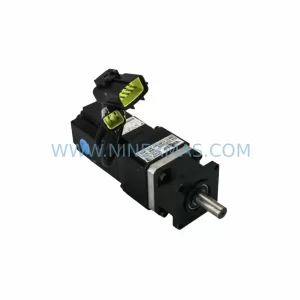
SKU: 023PLX0100 23 SGM-02U3B4L 10.004.22 RKH/W 500L 0040-99736
Yaskawa SGM-02U3B4L Retrofit AC Servo Motor for Legacy Systems
SKU: PX7DS-40V6-R(125v 1A) SGDR-SDA71A01B SGDR-SDA71A01BY32 JZMQZ-TB40D-E
Yaskawa SGDR-SDA71A01B Retrofit Servo Drive for Legacy Systems
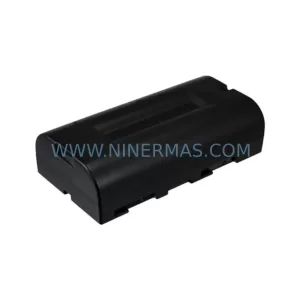
SKU: DX200 CPS-520F2 JZNC-YPS21-E MP300、MP350 50999-2922R08
Yaskawa CPS-520F2 Retrofit-Compatible Battery for Legacy Systems
Catalog Continuation
Alternative parts within PLC & Industrial Automation Modules.
Stay inside the same system family when you need substitutes, adjacent modules, or a broader shortlist for procurement review.
SKU: NA-1E221 1E-221.2
KONGSBERG NA-1E221 Service-Ready Spare Part for Maintenance
SKU: 6ES7341-1AH02-0AE0
Siemens 6ES7341-1AH02-0AE0 Retrofit-Compatible CP for Legacy S7-300



