Original Industrial Spare Part
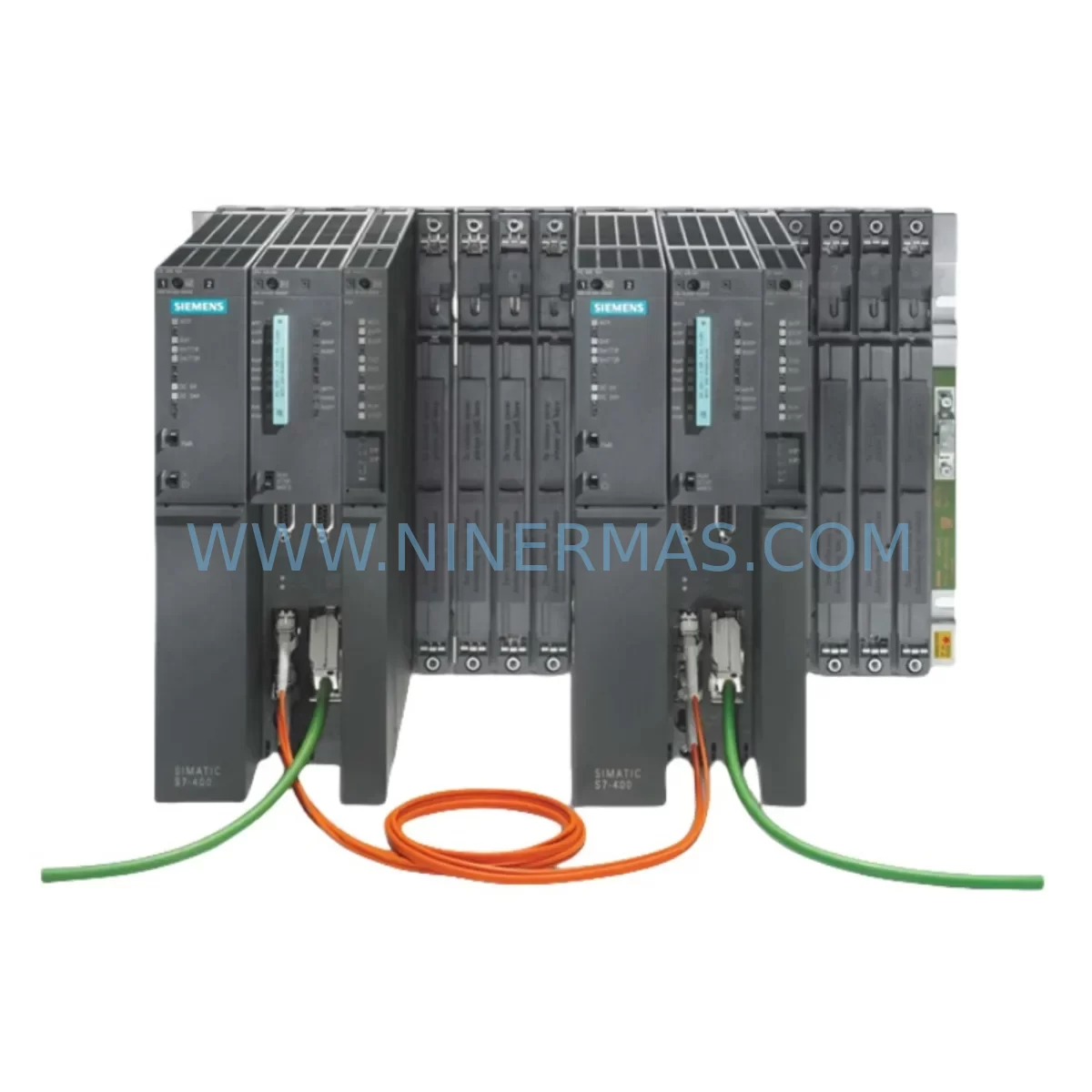
Siemens 6ES7400-0HR51-4AB0 Retrofit-Compatible Rack for Legacy Systems
Verify the part, confirm the platform family, and move straight into quotation with the right commercial details.
RFQ Ready
- SKU6ES7400-0HR51-4AB0
- CategoryPLC & Industrial Automation Modules
- BrandSiemens
- SupportAvailability, lead time, condition, and shipping coordination
How Buyers Usually Use This Page
- Confirm the exact part number and platform family before sending the quote request.
- Use direct email when quantity, condition, and destination are already defined internally.
- Switch to the broader brand or category archive when you need alternates nearby.
Series Navigation
Move through the most common platform families behind this part.
Product RFQ
Send this part directly for quotation.
Include quantity, required condition, destination country, and target delivery timing. Current reference: Siemens 6ES7400-0HR51-4AB0 Retrofit-Compatible Rack for Legacy Systems with SKU 6ES7400-0HR51-4AB0.
Siemens 6ES7400-0HR51-4AB0 Retrofit-Compatible Rack for Legacy Systems
The Siemens 6ES7400-0HR51-4AB0 is a ruggedized universal rack designed for the SIMATIC S7-400 programmable logic controller platform. As a direct retrofit-compatible replacement for aging or discontinued backplane assemblies, this rack supports smooth integration into existing control cabinets without requiring structural redesign. Whether you are managing a planned upgrade cycle or responding to an unplanned failure of an end-of-life rack unit, the 6ES7400-0HR51-4AB0 provides the mechanical and electrical foundation needed to restore or modernize your automation system with minimal disruption.
Engineered for harsh industrial environments, this rack accommodates the full range of S7-400 series modules, including CPU units such as the 6ES7412-2XK07-0AB0 and 6ES7414-3XM07-0AB0, as well as digital and analog I/O modules from the SM400 family. Its slot architecture is fully compatible with legacy S7-400 configurations, allowing engineers to reuse existing module assignments and maintain original program logic without readdressing hardware.
Upgrade Compatibility Table
| Parameter | Details |
|---|---|
| SKU / Part Number | 6ES7400-0HR51-4AB0 |
| Compatible Platform | SIMATIC S7-400 Series |
| Slot Configuration | Ruggedized universal rack (HR series) |
| Backplane Interface | Standard S7-400 P-bus and K-bus |
| Power Supply Compatibility | Compatible with PS407 series (e.g., 6ES7407-0KA02-0AA0) |
| Communication Module Support | CP443-1, CP443-5, IE/PB Link PN IO |
| Installation Footprint | DIN rail and panel mount; verify cabinet depth ≥ 210 mm |
| Replacement Recommendation | Direct drop-in for legacy S7-400 UR1/UR2 racks in same HR series |
| Commissioning Notes | Verify slot addressing in STEP 7 / TIA Portal after installation |
| Warranty | 12-Month Warranty included |
Retrofit Planning for Existing Automation Systems
Successful retrofit of the 6ES7400-0HR51-4AB0 into an existing S7-400 control system requires a structured pre-installation assessment. Begin by auditing the current rack’s slot population: document each installed module’s order number, slot position, and I/O address assignment. Common modules found alongside this rack include the 6ES7421-1BL00-0AA0 digital input module, the 6ES7422-1BL00-0AA0 digital output module, and analog input cards from the SM431 family. These modules transfer directly to the new rack without reconfiguration provided slot positions are preserved.
Power budget verification is a critical step. The 6ES7407-0KA02-0AA0 PS407 10A power supply is the most common pairing with this rack in high-density configurations. Confirm that the aggregate current draw of all installed modules does not exceed the supply’s rated output. If the existing power supply is also approaching end-of-life, consider replacing it simultaneously to avoid a secondary unplanned outage.
For systems using PROFIBUS-DP communication, inspect the 6GK7443-5DX05-0XE0 CP443-5 communication processor or equivalent IM461 interface module for physical condition and firmware version compatibility. PROFIBUS segment termination and cable shielding must be verified after rack replacement, as mechanical disturbance during installation can introduce impedance mismatches that cause intermittent communication faults.
Where the control system includes a 6ES7460-0AA01-0AB0 send IM or 6ES7461-0AA01-0AB0 receive IM for multi-rack expansion, confirm that the inter-rack bus cable length and connector seating are within specification after the new rack is mounted. Expansion configurations are particularly sensitive to connector wear in older installations.
HMI integration should also be reviewed. If the plant uses a SIMATIC Panel PC or TP/MP series operator panel communicating via MPI or PROFINET, verify that the CPU’s communication parameters remain unchanged after the rack swap. In TIA Portal projects, re-download the hardware configuration to the CPU after physical installation to synchronize the system database with the new rack’s electronic identification data.
Signal isolators and marshalling panels connected to the I/O modules should be inspected for terminal block condition and wiring integrity during the rack replacement window. This is an efficient opportunity to replace aging Phoenix Contact MACX or equivalent signal conditioning modules that may be approaching their service life, reducing future maintenance interventions.
Downtime Control During System Migration
Minimizing production downtime during a rack replacement requires advance preparation and a disciplined execution sequence. Before scheduling the maintenance window, create a full backup of the CPU program using STEP 7 or TIA Portal, including all data blocks, organization blocks, and hardware configuration files. Store the backup on an offline programming device as well as a network-accessible archive location.
Photograph or document the physical wiring of all front connectors before removal. Front connectors on S7-400 I/O modules are keyed and can be transferred directly to the new rack’s modules, preserving field wiring without re-termination. This single practice typically reduces re-wiring time by 60–80% compared to full terminal strip rewiring.
Plan the rack swap sequence to maintain control continuity where possible. In multi-rack systems, non-critical expansion racks can often remain powered while the central rack is replaced, preserving sensor and actuator states in the field. Coordinate with process operators to place the affected control loops in manual mode before de-energizing the rack, and confirm that safety interlocks remain active through independent hardwired circuits.
After physical installation of the 6ES7400-0HR51-4AB0, perform a cold restart of the CPU and monitor the diagnostic buffer for any module recognition errors. Address slot configuration mismatches in the hardware configuration before returning the system to automatic mode. A structured commissioning checklist — covering power-up sequence, I/O force testing, communication link verification, and HMI screen validation — ensures that all system functions are confirmed before production restart.
NINERMAS performs pre-shipment functional testing on all S7-400 rack units, including backplane continuity checks and slot interface verification, to reduce on-site commissioning risk. Units are shipped with protective packaging suitable for international freight, and all orders include a 12-month warranty covering manufacturing defects and functional failures under normal operating conditions.
Retrofit Support FAQ
Q1: Is the 6ES7400-0HR51-4AB0 a direct replacement for older S7-400 UR1 or UR2 racks?
The 6ES7400-0HR51-4AB0 is an HR-series ruggedized rack and is mechanically and electrically compatible with the standard S7-400 module ecosystem. Verify that your existing modules are S7-400 series and that the slot count of the replacement rack meets or exceeds your current population. In most cases, existing front connectors, power supplies, and CPU modules transfer directly without modification.
Q2: What commissioning steps are required after installing the new rack?
After physical installation, re-download the hardware configuration from your STEP 7 or TIA Portal project to the CPU. Perform a diagnostic buffer check to confirm all modules are recognized. Test I/O channels using force functions before returning to automatic operation. If PROFIBUS or PROFINET communication modules are installed, verify network connectivity and check for bus fault LEDs before releasing the system.
Q3: Can NINERMAS confirm stock availability and lead time before I place an order?
Yes. NINERMAS maintains warehouse inventory of S7-400 series components including racks, power supplies, CPUs, and I/O modules. Contact our sales team at sale@ninermas.com or +0086 187 5021 5667 to confirm current stock levels and estimated delivery. We provide pre-shipment test reports on request.
Q4: What does the 12-month warranty cover?
The 12-month warranty covers manufacturing defects and functional failures under normal industrial operating conditions from the date of shipment. It does not cover damage resulting from incorrect installation, overvoltage events, or physical mishandling. NINERMAS provides replacement or repair at no additional cost for warranted failures, with priority processing for customers with active production impact.
| Product Series | SIMATIC |
|---|---|
| Country of Origin | DE |
Catalog Continuation
Likely Simatic S7-400 platform matches.
These parts are closer to the same platform family signaled by the current SKU and title, so buyers can validate continuity before sending a final RFQ.
SKU: 6SE7090-0XX87-4AH0
SIEMENS 6SE7090-0XX87-4AH0 Retrofit Communication Module
SKU: 6SY7000-0AA31
SIEMENS 6SY7000-0AA31 Retrofit-Compatible Rectifier Unit
SKU: 6AV3617-1JC20-0AX1
Siemens 6AV3617-1JC20-0AX1 Safety-Reliable HMI for Critical Control Sites
Catalog Continuation
More Siemens modules in the catalog.
Use the brand lane to compare nearby part numbers, platform-adjacent modules, and other inquiry-ready listings before sending your final RFQ.
SKU: 6SL3120-1TE24-5AA1
Siemens 6SL3120-1TE24-5AA1 Service-Ready Spare Part for Industrial Maintenance
SKU: 6ES7341-1AH01-0AE0
Siemens 6ES7341-1AH01-0AE0 Retrofit-Compatible CP341 for Legacy Systems
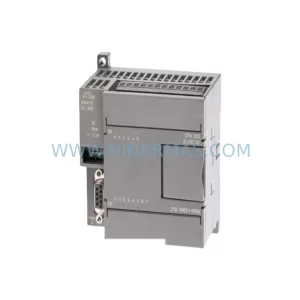
SKU: 6SL3352-3AG35-8AA0
Siemens 6SL3352-3AG35-8AA0 Service-Ready Spare Part for Industrial Maintenance
Catalog Continuation
Alternative parts within PLC & Industrial Automation Modules.
Stay inside the same system family when you need substitutes, adjacent modules, or a broader shortlist for procurement review.
SKU: MDS60A0015-5A3-4-00 KV-U7 KV-C32XA KV-B16RA KV-DA40 KV-AD40 KV-1000 VER.4.13, 1080-00125 SM3410-APPMAT1
SEW MDS60A0015-5A3-4-00 Service-Ready Industrial Spare Part
SKU: KSD1-48 KSD1-08 KSD1-16 KSD1-32 KSD1-64
KUKA KSD1 Series Retrofit-Compatible Servo Drive for Legacy Systems